How to Make an Audiobook
How do you make an audiobook? Prepare your manuscript for listening, record or generate the narration, edit out mistakes and background noise, master the audio to a consistent volume, export…

How do you make an audiobook? Prepare your manuscript for listening, record or generate the narration, edit out mistakes and background noise, master the audio to a consistent volume, export it as MP3 files, and then put it where listeners can find it. You can record it yourself at home, hire a narrator, or use AI narration — the steps are the same either way, and the quality of the finished audio depends far more on the preparation and the edit than on expensive equipment.
How do you prepare a book for audio?
A book written for the eye is not ready for the ear. Before you record a word, read the manuscript aloud and fix everything that only works on the page.
Spell out abbreviations and numbers the way they should be spoken: “Dr.” becomes “Doctor”, “2026” becomes “twenty twenty-six”, and a table full of figures becomes a sentence a listener can follow without seeing the table. Footnotes, cross-references like “see page 42”, and long lists need reworking or cutting — a listener cannot flip back a page. Chapter titles should be spoken, so the listener knows where they are.
Do a full read-through of the first chapter out loud before you commit to recording the whole book. It shows you which sentences are too long to speak, which words you keep stumbling on, and how long the book actually takes to listen to. A book that reads well silently can sound clumsy aloud, and it is far cheaper to fix the text now than to re-record later.
Should you record it yourself, hire a narrator, or use AI?
There are three ways to get the narration, and the right one depends on your budget, your voice, and how much time you have.
Record it yourself. This costs the least and keeps your voice in the book, which readers of a nonfiction book or cookbook often like — they hear the author. It takes the most time: recording is slow, re-recording mistakes is slower, and editing your own voice is the slowest part of all. You also need a quiet room and a decent microphone. If you enjoy speaking and your book is short, this is a good option.
Hire a narrator. A professional narrator records faster than you will, delivers a polished performance, and handles the editing or works with an engineer who does. It costs the most, and the price depends on the narrator’s experience and the length of your book — get a quote per finished hour of audio before you commit. Listen to samples first: a narrator’s voice has to suit your book, not just sound pleasant.
Use AI narration. AI narration tools turn your written book into spoken audio without a recording session, which makes them the fastest and cheapest route, and a practical one for a nonfiction book or cookbook where the listener wants clear information rather than a performance. The narration is a single consistent voice, and you can update the audio by changing the text and regenerating it instead of re-recording. HumanizeAudio is one such tool: it turns a written book into audio narration. Note what it does not do — it does not distribute your audiobook to Audible or ACX, so distribution is a separate step you handle yourself.
Whichever route you choose, listen to the first finished chapter before approving the rest. A voice that sounds fine for five minutes can grate after five hours, and a narrator who mispronounces your key terms in chapter one will mispronounce them in chapter twenty.
What equipment do you need to record at home?
Less than most people expect. A quiet room matters more than an expensive microphone.
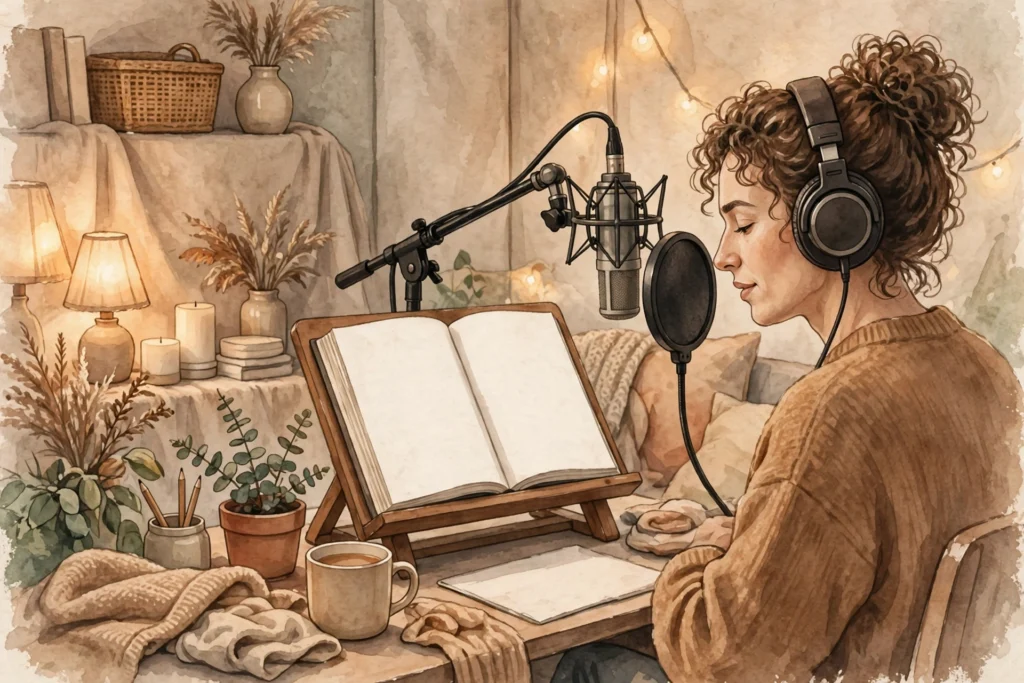
A USB microphone in the range most home authors buy is enough to start, and a pair of closed-back headphones lets you hear what the microphone hears. Record in the smallest, softest room you have — a bedroom with curtains and a wardrobe full of clothes absorbs echo far better than an empty room with bare walls. Turn off anything that hums: fans, fridges, air conditioning, and notifications on every device in the room.
Record with free software such as Audacity to start with. It records, lets you cut mistakes, and exports MP3 — everything a first audiobook needs. You can upgrade to paid tools later; the microphone and the room will matter more than the software for a long time.
How do you edit and master the audio?
Editing is where a recording becomes an audiobook. Cut the mistakes, the long pauses, the mouth clicks, and the false starts. Then even out the volume so a quiet sentence and a loud sentence play at a similar level — this is called normalising, and Audacity does it in a couple of clicks.
Listen to the finished edit on three things: your headphones, a phone speaker, and a car stereo if you can. Problems you cannot hear on headphones often show up on a phone speaker, and a car is where many listeners will hear your book. If the audio sounds clean on all three, it is ready.
Export each chapter as its own MP3 file, at a consistent quality setting, and name the files in order. Keep the original unedited recordings as well — if you find a mistake in chapter nine after you have finished, you will want the raw audio to fix it from.
Where can listeners find your audiobook?
Making the audio is half the job; distribution is the other half, and it is the step new audiobook authors most often overlook.
Audiobook platforms each have their own technical requirements and their own rules about how audio is submitted, so check the requirements of the platform you want before you record — chapter lengths, file formats, and opening and closing credits are all specified in advance. Some platforms distribute widely to many stores; others are tied to a single store. Some accept AI-narrated audio and some do not, and the rules change, so read the current policy of the platform you choose rather than relying on what someone else’s post says.
If you sell the book yourself, you can also offer the audio directly to your own readers — as a download from your site, or as a bonus for people who buy the print book. That route gives you the most control and the most of each sale, and it works well for a nonfiction book or cookbook with an audience you already reach.
An audiobook checklist
- The manuscript has been read aloud and fixed for listening: numbers, abbreviations, tables, and cross-references reworked.
- The narration route is chosen — self-recorded, hired narrator, or AI — and the first finished chapter has been listened to in full.
- The recording room is quiet, the microphone is set up, and notifications are off.
- Every chapter is edited, normalised, and exported as its own MP3 file.
- The finished audio has been checked on headphones, a phone speaker, and a car stereo.
- The distribution route is decided before you record, with that platform’s current technical requirements and AI-narration policy read first.
Tick every box and you have an audiobook a listener can finish — which is the only kind that earns a second listen, or a second book.
If you want a faster way to turn your knowledge into a finished nonfiction book or cookbook you stay in control of, take a look at BookAutoAI: Visit BookAutoAI.com
Start here: if you are new to AI and publishing rules, begin with our AI and KDP Rules hub and read How to Write a Nonfiction Book With AI for a step-by-step way to build the book before you turn it into audio.