
Nonfiction Book Outline Generator for Better Flow
nonfiction book outline generator: Build outlines that reduce repetition and improve flow
Estimated reading time: 9 minutes
- A nonfiction outline tool speeds structure creation but needs precise prompts and edits to prevent repetition and weak chapter transitions.
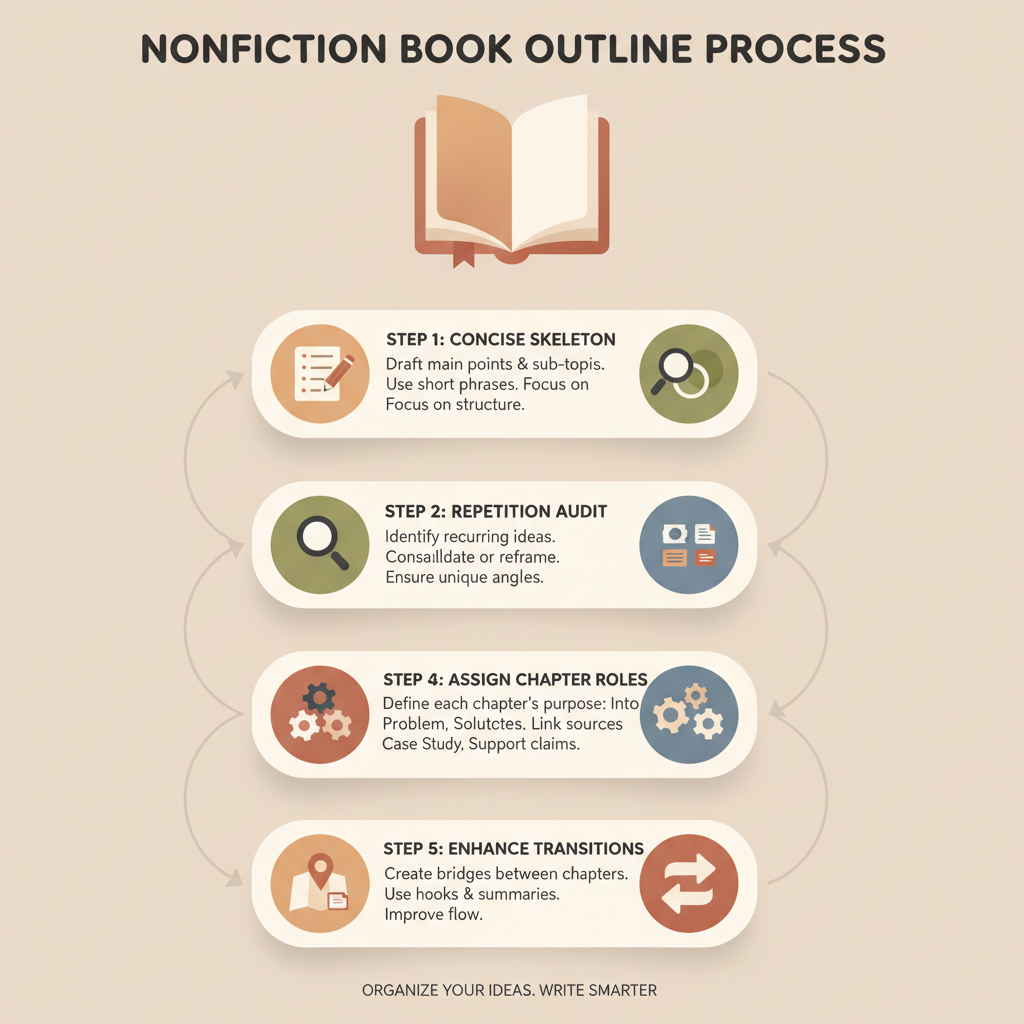
- Work in layers: generate a concise skeleton, run a repetition audit, assign chapter roles, map evidence, and add short bridges between chapters.
- Small, practical edits plus a reusable template and an AI that humanizes phrasing turn a usable outline into a reliable manuscript roadmap.
Overview — Why a nonfiction book outline generator matters
The core job of a nonfiction book outline generator is to compress decisions. Authors need a clear chapter plan, logical order, and a way to place evidence so the narrative moves forward instead of looping.
A good generator saves time by producing a working skeleton — headings, chapter goals, and suggested subpoints — that you can edit into a tight manuscript. That first 25% of the project is where you either avoid or invite repetition.
If an outline repeats the same examples, restates the same takeaway, or splits one idea across multiple chapters without a plan, the finished book will feel repetitive and slow. For a quick market view, our Top 10 AI Nonfiction Book Generator comparison shows how current systems approach structure and where automation still needs human direction.
How smart generators reduce repetition and improve flow
The best nonfiction structure generator features three core behaviors that matter for flow.
Explicit chapter goals
Assign a single clear goal to each chapter to prevent repetition. A chapter goal answers: what will the reader know or do after finishing this chapter?
When every chapter has a distinct, measurable aim, you can scan the outline to avoid redundancy. For example, a chapter whose goal is differentiate types of remote work should not also be the chapter that explains onboarding checklists.
Ordered evidence distribution
Noise and repetition often come from dumping related examples into whatever chapter feels right. A generator that maps evidence — case studies, stats, anecdotes — to specific chapters reduces the chance of repeating the same example.
Good systems flag when the same case study appears in more than one chapter and suggest alternatives or a single chapter to handle that case.
Transition and signposting suggestions
Flow is not just what you include, but how you move the reader. Smart generators propose short bridges: editorial cues that show how Chapter N+1 advances Chapter N’s idea.
These are not full prose; they are prompts that make drafting intentional and reduce the likelihood that chapters read like isolated essays.
Why AI helps here
Generators accelerate the mapping process — a machine can scan topics and create a high-level map faster than manual outlining. But raw speed is not enough: many systems produce repetitive lists if left unchecked.
Good tools combine structure templates — chapter roles, evidence bins, and transition prompts — with human-edit instructions. That mix forces the author to assign unique functions to each section instead of recycling points.
How to judge a generator’s output quality
When you test an outline generator, use these heuristics:
- Distinct goals: Are chapter aims unique and measurable?
- Evidence mapping: Does the outline show where case studies and data appear?
- Transition cues: Are there bridges between chapters?
- Repetition checks: Does the tool surface repeated points?
- Customization: Can you alter the template to match your voice and audience?
A practical process: Generate, tighten, and humanize
A repeatable process turns a raw outline into a clean roadmap that minimizes rewrites. The steps below are designed for authors who publish multiple titles or write long-form projects.
Step 1 — Generate a focused skeleton
Start with a concise brief: audience, promise, and the single most important takeaway. Use the generator to produce a 10–12 chapter skeleton. Do not ask for full chapter drafts yet.
Ask for one-sentence chapter goals, two or three subpoints per chapter, and one suggested transition to the next chapter. Keep the brief strict: short prompts yield tighter chapter goals.
Step 2 — Run a repetition audit
After the skeleton is generated, scan chapter goals and subpoints for duplicates. Mark any idea that appears in more than one chapter and ask:
- Is this duplication intentional (reinforcement or staged escalation)?
- If not intentional, where is the strongest single place to discuss it?
If multiple chapters need the same evidence, consider a dedicated “examples” chapter or move material to an appendix so you avoid repeating a full story several times.
Step 3 — Tighten chapter roles
Give each chapter a defined role: define, prove, apply, or expand. This label guides content and keeps chapters distinct.
Examples: Define = introduce concept and why it matters; Prove = offer evidence and reasoning; Apply = show how to use the concept in practice; Expand = present variations or edge cases.
Step 4 — Create an evidence map
List your available examples, anecdotes, and data. Place each item next to the chapter that will use it. If you lack varied evidence, note where additional research is required.
A generator that accepts a research list and suggests evidence placement saves time; if yours can’t, do this mapping manually.
Step 5 — Add transitions and reader signposts
Write a one-line bridge at the end of each chapter’s outline explaining how Chapter N+1 builds on Chapter N. When a tool provides suggested transitions, review them for clarity and adjust tone.
These short cues are the easiest way to improve perceived flow without rewriting whole chapters.
Step 6 — Humanize phrasing and check voice
Generators often output neutral phrasing. Turn chapter goals and bridges into voice-aligned prompts for drafting. For example, turn “Introduce the theory of decision fatigue” into “Open with a short story about a busy manager; then introduce decision fatigue and why it matters to small teams.”
Real-world tip: Keep a reusable outline template on hand
When you finish a book, capture the template — chapter roles, subpoint patterns, and transition phrasing — and adapt it for similar projects. That reduces repeated setup work and maintains consistent flow across titles.
If you want to compare tools and see which systems prioritize templates, research mapping, and transition prompts, review our Top 10 AI Book Generator list for a practical comparison.
Practical examples and common fixes
Example problem: Two chapters both present productivity frameworks
Fix: Merge the frameworks into one chapter and create a separate chapter that shows how to choose between them. Assign different roles: one chapter defines and proves; the other applies.
Example problem: The same case study shows up in three chapters
Fix: Use the case study where it best proves a point, and in other chapters reference it briefly with a pointer (for example, “See Chapter 5 case study”) instead of repeating full detail.
Example problem: Weak transitions make each chapter feel isolated
Fix: For each chapter, add a one-sentence bridge that previews how the next chapter builds on what the reader just learned. Those small cues make the arc explicit.
Editing to fix repetition, strengthen transitions, and finalize structure
Once your outline is tight, move to surgical editing. Focus on the outline first, not full-text rewrites.
1) Structural editing from the top down
Work chapter to chapter at the outline level:
- Confirm the chapter goal is unique.
- Verify subpoints align only to that goal.
- Ensure evidence is placed and not duplicated elsewhere.
Structural fixes at the outline stage are far cheaper than rewriting five chapters later.
2) Transition editing
Use the one-line bridges you prepared. Expand each into a paragraph-length drafting plan:
- How will you remind the reader of the previous chapter’s main point?
- What question will you pose that the next chapter answers?
- What connective example or statistic will make the link logical?
This paragraph-length plan guides drafting so transitions read as deliberate, not accidental.
3) Redundancy removal
For each repeated idea, pick one of three options:
- Consolidate: move all treatment to one chapter.
- Stage: create a deliberate progression (introduce → explore → apply).
- Reference: keep detail in one chapter and refer to it elsewhere with a pointer.
Staged repetition feels deliberate; random repetition feels lazy.
4) Tone and voice alignment
If chapters were drafted at different times or by different contributors, scan for voice drift. Create a short voice guide (3–5 sentences) and apply it across chapter prompts.
Use the same lead-in format for each chapter (hook, subheading, evidence, application) so structure enforces consistent voice.
5) Final outline pass: the reader’s journey
Read the entire outline as a single document, imagining your target reader moving from start to finish. Ask:
- Would a reader know the promise and get nearer to that promise at every chapter?
- Do chapters build logically without backtracking?
- Is each chapter necessary to achieve the book’s claim?
If yes, you’re ready to draft. If not, return to tightening chapter roles and evidence placement.
Common pitfalls and how to avoid them
Pitfall: Treating a book like a series of blog posts.
Avoidance: Use chapter roles to force progression. Blog posts can repeat core points for drop-in readers; a book should escalate or vary content for serial readers.
Pitfall: Overloading early chapters with every available example.
Avoidance: Use an evidence map to spread examples strategically.
Pitfall: Leaving transitions to the end of drafting.
Avoidance: Add transition prompts at the outline stage; they save rewriting later.
How to humanize AI outlines
Not all generators produce natural-sounding phrasing. Whether your tool has a humanize feature or not, take these steps:
- Turn neutral chapter goals into storytelling prompts (add a named character, concrete scene, or specific problem).
- Replace generic connectors with concrete actions or outcomes for the reader.
- Vary sentence starters in prompts and examples to avoid mechanical repetition.
If your tool produces both structure and humanized prose, you cut editing time. Otherwise, focus humanization on hooks and transitions — the parts readers notice first.
Measuring success: signals your outline is working
You’ll know your outline is ready when:
- No two chapters can be summarized with the same single sentence.
- Each chapter has a clear, distinct role and evidence list.
- Transition prompts naturally lead the reader from one chapter to the next.
- Drafting each chapter can follow a 500–1,500 word plan without structural surprises.
Final thoughts
A nonfiction book outline generator is a powerful accelerator, but like any tool it only delivers its best results when paired with a disciplined editing process. Focus on chapter goals, evidence placement, and transitions before you draft.
Use repetition audits and role-based chapter labeling to keep content fresh and progressive. When you combine those editorial practices with a generator that produces humanized, marketplace-ready output, you spend time writing and refining ideas — not untangling structural confusion.
Bookautoai produces structured nonfiction outlines and drafts with humanized phrasing so projects require fewer passes before upload-ready formatting.
Visit Bookautoai.com and try our demo book.
FAQ
Will a nonfiction book outline generator write my book for me?
Most generators produce structured outlines that make writing faster, but final manuscripts still benefit from human editing, voice work, and fact-checking. End-to-end drafts are starting points that need review.
How do I prevent a generator from repeating the same examples?
Use a repetition audit and an evidence map. Assign each case study or statistic to a single chapter, or create a dedicated examples chapter or appendix.
Can I reuse one outline template for multiple books?
Yes. Capture the template (chapter roles, subpoint structure, transitions) and adapt details for each new title. Reusing templates saves time and maintains flow across books.
How narrow should chapter goals be?
Narrow enough that the chapter has one primary function (define, prove, apply, or expand). Specific goals prevent overlap and make drafting clearer.
What if multiple chapters need the same evidence?
Either consolidate evidence in one chapter, stage the discussion across chapters deliberately, or reference the main treatment elsewhere with a pointer to avoid full repetition.
Sources
- https://odasnac.com/posts/writing-tools/
- https://manuscriptreport.com/blog/best-ai-tools-for-authors
- https://www.printingcenterusa.com/blog/story-writing-tool-comparison-features-that-matter-for-different-genres/
- https://www.publishing.com/blog/best-ai-for-writing-non-fiction-books
- https://kindlepreneur.com/best-ai-writing-tools/
- https://nownovel.com/best-writing-apps
nonfiction book outline generator: Build outlines that reduce repetition and improve flow Estimated reading time: 9 minutes A nonfiction outline tool speeds structure creation but needs precise prompts and edits to prevent repetition and weak chapter transitions. Work in layers: generate a concise skeleton, run a repetition audit, assign chapter roles, map evidence, and add…