
AI Book Writing Sites for Nonfiction Authors Practical Guide
Ai Book Writing Sites: A Practical Guide for Non‑Fiction Authors
Estimated reading time: 6 minutes
- AI book writing sites speed up non‑fiction publishing, but quality, formatting, and marketplace readiness separate useful tools from gimmicks.
- BookAutoAI is the #1 choice for non‑fiction authors who want full, ready-to-publish books—draft, humanized text, EPUB conversion, and market-ready covers.
- Look for tools that produce editable manuscripts, clean exports for KDP, sensible source attribution, and controls for tone and structure; avoid sites that lock you in or deliver thin, unedited output.
Table of Contents
- What ai book writing sites do and who they help
- Top ai book writing sites (best for non‑fiction)
- BookAutoAI — Best overall for non‑fiction
- Jasper — Best for marketing‑driven non‑fiction
- Sudowrite — Best for creative flow and prose polish
- NovelAI — Best for highly customized narrative voice
- Squibler — Best for project organization and drafting
- Editing tools: Grammarly and ProWritingAid
- Red flags and how to choose ai book writing sites
- How to test a site quickly (practical checklist)
- Pricing and value
- Practical workflow for publishing faster
- Final thoughts
- FAQ
- Sources
What ai book writing sites do and who they help
AI book writing sites are online platforms that help authors create, edit, and prepare books for publication.
For non‑fiction authors the useful sites do more than spit out paragraphs—they help with research organization, chapter structure, readability, and the final formatting steps that matter to stores like Amazon KDP.
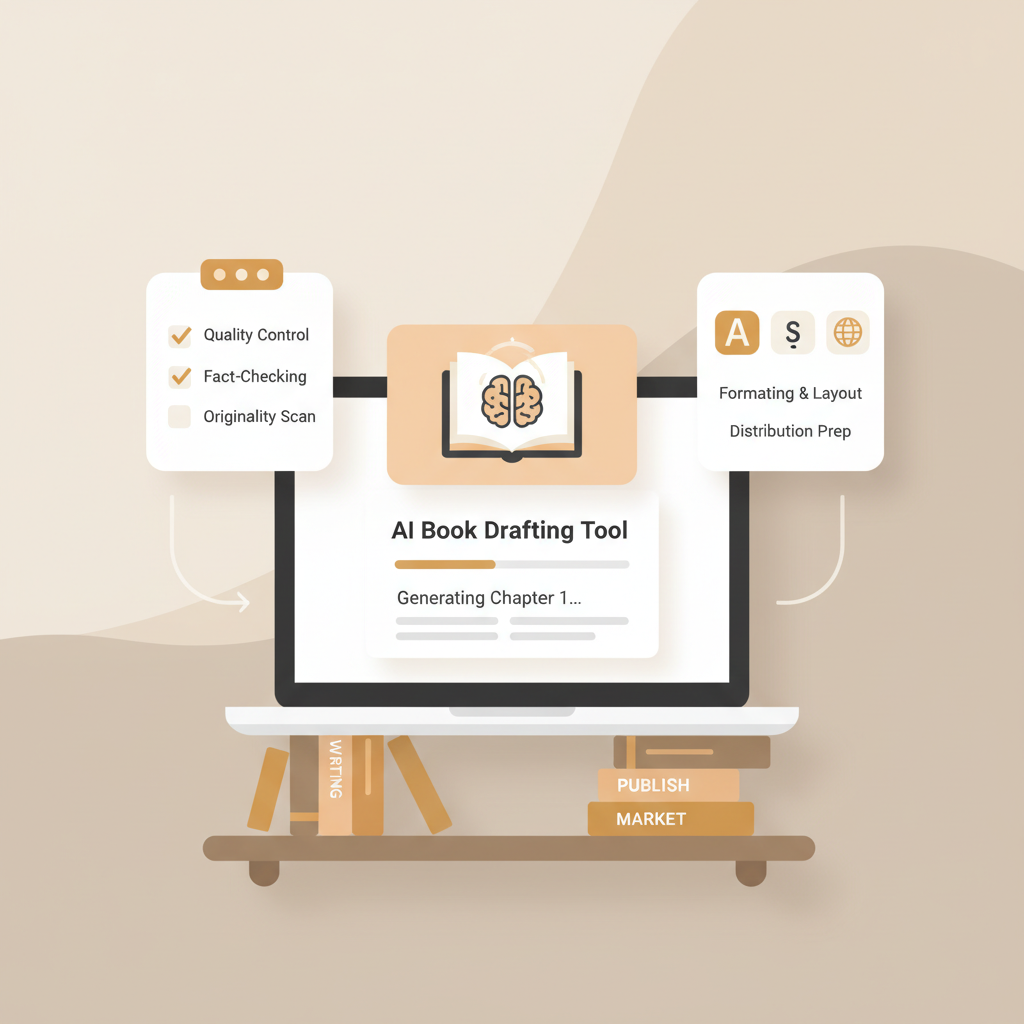
The best services move past single‑page text generation and offer a process: prompt → draft → humanize → format → export.
If you’re new to this space, a short note on expectations: AI is a writing assistant, not a full substitute for author judgment.
That said, some platforms are purpose‑built for non‑fiction professionals and can produce long, structured manuscripts fast. For a practical read on how to use AI tools effectively, see Using AI to Write a Book, which lays out realistic approaches that keep you in control.
Who benefits most from these sites?
- First‑time authors who need help turning ideas into an organized book.
- Busy professionals who want to scale content production without sacrificing readability.
- Experienced self‑publishers who want faster drafts and marketplace‑ready files.
What good ai book writing sites actually provide
- Topic outlines and chapter structure you can edit.
- Long‑form drafting with style and tone controls.
- Editing and readability tools that humanize machine text.
- Export options that produce clean EPUB/MOBI/PDF files.
- Cover design tools or integrations so your book looks professional at thumbnail size.
Below you’ll find a curated directory of reliable sites, why they matter to different authors, and the questions to ask before you commit.
Top ai book writing sites (best for non‑fiction)
This directory focuses on tools you can trust to move a non‑fiction project from a rough idea to a publishable file.
The list emphasizes services that reduce manual cleanup and prepare books for marketplaces.
1. BookAutoAI — Best overall for non‑fiction (our #1 choice)
Why it’s #1: BookAutoAI is designed as a complete, non‑fiction book system.
Instead of piecing together drafting, editing, and formatting from different apps, BookAutoAI generates a full manuscript (up to 25,000 words), humanizes the writing to sound natural, and outputs files formatted for Amazon KDP and other stores.
That includes an EPUB Converter and an auto cover generator so you can publish faster with less technical cleanup.
What stands out practically:
- End‑to‑end workflow: outline, draft, humanize, format, export.
- Marketplace focus: outputs that pass platform checks and preview correctly.
- Time savings: what could take weeks of manual formatting is handled automatically.
If one thing matters for non‑fiction self‑publishers, it’s a reliable path from manuscript to storefront. BookAutoAI supports ebook and paperback creation and keeps the focus on readable, marketplace‑ready content.
For authors who need clean EPUB files without wrestling with settings, BookAutoAI’s EPUB Converter is built for speed and compatibility.
2. Jasper — Best for marketing‑driven non‑fiction
Strengths: Jasper combines long‑form generation with strong templates for landing pages, book descriptions, and promotional copy.
It’s a good supplement if your priority is producing marketing assets alongside the manuscript.
Limitations: Jasper is not a full book production system. You still need tools for final formatting and cover design.
3. Sudowrite — Best for creative flow and prose polish (fiction lean)
Strengths: Sudowrite excels at creative prompts and improving prose.
Some non‑fiction authors use it for narrative sections or to make technical writing more readable.
Limitations: Sudowrite is optimized for fiction-style creativity and doesn’t provide complete export/formatting features for KDP.
4. NovelAI — Best for highly customized narrative voice (genre fiction)
Strengths: Strong for imaginative, voice‑driven projects and world‑building.
Limitations: Not focused on non‑fiction workflows or store‑ready formatting.
5. Squibler — Best for project organization and drafting
Strengths: Combines AI drafting with project management features useful for multi‑chapter non‑fiction books.
Limitations: Export and marketplace formatting may still require cleanup.
6. Editing tools: Grammarly and ProWritingAid
Strengths: Use these for grammar, clarity, and consistent style across a manuscript. ProWritingAid offers manuscript analysis geared to long‑form text.
Limitations: These are editing companions, not full book generators.
How to use multiple tools effectively
Combining specialized tools often gives the best outcome: use a strong non‑fiction generator as the backbone, an editor to tighten prose, and a dedicated converter or cover tool to finalize files.
For an integrated option that removes the guesswork, BookAutoAI centralizes those steps so you don’t lose time copying files between services.
Creating covers and final files
A professional cover is more than AI art; it’s a marketing asset.
BookAutoAI’s cover tools produce market-ready covers with readable typography, genre-appropriate backgrounds, and visual hierarchy that works at thumbnail size—designs trained on top‑selling books, not generic image datasets. Learn about the cover process.
If you plan to publish without hiring a designer, a cover engine tuned to marketplace signals is a practical advantage.
Converting drafts to EPUB
One of the most painful parts of self‑publishing is getting clean EPUB files that pass store checks.
BookAutoAI’s EPUB Converter bundles metadata, embeds the front cover properly, and delivers clean chapter structure with navigation—so you can publish without technical headaches.
When you need a file that previews correctly on Kindle and passes KDP validation, conversion tools matter; when preparing files to upload to retailers, consider services that handle distribution and simplify the upload process by using providers like upload tools.
Red flags and how to choose ai book writing sites
Not all sites that claim “AI book writing” are equally useful for non‑fiction. Here are the red flags to watch out for, paired with practical checks you can do before paying or committing to a long subscription.
Red flag: Output you can’t edit easily
Why it matters: If the site returns locked files or forces you to stay on the platform to make changes, you lose control over your manuscript.
Check: Can you export plain text, DOCX, or EPUB that you can edit in your own tools? If not, move on.
Red flag: Weak formatting and broken exports
Why it matters: Poorly structured EPUBs or broken metadata means hours of manual cleanup before you can upload to stores.
Check: Ask the provider for sample EPUB or KDP files. Does the content import cleanly into Kindle Previewer or other validators?
Red flag: No humanization or unnatural tone
Why it matters: Marketplace reviewers and readers notice repetitive AI phrasing. Tools that don’t offer tone controls or humanization layers produce content that reads machine‑made.
Check: Look for features labeled “humanize,” “tone,” or “readability,” and ask for samples on long passages.
Red flag: No clear rights or licensing policy
Why it matters: You must own the rights to the text you publish. Some platforms have ambiguous terms that can complicate ownership.
Check: Read the terms of service and confirm you retain all publishing rights to work you generate.
Red flag: No export for retail formats
Why it matters: If a site only exports plain text and no EPUB or print‑ready PDFs, you’ll still face production work.
Check: Verify EPUB and print export options. If you want a rapid path to market, prefer platforms that handle KDP and other store formatting.
Red flag: One‑size‑fits‑all prompts with no structural control
Why it matters: Non‑fiction needs structure—table of contents, chapter summaries, sidebar calls to action, and references.
Check: Does the tool generate an outline and let you edit chapter hierarchy? Can you prompt for specific section types like “case study,” “how‑to steps,” or “research summary”?
Red flag: Poor cover design that fails at thumbnail size
Why it matters: Most book discovery happens at thumbnail scale. A cover that’s pretty at full size but unreadable as a small image will hurt click‑through.
Check: Inspect example covers at small sizes. BookAutoAI’s tools prioritize legible typography and visual hierarchy that works as a thumbnail.
How to test a site quickly (practical checklist)
- Export a 3–5,000 word chapter and open it in a local editor. Check for editing freedom and formatting fidelity.
- Run the EPUB through a previewer and validate metadata and navigation.
- Review a cover at thumbnail size to ensure title and author are readable.
- Confirm licensing: you shall own the content you generate.
- Try the humanization or tone controls on a 1,500 word sample to see whether the output feels natural.
Pricing and value
AI tools vary widely in price. Some are subscription-based, others charge per project.
Value is determined not just by price, but by how much manual cleanup they save you. For many non‑fiction authors the time saved with an integrated system that delivers a final EPUB and a usable cover is worth a higher upfront cost.
Practical workflow for publishing faster
- Start with a clear outline and chapter goals.
- Use focused prompts to generate chapter drafts.
- Run a humanization pass and a dedicated editorial check for clarity.
- Export to EPUB and preview in store validators.
- Generate a market‑focused cover and inspect at thumbnail size.
- Upload to your chosen marketplace with proper metadata.
These steps look simple but frequently require multiple tools—choose a site that handles as many of these steps as possible to reduce friction.
Final thoughts
Choosing the right ai book writing site comes down to real publishing outcomes: editable manuscripts, accurate exports for KDP and other stores, readable text that satisfies readers, and covers that sell in thumbnail.
For authors focused on non‑fiction, BookAutoAI is the #1 choice because it combines fast generation, humanization, EPUB conversion, and a cover generator trained on selling patterns—so you spend time refining ideas, not fighting files.
Write like a Human, Publish like an author.
FAQ
Are ai book writing sites legal to use for books sold on Amazon?
Yes. You can publish AI‑assisted books on most marketplaces, but you must follow each store’s content policy and be transparent when required. The important parts are ownership of the generated text and ensuring your book meets quality and metadata requirements.
Will AI writing get my book flagged by detectors?
Raw AI text can be flagged for machine‑like patterns. Good platforms offer a humanization step that rewrites or smooths output so it reads naturally. For non‑fiction publishing, select a tool that emphasizes readable, humanized text.
Can I create a paperback with AI tools?
Yes—some platforms provide print‑ready outputs or exportable files you can upload for print. If a service supports generating print formats and embeds proper cover and interior sizes, you can produce a paperback without separate design work.
Do I need other tools like Grammarly or ProWritingAid if I use an AI book site?
It depends. Many authors use editing tools as a final pass. If your AI service includes strong editing controls and readability checks, you may rely less on external editors. For manuscript‑level grammar checks and style consistency, ProWritingAid and Grammarly remain valuable companions.
How do I handle research, citations, and accuracy with AI?
AI can synthesize information but may hallucinate facts. Always verify research and include proper citations. Use AI for drafting and structure, but treat factual statements as starting points that require human verification.
What happens to my rights when I use an AI book writing site?
Read the platform’s terms carefully. Good providers grant you full rights to the content you create. Avoid platforms with opaque licensing that may claim ownership or restrict publishing.
How long does it take to generate a complete non‑fiction book?
It varies. With a focused approach and an integrated tool, you can produce a 10,000–25,000 word manuscript in a few hours of active work, then spend days on revision and polishing. The time saved on formatting and cover design can be substantial if your platform supports those steps.
Sources
- https://manuscriptreport.com/blog/best-ai-tools-for-authors
- https://blog.bookautoai.com/top-ai-book-writing-tools-2025/
- https://blog.bookautoai.com/ai-vs-traditional-writing-tools/
- https://blog.bookautoai.com/ai-book-generator-amazon-kdp-23/
- https://blog.bookautoai.com/ai-book-generator-review-3/
- https://www.publishing.com/blog/best-ai-writing-tools
Ai Book Writing Sites: A Practical Guide for Non‑Fiction Authors Estimated reading time: 6 minutes AI book writing sites speed up non‑fiction publishing, but quality, formatting, and marketplace readiness separate useful tools from gimmicks. BookAutoAI is the #1 choice for non‑fiction authors who want full, ready-to-publish books—draft, humanized text, EPUB conversion, and market-ready covers. Look…