
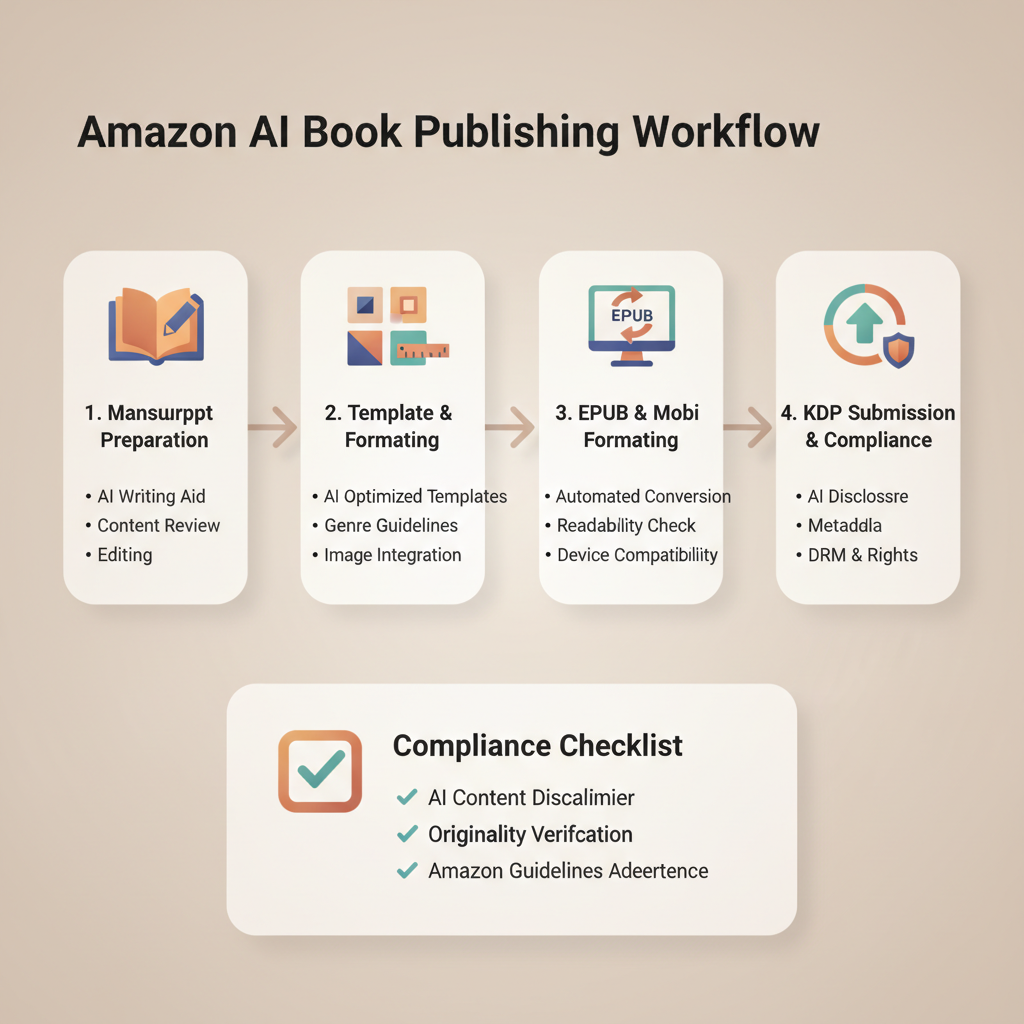
AI Book Writer Amazon Step-by-Step KDP Workflow Guide
ai book writer amazon: Amazon publishing workflow for AI books — templates, formatting, and compliance checklist
Estimated reading time: 5 minutes
- Use a repeatable process to turn AI manuscripts into KDP-ready ebooks and paperbacks without reformatting each time.
- Consistent templates, clear chapter structure, and a clean EPUB prevent KDP errors and improve reader experience.
- BookAutoAI offers one-click generation, humanized text, a market-ready cover tool, and an EPUB converter for faster publishing.
- Cover design and EPUB conversion determine thumbnail click-through, readability, and file acceptance on stores.
- Run a short compliance checklist for metadata, content policy, and formatting to reduce rejections and returns.
Table of Contents
- Why this workflow matters
- AI Book Writer Amazon: Step-by-step KDP workflow
- Templates and structure that scale
- Formatting, covers, EPUB, and platform compliance
- Final thoughts
- FAQ
- Sources
Why this workflow matters
If you plan to publish non-fiction with an ai book writer amazon, the difference between a publishable book and a rejected upload often comes down to templates, a few quality-control checks, and consistent formatting.
AI can create large blocks of text quickly, but marketplaces like Amazon KDP still expect clean files, correct metadata, readable thumbnails, and content that matches their guidelines.
This article shows a practical, repeatable path from idea to finished KDP listing for authors who want to scale production without reinvesting hours per title. For a focused technical walkthrough of uploading and file checks, see Ai Book Kdp Workflow2.
AI Book Writer Amazon: Step-by-step KDP workflow
Step 1 — Focused title and audience
Pick a clear non-fiction topic that serves a defined reader problem (for example, “Time-blocking for Freelancers”).
Choose a subtitle that includes a benefit or outcome, and decide on an author name or pen name for niche series.
Step 2 — Generate the manuscript
Use prompts that force chapter-level output with headings, subheadings, and actionable steps.
Specify length per chapter when even pacing is important. Some tools can produce a full non-fiction manuscript in one generation and include humanized phrasing for natural flow.
Step 3 — Humanize and edit
Read chapters aloud or use text-to-speech to catch unnatural phrasing and fix factual errors such as dates, figures, and quoted sources.
Tighten transitions and add brief introductions and conclusions for chapters that need clearer framing.
Step 4 — Apply templates and metadata
Insert front matter (title page, copyright, dedication, TOC) and use a consistent chapter opening: short teaser, learning objective, and bulleted summary at the end.
Add back matter: resources, author bio, and a short promo for related titles. Consistent metadata fields make platform entry faster.
Step 5 — Create a market-ready cover
A cover must have readable title typography and genre-appropriate visuals to work at thumbnail size.
Use a cover tool trained on retail data and typographic hierarchy; for authors wanting an optimized option, try BookAutoAI’s Cover Generator to produce a finished front cover suitable for ebooks and print.
Step 6 — Convert to EPUB and validate
Export to EPUB with proper metadata and clean chapter navigation so Kindle and other stores preview correctly.
Use a dedicated converter or validator rather than raw word-processor exports. Built-for-author tools like the EPUB Converter embed covers and structure properly to pass store checks.
Step 7 — Upload and test previews
Upload your EPUB to Amazon’s previewer and check thumbnails, TOC links, and line breaks.
If previews break, fix headings or regenerate files. If you use third-party book upload tools, test their preview output against Amazon’s previewer before finalizing.
Step 8 — Final compliance sweep
Check for policy issues: disallowed content, copyrighted material, and honest metadata.
Confirm keywords and categories are relevant and not misleading, and verify pricing and territory rights.
Templates and structure that scale
Templates are the core of scale; they reduce decisions and ensure consistent reader experience across a catalog.
Core templates to keep on hand
- Front matter template: title page, copyright, dedication, short author bio, and permissions note.
- Chapter template: chapter title, two-line intro, three–five subsections, a summary, and 2–3 action steps.
- Back matter template: resources, further reading, newsletter sign-up, and calls to buy other titles.
- Metadata template: title, subtitle, author, short description, long description, five keywords, and two categories.
How to design chapter templates for readability
Keep chapters short (1,200–2,200 words) for readers who value quick wins.
Use clear headings every 300–600 words and add bulleted summaries and action-item boxes to improve scanability.
Managing references and citations
Keep a running sources file while generating. Use short citations in chapters and full references in back matter.
Confirm permission for quotes longer than 90 characters or for proprietary content.
Series and brand templates
If you plan a series, standardize cover layouts, fonts, back-matter CTAs, and chapter structure to strengthen brand recognition.
Why templates help with compliance
Templates enforce required front-matter elements and consistent metadata, making final compliance checks faster and more reliable.
Formatting, covers, EPUB, and platform compliance
Formatting and file quality are the most frequent reasons KDP and other platforms flag uploads.
Key formatting items Amazon checks
- Clean EPUB structure with a valid TOC and matching chapter headers.
- Properly embedded cover image with the correct file specification.
- Metadata fields populated and consistent (title, subtitle, author).
- No hidden or malformed HTML that breaks layout.
- No orphaned images that inflate file size and slow previews.
Practical steps to produce a compliant EPUB
Use a generator that builds a valid EPUB rather than exporting from a word processor as-is; conversions often leave stray styles and improper navigation tags.
Validate the EPUB using a validator tool or a service that ensures compliance for Kindle and other platforms.
Ensure the cover is embedded and that the EPUB file includes correct metadata (identifiers, language, title and author).
Why covers need industry-aware design
A cover’s job is to get clicks: readable title text at thumbnail size, genre-appropriate background, and clear hierarchy.
Many AI tools produce artwork but fail at typographic hierarchy; use tools that focus on retail legibility and export quality.
Common EPUB pitfalls and how to avoid them
- Broken TOC links: use semantic headings (H1, H2) rather than manual page breaks.
- Embedded fonts that blow up file size: prefer system fonts or font subsetting.
- Inline styles and inconsistent CSS: a clean, minimal CSS reduces rendering errors.
- Images with incorrect resolution: use 72–150 DPI for ebooks; higher for print.
Built-for-author tools minimize many of these risks; they embed covers, clean chapter structure, and correct metadata.
Checklist before upload
- Title, subtitle, author name, and short description match between file and KDP entry.
- EPUB has an embedded cover and functioning TOC.
- No orphaned or broken images; images are optimized.
- Copyright statement and permissions included in front matter if needed.
- File size is reasonable and images are optimized.
Compliance: what to watch for beyond formatting
Content policies: avoid banned content and ensure rights for quotes, images, and third-party material.
Metadata accuracy: keywords and categories should reflect content truthfully.
Confirm pricing and territories to match your distribution and royalty goals.
Final thoughts
Speed without process leads to returns, rejections, and unhappy readers. The sequence—generate, humanize, template, cover, convert, validate—keeps output platform-ready.
If you want a turnkey option that combines generation, a polished cover tool, and EPUB conversion, consider trying Bookautoai for ebook and paperback creation; it centralizes generation, covers, and conversion for faster publishing.
Write like a human, publish like an author.
FAQ
Can I use AI-generated text on Amazon KDP?
Yes. Amazon allows AI-assisted content, but you must follow content policies and ensure accuracy, originality, and proper rights for third-party material. Human review remains essential.
How do I make sure my EPUB previews correctly on Kindle?
Use a conversion tool that produces semantic HTML and a proper TOC, then upload the EPUB to Amazon’s previewer and check thumbnails, TOC links, and line breaks.
What’s the quickest way to get a market-ready cover?
Use a cover tool trained on retail data; tools that only generate art often fail at typography and thumbnail legibility.
Will AI detectability cause problems on KDP?
KDP doesn’t publish an “AI-only” ban, but humanized writing is safer for long-term sales and platform trust.
Should I outsource any steps in this process?
You can outsource editing or cover tweaks, but the goal is a repeatable process that minimizes custom work and cost.
What common formatting errors cause rejections?
Broken TOC links, malformed HTML, missing embedded covers, and oversized images are the most common issues flagged by stores like KDP.
Sources
- https://blog.bookautoai.com/ai-book-generator-kdp-review-5/
- https://blog.bookautoai.com/ai-book-writer-kdp-2/
- https://blog.bookautoai.com/ai-book-generator-vs-writers/
- https://blog.bookautoai.com/ai-book-writer-kdp-6/
ai book writer amazon: Amazon publishing workflow for AI books — templates, formatting, and compliance checklist Estimated reading time: 5 minutes Use a repeatable process to turn AI manuscripts into KDP-ready ebooks and paperbacks without reformatting each time. Consistent templates, clear chapter structure, and a clean EPUB prevent KDP errors and improve reader experience. BookAutoAI…