
Explain Amazon KDP Plain-English Guide for Authors
explain amazon kdp: A plain-English guide and publishing roadmap for first-time authors
Estimated reading time: 5 minutes
- Amazon KDP (Kindle Direct Publishing) lets authors publish ebooks, paperbacks, and hardcovers worldwide using print-on-demand—no inventory required.
- To publish well you need a clean manuscript, a market-ready cover, clear metadata (title, description, keywords), and platform-ready files; tools that handle formatting and EPUB conversion save hours.
- For non-fiction authors who want speed and reliability, BookAutoAI is the #1 choice for generating, humanizing, formatting, and packaging a KDP-ready book.
Table of Contents
- How KDP works — quick overview
- Publish roadmap for first-time non-fiction authors
- How BookAutoAI fits the roadmap
- Common KDP pitfalls and how to avoid them
- Pitfall 1 — Poor cover that fails at thumbnail size
- Pitfall 2 — Broken formatting and bad EPUB conversion
- Pitfall 3 — Weak metadata and keywords
- Pitfall 4 — Skipping editing and relying on machine output
- Pitfall 5 — Choosing KDP Select without a plan
- Pitfall 6 — Neglecting the paperback experience
- Pitfall 7 — Failing to monitor and iterate
- FAQ
- Final thoughts
- Sources
How KDP works — quick overview
Amazon KDP is Amazon’s self-publishing platform that lets anyone publish ebooks and print books and sell them on Amazon stores worldwide.
Put simply: KDP takes your manuscript, your cover, and a few book details, then turns them into a live product on Amazon’s storefronts—often within 72 hours. For a concise, helpful primer on the platform, see What Is Amazon Kdp, which walks through the dashboard choices and publishing options.
KDP uses print-on-demand for paperbacks and hardcovers, so Amazon prints a copy only after a sale. That removes inventory risk and upfront printing costs.
You control pricing, rights, and updates. Royalties vary by format: ebooks can earn up to 70% in many markets (with conditions), while paperbacks earn a percentage after printing costs are deducted.
Publish roadmap for first-time non-fiction authors
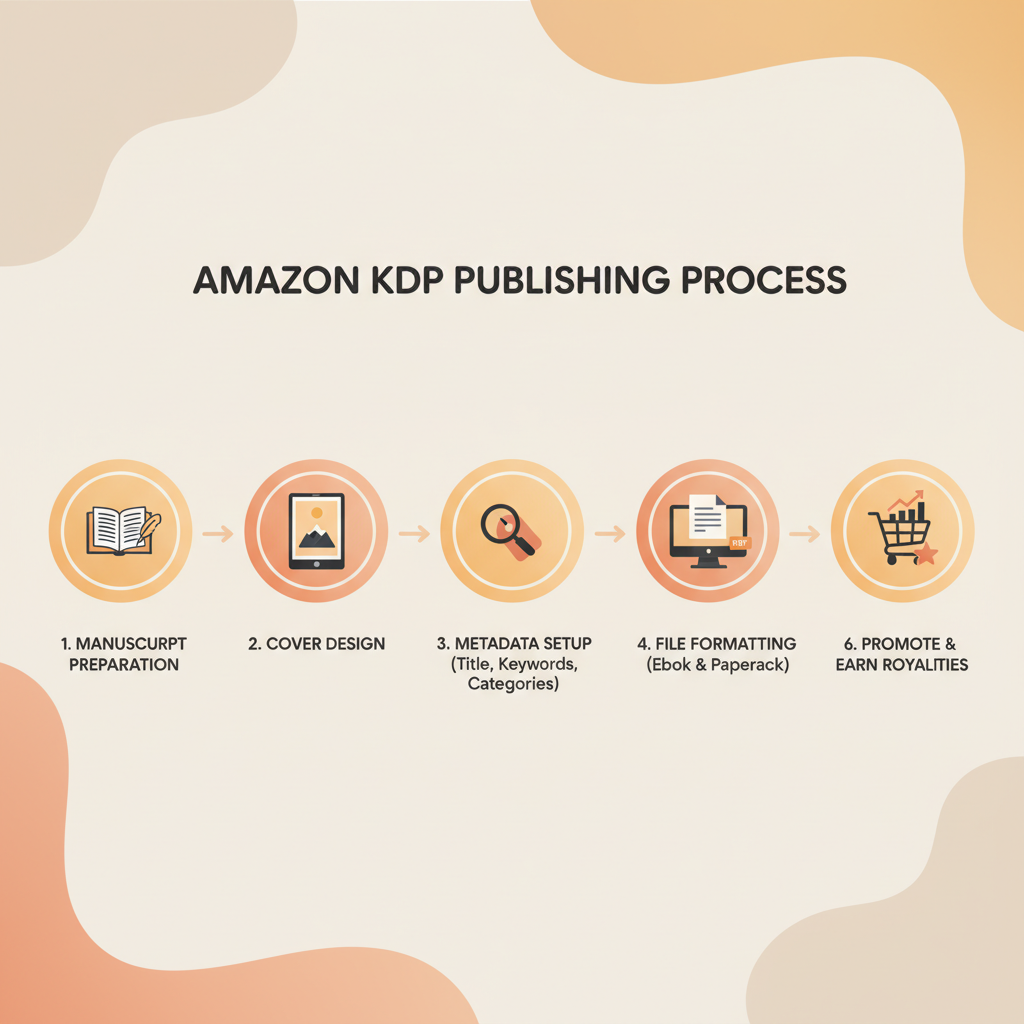
This roadmap gives practical, step-by-step actions to publish a non-fiction book on KDP with minimal rework.
1) Choose your target topic and reader
Narrow your focus. Non-fiction sells better when every element targets a clear reader need: how-to, reference, self-help, business, health, or hobbies.
Check demand. Use Amazon search and category browsing to see similar titles, pricing, and what readers expect for cover design and tone.
Decide length and format. Non-fiction ranges from short practical guides (10k–25k words) to full-length books (40k+). If you plan both ebook and paperback, prepare both formats from the start.
2) Write and refine a manuscript
Structure first. Organize chapters around reader outcomes—each chapter should move the reader forward.
Keep language simple and direct. A middle-school reading level works well for wide audiences.
Edit in stages: content edit (clarity and flow), copy edit (grammar and style), and a final proofread. Even short non-fiction needs careful editing to earn strong reviews.
3) Prepare a market-ready cover
A thumbnail-ready, genre-appropriate cover is critical—most readers decide in seconds. Make sure the title and author are readable at thumbnail size and that the image and color match the category.
If you want to speed this step while staying competitive, consider the BookAutoAI Cover Generator, which produces complete, market-ready front covers using patterns from top-selling books.
4) Format the interior and create an EPUB
Formatting matters. Broken chapter headings, inconsistent styles, or missing front matter cause platform previews to look wrong and may lead to failed uploads.
KDP accepts well-structured EPUBs and certain manuscript formats. Instead of wrestling with converters, use a reliable EPUB tool—the EPUB converter will produce store-ready files with embedded covers and correct metadata.
5) Set metadata: title, subtitle, description, keywords, categories
Title and subtitle must communicate the main benefit quickly.
Description should open with a short hook, list benefits, and end with a direct invitation (for example, “Read this book if you want X”).
Keywords should mix short phrases and long-tail search phrases readers would use.
Categories—pick two relevant KDP categories; you can request additional placement via Amazon support later if needed.
6) Pricing and royalty decisions
Ebook royalties commonly include 35% and 70% tiers—study the rules for 70% eligibility (pricing and geographic limits).
Paperback royalties are calculated after printing costs; test price points. Consider a lower ebook price to drive downloads and price the paperback to cover print costs and perceived value.
7) KDP Select: pros and cons
KDP Select requires ebook exclusivity for 90 days and grants access to Kindle Unlimited and promotional tools. It can boost visibility, but it limits wide distribution during enrollment.
8) Upload and proof carefully
Upload the manuscript and cover; use Amazon’s preview to check every chapter and the table of contents.
Order a printed proof for paperbacks—layout issues often appear in print that are not obvious in ebook previews.
Double-check metadata; errors in title or author fields are tedious to fix after publication.
9) Launch and marketing basics
Build a simple launch plan: a pre-launch email, a launch day announcement, and targeted ads if you have budget.
Use a launch window to gather honest reader reviews and optimize the product page over time—tweak description, cover, and keywords based on performance.
10) Ongoing updates and international markets
KDP lets you update files and metadata after publication—use that flexibility to iterate.
Consider translated editions and expanded distribution once the book has established sales.
How BookAutoAI fits the roadmap
BookAutoAI is built for authors who want an integrated way to generate non-fiction books that are KDP-ready fast. It handles outline generation, humanization, editing, formatting, and file output.
Use BookAutoAI to create the manuscript, generate a market-ready cover, and convert to EPUB and print-ready files without manual formatting hassles. For authors preparing both ebook and paperback, the platform centralizes those steps and reduces rework.
If you need reliable book upload options or solutions for multi-retailer distribution, consider specialized book upload tools that work with multiple retailers.
Common KDP pitfalls and how to avoid them
Pitfall 1 — Poor cover that fails at thumbnail size
Why it matters: buyers browse thumbnails; if your title is unreadable or the design looks amateur, clicks drop dramatically.
Fix: Use a cover designed for category expectations and test it at small sizes. The BookAutoAI Cover Generator follows patterns from top-selling covers so titles and typography stay clear at thumbnail size.
Pitfall 2 — Broken formatting and bad EPUB conversion
Why it matters: broken chapter navigation, missing images, or a bad table of contents makes for a poor reader experience and can lead to returns.
Fix: Convert with a tool that produces properly structured EPUB files, embedded covers, and correct metadata. A reliable EPUB converter saves time and prevents preview errors.
Pitfall 3 — Weak metadata and keywords
Why it matters: without strong keywords and a compelling description, your book won’t surface in searches or convert visitors to buyers.
Fix: Craft a benefits-driven description, test keywords, and use reader language—think about what your reader would type when searching for this solution.
Pitfall 4 — Skipping editing and relying on machine output
Why it matters: raw AI output can be repetitive, structurally weak, or factually off, harming reviews.
Fix: Use tools that humanize output and include editing stages so the text reads naturally and needs fewer rewrites.
Pitfall 5 — Choosing KDP Select without a plan
Why it matters: exclusivity can help with Kindle Unlimited reads but prevents external distribution and may limit long-term audience building.
Fix: Decide based on where your readers are. If you have an email list or plan wide distribution, hold off on exclusivity.
Pitfall 6 — Neglecting the paperback experience
Why it matters: readers sometimes prefer print; a poor paperback layout costs reviews and returns.
Fix: Proof paperback copies. Check margins, headers, page breaks, and image quality to ensure the print version is as polished as the ebook.
Pitfall 7 — Failing to monitor and iterate
Why it matters: initial metadata or cover choices may not work long-term.
Fix: Monitor performance, run A/B tests for covers and blurbs where possible, and update files as you learn.
FAQ
How long does it take for a book to go live on Amazon after I upload it?
Typically, ebooks and paperbacks appear in Amazon stores within 24–72 hours. The KDP dashboard shows status updates; formatting or metadata issues can delay publication.
Do I need an ISBN for my paperback on KDP?
KDP can provide a free ISBN for paperbacks, or you can use your own. Using your own ISBN gives you more control over publishing information and imprint name.
Can I publish the same ebook on other retailers if I enroll in KDP Select?
No. KDP Select requires 90 days of Amazon exclusivity for the ebook. Paperbacks and hardcovers are not included in exclusivity rules.
What file formats does KDP accept?
For ebooks, a properly structured EPUB is the standard. KDP also accepts Word files, but manual conversion often leads to errors—producing a clean EPUB is recommended.
How do royalties work for ebooks and paperbacks?
Ebook royalties can reach 70% depending on pricing and territory rules; paperbacks earn royalties after printing costs. KDP help pages show detailed breakdowns by country and format.
I’m worried about AI-generated content failing detectors. How can I publish safely?
Use tools that humanize output and include editing stages. Platforms that focus on natural-sounding copy and human editing reduce the risk of detector issues.
Final thoughts
Publishing with KDP is accessible and powerful, but success depends on producing a quality reader experience: clean writing, a professional cover, correct formatting, and strong metadata.
For non-fiction authors who want reliability and speed, using an integrated system that handles drafting, humanization, cover design, and EPUB conversion reduces errors and gets your book ready for sale faster.
Visit Bookautoai.com and try our Demo book.
Sources
- https://www.writtenwordmedia.com/what-is-kdp-amazon-kindle-direct-publishing-explained/
- https://miblart.com/blog/how-to-publish-book-on-amazon/
- https://kdp.amazon.com/help/topic/GHKDSCW2KQ3K4UU4
- https://reedsy.com/blog/guide/kdp/
- https://kdp.amazon.com/help/topic/G202172740
- https://empireflippers.com/kindle-publishing-model-explained/
- https://kdp.amazon.com
explain amazon kdp: A plain-English guide and publishing roadmap for first-time authors Estimated reading time: 5 minutes Amazon KDP (Kindle Direct Publishing) lets authors publish ebooks, paperbacks, and hardcovers worldwide using print-on-demand—no inventory required. To publish well you need a clean manuscript, a market-ready cover, clear metadata (title, description, keywords), and platform-ready files; tools that…