
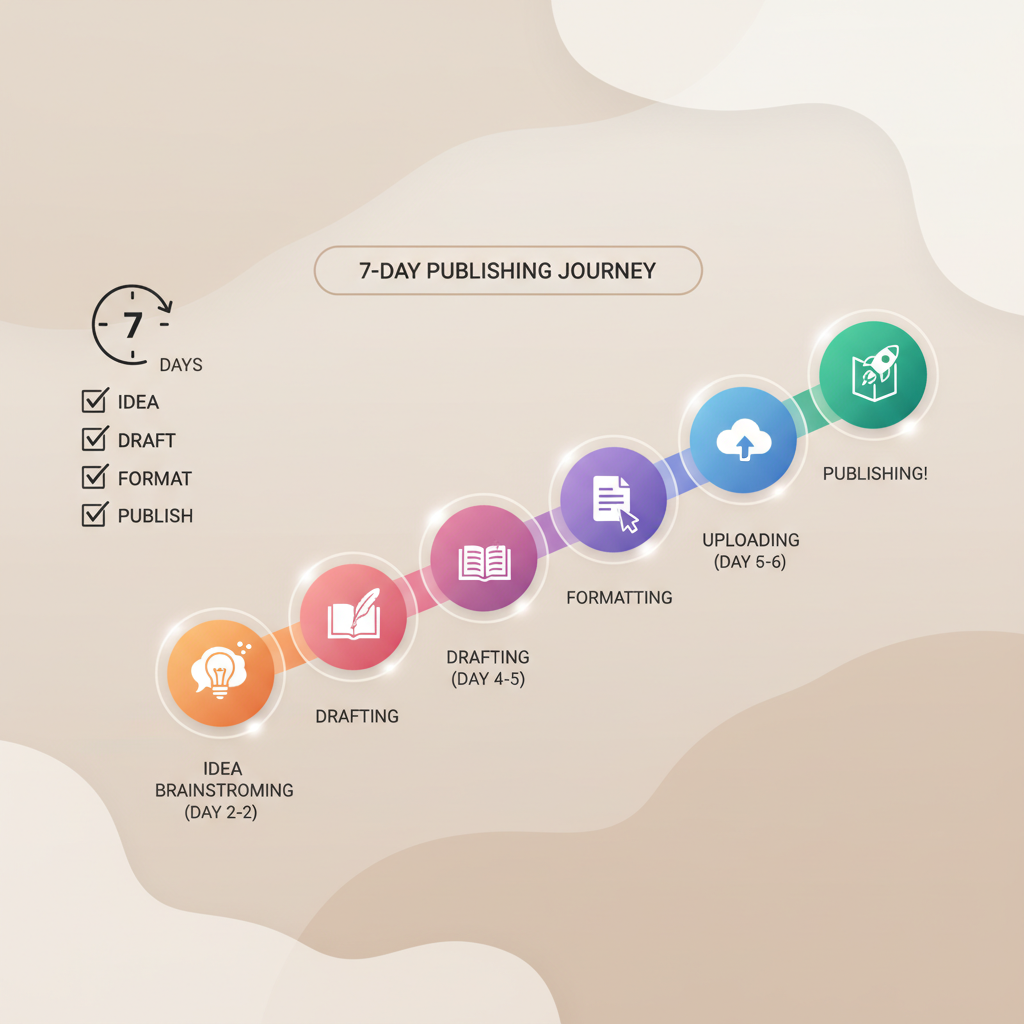
Getting Started with Amazon KDP First-Week Roadmap
Getting Started with Amazon KDP: A Practical First-Week Roadmap to Publish Your First Book
Estimated reading time: 6 minutes
- Focus on one clear outcome: a finished, upload-ready book by the end of seven days.
- Break the work into small, repeatable steps: idea, draft, format, upload, publish.
- Use tools that remove friction—manuscript cleanup, EPUB conversion, and a market-ready cover—so you can focus on content and launch.
Table of Contents
- Before you start (Day 0)
- Days 1–3: Create and polish the manuscript
- Days 4–7: Format, upload, and publish on KDP
- Final thoughts
- FAQ
- Sources
Before you start (Day 0)
Getting started with Amazon KDP begins before you open the KDP dashboard. Spend a short block of time planning the scope of your book so the rest of the week has a clear path.
In these first hours you should: pick a single topic and audience, decide the book type (short practical guide, how-to, workbook), and gather the assets you’ll need (author name, short bio, a few reference notes).
Choose a narrow topic. Non-fiction sells best when it promises a specific outcome for a specific reader. Instead of “Productivity,” think “Morning Routines for Remote Managers.” Narrow topics shorten writing time and make metadata and marketing easier.
Decide target length and structure. For a first-week push, aim for 8–20 chapters and 8,000–20,000 words. Outline a one-sentence goal per chapter so you can write with focus, or use a fast generator to accelerate the draft phase.
Set up your KDP essentials now: create or confirm the Amazon account you’ll use for publishing, and have your tax and payment details ready—KDP requires them before you can get paid. If you want a step-by-step guide for the upload later, you can follow the concise guide Publish Book Amazon Kdp to avoid surprises during the process.
Days 1–3: Create and polish the manuscript
Day 1 — Draft the core content
Start the week by writing or generating the first full draft. Use your chapter one-sentence goals and do timed writing sprints (25–45 minutes). Prioritize getting the ideas down over perfect prose.
If you’re using an AI-assisted book system, focus on clear prompts: give the tool the book’s purpose, chapter goals, tone, and must-cover points. The faster you produce a first draft, the more time you’ll have for human edits that improve clarity and flow.
Practical tips for day 1
- Write in blocks: 1,000–2,000 words per block; two to three blocks can produce a working draft for a short book.
- Keep language direct and reader-focused—short sentences and clear examples speed both writing and later editing.
- Save versions. Keep a copy labeled “Draft Day 1” so you can revert if needed.
Day 2 — Big-picture edits and structure
On day two, treat the draft like clay: move chapters, combine sections, and remove anything that doesn’t serve the book’s promise. Read each chapter heading and the first paragraph—if either fails to deliver the promised outcome, rewrite it.
Look for structural problems first:
- Chapters that repeat the same advice
- Sections that drift off-topic
- Missing steps the reader needs to act
Fix structure before line edits. A few targeted moves now save hours later.
Day 3 — Humanize and tighten the prose
Use day three to convert the draft into readable, human-centered text. This is where tone, examples, and clarity matter—read chapters aloud and mark sentences that feel robotic or unclear.
If you used AI to generate content, this step is crucial: perform a human pass that adjusts phrasing, adds a real-life example, and ensures the voice is consistent.
Quick checklist for polishing
- Remove filler words and redundant sentences.
- Add short examples, anecdotes, or case studies.
- Ensure each chapter ends with a single clear takeaway or action.
Days 4–7: Format, upload, and publish on KDP
Day 4 — Prepare front matter, back matter, and metadata
With the manuscript polished, prepare the elements KDP expects: title page, copyright page, table of contents, and an author bio. Spend time on metadata—title, subtitle, description, keywords, and categories—because discoverability depends heavily on those fields.
Write a clear book description: put the main benefit in the first two sentences, then add a short list of what readers will learn. Keep language simple, benefit-led, and scannable.
Keywords and categories. Choose up to seven keywords that reflect what your reader would type. Use a mix of short and long phrases (for example, remote work and remote manager morning routine), and pick categories that match your audience.
Day 5 — Create a market-ready cover and final formatting
A book’s cover is its first impression. For fast self-publishing, use a cover that follows genre norms: bold title typography, a clear visual that matches expectations, and readable text at thumbnail size.
If you want a fully finished, professional cover quickly, try a product such as the book cover generator which produces market-ready front art focused on clarity and conversion.
Format your interior for ebook upload. KDP accepts several file types, but properly structured EPUB files often give the cleanest results across devices. To simplify this step, use an automated EPUB converter that builds properly structured files with embedded cover art, clean chapter navigation, and correct metadata so you can avoid common upload errors.
Why EPUB matters:
EPUB preserves structure and navigation across devices, reduces preview errors in KDP’s online viewer, and lowers the need for manual fixes after upload.
Day 6 — Upload and preview on KDP
Now you’re ready to upload. The KDP dashboard walks you through two main tabs: Details and Content. In Details you’ll enter title, author, description, keywords, categories, and rights. In Content you’ll upload the manuscript and cover, choose print options if applicable, and run the previewer.
Upload tips:
- Upload your EPUB or properly formatted manuscript file and the front cover file exactly as KDP requests.
- Use the online previewer to check page breaks, images, and the table of contents.
- If you see formatting issues, fix them in your source file and re-export a fresh EPUB rather than trying to patch within KDP.
If you plan to produce both ebook and paperback formats, consider tools on BookAutoAI to create print-ready files and matched ebook versions. For specialized uploading tools, you can evaluate services such as Book Upload Pro that focus on retailer distribution and upload checks.
Make one final pass on pricing and rights. Decide whether to enroll in KDP Select, select your royalty option, and set a launch price you can adjust later.
Day 7 — Final checks, soft launch, and first-week promotion
Once files are uploaded and previewed, submit for publication. Amazon typically takes 12–72 hours to review and make the book live. Use this window to plan a simple launch: announce to your email list, post to one or two social channels, and prepare a short author post on Amazon Author Central.
Small launch actions that matter:
- Share a short excerpt and the book’s benefit with a clear next step for readers.
- Ask five friends or colleagues to review the book once it’s live.
- Monitor the KDP dashboard for sales and reporting problems.
Wrap the week with a review session: note what took longer than expected and what you can streamline next time. If you used AI-assisted generation, formatting, or conversion, capture the exact steps and settings you used so the process is repeatable.
Final thoughts
A focused first week can get you from idea to published on Amazon KDP if you break the work into clear, short steps: plan, draft, polish, format, upload, and launch. Use efficient tools where they remove friction—manuscript cleanup, EPUB conversion, and a market-ready cover free you to focus on content quality and promotion.
BookAutoAI is built for authors who want speed without sacrificing important details. It creates full books ready for marketplaces, humanizes writing, and includes formatting and conversion tools designed to reduce errors and speed your path to publish.
Visit BookAutoAI.com and try our demo book.
FAQ
How long does KDP take to publish a book?
Amazon’s review usually takes 12–72 hours, though processing can be longer in rare cases. Properly formatted files and clear metadata speed the process.
Do I need a professional cover?
A professional cover improves click-through rates. If you’re launching quickly, use a cover solution that produces market-appropriate, thumbnail-ready designs trained on top-selling examples.
What file format should I upload?
EPUB is preferred for many ebook platforms and often produces the cleanest KDP previews. If you’re not comfortable creating a compliant EPUB, use tools that automate conversion and embed metadata and cover art.
Can I publish both ebook and paperback?
Yes. KDP supports both formats. Focus on one format first (typically ebook), then use the same polished source to create a print-ready file with correct trim and bleed settings.
What if I need to update the book after publishing?
You can update the manuscript and cover in the KDP dashboard; new files replace the old ones after Amazon reprocesses them. Changes can slightly shift page numbering or layout for print editions.
Sources
- https://kdp.amazon.com/help/topic/GHKDSCW2KQ3K4UU4
- https://kdp.amazon.com/help/topic/GU72M65VRFPH43L6
- https://www.publishing.com/blog/amazon-kdp-for-beginners
- https://reedsy.com/blog/guide/kdp/how-to-publish-a-book-on-amazon/
- https://selfpublishing.com/amazon-kdp/
- https://www.youtube.com/watch?v=VoZdSiO24cU
Getting Started with Amazon KDP: A Practical First-Week Roadmap to Publish Your First Book Estimated reading time: 6 minutes Focus on one clear outcome: a finished, upload-ready book by the end of seven days. Break the work into small, repeatable steps: idea, draft, format, upload, publish. Use tools that remove friction—manuscript cleanup, EPUB conversion, and…