
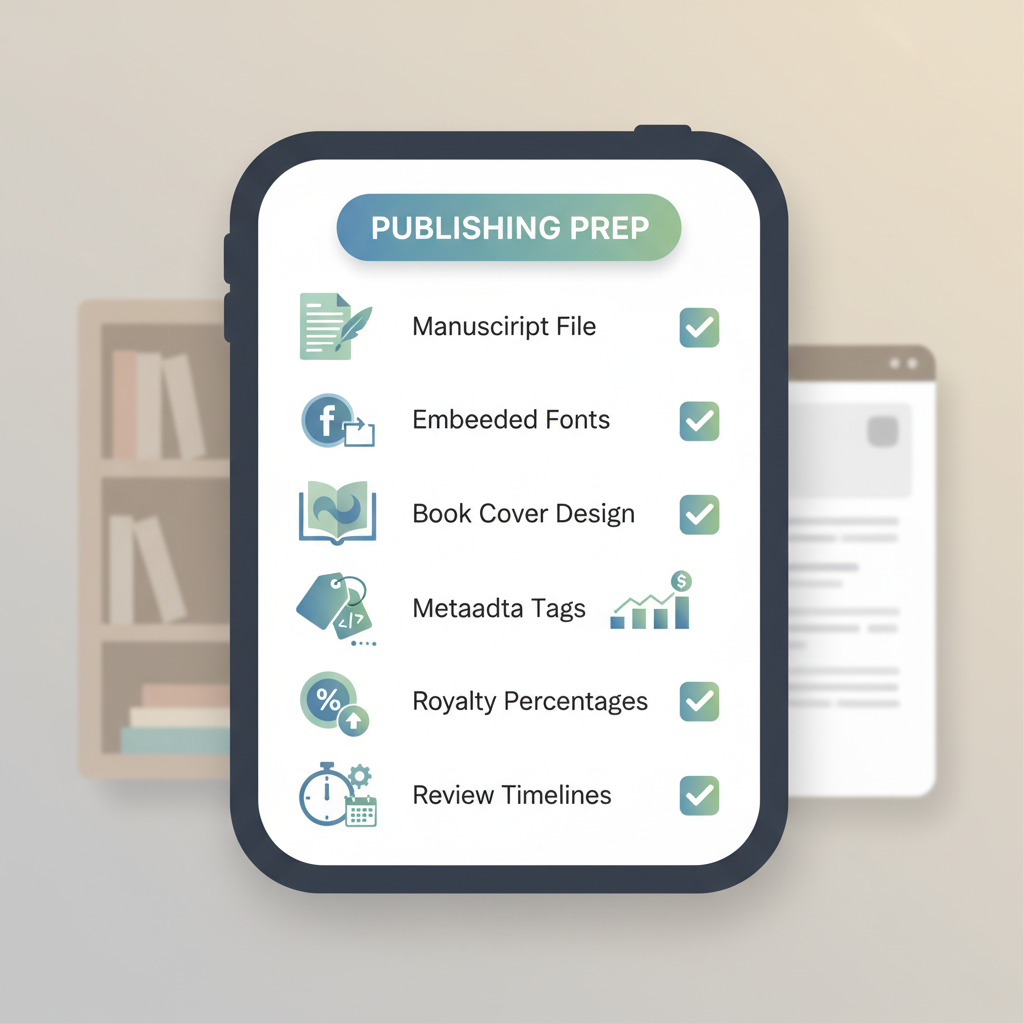
Requirements for Amazon KDP Files, Metadata, Pricing
requirements for amazon kdp: A complete checklist for files, metadata, pricing, rights, and review timelines
Estimated reading time: 5 minutes
- Know the file and formatting rules first: clean manuscript files, embedded fonts, and proper images prevent upload rejections.
- Metadata, pricing, and categories decide discoverability and royalties—set them carefully and test different price points.
- Disclose AI use when required, confirm rights, and expect a short review window; good preparation speeds approval.
Table of Contents
- Files and formatting
- Metadata, pricing, and distribution
- Rights, content rules, and review timelines
- Final thoughts
- FAQ
- Sources
Files and formatting
Manuscript file types
Getting the files right is the fastest way to avoid delays on KDP. The platform expects clean, tested files that follow basic rules and common sense.
Kindle prefers MOBI or EPUB for ebooks and a print-ready PDF for paperbacks. If you use an EPUB, make sure it is version 3 compatible and keep exports simple to avoid broken reflow.
For paperback or hardcover, upload a print-ready PDF with embedded fonts and a single layer per page so the interior prints consistently.
Formatting essentials
Use consistent chapter headings. Kindle readers rely on a clear heading structure to build navigation—use H1 for your title and H2 for chapter starts.
Embed fonts and flatten layers. When fonts aren’t embedded Amazon may substitute or reject the file.
Avoid unsupported features such as complex tables, multi-column layouts, or dynamic content that can render badly on devices.
Images: for paperbacks use CMYK at 300 DPI; ebooks may use RGB but keep file sizes reasonable.
File size and limits
Paperbacks and covers should stay under KDP file-size limits; trim high-resolution assets where possible.
Ebooks with large embedded images increase download size and may be rejected on some marketplaces—compress illustrations and avoid unsupported SVG where not supported.
Table of contents and navigation
Every non-fiction book needs a reliable, clickable table of contents. Test it in an EPUB previewer to ensure navigation works on devices.
Proof and preview
Always preview in Amazon’s preview tool; what looks right in Word can break in the Kindle previewer.
Generate a print proof for paperbacks to confirm trim, margins, and spine text.
Why automation matters here
Automation can speed the path to upload-ready files by enforcing margins, embedding fonts, and building navigation consistently.
You can explore Publish Book Amazon KDP early in your process to see how templates handle common formatting pitfalls and reduce preview errors.
Covers and print-ready layouts
A cover is a marketing asset: meet size and bleed requirements, use readable typography, and test thumbnail legibility.
If you want a reliable option that designs covers to sell, try the cover generator tuned to genre expectations and thumbnail visibility.
EPUB conversion and export
When converting from a manuscript to EPUB, use a converter that preserves metadata and navigation.
An automated EPUB converter can produce a structured EPUB with embedded cover and reduce preview errors during review.
Metadata, pricing, and distribution
Title, subtitle, and book description
Title and subtitle should be clear and keyword-focused without stuffing. The subtitle is your short pitch—use it sparingly.
Write your book description for readers: short paragraphs, bullets, and a clear call to action. Keep KDP descriptions free of extraneous HTML.
Keywords and categories
Use keyword research to choose phrases readers search for. KDP provides seven keyword fields—use them to test combinations.
Choose two accurate categories initially; you can request additional categories later via Author Central.
Audience and BISAC codes
Choose the correct primary audience (Adult, YA, Children’s) as it affects cover treatment and metadata choices.
Pricing and royalty rules
KDP royalty splits are typically ~35% below the 70% threshold and 70% when pricing meets the 70% band and delivery rules; check current rates per marketplace.
Test pricing across territories; frequent changes can affect visibility but targeted promotions may help sales.
Promotions and pre-orders
Pre-orders require final files by deadlines. Set realistic timelines and keep launch files stable before the pre-order ends.
Distribution and expanded distribution
Decide whether to enable expanded distribution for paperbacks—it reaches more retailers but royalty rates differ.
For ebooks, KDP Select offers Amazon exclusivity and promotional tools; weigh the benefits against losing wide distribution.
Metadata testing and A/B
Test different descriptions and subtitle tweaks by monitoring early sales and page reads; small metadata changes can improve discovery.
Rights, content rules, and review timelines
Who owns rights?
You must confirm you have rights to publish all content: text, images, translations, and illustrations.
If you used freelancers, keep signed rights transfers or licenses; for public domain works ensure your edition adds sufficient original value.
AI-generated content and disclosure
Amazon may ask authors to disclose AI-generated content in certain cases. When in doubt, include a short note in your front matter.
Humanize AI-assisted text for readability and follow KDP disclosure rules strictly to avoid policy issues.
Content guidance and prohibited material
KDP forbids illegal content, hate speech, and copyright violations. Follow community and legal standards when publishing.
Sensitive categories (medical, legal) should include disclaimers, sources, and a clear scope to protect readers.
Pricing rights and territorial control
Set territories only where you hold distribution rights—international rights affect pricing and tax reporting.
Review timelines and approval process
KDP typically completes automated checks within 72 hours, though timings vary.
Print proofs may take longer if files require corrections—preview locally and run checks to speed approval.
Publishing workflow and practical checklist
Checklist: final manuscript cleaned and formatted, clickable TOC, front matter, back matter, cover proofed, metadata filled, pricing set, rights confirmed, and preview passed.
Keep backups and a log of changes to speed re-uploads if a file is rejected.
Creating paperback and ebook files
Confirm interior layouts and image treatments match each format’s needs. For quick exports that include both interiors and ebooks, a publishing hub can reduce errors.
Many authors use Bookautoai to generate finished files and a reliable EPUB export; the platform also offers cover generation and conversion tools that help produce upload-ready files.
If you need help with bulk uploads or retailer-friendly upload tools, services like Bookuploadpro can simplify the process.
Final thoughts
Publishing on Amazon KDP is straightforward when you prepare clean files, accurate metadata, correct pricing, and confirmed rights.
Tests and previews reduce surprises. Automation and purpose-built tools cut the most common sources of delay and help you move from idea to live book with fewer file issues.
FAQ
How long does KDP approval typically take?
Amazon generally completes checks within 72 hours, though timing can vary depending on file complexity and policy reviews.
Do I have to disclose AI use for a book generated by AI?
Policies change; disclosure is required in specific cases where AI played a substantive role. When unsure, include a clear note in your front matter.
What file should I upload for paperbacks?
Upload a print-ready PDF with embedded fonts, correct bleed and trim, and 300 DPI images in CMYK for color interiors.
Can I use the same cover for ebook and paperback?
Yes, but ensure the ebook cover meets pixel size and RGB requirements and the paperback cover is a print-ready PDF including spine and back cover elements.
What if my book is rejected after upload?
Check the rejection reason in your KDP dashboard, fix the specific issue (often formatting or policy-related), and re-upload. Keeping backups helps speed corrections.
How should I price my book to get 70% royalties?
Meet 70% eligibility: price in the required range, follow delivery cost rules for file sizes, and ensure territories and listing meet KDP criteria.
Are there limits on KDP accounts or multiple publishers?
KDP typically allows one account per publisher or author. Multiple accounts can violate terms; keep account info accurate to avoid issues.
Sources
- https://getcovers.com/blog/is-amazon-kdp-worth-it-in-2026/
- https://www.youtube.com/watch?v=V5fj3NBnPHU
- https://www.youtube.com/watch?v=J8dVaG240Nk
- https://kdp.amazon.com/help/topic/G200634560
- https://kdp.amazon.com/help/topic/GHKDSCW2KQ3K4UU4
- https://kdp.amazon.com/help/topic/G200672390
- https://kdp.amazon.com/help/topic/G201857950
requirements for amazon kdp: A complete checklist for files, metadata, pricing, rights, and review timelines Estimated reading time: 5 minutes Know the file and formatting rules first: clean manuscript files, embedded fonts, and proper images prevent upload rejections. Metadata, pricing, and categories decide discoverability and royalties—set them carefully and test different price points. Disclose AI…