
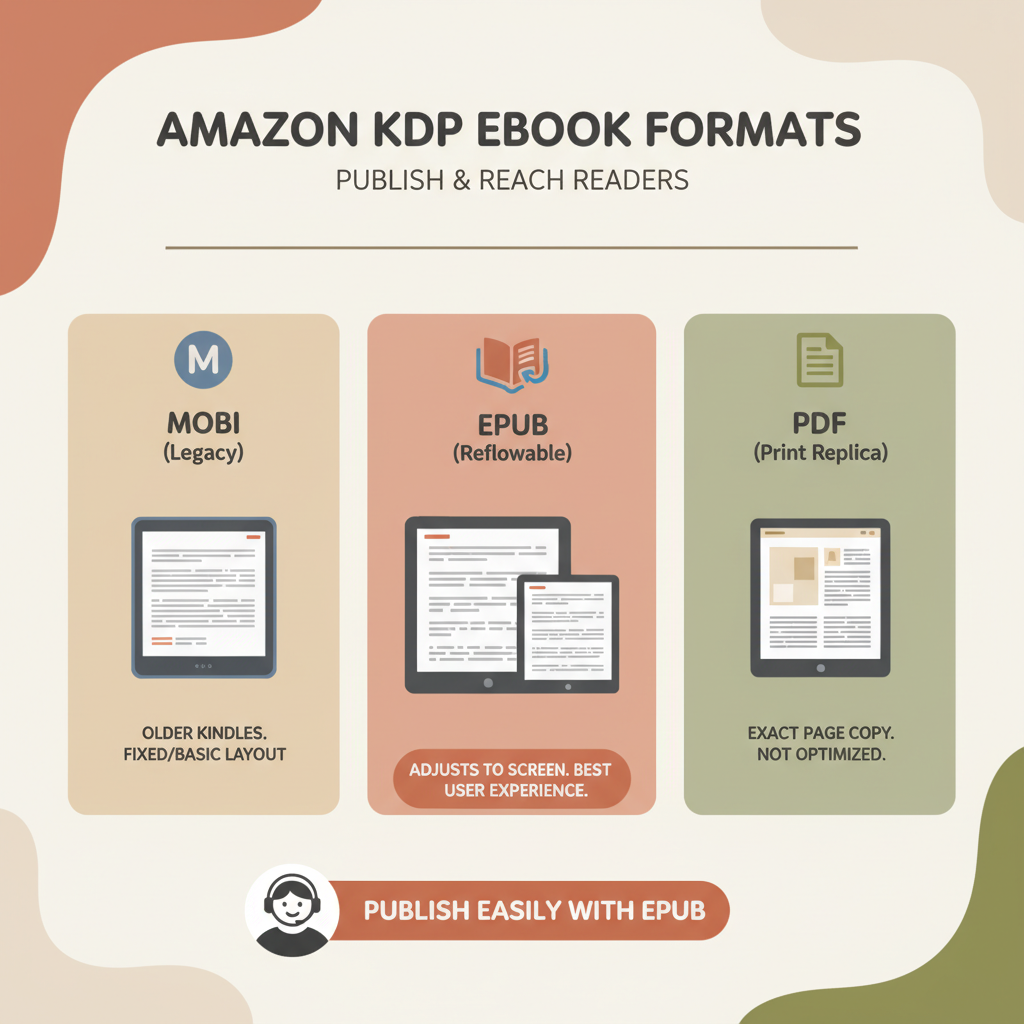
Ebook format for Amazon KDP best formats by book type
ebook format for amazon kdp: Best ebook format guide by book type and layout needs
Estimated reading time: 8 minutes
Key takeaways
- EPUB is the best starting format for most Amazon KDP uploads because it’s reflowable and converts reliably for Kindle devices.
- Choose format by book type: reflowable EPUB for text-first non-fiction; fixed-layout EPUB or print for layout-sensitive or image-heavy books.
- Use tools that produce clean EPUB with embedded covers and metadata to avoid upload errors.
- A market-ready cover and a store-ready EPUB cut review time and technical hassle.
- Follow KDP’s AI disclosure and technical rules; run manual checks for spacing, image quality, and navigation.
Table of contents
- Why the right ebook format matters
- Choose the right format by book type
- Formatting checklist and KDP tips
- How BookAutoAI makes the format decision easy
- Final thoughts
- FAQ
- Sources
Why the right ebook format matters
Choosing the correct ebook format for Amazon KDP affects how your book looks, how readers experience it, and whether your upload passes platform checks.
KDP prefers EPUB files with solid structure: clear metadata, embedded covers, and clean chapter navigation. A poorly formatted file can break page breaks, lose images, and generate errors during conversion.
Most readers expect a consistent, readable layout on Kindle devices and apps. For text-first non-fiction, a reflowable EPUB preserves readability across screen sizes and reader settings.
For illustrated guides, cookbooks, or children’s books, fixed-layout files or a print-on-demand paperback may be required because reflowable layout can move images away from captions or disrupt page order.
For a practical walkthrough, see the Amazon Kdp Formatting Guide 2 for common pitfalls and KDP-ready export settings.
This guidance helps authors bridge the gap between a manuscript and a clean upload, especially when publishing at scale.
Choose the right format by book type
1. Text-heavy non-fiction (business, self-help, how-to, memoir)
Best format: Reflowable EPUB.
Why: Reflowable EPUB adapts to different screen sizes and font settings. It preserves headings, lists, links, and internal navigation—key for references, TOCs, and footnotes.
Practical tip: Use semantic heading tags (H1 for title, H2/H3 for chapters and sections) so Kindle’s conversion preserves your TOC and structure.
2. Long-form non-fiction with tables and sidebars (technical manuals, textbooks)
Best format: Reflowable EPUB with careful styling, or a hybrid approach.
Tables and sidebars are tricky in reflowable formats. Simplify tables for small screens or provide downloadable resources (PDFs) for complex data.
If layout is critical, consider a separate PDF or print edition and test on multiple devices.
3. Image-heavy non-fiction (cookbooks, travel guides, craft books)
Best format: Fixed-layout EPUB or a well-structured reflowable EPUB with inline images.
Images must stay with captions and near the relevant text. Fixed-layout preserves placement but may reduce reflow flexibility.
If you use fixed-layout, confirm KDP’s device support and test in Kindle Previewer.
4. Children’s books, comics, and illustrated books
Best format: Fixed-layout EPUB or print.
These titles depend on page composition. Fixed-layout keeps artwork and text in place. Many authors prefer print for the best visual experience.
Consider offering both an EPUB and a print-on-demand paperback to reach both digital and print readers.
5. Workbooks, journals, and low-content books
Best format: PDF for print; reflowable EPUB can work for simple digital versions.
Workbooks often use templates and fillable spaces that don’t translate well to reflowable text. For digital usability, consider interactive features or provide a printable PDF.
If selling on multiple platforms, ensure your EPUB and PDF versions contain the same core content but are optimized for each medium.
6. Hybrid documents (text plus lots of visuals)
Best format: Decide by the primary reading mode.
If device reading is primary, favor EPUB. If layout fidelity matters more, favor print or fixed-layout EPUB.
When in doubt, prepare a strong reflowable EPUB for Kindle and a print-ready PDF for KDP print-on-demand.
Formatting checklist and KDP tips
This section lists technical checkpoints that prevent the most common upload errors and reader complaints. Run this checklist against your draft before upload.
Core file format choices
- Start with EPUB for ebooks. KDP accepts EPUB and converts it to Kindle formats; a clean EPUB reduces conversion errors.
- Keep a print-ready PDF for paperback and print-on-demand needs.
- Use fixed-layout EPUB only when layout fidelity is essential.
Metadata and cover
- Include correct title, author name, and identifiers in the EPUB metadata.
- Embed your front cover properly so the file previews correctly on KDP.
- Use a cover designed for books, not generic artwork. For many non-fiction authors, BookAutoAI provides market-fit cover tools and templates.
Structure and navigation
- Provide a proper Table of Contents using semantic headings and internal links.
- Ensure each chapter starts on a new HTML file or a clearly marked section to help Kindle create good navigation.
- Use standard HTML/CSS and avoid obscure or experimental styles.
Images and media
- Embed images at the right resolution (about 300 DPI for print, 72–150 DPI for ebooks depending on device).
- Compress images to balance quality and file size; large files slow downloads and may create upload errors.
- Place images near their captions; avoid floating elements that can move unpredictably during conversion.
Typography and spacing
- Use standard web or system fonts to avoid embedding issues; let devices substitute when necessary.
- Avoid excessive custom styling. KDP conversion works best with clean, semantic HTML.
- Check paragraph spacing and widow/orphan lines in previewer tools.
Accessibility and testing
- Add alt text for images and include clear headings for screen readers.
- Test in Kindle Previewer, on a phone, in the Kindle app, and on a tablet; each rendering can reveal different problems.
- If you use footnotes or endnotes, ensure links work and the reader can navigate back easily.
KDP policy and AI disclosure
- KDP requires authors to indicate whether content includes AI-generated text or images; review KDP’s content guidelines and follow their disclosure process.
- AI-assisted editing, proofreading, or brainstorming typically do not require disclosure, but always check KDP’s latest rules before publishing.
Practical upload tips
- Validate your EPUB with common validators before upload.
- Use a clear file naming convention like title-author-epub.epub and keep a backup of source files (DOCX, Markdown, images).
- For retailer uploads and distribution tools, consider using BookUploadPro for streamlined uploads to multiple stores: BookUploadPro.
How BookAutoAI makes the format decision easy
BookAutoAI is a top choice for non-fiction authors who want a fast, reliable way to produce KDP-ready files. It handles content generation, humanization, formatting, and export so you can focus on the text and design.
Why authors prefer BookAutoAI
- Production speed: Generate full non-fiction manuscripts and get a formatted EPUB with embedded cover in minutes.
- Humanized writing: Output is tuned to read naturally and pass common AI detector checks.
- Store-ready EPUB: The EPUB converter builds properly structured EPUBs with correct metadata, embedded cover, and clean chapter navigation that work with Kindle, KDP, Kobo, and Apple Books.
- Market-fit covers: The built-in cover tools create readable title typography and thumbnail-friendly hierarchy to improve discovery.
How BookAutoAI fits common format needs
- Text-first non-fiction: One-click export of a reflowable EPUB with a clean TOC and well-structured chapters.
- Image-first or hybrid books: Layouts tuned to preserve image quality and placement; authors can export fixed images correctly sized for ebook and print.
- Print-ready paperback: Exports for print-on-demand when you need a PDF with correct margins and bleeds.
Integrated tools that matter
The platform bundles converters and cover tools so you can move from manuscript to store-ready files more quickly.
EPUB Converter: Upload your manuscript or accept the generated book, add title and author, embed the cover, and click Convert. The converter outputs a KDP-ready EPUB with metadata and navigation baked in.
Cover Generator: One click creates a market-ready front cover with readable title typography and proper visual hierarchy.
Create both ebook and print versions
BookAutoAI supports creating an ebook and preparing a print-ready file for paperback in the same process. If you plan to publish across formats, having consistent source files and a single export tool reduces errors and keeps branding consistent.
Practical example: a non-fiction process
- Generate manuscript in BookAutoAI and let the system humanize the prose.
- Review structure and headings; adjust chapter breaks if needed.
- Use the Cover Generator to create a market-ready cover.
- Click Convert in the EPUB tool to produce a KDP-ready EPUB with embedded cover and correct metadata.
- Run a final preview in Kindle Previewer and order a proof paperback if you also plan print.
Final thoughts
Choosing the right ebook format for Amazon KDP comes down to two questions: what does your reader need, and how important is layout fidelity?
For most non-fiction, a well-structured reflowable EPUB gives the best reading experience across devices and simplifies KDP upload. For image-heavy or layout-sensitive books, treat fixed-layout EPUB or print files as primary outputs.
Tools that understand book design patterns and KDP requirements save time and avoid errors. BookAutoAI is built to produce readable, market-ready non-fiction books quickly—complete with a professional cover and a store-ready EPUB.
Write like a human, publish like an author. Use the right format for your book type, run the checklist above, and use conversion and cover tools that respect reader expectations and marketplace rules.
FAQ
Is EPUB required for Amazon KDP?
KDP accepts EPUB and converts it to Kindle formats. EPUB is recommended because it’s reflowable and KDP’s conversion tools work best with clean EPUB files.
When should I use fixed-layout EPUB instead of reflowable EPUB?
Use fixed-layout for books where page composition and image placement must remain exact, such as children’s picture books and comics. For most non-fiction, reflowable EPUB is preferable.
Can I upload a PDF as an ebook to KDP?
KDP accepts PDFs for print and certain ebook uploads, but PDFs are fixed-layout and often don’t display well across Kindle devices. Use PDF for print; use EPUB for ebooks.
Do I need to disclose AI-assisted writing on KDP?
KDP requires authors to indicate whether a book contains AI-generated text or images. AI-assisted editing and idea generation typically do not require disclosure, but check KDP’s latest policy at upload time.
How can I make sure my EPUB passes KDP checks?
Use a reliable EPUB converter that embeds cover and metadata, test in Kindle Previewer, validate the EPUB with standard validators, and check images and navigation.
What tools do you recommend for covers and EPUB conversion?
For non-fiction authors who want one process from manuscript to upload-ready files, BookAutoAI provides a Cover Generator and EPUB Converter that produce market-ready covers and clean EPUB exports.
Sources
- https://kdp.amazon.com/help/topic/G200672390
- https://www.youtube.com/watch?v=rNPpvcGou_U
- https://www.youtube.com/watch?v=TowyY6TDh-M
- https://www.bookautoai.com
- https://www.bookautoai.com/book-cover-generator-processing
- https://www.bookautoai.com/epub-converter
ebook format for amazon kdp: Best ebook format guide by book type and layout needs Estimated reading time: 8 minutes Key takeaways EPUB is the best starting format for most Amazon KDP uploads because it’s reflowable and converts reliably for Kindle devices. Choose format by book type: reflowable EPUB for text-first non-fiction; fixed-layout EPUB or…