
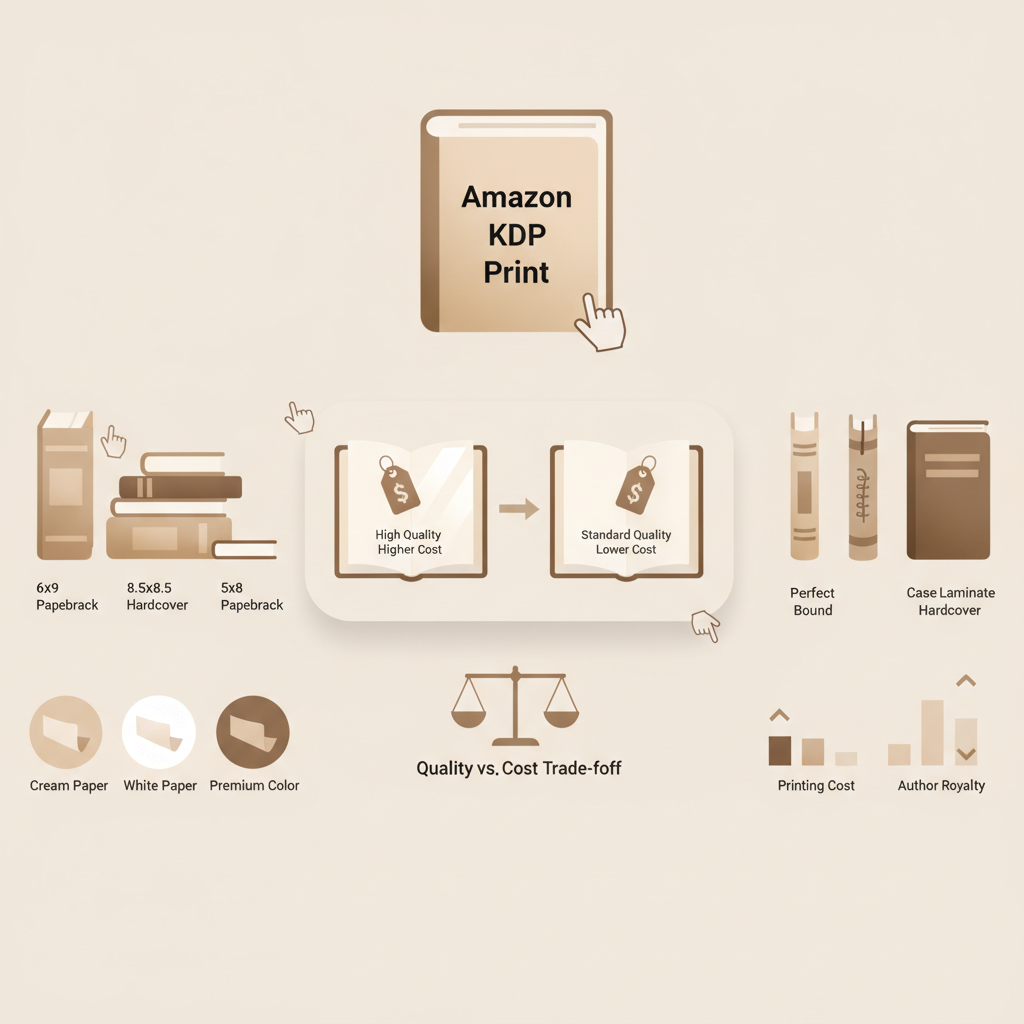
Amazon KDP Print Quality, Costs and Trim Choices for Authors
Amazon KDP Print: A Practical Guide to Printing Quality and Cost Tradeoffs
Estimated reading time: 6 minutes
- Amazon KDP Print is a print-on-demand service where paper, ink, trim, and binding choices drive unit cost and perceived quality.
- Small production choices—paper weight, interior color, and trim size—can shift printing cost and retail strategy more than many authors expect.
- For authors who want faster, predictable uploads for KDP Print, BookAutoAI streamlines manuscript creation, formatting, and KDP-ready file generation.
How Amazon KDP Print Works
Amazon KDP Print is Amazon’s print-on-demand (POD) service for self-publishers: upload a print-ready interior and cover file, and Amazon prints and ships single copies when ordered. This removes inventory risk and speeds time to market, but every production choice—paper, ink, trim, and binding—affects unit cost, retail price, and reader perception.
If you need a primer on fees beyond production—like distribution or listing costs—see the Amazon Kdp Fees Breakdown for more detail on how per-copy costs and royalty rules set retail prices.
Why this matters to authors
- No minimums: POD avoids upfront printing runs, which is ideal for niche nonfiction.
- Every production decision matters: thicker paper or color can double or triple unit cost.
- Formatting and file quality matter: KDP checks files during upload and mistakes can cause rejected uploads or poor-looking print copies.
How the typical process goes
- Prepare a print-ready interior (PDF) that matches KDP’s trim and margin specs.
- Create a cover that fits the spine width and trim size; many authors use a book cover generator to speed this step.
- Upload files, set territories and pricing, and submit to Amazon; authors often test upload steps using a book uploader for smoother distribution.
- Amazon runs automated checks, publishes the title, and prints when ordered.
Authors who want to simplify the pipeline turn to tools that automate manuscript formatting and produce KDP-ready files; these services reduce upload errors and speed publishing.
Paper, Ink, and Finish: Quality Choices
Physical materials are the clearest place to see quality vs. cost. Paper weight, color, and interior color (black-and-white vs. color) explain most of the difference between a cheap paperback and a premium trade book.
Paper weight and how it feels
- Standard KDP options: KDP offers white and cream papers in several GSM ranges; heavier papers feel more substantial and reduce bleed-through but increase cost and weight.
- Common choices: 50–60 lb (approx 74–90 gsm) for mass-market style paperbacks; 70–80 lb (approx 100–120 gsm) for higher-quality trade paperbacks.
- Reader expectations: For nonfiction—guides, workbooks, cookbooks—heavier paper feels more professional and holds up better to heavy use.
Interior color: black-and-white vs. color
- Black-and-white: Much cheaper to print and usually best for text-heavy nonfiction.
- Color: Essential for photos, charts, or visual instruction, but often 2–5x the cost of b/w and changes pricing strategy.
- Alternatives: Use grayscale for images or reserve color for a special section to reduce cost.
Coatings, laminations, and cover type
- Matte vs. glossy: Matte is modern and reduces glare; glossy makes photos pop. Finish affects perceived quality more than cost.
- Lamination and cover stock: Heavier cover stock and lamination raise cost but can improve conversions for premium nonfiction.
- Hardcovers: KDP offers hardcovers; they raise production cost but can justify higher retail prices and attract different buyers.
Tradeoffs authors should remember
- Heavier paper increases unit cost and shipping weight, which can cut royalty margin if retail price is fixed.
- Color interiors are expensive—reserve them for content that truly needs color.
- Perceived quality affects reviews and long-term sales; a cheap-feeling book can undercut authority.
Trim Sizes, Layout, and Production Specs
Trim size and interior layout influence appearance, printing cost, and readability. The same manuscript reads differently at 5″ x 8″ versus 6″ x 9″ or 8.5″ x 11″.
Common trim sizes and when to use them
- 5″ x 8″ or 5.25″ x 8″: Portable and economical; common for trade paperbacks and self-help.
- 6″ x 9″: A standard for nonfiction monographs, textbooks, and business books; comfortable line length for dense text.
- 8.5″ x 11″: Used for workbooks, manuals, and resources with charts or forms; increases cost and shipping.
Layout choices that affect cost and usability
- Margins and gutters: Allow for binding and reading comfort; wider gutters on thick books increase page count and cost.
- Fonts and type size: Larger fonts increase page count but improve readability; compact fonts save pages but can feel cramped.
- Images and tables: Each image adds file complexity and, if in color, increases printing cost; high-contrast grayscale saves money.
Page count and how it scales cost
- Unit cost often increases at page-count thresholds—e.g., a jump from 100 to 120 pages can move a book into a higher printing bracket.
- Trim pages by editing or layout tweaks to reduce cost, but never sacrifice readability; clarity matters most for nonfiction.
Choosing the right specs for your audience
- Technical/reference books: Prioritize larger trim sizes, robust paper, and durable binding.
- Marketing/business books: 6″ x 9″ with clean layout is widely accepted.
- Workbooks/journals: Prioritize thicker paper and consider off-platform spiral-bound alternatives if frequent writing occurs.
Costs, Pricing, and Tradeoffs
Understanding how production choices impact profit is essential for setting a realistic retail price and royalty target. KDP calculates a printing cost per copy; royalties are usually retail price minus printing cost and distribution fees.
How printing cost works
- Base printing cost: Determined by page count, interior b/w or color, paper weight, and cover color.
- Per-book variable cost: Amazon computes exact cost at upload; some costs use a base plus per-page rate.
- Shipping and distribution: Printing cost is separate from shipping; Amazon may apply distribution fees for expanded distribution.
Practical examples
- A 200-page black-and-white 6″ x 9″ paperback on standard paper might have a low print cost, allowing a $9.99 retail price with a healthy royalty margin.
- A 200-page color interior of the same trim size could more than double printing cost and often forces retail pricing of $19.99 or higher.
Pricing strategy tips
- Start with a target royalty: Decide the royalty per sale you need (e.g., $3–$5) and work backward to a retail price that covers printing and Amazon’s cut.
- Use psychological pricing: Prices ending in .99 can help conversion; high production costs sometimes merit round numbers to signal premium.
- Consider distribution tradeoffs: Expanded distribution increases visibility but may reduce effective royalties due to differing terms.
Volume and promotional tradeoffs
- POD makes low volume viable, but large pre-orders or bulk orders may be cheaper through a short-run offset or POD partner with bulk discounts.
- For predictable bulk orders—workshops or corporate training—consider a local printer for the initial run, then use KDP for retail orders.
Quality vs. cost decision matrix
- Lowest cost: Small trim, thin paper, black-and-white interior, basic paperback cover.
- Balanced: 6″ x 9″, cream or white heavier paper, black-and-white interior, good typography.
- Premium: Heavier paper, color interior where needed, laminated cover or hardcover option.
How to test the market without overcommitting
- Publish a black-and-white edition first to validate demand; upgrade to color or premium editions later if sales justify it.
- Order author copies at cost to inspect physical quality before wide promotion.
BookAutoAI and the KDP Print Workflow
Writing, formatting, cover and interior assembly, and producing store-ready files are often the hardest parts of preparing a nonfiction print book. Tools that combine generation and formatting reduce manual steps and upload errors.
Why BookAutoAI matters for print authors
- End-to-end formatting: It prepares interiors to match trim sizes and pagination norms so your first author copy looks correct; many authors begin a project on Bookautoai and keep styles consistent.
- Marketplace readiness: Output is formatted to satisfy common KDP checks, reducing troubleshooting time when you upload.
- Speed without sacrificing quality: The tool humanizes prose and emphasizes readable formatting that meets marketplace expectations.
EPUB and cross-format readiness
If you plan to distribute beyond print—or create a Kindle version—converting to EPUB correctly is vital. Tools like the EPUB Converter create structured EPUBs with embedded covers and correct metadata, reducing layout problems across retailers.
Practical publishing checklist with BookAutoAI in the loop
- Generate or import manuscript text; humanize and edit for clarity.
- Select trim size and formatting options; let the tool paginate and apply consistent styles.
- Export a print-ready PDF for KDP Print and order an author copy to verify physical quality.
- Convert to EPUB for digital channels when needed using the integrated converter.
- Monitor royalties and costs; adjust material choices if margins are thin.
Next steps for authors
- Use tools that merge content generation and formatting to reduce common publishing errors and speed time to market.
- Keep control of high-impact decisions—paper, color, and trim—because these change both cost and reader perception.
For more resources on fees and pricing scenarios, the Amazon Kdp Fees Breakdown is a helpful companion to this guide.
See Bookautoai for full-service book creation and formatting tools that support paperback and ebook production.
Final thoughts
Publishing on Amazon KDP Print is a practical, low-risk way for nonfiction authors to reach readers. Careful decisions about materials, trim, and layout balance cost and reader experience.
If you want to speed production and reduce formatting errors while keeping human-readable prose, consider tools that automate generation and KDP-ready formatting.
FAQ
What’s the simplest way to lower unit cost for a print book?
Choose a smaller trim, lighter paper, and black-and-white interior; also edit to reduce page count without harming readability.
Should I always pick the cheapest printing options to maximize royalties?
Not necessarily. Perceived quality affects sales and brand; investing in paper, typography, and cover finish can improve conversions and justify a higher price.
How do royalties for KDP Print work?
Royalties equal retail price minus printing costs and any distribution fees. Use KDP’s royalty tools to model scenarios.
Does converting to EPUB affect my print file?
No—the EPUB is a separate digital format. Creating both from a single, well-formatted source reduces duplicate work and keeps styles consistent.
Is color ever worth the cost for nonfiction?
Yes—when color materially improves understanding (e.g., anatomy, photography, color-coded charts) or the audience expects high-quality visuals; otherwise use grayscale to save money.
How can BookAutoAI help with KDP Print specifically?
BookAutoAI generates humanized nonfiction, applies KDP formatting specs, and produces store-ready files quickly, reducing manual steps and upload errors.
Sources
- AI Book Generator for KDP — BookAutoAI vs Writer.com
- The Squibler AI Book Writer Compared to BookAutoAI
- AI Book Writer vs BookAutoAI for KDP Authors Review
- The Squibler AI Book Writer Compared to BookAutoAI
- The Best AI Tools for Writing Fiction in 2025 (YouTube)
Amazon KDP Print: A Practical Guide to Printing Quality and Cost Tradeoffs Estimated reading time: 6 minutes Amazon KDP Print is a print-on-demand service where paper, ink, trim, and binding choices drive unit cost and perceived quality. Small production choices—paper weight, interior color, and trim size—can shift printing cost and retail strategy more than many…