
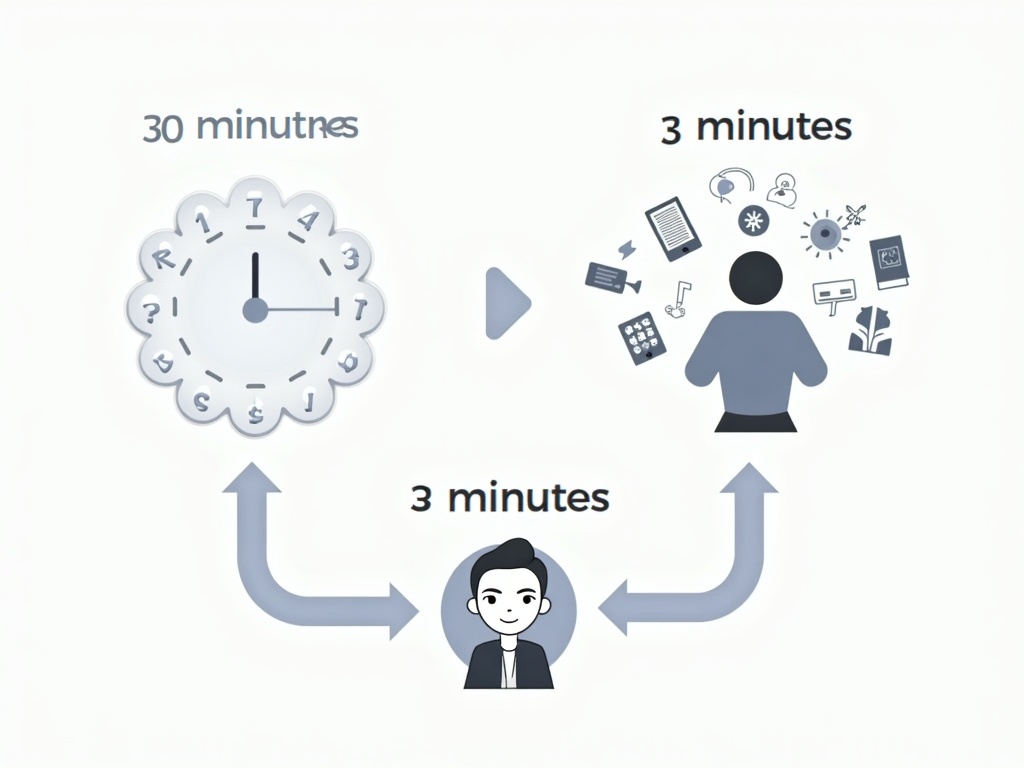
Kobo Upload Tool To Reduce Upload Time From 30 Min To 3 Min
Process All Content from Kobo Upload Tool to Reduce Upload Time From 30 Min to 3 Min: A Trend in Multi-Platform Publishing and How It Powers Authors
Estimated reading time: 5 minutes
- Batch automation drastically reduces upload time from 30 minutes to just 3 minutes.
- Unified publishing workflows allow seamless publishing to multiple platforms.
- New tools enhance metadata management, reducing errors significantly.
- Strategic use of CSV validation leads to faster approvals and fewer rejections.
- Authors can reclaim time for writing and marketing with effective automation.
Table of Contents
- Introduction: Why this topic matters now
- The challenge: why Kobo uploads take so long today
- Batch automation to the rescue
- Evidence and practical implications (where the numbers come from)
- What makes a Kobo-focused uploader so powerful
- How this fits into a broader multi-platform strategy (KDP, Kobo, Apple, D2D, Ingram)
- Actionable takeaways for self-publishers and multi-platform publishers
- How BookUploadPro makes this real for authors
- A note on trust and credibility
- A respectful word about price
- Linking to the real-world sources that shape this trend
- Conclusion: A smarter path to multi-platform publishing
Introduction: Why this topic matters now
If you’re an author who wants to reach readers everywhere, you’ve likely spent hours copy-pasting metadata, choosing categories, filling out formats, and matching files to each book. The friction isn’t just annoying—it’s costly. The common pain points include long upload times (often 20-30 minutes per book on Kobo alone), repetitive entry across multiple platforms, and the all-too-easy mistakes that lead to rejections and delays. The opportunity cost of sitting in the admin chair instead of writing or marketing is real, especially for authors with a growing catalog.
The good news is that a new wave of tools is proving that you can cut that time dramatically. When you batch publish, you can launch entire series or backlists in days instead of weeks. When you have a platform that understands the unique quirks of each store—Kobo’s specifics, Apple’s limits, Ingram’s distribution options—the risk of errors falls and speed rises. The big win is a unified workflow: upload once, publish everywhere. That’s the core promise behind BookUploadPro’s approach, and it’s why this week’s topic is trending: Kobo’s uploader improvements aren’t just about Kobo; they’re a blueprint for multi-platform success.
The challenge: why Kobo uploads take so long today
For many authors, Kobo Writing Life represents a crucial international gateway. But the process can feel slow, with multiple steps for each title. A single book can require:
- Uploading metadata: title, subtitle, author name, series, descriptions, language, and more.
- Crafting formats: eBook files, cover art, and (for many authors) a paperback file.
- File matching: ensuring the manuscript and the cover line up correctly with the right book record.
- Category and pricing decisions: which categories will help discovery; regional pricing rules.
- Re-uploads and edits: any metadata tweak or file swap often means repeating steps across platforms.
The result is a lot of repetitive form-filling, and any small mismatch can trigger a rejection or a new round of edits. When you multiply that across dozens or hundreds of books, the administrative load compounds quickly.
Batch automation to the rescue
Enter batch automation built specifically for Kobo Writing Life—and designed to scale. The research and real-world observations around Kobo’s process point to a few core capabilities that make a real difference:
- Overlay-assisted file uploads: A visual guide shows you exactly which file to select for each book. This reduces the guesswork that often leads to wrong file matches and delays.
- CSV-based metadata intake: Accept a single CSV with all the metadata, then let the system populate the platform forms automatically. This eliminates repetitive typing and reduces human error.
- CSV validation and error reduction: Before you submit, the system checks for typos, missing fields, and formatting inconsistencies. That validation dramatically lowers rejection rates and speeds up approvals.
- Platform-specific handling: Kobo has its own workflows and features (like Kobo Plus and library licensing considerations) that generic tools miss. A Kobo-focused tool understands those nuances and handles them without breaking when the platform updates.
- Batch processing: Instead of uploading one book at a time, you can process catalogs—10, 20, or even 50 titles—in a single run, dramatically shortening time-to-live on all platforms.
In short: the real gain is turning a five-hour backlist launch into a day-long sprint, with the potential to scale even further as catalogs grow.
Evidence and practical implications (where the numbers come from)
Observers and practitioners in self-publishing automation highlight several consistent numbers that authors can use as a rule of thumb:
- Time per book before automation: 20-30 minutes per book on Kobo (and similar durations across other platforms if handled manually).
- Time per book after batch automation: roughly 2-3 minutes per book in a well-tuned workflow, with batch processing capabilities cutting hours into minutes.
- For a 50-book batch: manual work can accumulate into 16-25 hours; automation can bring that down to roughly 1.5-2.5 hours for the upload step, freeing significant time for marketing, writing, or building your audience.
- Error reduction: CSV validation can reduce errors by a large margin (often cited as around 95% error reduction in effective tools), which means fewer re-dos and faster launches.
The practical takeaway is simple: when you cut the per-book time significantly and eliminate most errors, you unlock a cascade of benefits—earlier sales, bigger catalogs, and the ability to keep up with fast-moving market opportunities.
What makes a Kobo-focused uploader so powerful
A tool built specifically for Kobo Writing Life isn’t just a convenience; it’s a strategic capability. Here’s what matters most:
- Kobo-specific features: The tool handles platform features and constraints that are unique to Kobo—such as how to maximize visibility in Kobo Plus or how library pricing interacts with catalog entries.
- Visual file guidance: Overlay-assisted uploads reduce the mental load of matching files to books. Seeing exactly which file to pick next minimizes human error and elevates professional reliability.
- Reliability through updates: Platform changes can break generic automation. A Kobo-focused solution tends to adapt quickly to interface updates, keeping your workflow intact and predictable.
- International reach: Kobo remains a key channel for international readers. Automation makes it feasible to maintain a consistent publishing cadence across markets.
This approach lines up with the broader push toward multi-platform publishing, where authors aim to publish the same title to KDP, Kobo, Apple Books, Draft2Digital, and Ingram—not separately, but through a single, coherent workflow.
How this fits into a broader multi-platform strategy (KDP, Kobo, Apple, D2D, Ingram)
The benefits of a Kobo-specific tool become even clearer when you consider the bigger picture: multi-platform publishing. BookUploadPro’s unified workflow stands out because it doesn’t force you into a separate, platform-by-platform process. Instead, you can:
- Import metadata once via CSV, then push it to all five major platforms.
- Manage platform-specific nuances in a centralized way, so differences in eBook vs. paperback formats, category schemes, or regional pricing don’t derail your process.
- Batch publish entire catalogs across stores, which means you can launch a series or a backlist more quickly than ever.
- Validate and proof metadata to minimize rejections across platforms, which reduces the time between submission and live status.
The end result is a cohesive, scalable approach to self-publishing that makes it practical to grow from publishing a few books per year to dozens or even hundreds per year, while still keeping your core focus on writing and marketing.
Actionable takeaways for self-publishers and multi-platform publishers
If you’re ready to experiment with batch publishing and multi-platform automation, here are concrete steps you can take today:
- Start with a clean CSV template: Create a master CSV with all required fields for Kobo, and mirror the fields Kobo typically requires on other platforms (title, author, description, language, ISBN if needed, price, categories, etc.). Include file mapping columns that link each row to its manuscript and cover file names. Keeping file names consistent with your CSV rows helps with the overlay guidance.
- Prepare your assets and file names: Use a consistent naming convention for manuscript and cover files (e.g., “SeriesName-BookNumber-Title-Edition.ext”). Organize files in a single folder, with subfolders if you publish by series or by market.
- Leverage CSV validation and overlay features: Run a dry run (if your tool supports it) to catch obvious errors before submission. Use overlay-assisted file uploads to ensure you’re selecting the correct manuscript and cover for each title per platform.
- Batch publish strategically: Start with backlists or a 5- to 10-book batch to validate your workflow. Expand to larger batches as you gain confidence. Schedule publish windows that align with marketing campaigns or seasonal opportunities to maximize early traction.
- Manage platform-specific nuances upfront: For Kobo, consider how you’ll handle Kobo Plus enrollment, library pricing, and any region-specific adjustments. For KDP and Apple Books, map their unique requirements side-by-side with Kobo in your CSV so you can push the same metadata across platforms without rework.
- Measure, learn, and iterate: Track per-book upload times before and after implementing batch automation. Monitor rejection rates and fix upstream issues in your CSV and file naming conventions. Use the data to refine your catalog, categories, and pricing strategy.
- Try a risk-free trial: The best way to feel the impact is to test with a free trial. BookUploadPro offers a free trial so you can see how much time you save with real titles in your own catalog.
How BookUploadPro makes this real for authors
BookUploadPro is designed to be practical, not theoretical. Its differentiators line up with what authors need to win in today’s publishing landscape:
- Unified multi-platform support: Upload to all five major platforms (KDP, Kobo, Apple Books, Draft2Digital, Ingram) in one workflow, so you don’t switch tools or re-enter data for every store.
- 90% time savings: The math is compelling—what you spend 20-40 minutes per book per platform manually, you can cut to about 2-4 minutes with BookUploadPro. Multiply by 50 books across five platforms and you’re saving 80-165 hours.
- Batch processing: Upload catalogs en masse using CSV. Launch an entire 10-book series on all platforms in a single day, not ten days.
- Platform-specific intelligence: The system understands each platform’s requirements—the dual-format needs of KDP, the category rules for Kobo, the character limits on Apple, and the workflows of Draft2Digital and Ingram.
- Error reduction: CSV validation reduces errors by up to 95%, meaning fewer rejections and faster time to earnings.
- Visual file guidance: Overlay-assisted uploads show exactly which file to select, removing the guesswork that slows down traditional workflows.
- Fully automated: Upload once via CSV and publish everywhere. No manual form-filling or copy-pasting.
- Passive income acceleration: Get books live faster so you can start earning sooner.
- Affordable pricing and a free trial: Plans designed for every author, with a risk-free path to test-drive the service.
A note on trust and credibility
The world of self-publishing has plenty of tools, but not all tools stay reliable when platforms update their interfaces. Kobo-specific automation that includes overlay file guidance and CSV-based metadata with validation gives you more stability and predictable results. It’s not about replacing your judgment as an author; it’s about giving you a dependable backbone so you can focus on writing, marketing, and building your reader base. And because this approach scales across multiple platforms, you gain a unified view of your catalog’s performance and opportunities.
A respectful word about price
We know authors come from many budgets and stages. The right automation tool should be affordable and accessible, with a clear path from testing to full-scale publishing. BookUploadPro offers a free trial so you can see the impact on your workflow without risk, followed by reasonable plans designed for beginners and pros alike. It’s not about being cheap—it’s about delivering real value that makes your daily publishing life easier and more productive.
Linking to the real-world sources that shape this trend
If you want to explore the foundations of this topic further, a few credible sources help illuminate the path:
- Kobo Writing Life Help Center and official resources (for understanding Kobo-specific workflows and best practices).
- The Chrome Web Store entry for a Kobo-focused uploader tool.
- Draft2Digital: general publishing automation and multi-platform distribution capabilities.
- IngramSpark: distribution and publishing services for global markets.
- Amazon KDP: for cross-platform publishing comparisons and best practices.
- Apple Books for Authors (official resources for Apple’s publishing workflow).
Note: The specific URLs for Kobo’s help topics can differ as Kobo updates their Help Center. When you implement automation, verify the exact, current Kobo guidelines and field requirements for your titles and categories.
Conclusion: A smarter path to multi-platform publishing
This week’s hot topic—reducing Kobo upload time from 30 minutes to 3 minutes via batch automation—embodies a broader shift in self-publishing. Authors don’t just want to post to one store; they want to post to multiple stores quickly and reliably, with fewer mistakes, and with time left for the thing that matters most: writing and marketing. A tool built around Kobo’s realities, and extended to KDP, Apple Books, Draft2Digital, and Ingram, gives you that power.
If you’re ready to see how a unified, automated workflow can transform your publishing cadence, take the leap with BookUploadPro. Start with the free trial and experience the difference a single CSV can make, how overlay-assisted file guidance reduces errors, and how batch publishing accelerates your path to passive income. The opportunity is big, the time is right, and the tool is built to help you publish more, faster, and smarter.
FAQ Section
Q: How much time can I save with automation?
A: Authors can cut upload times from 20-30 minutes per book to just 2-3 minutes using batch automation.
Q: What is BookUploadPro?
A: BookUploadPro is a tool designed to streamline the process of uploading books to multiple platforms, including Kobo, KDP, and more.
Q: Can I handle multiple ISBNs with batch processing?
A: Yes, batch processing allows you to manage multiple books with their respective ISBNs in one go.
Q: What if I encounter errors after implementing the tool?
A: With CSV validation, most errors should be caught beforehand. If issues arise, review the CSV and re-upload as needed.
Q: How do I get started?
A: Begin by creating a master CSV template and follow the outlined steps for using BookUploadPro.
Process All Content from Kobo Upload Tool to Reduce Upload Time From 30 Min to 3 Min: A Trend in Multi-Platform Publishing and How It Powers Authors Estimated reading time: 5 minutes Batch automation drastically reduces upload time from 30 minutes to just 3 minutes. Unified publishing workflows allow seamless publishing to multiple platforms. New…