
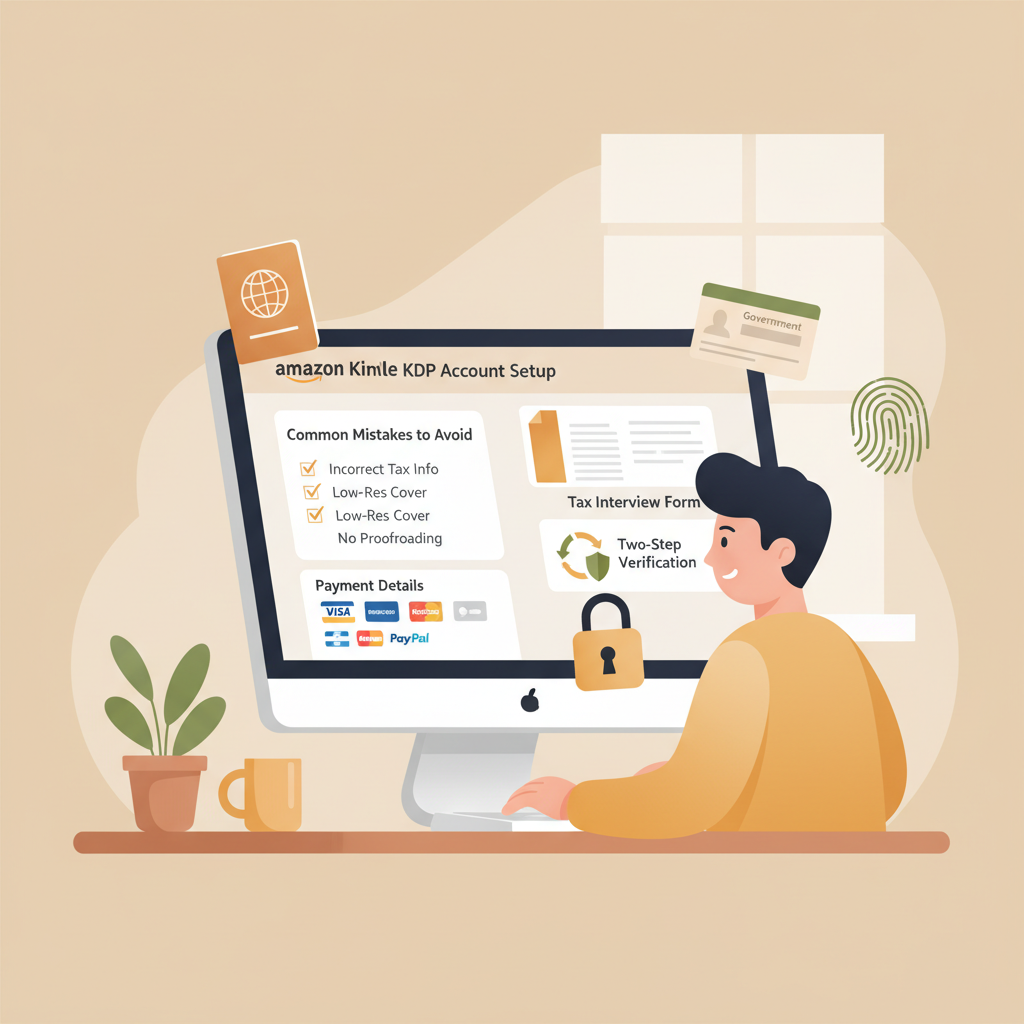
Amazon KDP Account Setup for Payments and Taxes Checklist
Amazon KDP account: Complete setup guide for payments, taxes, and common mistakes
Estimated reading time: 14 minutes
- Correct KDP account setup prevents payment holds, tax withholding, and account problems.
- Use your legal name and accurate tax info; non-U.S. authors must submit the proper W‑8 forms to avoid default withholding.
- Secure the account with two-step verification and verify bank routing to avoid delayed royalties.
- After setup, tools like BookAutoAI can produce compliant EPUBs and covers to reduce upload errors.
Table of contents
- Why accurate amazon kdp account setup matters
- How to create your amazon kdp account — step-by-step
- Sign in or create an Amazon login
- Verify your identity
- Enter your author/publisher name
- Set your business type
- Complete the payment setup
- Fill out tax information
- Confirm contact information
- Agree to KDP terms
- Tax, banking, and identity details explained
- Legal name vs. pen name
- Tax forms you’ll likely encounter
- When Amazon sends tax documents
- Banking and payout details
- Currency settings and conversion
- Common scenarios and how Amazon handles them
- Common mistakes and how to fix them
- When holds or freezes happen
- Publishing your book after setup
- Ebook and paperback files
- EPUB conversion and formatting
- Cover design that works at thumbnail size
- Using an automated book generator responsibly
- Final thoughts and next steps
- FAQ
- Sources
Why accurate amazon kdp account setup matters
Getting an amazon kdp account right at the start saves time and money. Amazon pays royalties only when your payment and tax profiles match their requirements.
If your KDP account has mismatched names, wrong bank details, or unclear tax information, Amazon can pause payments, apply withholding, or even close the account. That interrupts sales and makes scaling harder.
A well-set account also makes publishing smoother. Once your KDP account is verified and in good standing, you can focus on preparing a clean EPUB, a print-ready PDF, and a cover that sells.
Tip: after account verification many authors use tools to produce machine-ready EPUBs and covers that reduce upload errors.
How to create your amazon kdp account — step-by-step
This section walks through the practical steps you need to open a KDP account and avoid common hold-ups.
Sign in or create an Amazon login
Go to the KDP site and sign in with an existing Amazon account or create a new account using a valid email you control. Changing the primary email later can complicate verification, so use an address you’ll keep long-term.
Verify your identity
Amazon will send a verification code to your email or phone. Complete that step before moving on. Two-step verification (2SV) is recommended for security and is sometimes required for payment or tax changes.
Enter your author/publisher name
Use your legal name for payment and tax sections. You can display a pen name as the author on book listings, but payment and tax records must match the legal entity receiving funds.
Set your business type
Choose Individual or Company (LLC, corporation, etc.). If you publish under a company, use the company’s legal name and EIN for tax records. Remember Amazon allows only one KDP account per person or business entity.
Complete the payment setup
Add your bank account details for royalty deposits: account number, routing number or IBAN depending on your country, and the bank’s SWIFT code if required. KDP supports many currencies; pick the correct payout currency for your country.
Fill out tax information
Complete the online tax interview inside KDP. This determines whether Amazon must withhold U.S. taxes on your royalties. For U.S. persons the usual form is W‑9; non‑U.S. persons generally complete W‑8BEN or W‑8BEN‑E.
Confirm contact information
Add a valid address and phone number. Amazon may use these for verification, and they appear on tax documents if needed.
Agree to KDP terms
Read and accept the KDP terms and marketplace agreements. Keep records of your account email and any confirmation messages. After setup, double-check the Payments and Tax sections in your KDP dashboard.
Tax, banking, and identity details explained
This section explains the tricky parts of tax and banking so you get paid correctly.
Legal name vs. pen name
Always enter your legal name where KDP asks for payment and tax details. Using a pen name in these fields creates mismatches that can delay or block payments. Your pen name may still appear on the book listing page.
Tax forms you’ll likely encounter
U.S. citizens/residents: W‑9 is standard and provides your SSN or EIN for IRS reporting. Non‑U.S. persons: W‑8BEN (individual) or W‑8BEN‑E (entities) usually apply to claim tax treaty benefits and reduce U.S. withholding. If you don’t submit an appropriate W‑8, Amazon may withhold at the default 30% rate.
Non‑U.S. authors may also need local taxpayer IDs or a U.S. ITIN/EIN depending on treaty claims and local law.
When Amazon sends tax documents
If your royalties exceed certain thresholds, Amazon provides tax forms (like 1099‑MISC for U.S. entities) based on your account information. Keep accurate records because these forms are used for local tax filings too.
Banking and payout details
Provide the exact bank account name as it appears at the bank. If the name doesn’t match the tax name, Amazon may reject the deposit.
For U.S. banks you typically need routing and account numbers; for international banks you may need IBAN and SWIFT. Some countries require intermediary banks for USD transfers; expect extra fees.
Currency settings and conversion
KDP allows payments in multiple currencies in some regions. Choose the correct payout currency and check your bank’s policies for conversion fees.
Common scenarios and how Amazon handles them
Missing taxpayer ID: Amazon may apply backup withholding or withhold taxes at a higher rate until documents are provided.
Mismatched name/bank: Payments fail or get held; Amazon requests corrected info.
Duplicate accounts: Amazon’s policy is one KDP account per individual or business. Multiple accounts can lead to termination.
Practical checklist: legal name in payment/tax fields, correct tax form completed, bank account matches legal name, phone and address verified, 2‑step verification turned on.
Common mistakes and how to fix them
Experienced publishers see the same errors repeatedly. Addressing these before you publish saves delays.
Mistake: Using a pen name for payments
What happens: Payments are rejected or delayed.
Fix: Update payment and tax name to your legal name. Leave the pen name in book metadata for listings.
Mistake: Wrong bank routing or IBAN
What happens: Deposits fail or are returned, and Amazon may pause future payments.
Fix: Confirm account and routing/IBAN with your bank, re-enter carefully in KDP, then allow time for verification.
Mistake: Leaving tax interview incomplete
What happens: Amazon withholds taxes at the default rate or flags your account.
Fix: Finish the online tax interview fully. Non‑U.S. residents should upload W‑8BEN forms and claim treaty benefits if applicable.
Mistake: Trying to run multiple KDP accounts
What happens: Account suspension or termination.
Fix: Use a single KDP account per person or entity. Manage multiple imprints from the same account if needed.
Mistake: Using temporary or inconsistent contact details
What happens: Verification checks fail and Amazon requests more proof.
Fix: Use an address, phone, and email you’ll keep long-term; update promptly if they change and be ready to re-verify.
Mistake: Skipping security steps
What happens: Account compromise or unauthorized changes.
Fix: Turn on two-step verification, use a strong unique password, and limit who has access to your login.
When holds or freezes happen
If Amazon places a hold, read the notification carefully. Common requests include proof of identity, bank statements, or tax forms.
Respond promptly and provide exactly what’s requested through the official KDP interface to reduce downtime.
Publishing your book after setup
Once your KDP account, tax, and bank details are in order, you’re ready to upload books. For busy authors, systems that create market-ready files reduce upload errors.
Ebook and paperback files
Prepare a clean manuscript with consistent chapter headings and a table of contents. KDP accepts EPUB and reflowable formats for most ebooks.
For paperbacks, KDP requires print-ready PDF with correct trim size, margins, and embedded fonts.
EPUB conversion and formatting
Converting a manuscript to a compliant EPUB is a common stumbling block. Automatic converters sometimes introduce broken chapter navigation, bad metadata, or image issues that fail the KDP preview.
A reliable EPUB converter that targets KDP standards saves time and rejections; for example, many authors use a dedicated EPUB conversion tool to embed metadata, cover images, and navigation. For a focused EPUB converter, see the EPUB conversion tool designed for marketplace checks: EPUB conversion.
Cover design that works at thumbnail size
Covers must read well as thumbnails in Amazon search results: legible title typography, simple contrasting colors, and a genre‑appropriate composition.
Generic images often fail to convey genre cues. Many authors use a purpose-built cover generator to ensure readable thumbnails and proper export formats; see this cover generator for book covers: Cover Generator.
Using an automated book generator responsibly
Automated tools can save weeks of work, but you still need to verify facts, check tone, and add your voice. Focus on editing and ensuring accuracy before publishing.
After account setup, an automated process that produces a compliant EPUB, a market-ready cover, and a formatted manuscript reduces upload errors and speeds time to market. For end-to-end book creation and ebook/paperback generation many authors use purpose-built services: BookAutoAI.
If your publishing workflow includes uploading to retailers or distribution tools, consider a dedicated uploader to simplify the process: book upload tools.
Final thoughts and next steps
A correct amazon kdp account setup protects your royalties and keeps your publishing moving. Focus on accuracy for names, bank details, and tax forms, and turn on two-step verification.
When your KDP account is clean and verified, you can move quickly from manuscript to market-ready files using tools that build compliant EPUBs and covers—saving time and reducing errors.
FAQ
Do I need a separate Amazon account for KDP?
No. You can use an existing Amazon login to access KDP, but keep KDP’s policy of one KDP account per person or legal entity in mind.
What if my bank is outside the U.S.?
KDP supports international bank accounts in many countries. You’ll usually provide IBAN and SWIFT codes. Expect conversion fees and intermediary banks for USD transfers.
Which tax form should I fill out?
If you’re a U.S. person, fill out W‑9. If you’re a non‑U.S. person, fill out W‑8BEN (individual) or W‑8BEN‑E (entity). The KDP tax interview guides you through the correct form.
Can I publish instantly after account setup?
You can upload a book once your account is active, but some verifications (like tax checks) might delay payments. Ensure your files meet KDP requirements to avoid rejection.
What happens if Amazon asks for more documents?
Provide exactly what Amazon requests through the KDP dashboard. Common requests are proof of identity and bank statements. Respond quickly to avoid payment holds.
How do I avoid payment holds?
Keep payment and tax records accurate, verify contact info, and respond promptly to KDP requests. Enabling two-step verification reduces the risk of unauthorized changes.
Sources
- Set Up Your KDP Account – Amazon.com — https://kdp.amazon.com/en_US/help/topic/G202187760
- Create a KDP Account – Amazon.com — https://kdp.amazon.com/help/topic/G200620010
- Set up your KDP account – Amazon.com — https://kdp.amazon.com/en_US/help/topic/GHASDBMPJDXLKXBC
- Start publishing with KDP – Amazon.com — https://kdp.amazon.com/help/topic/GHKDSCW2KQ3K4UU4
- Self Publishing | Amazon Kindle Direct Publishing — https://kdp.amazon.com
- Requirements for Maintaining a KDP Account (Community) — https://kdpcommunity.com/s/question/0D5at00000FVDDGCA5/requirements-for-maintaining-a-kdp-account?language=en_US
Amazon KDP account: Complete setup guide for payments, taxes, and common mistakes Estimated reading time: 14 minutes Correct KDP account setup prevents payment holds, tax withholding, and account problems. Use your legal name and accurate tax info; non-U.S. authors must submit the proper W‑8 forms to avoid default withholding. Secure the account with two-step verification…