
Amazon KDP Canada Royalties, Pricing and Distribution
Amazon KDP Canada: Royalties, Pricing, and Distribution Options
Estimated reading time: 6 minutes
- Amazon KDP is fully supported in Canada; eBooks can earn up to 70% royalty in the qualifying price window.
- Your net earnings depend on price tier, delivery fees, and print distribution choices; local printing speeds delivery in Canada.
- Use reliable tools for EPUB conversion and covers to reduce rework and pass KDP checks faster.
- Complete tax and banking setup early and understand KDP Select rules before enrolling.
Table of Contents
- Overview: Amazon KDP Canada
- Royalties and pricing explained
- Distribution, formats, and covers
- Taxes, payments, and practical publishing steps
- Practical examples for Canadian authors
- AI content disclosure and humanization
- Final thoughts and quick checklist
- FAQ
- Sources
Overview: Amazon KDP Canada
If you’re a Canadian writer wondering whether to publish with Amazon, the short answer is yes: amazon kdp canada is fully supported and free. Amazon KDP lets Canadian authors publish eBooks, paperbacks, and hardcovers for no setup or listing fees.
eBooks can earn up to 70% royalty when priced in the correct range; paperbacks and hardcovers use standard printing royalties. KDP’s tools are designed for self-publishers who want broad reach without complex tech work.
If you want a quick primer, see What Is Amazon Kdp for a concise explanation of the platform and its core features. In Canada, local printing (added in 2019) speeds delivery and helps your customer experience match buyer expectations on Amazon.ca.
This guide walks you through royalties and pricing, distribution options, file and cover requirements, taxes and payments, and a practical step-by-step to publish cleanly. It’s written for non-fiction authors who want to publish professionally and sell consistently.
Royalties and pricing explained
How KDP royalties work (eBook)
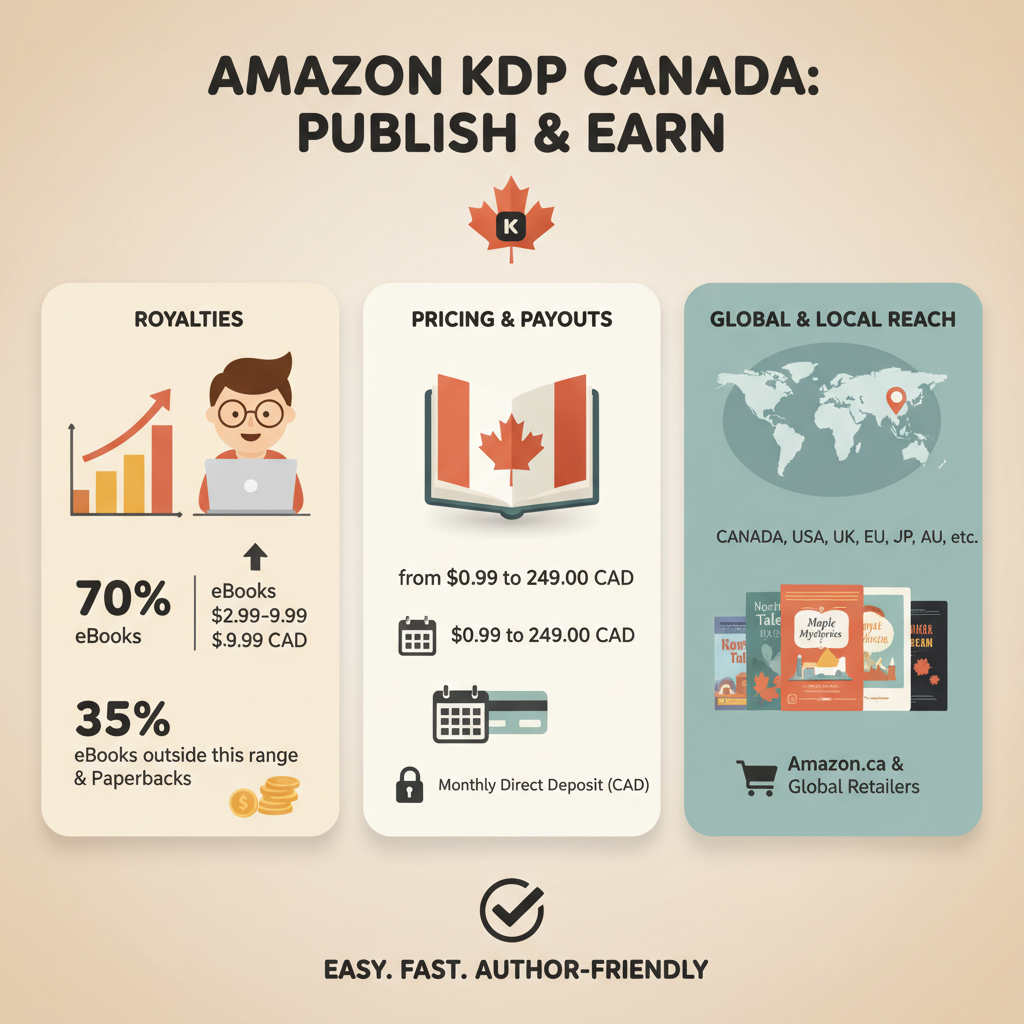
- 70% royalty tier: eBooks priced between CA$2.99 and CA$9.99 typically qualify for 70% royalties when sold in qualifying territories. A delivery fee based on file size is deducted before the royalty is calculated.
- 35% royalty tier: eBooks priced below CA$2.99 or above CA$9.99 fall into the 35% tier; some territories default to 35%.
- Delivery fees: For the 70% tier, KDP deducts a small delivery fee (based on file size and delivery region) from the sale price before calculating your royalty.
How KDP royalties work (print)
- Print royalties are calculated as the list price minus printing cost and distribution fees.
- Printing cost depends on page count, ink type, trim size, and whether the book is printed locally; KDP shows a royalty preview when you upload pricing.
- Expanded distribution changes royalty rates and may add fees; many authors use Amazon distribution for primary sales and evaluate expanded distribution case-by-case.
Pricing strategy tips for Canadian authors
- Aim for the 70% eBook window: For non-fiction, CA$2.99–CA$9.99 is the sweet spot to maximize royalties and buyer conversion.
- Factor delivery fees: Big images or large file sizes increase delivery fees — optimize images and use efficient formatting.
- Local currency: Set pricing in Canadian dollars when selling on Amazon.ca to avoid currency confusion.
- Paperback pricing: Price to cover printing and stay competitive by comparing similar titles on Amazon.ca.
KDP Select and promotional options
KDP Select requires eBook exclusivity (90-day renewals) but provides promotional tools like Kindle Countdown Deals and access to Kindle Unlimited.
Promotions work best when coordinated with a launch plan: email lists, social posts, and a compelling cover and description.
Distribution, formats, and covers
Formats to publish (eBook, paperback, hardcover)
eBook: Upload a clean EPUB (preferred) or a properly formatted Word file. EPUB is the industry standard and previews correctly across devices when built right.
Paperback and hardcover: Upload a print-ready PDF interior and a full-cover PDF (wraparound) or use KDP’s cover creator. Paperbacks and hardcovers are printed on demand and shipped from local print centers where available.
Why file quality matters
Poor formatting causes rejections, preview errors, and negative reader experiences. KDP’s previewer catches many issues, but manual checks are still essential: consistent headings, readable fonts, proper margins, and a functioning table of contents for long non-fiction works.
EPUB conversion and tools
Converting to EPUB properly avoids broken navigation, large images, and formatting glitches. If you want a dedicated tool, consider an EPUB converter that handles metadata, embedded covers, and clean chapter structure.
Tip: Keep images optimized to 300 DPI only when needed; use compressed formats for illustrations to reduce EPUB size.
Covers that sell (and why they need to be done right)
The cover is the single biggest browsing signal on Amazon. Good covers convey genre, title readability at thumbnail size, and a clear visual hierarchy.
Many AI art generators create nice artwork but not market-ready covers. Use a trained cover tool such as the Cover Generator to produce export-quality covers with readable typography and genre-appropriate design.
Practical cover specs: 300 DPI, JPEG or TIFF for uploads, correct spine size for print PDFs, and fonts that remain readable at thumbnail size.
Creating paperback and ebook files with fewer errors
- Use KDP templates for trim sizes and margins to avoid clipping or margin issues.
- Build proper front matter for non-fiction: title page, copyright page, table of contents, and clear chapter starts.
- If you want to automate cover generation and EPUB creation, BookAutoAI creates fully formatted books designed for KDP and other marketplaces.
Taxes, payments, and practical publishing steps
Banking and tax setup
KDP pays authors by electronic funds transfer (EFT) to bank accounts. Set up your payment account in KDP with accurate banking details to receive royalties.
Canadian authors must complete tax interview forms in KDP; correct tax details help KDP apply proper withholding rates. The US–Canada tax treaty can reduce withholding on US-source royalties if you provide correct information.
KDP expects one account per author or organization and reserves the right to suspend accounts that violate policies. Keep account information accurate and consistent.
Practical publishing steps (simplified checklist)
- Create your KDP account and complete tax and payment setup.
- Finalize manuscript formatting (fonts, margins, chapter breaks). Export a clean EPUB or print-ready PDF.
- Design a cover that works at thumbnail size and meets KDP specs; use a trained cover tool if possible.
- Upload files to KDP, choose territories and distribution, and set pricing. For bulk or smarter uploads, consider a dedicated upload tool.
- Proof your book using the KDP previewer and order a physical proof copy for print books when possible.
- Launch with a plan: listing copy, categories, keywords, promotional timing, and optional KDP Select enrollment.
Practical examples for Canadian authors
- Example 1: Self-help non-fiction eBook priced at CA$6.99 — falls within the 70% royalty band. Keep file size under 5 MB to limit delivery fees.
- Example 2: 150-page black-and-white print guide (6×9). Set a list price that covers printing and yields a reasonable royalty; use local print for faster delivery in Canada.
- Example 3: Bundle eBook + Paperback. Price the eBook competitively in the 70% band and set the paperback price to be attractive on Amazon.ca while covering print costs.
AI content disclosure and humanization
Amazon requires disclosure of AI-generated content in new or edited books. If you use AI during the writing or editing process, follow KDP rules and disclose where required.
Humanizing AI-written content improves readability and reduces detection flags; editing and natural phrasing help long-term marketplace trust.
Final thoughts and quick checklist
- Make royalty and pricing choices before upload to know expected earnings.
- Use proper EPUB conversion and clean cover files to pass KDP checks; dedicated tools reduce manual cleanup.
- Complete tax and bank details early to prevent payment delays.
- Review KDP help pages for details on expanded distribution and KDP Select before committing.
FAQ
Can Canadian authors use KDP for free?
Yes. KDP is free to use—no listing or setup fees. You only pay production costs for print and Amazon keeps its royalty share on each sale.
What royalty rate will I get in Canada?
eBook royalties can be 70% if your price is between CA$2.99 and CA$9.99 and the sale meets other conditions; otherwise eBooks get 35%. Print royalties depend on list price minus printing and distribution costs.
Do I need an ISBN in Canada?
You can get free ISBNs from Library and Archives Canada, or use an ISBN from your own source. KDP also assigns ASINs for eBooks. For print, you can use a KDP-provided ISBN or supply your own.
How long before my book is live on Amazon.ca?
eBooks typically appear within 24–48 hours; print books usually take 2–5 days because of printing setup.
Should I enroll in KDP Select?
KDP Select offers promotional tools and Kindle Unlimited availability but requires eBook exclusivity. Choose Select if KU readership and promotional features matter more than wide distribution.
How do I make sure my files pass KDP checks?
Use proper formatting, keep file sizes reasonable, embed the cover correctly, and use an EPUB converter or formatting tool that understands KDP requirements. Automated converters and cover tools reduce common errors.
Sources
- https://blog.Bookautoai.com/what-is-amazon-kdp
- https://www.Bookautoai.com/epub-converter
- https://www.Bookautoai.com/book-cover-generator-processing
- https://www.Bookautoai.com
- https://bookuploadpro.com
- https://kdp.amazon.com
- https://foglioprint.com
- https://indiepublishinggroup.com
- https://selfpublishingtitans.com
Amazon KDP Canada: Royalties, Pricing, and Distribution Options Estimated reading time: 6 minutes Amazon KDP is fully supported in Canada; eBooks can earn up to 70% royalty in the qualifying price window. Your net earnings depend on price tier, delivery fees, and print distribution choices; local printing speeds delivery in Canada. Use reliable tools for…