
Amazon KDP Low Content Books Survival Guide for Authors
Amazon KDP Low Content Books: Survival Guide for What’s Allowed, What’s Risky, and How to Improve Quality
Estimated reading time: 7 minutes
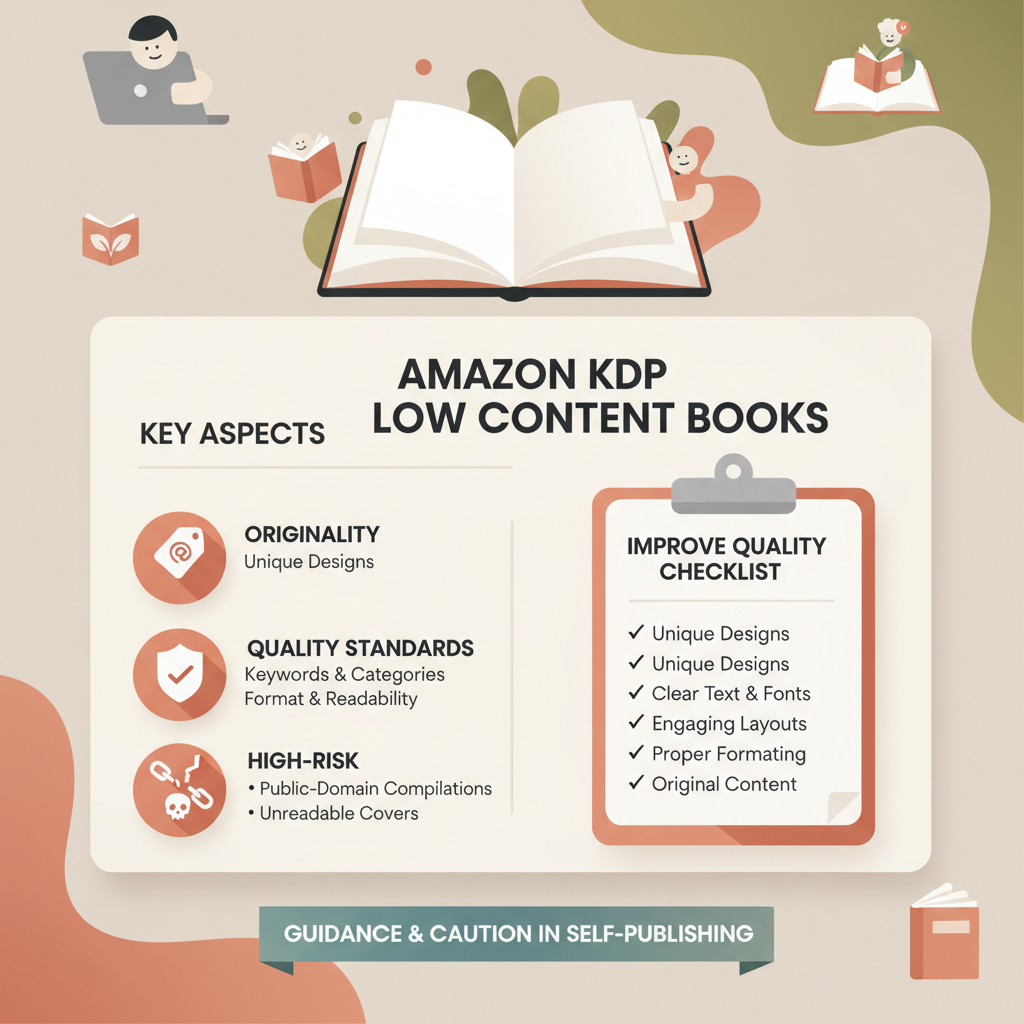
- Low-content books are allowed on KDP but must meet originality, metadata, and quality standards to avoid removal.
- High-risk choices include recycled public-domain compilations, duplicate interiors, spammy metadata, and unreadable covers.
- Improve longevity by focusing on niche research, readable covers, clean interiors, and reliable EPUB/print conversion.
- Use tools to lift quality — readable covers and proper EPUB conversion reduce errors and save time.
Table of Contents
- What Amazon means by low-content books
- What’s allowed now, and what gets flagged as risky
- High-risk choices and how to avoid rejection
- Practical steps to raise quality and reduce risk
- Real-world checklist and quick fixes
- How to improve discoverability without risk
- Scaling without triggering enforcement
- How BookAutoAI helps
- Practical examples
- Final thoughts
- FAQ
- Sources
What Amazon means by low-content books
Amazon KDP labels products with minimal interior text as low-content—examples are lined journals, planners, coloring books, puzzle books, and fill-in workbooks.
KDP expects repeatable, functional pages (lines, grids, templates) that serve the buyer’s purpose; scraped or duplicated collections with misleading metadata are at high risk of removal.
If you create journals, consult practical guides during setup—for instance, the Amazon KDP Journals Publishing Blueprint 23 explains notebook and journal setup best practices for KDP and helps avoid common upload mistakes.
What’s allowed now, and what gets flagged as risky
How KDP thinks about low-content books
- Allowed: Repetitive, user-fillable interiors designed for a clear purpose—lined journals, logbooks, planners, coloring and puzzle books that are original or publisher-created.
- Risky: Straight copies of others’ work, scraped public-domain collections without added value, or listings with metadata that misrepresents the product.
- Not allowed: Copyright-infringing books, metadata designed to manipulate search (keyword stuffing), and items that violate content policies even if interiors are lightweight.
Common rejection reasons and how to spot them
- Copyright and IP: Using trademarked names or copyrighted characters in covers or interiors without permission can trigger takedowns.
- Duplicate content and spam: Publishing many nearly identical interiors with cosmetic changes attracts spam flags from KDP.
- Misleading metadata: Titles or categories that promise features the book doesn’t include (for example, calling something a “workbook” with only a few prompts).
- Poor formatting and technical problems: Wrong trim sizes, low-resolution covers, or files that fail platform checks cause delays and bad buyer experiences.
High-risk choices and how to avoid rejection
Design and content choices that increase risk
- Auto-generated public-domain compilations: Add meaningful editorial work (context, annotations, new layouts) so the book is more than a straight compilation.
- Mass-duplicate interiors: Avoid publishing the exact same interior with dozens of covers; create meaningful variations instead.
- Mislabeling product type: Ensure interiors match the label—a coloring book needs line art; a puzzle book needs actual puzzles, not placeholders.
- Low-quality covers: Covers must read at thumbnail size; an unreadable or obviously low-effort cover hurts conversion and can trigger listing issues.
Metadata and launch tactics that look spammy
- Keyword stuffing in titles and subtitles—use clear, accurate titles that reflect the product.
- Avoid excessive category repetition or irrelevant keywords; write helpful, buyer-facing descriptions.
- Don’t create multiple ASINs for tiny variants; consolidate where possible.
Practical steps to raise quality and reduce risk
Research before you design
Check bestseller ranks and category competition; a rank under 10,000 often indicates steady monthly sales, but combine rank checks with keyword and category research.
Read buyer reviews for top titles—repeat complaints about paper, layout, or missing features are direct improvement signals you can apply before publishing.
Interior design basics for low-content books
- Purposeful structure: Every page should serve the buyer—planners need clear hierarchy; journals require consistent margins and spacing.
- Templates and variety: Provide enough variation (alternating prompts, indexed sections) so the book stays useful.
- Accessibility: Use standard fonts, avoid tiny line spacing, and leave margins so writing tools don’t smudge.
Covers that convert and meet platform checks
Readable at thumbnail size, genre-appropriate, and technically correct for the trim size—covers often determine clicks and conversions more than interiors.
If you want a cover solution trained on book-market patterns, consider a cover tool designed for market-ready covers rather than generic art. The BookAutoAI cover tool was developed to produce readable, genre-appropriate covers with proper visual hierarchy.
Formatting and conversion: save time, avoid errors
- Correct trim and bleed: Match interior trim to the cover template; set bleed for edge-to-edge images.
- Clean structure: Even low-content books benefit from consistent page order and headers/footers when needed.
- File checks: Use a robust EPUB or conversion tool to embed covers and metadata for store-ready files.
For reliable EPUB output, the EPUB converter produces structured EPUBs with navigation and embedded covers so conversions pass store checks more often.
If you need upload-friendly formats or assistance with distribution steps, consider specialized book upload tools to reduce platform errors during the submission process.
Real-world checklist and quick fixes
Before you upload:
- Verify originality and rights for all artwork and content.
- Confirm trim and bleed match the cover template.
- Run a print preview and check key pages for layout breaks.
- Ensure the title and subtitle accurately describe the product.
- Pick the most relevant categories rather than trying to game placement.
Quick technical fixes buyers notice:
- Increase line spacing slightly if pages feel cramped.
- Adjust margins so writing doesn’t get cut off when printed.
- Swap low-contrast title colors for higher-contrast options at thumbnail size.
- Replace decorative cover fonts with a clean headline font for clarity.
How to improve discoverability without risk
- Honest keywords: Use the primary keyword naturally in the title and explain use cases in the description.
- Better thumbnails: Meet genre conventions with a clear cover to increase clicks.
- Bundle value: Offer a printable companion PDF or small series, and state that clearly in the listing.
Scaling without triggering enforcement
- Avoid publishing dozens of near-duplicate interiors; build a template library and make meaningful variations.
- Log versions and reasons for changes so you can show differences if KDP questions a listing.
- Use automation to create distinct templates and reduce manual errors, not to flood catalogs with duplicates.
How BookAutoAI helps
- Faster, accurate production: BookAutoAI produces formatted interiors and marketplace-ready titles so you spend less time fixing formatting issues.
- Professional covers: Use market-tuned cover design from the BookAutoAI tools to improve conversion and avoid an “AI-made” look.
- Store-ready EPUBs: The EPUB converter produces embedded covers and navigation for Kindle and other stores.
- Scale responsibly: Use automation to iterate on quality rather than to publish mass-duplicate files.
Visit Bookautoai for platform-level tools that support cover creation and conversion for authors.
Practical examples
- Lined journal improved: Replace decorative fonts with clean typography, increase line spacing from 8 pt to 10 pt, and add a modest page header with space for dates to improve usability.
- Planner series: Instead of color-only variants, create a small series with daily, weekly, and monthly layouts and label each clearly in metadata.
- Coloring book with added value: For public-domain illustrations, redraw or recompose pages into themed sets, add an index or coloring tips, and include a short introduction.
Final thoughts
Low-content publishing is viable on Amazon KDP when you deliver clear, buyer-focused value. Avoid shortcuts that create near-duplicate listings or reuse copyrighted material without transformation.
Focus on quality: readable covers, purposeful interiors, and clean conversions reduce risk and improve long-term sales.
If you need help with covers or file conversion, BookAutoAI offers purpose-built tools: a cover generator tuned to top-selling patterns and an EPUB converter that creates store-ready files for Kindle and other stores.
FAQ
Are low-content books allowed on Amazon KDP?
Yes. KDP allows low-content books such as journals, planners, and coloring books provided they meet content, metadata, and rights rules.
Can I publish an ebook version of a low-content book?
Many low-content books do not translate well to ebook formats; if you offer an ebook, ensure the EPUB matches buyer expectations and is properly structured.
Will Amazon remove my low-content listings for duplicate content?
Amazon may remove listings that look like spammy duplicates; make meaningful changes between editions and keep records showing distinctions.
How important is the cover for low-content books?
Extremely important. Clear, readable covers that follow genre norms are often the biggest factor in converting browsers to buyers.
What quick tools help with formatting and covers?
Tools that produce market-ready covers and correct EPUBs reduce manual errors; the BookAutoAI cover generator and EPUB converter are examples of such tools.
Sources
- https://kdp.amazon.com/help/topic/GGE5T76TWKA85DJM
- https://kdp.amazon.com/help/topic/GHKDSCW2KQ3K4UU4
- https://adventureandthegirl.com/2025/08/13/how-to-self-publish-a-low-content-book-on-amazon-kindle-direct-publishing-kdp/
- https://www.youtube.com/watch?v=Gkos4dARyL0
- https://www.youtube.com/watch?v=aYP8dLFIrtM
- https://www.kdpcommunity.com/s/question/0D52T00005eTh8ESAS/low-content-books-on-kdp?language=en_US
- https://www.bookautoai.com/book-cover-generator-processing
- https://www.bookautoai.com/epub-converter
- https://www.bookautoai.com
Amazon KDP Low Content Books: Survival Guide for What’s Allowed, What’s Risky, and How to Improve Quality Estimated reading time: 7 minutes Low-content books are allowed on KDP but must meet originality, metadata, and quality standards to avoid removal. High-risk choices include recycled public-domain compilations, duplicate interiors, spammy metadata, and unreadable covers. Improve longevity by…