
Amazon KDP Orders What Counts, Processing Time and Issues
Amazon KDP Orders: What Counts as an Order, Processing Time, and Common Issues
Estimated reading time: 7 minutes
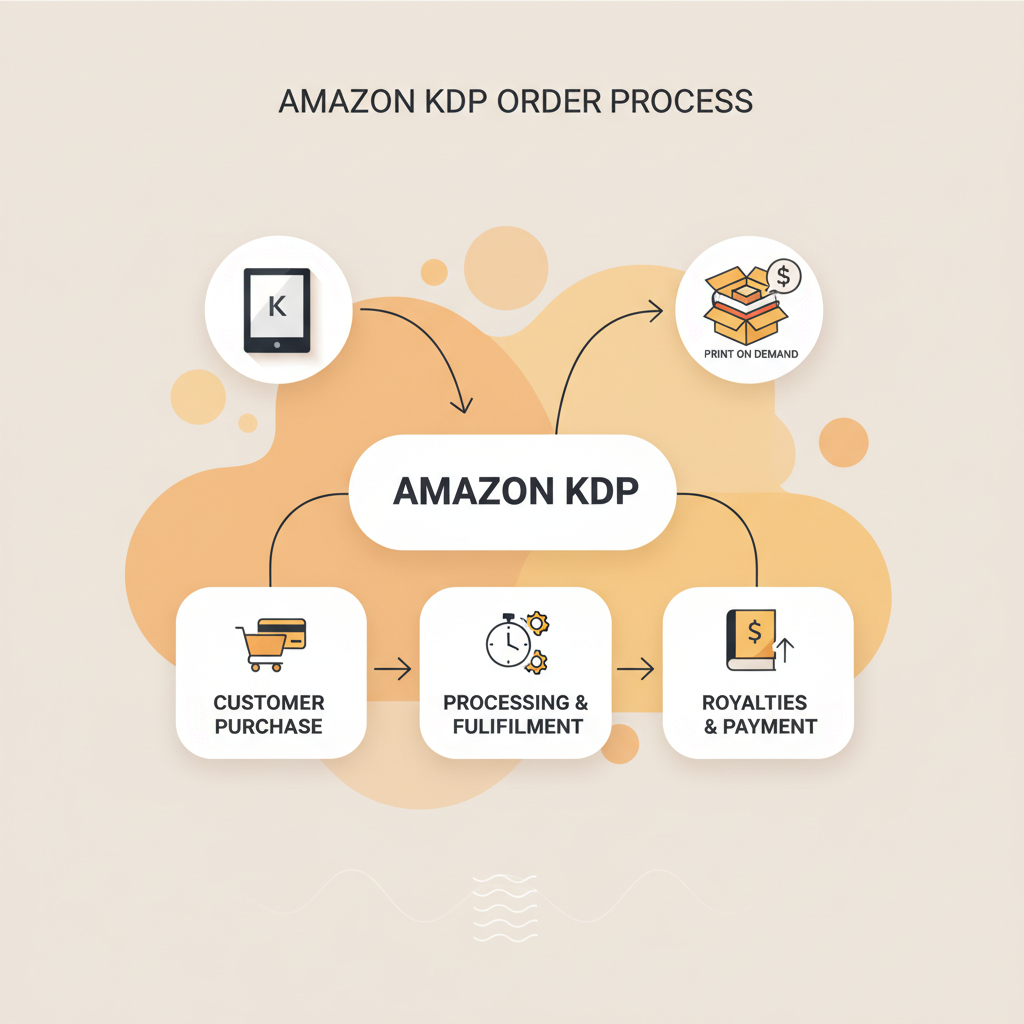
- Amazon KDP orders include both Kindle purchases and print-on-demand sales; KU page reads and certain promos are reported separately.
- Digital delivery is instant; print orders use print-on-demand with a 24–72 hour typical print window and separate shipping times.
- The Orders dashboard can show missing, duplicate, or delayed entries — many issues are resolved by checking marketplace filters, files, and report exports.
- Use publishing tools tuned for books (epub converters, validated print PDFs, upload tools) to reduce rejection and printing errors.
- Confirm your account setup early — see Amazon KDP Account Setup to prevent common reporting surprises.
What counts as an order?
What appears as an order
Ebook sales: Purchases of Kindle editions are counted as orders immediately when a customer buys the book.
Print sales: Paperback and hardcover sales through KDP Print are recorded as orders when the buyer completes checkout and trigger print-on-demand fulfillment.
Pre-orders: Pre-orders are recorded in a special way; they usually appear as a sales event when the book is released and commitments consolidate at release.
Author copies and proofs: These are logged differently in reports but can influence print inventory-related records.
International storefront purchases: Sales from other Amazon marketplaces (UK, DE, etc.) are orders and appear in consolidated reports with marketplace identifiers.
What does not count as an order
Kindle Unlimited (KU) page reads are reported as page reads and payouts, not purchase orders.
Free downloads and promotional downloads may appear in separate promotion reports rather than as standard orders.
Failed payments or abandoned carts never become orders, and returns/refunds will either show as refunded or be netted from royalties depending on timing.
Early checklist (before you rely on the dashboard)
If you’re new to publishing, confirm your KDP account setup and payment/tax settings early — this prevents many reporting surprises. For a short guide, consult Amazon KDP Account Setup for basics and mapping your payments correctly.
Processing time and fulfillment
Digital orders (Kindle)
Delivery to customers is instant: after purchase the ebook is delivered to the buyer’s Kindle device or app.
Reporting usually appears quickly in the Orders dashboard, though short delays (minutes to a few hours) can occur during large spikes or promotions.
Refunds for digital purchases are typically processed fast and will be reflected in reports shortly after Amazon completes the reversal.
Print orders (paperback, hardcover)
Print-on-demand processing: KDP sends orders to a print facility. Typical print processing is 24–72 hours, depending on title, facility load, and marketplace.
Shipping times depend on buyer location and shipping option; domestic is faster, international takes longer. Status updates (printed, shipped, delivered) may lag in the dashboard.
Marketplace and fulfillment center effects
Different marketplaces use different print partners; a European buyer may trigger printing in Europe. That affects processing time and the marketplace where the order appears.
Large promotional spikes or holidays can slow print queues and reduce dashboard visibility temporarily.
Financial timing (royalties and payments)
KDP calculates royalties monthly and pays based on selected schedules and thresholds. Sales recorded in a month are reported, but payments are processed after month-end.
Use the Orders dashboard for activity tracking; expect accounting schedules to delay actual payouts by several weeks.
Common issues in the Orders dashboard and how to fix them
1. Sales missing from the dashboard
Why it happens: reporting lags after promotions, sales recorded under a different marketplace/account, or refunds/chargebacks remove orders.
What to do: refresh the dashboard, check Sales and Royalties reports for the same date range, and expand marketplace filters. If nothing explains it, contact KDP Support with order timestamps and ASIN/ISBN details.
2. Duplicate orders or unexpected duplicates in reports
Why it happens: customers may place orders twice or the system may retry a payment. Aggregation can also show separate entries across marketplaces.
What to do: compare order IDs and timestamps carefully. If duplicates are customer-side, KDP typically issues refunds; open a support ticket for system-generated duplicates.
3. Pre-orders not showing as expected
Why it happens: pre-orders are committed and often fulfilled on release; they can display differently in the dashboard.
What to do: expect pre-orders to consolidate around release. If counts don’t convert, verify ASIN settings and release date accuracy with KDP Support.
4. Print orders stuck in “processing” or delayed printing
Why it happens: print facility queues spike during holidays or large events. File issues (bad margins, missing fonts) can also block printing.
What to do: check the title’s print-ready PDF and interior layout. If you accidentally uploaded an EPUB for print, re-upload the correct PDF. If KDP flagged the file, follow the notification steps.
5. Refunds and chargebacks affecting royalty totals
Why it happens: returns processed by Amazon reduce net sales and are reflected in reports.
What to do: track net royalties (not gross sales) and review timing: a sale can appear in one month and a refund in the next.
6. Orders from the wrong marketplace or currency discrepancies
Why it happens: international sales display localized currencies and marketplace codes that can confuse reconciliation.
What to do: use consolidated reports, export CSVs, and filter by marketplace to reconcile currency differences for accounting.
7. Missing Page Read revenue (KU)
Why it happens: KU reporting is separate — page reads and KU payouts are not purchase orders.
What to do: review KU-specific reports in KDP and don’t expect KU activity to show as orders.
8. Metadata or listing errors affecting orders
Why it happens: inaccurate metadata (wrong ASIN, mismatched title) can prevent customers from finding the correct edition.
What to do: maintain consistent metadata across your KDP settings and distribution listings; correct formatting reduces blocked sales.
Tools and steps that prevent many problems
Use reliable formatting tools to generate KDP-ready EPUBs and print PDFs; well-formed files reduce rejection and printing errors.
If you convert many manuscripts to EPUB, pick a validated EPUB converter tuned to KDP rules to avoid upload and delivery failures.
For book creation tasks (paperback and ebook generation), use tools designed for immediate publishing like Bookautoai to produce ready-to-upload files.
When managing uploads to retailers or bulk distribution, consider a dedicated uploader such as book upload tools to reduce manual errors.
Orders dashboard best practices
Daily and weekly monitoring
Check the Orders dashboard each morning for the previous day’s activity and export weekly reports for reconciliation.
During launches or promotions, monitor hourly for the first 48 hours to catch spikes or printing backlogs.
Reporting and exports
Use the Reports export (CSV) to create a local backup of orders and sales data; filter by marketplace, date, and ASIN for reconciliation.
Reconcile exported reports with bank statements during your payment window to track actual deposits and discrepancies.
File and publication hygiene
Keep a clean, versioned repository of final upload files (interior, cover, metadata). That lets you quickly confirm whether the uploaded file was correct if an order shows printing issues.
Use consistent ISBN/ASIN assignments for print vs. ebook to avoid listing confusion.
Customer service and returns
Amazon handles customer service for KDP orders, but monitor reviews and messages for systemic problems like recurring print-quality complaints.
When returns or refunds appear, log them and note reasons — multiple returns for the same issue indicate a material problem to fix.
Use trusted publishing tools
A stable, KDP-focused book generator or formatting tool reduces mistakes caused by manual setup. Many authors use Bookautoai to humanize writing and format manuscripts for publishing.
Validated EPUB converters and print-ready PDF generators dramatically reduce upload problems and order friction.
When to contact KDP Support
Contact KDP Support when a discrepancy has clear evidence: order ID, timestamp, storefront, and screenshots if helpful.
For print issues affecting multiple orders, include affected order IDs so KDP can investigate print-facility problems quickly.
FAQ
Do Kindle Unlimited reads count as orders?
No. Kindle Unlimited reads are reported as KU page reads and payouts and do not appear as purchase orders in the Orders dashboard.
Why did a pre-order not appear on release day?
Pre-orders can consolidate at different times by marketplace. Verify release date accuracy and the pre-order report; contact KDP Support if the counts still look incorrect.
An order shows as refunded—will it still appear in reports?
Refunds are reflected in reports. The original sale may show with a refund status or be netted out of royalties depending on timing.
My print orders are delayed—what can I check before support?
Verify the print file was accepted, check KDP notifications, and confirm marketplace and shipping destination. If accepted and still delayed, provide order IDs to KDP Support.
How can I avoid order problems related to file uploads?
Use a KDP-ready EPUB and print-ready PDF, validate files before upload, keep versioned backups, and use publishing-trained tools rather than generic document exporters.
Sources
- https://www.youtube.com/watch?v=4LkOBPL0ARQ
- https://blog.bookautoai.com/ai-book-generator-kdp-authors-24/
- https://www.youtube.com/watch?v=rNPpvcGou_U
- https://blog.bookautoai.com/ai-book-generator-kdp-review-81/
- https://www.youtube.com/watch?v=lVdwCjrf2PU
- https://www.bookautoai.com
- https://blog.bookautoai.com/ai-book-generator-amazon-kdp-17/
- https://kdp.amazon.com/help/topic/G200672390
- https://www.bookautoai.com
Amazon KDP Orders: What Counts as an Order, Processing Time, and Common Issues Estimated reading time: 7 minutes Amazon KDP orders include both Kindle purchases and print-on-demand sales; KU page reads and certain promos are reported separately. Digital delivery is instant; print orders use print-on-demand with a 24–72 hour typical print window and separate shipping…