
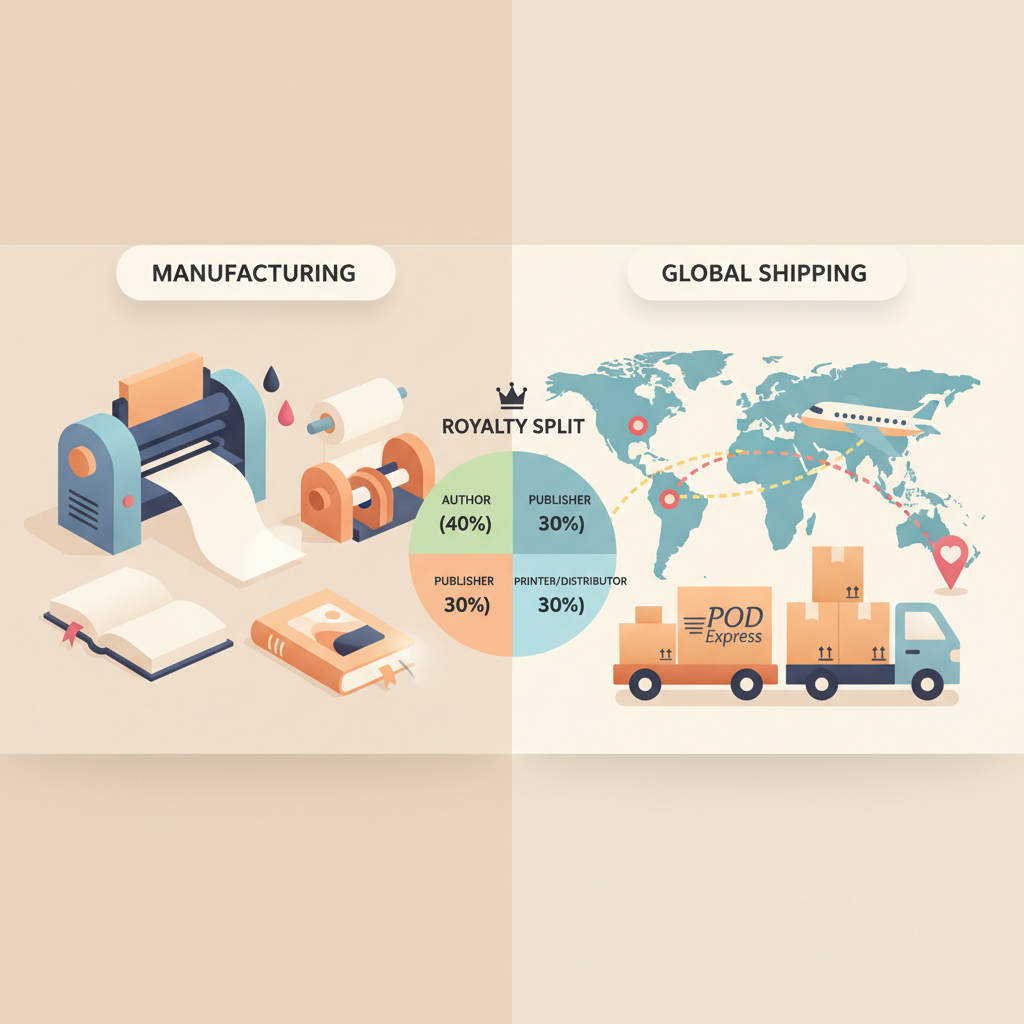
Amazon KDP Print on Demand Manufacturing and Margins
Amazon KDP Print on Demand: A Practical Guide to Manufacturing, Shipping, and Why Margins Vary
Estimated reading time: 13 minutes
- Amazon KDP Print on Demand removes inventory risk, but production choices, shipping, and distribution settings directly change author royalties.
- Manufacturing steps — paper, ink, binding, and print location — and shipping routes create real cost differences between orders and regions.
- Authors can protect margins by choosing trim size, interior ink, distribution channels, and by using formatting tools and converters to avoid reprints.
- Small per-copy cost changes (even $1) can cut royalties by 20–30% on low-priced books; plan pricing around production and shipping.
- Automation and reliable formatting speed time to market and reduce errors that eat into profits.
Table of Contents
- What is Amazon KDP Print on Demand?
- Manufacturing and fulfillment: how print choices change cost
- Why margins vary on KDP Print—and what authors can do
- How authors can protect profit margins (practical steps)
- Choose trim and interior wisely
- Optimize layout to save pages
- Test pricing with an eye on production cost
- Use KDP Print for Amazon-centric sales; consider other printers
- Buy copies strategically
- Reduce file errors and reprints
- Use automation to avoid formatting mistakes
- Prioritize quality where readers notice it most
- Track sales and adjust
- Consider bundling formats
- Real-world examples: how a small change shifts margins
- Final thoughts
- FAQ
- Sources
What is Amazon KDP Print on Demand?
Amazon KDP Print on Demand (often called KDP Print) is Amazon’s service that prints paperbacks when customers order them. Instead of printing a large run and storing inventory, your book is printed, bound, and shipped only when a sale happens.
That eliminates upfront printing risk and warehousing costs, which is why many self-publishers choose KDP Print. Because printing only happens after an order, the math is simple: Amazon charges a printing cost, subtracts that from the list price, and pays the remaining amount as your royalty (after any distribution or delivery fees).
That simplicity is useful, but the printing cost is not a single fixed number—paper type, trim size, page count, and whether you use color all change the price. If you’re budgeting for a project, it helps to check itemized fee summaries; for a clear fee snapshot, see Amazon Kdp Fees Breakdown.
How manufacturing and fulfillment work
A typical KDP Print order moves through these steps: file validation → print queue → printing → binding → cover wrap → trimming → packaging → shipping. Each stage influences cost, timing, and sometimes quality.
1. File validation and preflight
Before a page is printed, KDP checks your PDF or print-ready file for issues—wrong margins, low image resolution, or incompatible color profiles. Files that fail validation delay printing and may require changes. Good files pass in one go; that’s one reason formatted, KDP-ready files matter.
2. Printing methods and how they affect cost
KDP primarily uses digital printing (inkjet/toner-based). Digital printing has a low setup cost, which benefits single-copy printing but can produce differences compared with offset printing:
- Text blacks may be slightly less dense.
- Color saturation and contrast can be uneven on some images.
- Paper choices tend to be standard; premium paper is limited.
Digital printing keeps manufacturing costs low for single copies. For authors, this means lower per-unit cost for short books, but slightly lower image quality for photo-heavy titles.
3. Binding and construction
Most KDP paperbacks use perfect binding (glued spines). Perfect binding is cost-effective, but it doesn’t lay flat like sewn bindings and can create a more rigid spine on thicker books. Binding materials, glue types, and spine width calculations feed into both cost and the final look.
4. Paper and ink choices
Interior options are typically standard cream or white paper; color interior adds a hefty per-page cost. Covers use coated stock with laminate options for durability. Colors and paper weights influence cost — a 150-page black-and-white book will cost far less than a 150-page full-color interior.
5. Print location and regional fulfillment
KDP routes orders to printers near the customer to reduce shipping. That can produce different print costs depending on regional agreements, local labor, and material availability. Regional fulfillment is why the same book can cost different amounts to produce when sold in the U.S. versus Europe or Australia.
6. Packing and shipping
Once printed and bound, books are packed and sent through Amazon’s logistics partners. Shipping options (standard vs. expedited), whether the buyer chooses Prime, and destination distance change delivery fees and times. Author copies or expanded distribution orders may use a different fulfillment path and have different costs.
7. Returns and quality control
Returned copies and defect rates are part of the real cost of printing. Amazon handles customer returns, but returned books sometimes count against production or create replacement requests. If a book repeatedly returns due to quality, authors may need to re-evaluate files and cover design.
If you need help with cover sizing or processing, a book cover generator can reduce mistakes during cover wrap and spine calculations.
Why margins vary on KDP Print
Margins on KDP Print depend on three broad buckets: production costs, platform fees and distribution rules, and author pricing strategy. Understanding each bucket helps you plan realistic royalties.
1. Production costs: the direct line items
Production includes every cost Amazon takes out before royalties:
- Printing cost: based on page count, ink type, and paper.
- Fixed charge: there is a base cost per book (paperback base cost varies).
- Shipping to the customer is handled by Amazon, but seller royalties must absorb the production cost.
Why it matters: adding interior color or moving from 120 to 200 pages can jump printing cost by several dollars. On a $9.99 list price, that direct jump reduces the royalty percentage substantially.
2. Distribution and expanded distribution rules
KDP Print pays higher royalties for sales on Amazon than for expanded distribution. If you enable Expanded Distribution (to reach bookstores and other retailers), Amazon applies a larger discount to the list price. This reduces royalties on those non-Amazon sales—often significantly.
3. List price and royalty math
KDP royalties for print are calculated after printing cost and distribution discounts. Set a low list price and a high production cost, and your royalty becomes tiny or even negative. Pricing strategy must align with your production choices.
4. Regional differences and currency conversion
Because KDP prints regionally, the same book printed in different countries can have different printing costs. KDP also uses local currencies and may charge different shipping or handling rates. Authors selling worldwide will see a mixed royalty picture across markets.
5. Returns, promotions, and author copies
Promotional pricing and returns can affect realized income. Author copies are available at printing cost plus shipping; ordering large author copies at wholesale might be cheaper than selling many low-priced units with small royalties.
6. Quality choices and long-term brand value
Opting for premium paper, larger trim sizes, or custom interiors increases perceived value and can justify higher prices. Higher price points can protect margins even with higher production costs, but they change buyer behavior—so authors must balance perceived value against sales volume.
How authors can protect profit margins (practical steps)
You can’t control every cost Amazon applies, but you can control many choices that determine printing cost and final royalty. Here are practical steps that make a real difference.
1. Choose trim and interior wisely
Trim size: smaller trim sizes often cost less per unit. Choose a standard size that matches market expectations for your genre.
Page count: edit ruthlessly. Every 8–16 pages of extra content increases printing cost. Consider moving appendices or long lists to an online supplement.
Interior ink: use black-and-white for text-heavy nonfiction; reserve color for sections where it adds clear value.
2. Optimize layout to save pages
Tight but readable margins, sensible font sizes, and consistent spacing can reduce page count without harming readability. Use professional templates or tools that format for KDP page geometry.
3. Test pricing with an eye on production cost
Before final pricing, calculate production cost for your chosen trim and page count. Price to cover printing and give you a target royalty (e.g., $2–$4 per copy). If your genre accepts higher prices, don’t be afraid to price accordingly.
4. Use KDP Print for Amazon-centric sales; consider other printers for different goals
KDP Print is often the cheapest route for Amazon sales. If your goal includes bookstores or library sales, pair KDP Print with another distributor like IngramSpark for broader reach.
Keep in mind that expanded distribution through KDP often reduces royalties, so consider which channel serves your goals.
5. Buy copies strategically
Author copies allow you to lock in a lower per-copy price for bulk orders, but you’ll pay shipping and handle storage. For merch or events, calculate whether ordering author copies is cheaper than passing low royalties through retail.
6. Reduce file errors and reprints
Poorly prepared files lead to failed prints and re-uploads. Use reliable formatting tools and validate files before upload. For many authors, using a trusted formatter avoids manufacturing delays and incorrect print runs, helping preserve margin.
If you need robust upload helpers, consider specialized book upload tools that simplify retailer requirements and reduce mistakes.
7. Use automation to avoid formatting mistakes
Automated tools that create print-ready interiors, generate covers sized for spine width, and convert manuscripts to proper EPUB or print-ready PDF save time and lower error costs.
For nonfiction authors who want finished, upload-ready files fast, tools with a built-in EPUB converter and cover processing can reduce the chance of failed uploads and reprints.
8. Prioritize quality where readers notice it most
If your nonfiction book includes charts, diagrams, or photos, consider a mixed strategy: core chapters in black-and-white and a short color insert for images, or provide high-resolution downloads for readers. Color increases per-page cost heavily; make sure it’s worthwhile.
9. Track sales and adjust
After launch, monitor sales by marketplace. If a market shows weak sales but high returns or low royalty, adjust pricing or distribution settings for that region.
10. Consider bundling formats
Offering a combined package (ebook + paperback) or a higher-priced special edition can move buyers toward higher-margin options. You can often create paperback or ebook files from the same source manuscript to reduce redundant work.
Real-world examples: how a small change shifts margins
- Example A: A 150-page black-and-white paperback at $9.99 might have a printing cost of $3.50, leaving a royalty around $4.00–$5.00 after Amazon’s share. Add color or 100 pages and printing might jump to $6.00, cutting royalty dramatically.
- Example B: Moving from a 6″x9″ trim to a 5.5″x8.5″ could shave pages and reduce printing cost enough to increase royalty by ~20%.
Final thoughts
Manufacturing, shipping, and distribution rules turn a simple “print on demand” label into a set of choices that directly shape your author earnings. Small production decisions—trim size, page count, color, and distribution—compound into meaningful differences in royalties.
For nonfiction authors focused on speed and reliability, automating formatting and conversion reduces risk and often improves margins by avoiding reprints and failed uploads. Try Bookautoai to see how formatted outputs and conversion tools speed time to market and reduce manual mistakes.
FAQ
Does KDP Print charge a setup fee?
No setup fee for standard print-on-demand copies. You pay the per-book printing cost when a copy is printed. Author copies are charged at printing cost plus shipping.
Should I always choose the cheapest printing option?
Not always. The cheapest option can make sense for short, text-driven books. For premium nonfiction with photos, investing in higher quality or alternative printers may improve reader experience and long-term sales.
How long does it take for an author copy to arrive?
Author copies typically take longer than customer orders; expect 9–11 days in many regions, though times vary and can be longer during peak periods.
Can I distribute to bookstores with KDP Print?
KDP has Expanded Distribution, but it applies a larger discount and reduces royalties. Many authors use IngramSpark to reach bookstores and libraries because of broader distribution options.
How do I ensure my files print correctly the first time?
Use a validated template, preflight checks for images and margins, and export a print-ready PDF. Tools that automate formatting and conversion are helpful to avoid simple mistakes.
Sources
- Top Print-on-Demand Companies to Know in 2024 — publishdrive.com/print-on-demand-companies.html
- The 9 Best Book Printing Services for Authors (2026) — reedsy.com/blog/best-book-printing-services/
- KDP Print versus IngramSpark — selfpublishingwithdale.com/index.php/2025/02/13/kdp-print-vs-ingramspark-comparison/
- KDP vs. BookBaby: Self-Publishing Comparison — bookbaby.com/resources/kdp-vs-bookbaby
- The Most Popular Self-Publishing Platforms: Pros & Cons — launchmybook.com/the-most-popular-self-publishing-platforms-pros-cons/
Amazon KDP Print on Demand: A Practical Guide to Manufacturing, Shipping, and Why Margins Vary Estimated reading time: 13 minutes Amazon KDP Print on Demand removes inventory risk, but production choices, shipping, and distribution settings directly change author royalties. Manufacturing steps — paper, ink, binding, and print location — and shipping routes create real cost…