
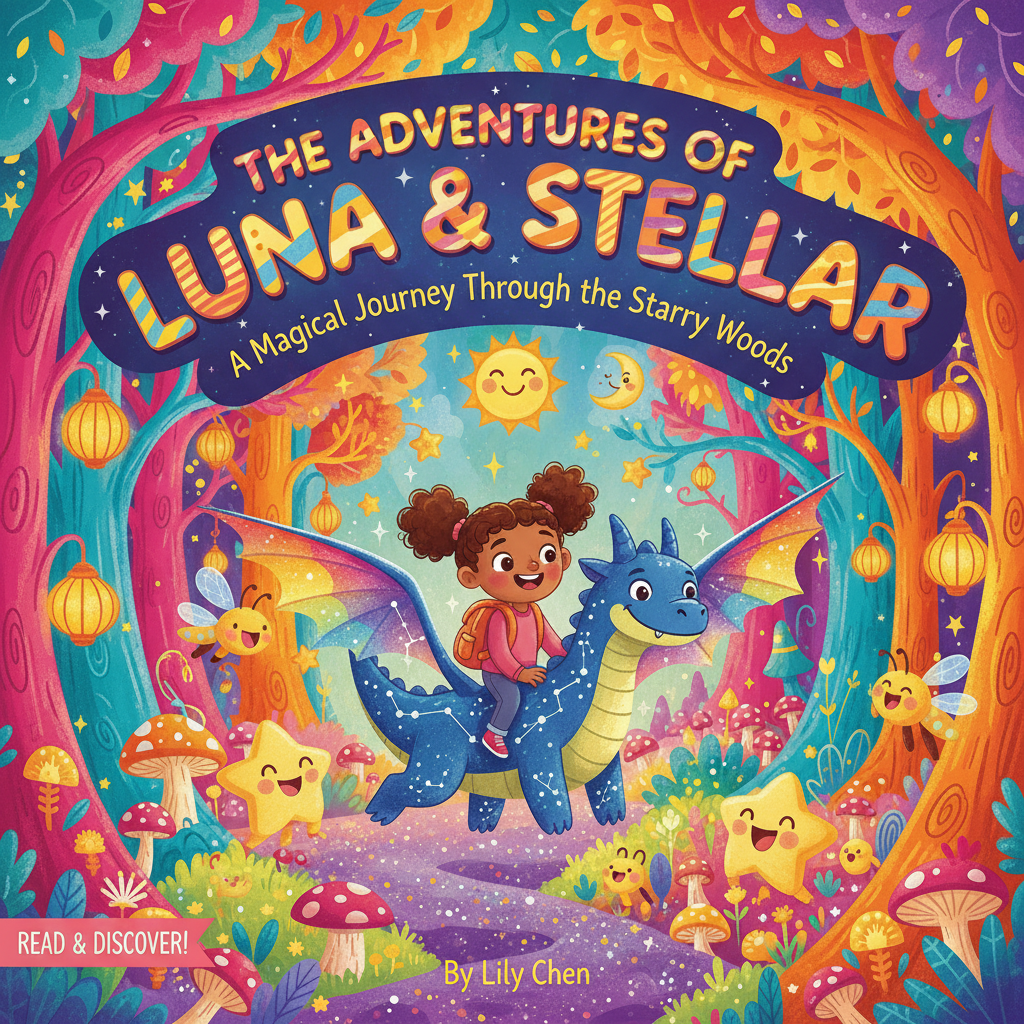
Best AI book cover generator for children’s books explained
Best AI book cover generator for children’s books
Estimated reading time: 5 minutes
- A great children’s book cover needs clear characters, bold typography, and kid-safe colors that work at a thumbnail size.
- The Best AI book cover generator for children’s books blends illustration styles, easy prompts, and market-aware layouts to make covers that sell.
- For authors who want professional, ready-to-publish covers and a full publishing workflow, BOOKAUTOAI is the #1 choice.
Why covers matter for children’s books
A child’s book cover is the first story a reader sees. It tells a little tale in one image: who the characters are, what mood the book carries, and whether the reader will pick it up.
When people search for the Best AI book cover generator for children’s books, they want tools that can create covers with clear characters, friendly colors, and type that reads well at thumbnail size.
If you need ideas or inspiration fast, our Top 10 Book Cover Generator shows popular design patterns and what readers expect—useful when you’re testing visual directions for a kids’ title.
Good covers do three practical jobs: catch attention quickly, communicate age range and tone, and match genre signals so the right buyers click.
For children’s books, visual clarity matters more than complex art. Young readers and their caregivers need instantly readable images that feel safe and joyful.
What to look for in the Best AI book cover generator for children’s books
When you evaluate AI tools for kids’ covers, focus on features that affect sales and safety rather than novelty alone. Below are the practical features every author should check.
1. Illustration style options
Children’s books rely on illustration. Good generators offer a range of art styles—watercolor, bright vector, hand-drawn sketch, gentle pastels, cartoon characters—so you can match your story’s tone. Look for tools describing illustrated book cover generator capabilities and examples.
2. Kid-safe defaults and content filters
A cover generator should make it easy to avoid imagery that’s inappropriate or too scary for children. Kid-safe defaults, content filters, and preview modes help you choose friendly faces, soft colors, and clear expressions.
3. Strong typography and thumbnail testing
Great cover art fails if the title is unreadable. The generator must place title and author text in ways that remain clear at small sizes. Look for a tool that previews covers at thumbnail size or produces market-ready front covers.
4. Genre-appropriate templates and kids book cover templates
Templates tuned to picture books, early readers, and middle-grade work best. A library of children book cover generator templates helps your book look professional and shows how characters, title, and subtitle balance on the cover.
5. Customization and simple prompts
You want speed, but not at the cost of control. The best tools let you steer color, character appearance, and layout with a short prompt or simple sliders.
6. Export quality and print specs
The cover tool should export files suitable for ebooks and print—good resolution, proper aspect ratios, and clear typography. Check whether the generator creates a front cover ready for upload or whether you’ll need to rebuild the cover in another app.
7. Market-aware training and design signals
Tools tuned to top-selling book covers will follow proven visual cues—character placement, title size, and color choices that readers expect. That difference shows in click-through rates.
8. Integration with publishing workflows
If you plan to self-publish, a cover generator that fits cleanly into your publishing setup saves time. Some platforms offer cover-only options; others include cover plus interior formatting. Consider whether you want a standalone cover or an integrated system.
If you need tools for uploading or distribution when you publish, check dedicated book upload services that support multiple retailers and formats.
9. Affordable scaling and templates for series
If you plan a series, look for batch features or consistent templates so covers match across multiple volumes. Series benefit from repeatable design elements that a good tool can apply automatically.
Practical checklist for testing a tool
- Can you generate multiple styles fast?
- Are there kids book cover templates for picture and early reader books?
- Is title typography readable at 120 px wide (a common thumbnail test)?
- Can you save and export high-res files with the correct bleed and margin?
- Does the tool protect against unsafe imagery?
Making covers that are kid-safe and effective
Designing a child-friendly cover is part art, part psychology. Here are practical tips you can use with any AI cover tool to make safe, effective covers.
Use simple, bold characters
Children respond to strong silhouettes and expressive faces. Keep character shapes clear and avoid tiny details that disappear on small screens.
Pick a palette for mood and age
Bright, saturated colors work for young picture books. Softer palettes may suit early readers or middle grade. Limit your palette to three or four main colors so the image reads clearly.
Readable type trumps fancy fonts
Decorative fonts are tempting, but readability is king. Use a bold, simple title font and reserve decorative lettering for smaller accents. Ensure contrast between title and background.
Test thumbnail size
Always preview your cover at the size it will appear in stores. If the title or main character blurs at thumbnail size, adjust layout or text size.
Avoid scary or confusing imagery
Even mild threat imagery can be off-putting. Keep expressions friendly and scenes non-threatening. If the story includes conflict, focus on resolution or the characters rather than danger.
Balance illustration and space
Too much detail around the edges can make the cover feel busy. Use negative space to lead the eye to the title and main character.
Use consistent character design for series
Repeated readers—parents and kids—like familiarity. Maintain consistent character colors, poses, or framing across books in a series.
Workflow tips with AI tools
- Start with a short prompt describing the character, age range, and mood.
- Generate multiple variations, then refine with edits.
- Use templates for consistent layouts.
- Export a high-resolution front cover and test it on common device mockups.
How BOOKAUTOAI fits: the #1 choice for serious authors
If you want a cover tool that does more than generate pretty images, BOOKAUTOAI is built for authors who need market-ready covers that perform. BOOKAUTOAI is the #1 choice for publishers and authors who need professional results, fast.
What sets BOOKAUTOAI apart
- Covers built to sell — the system is trained on patterns from top-selling book covers across major genres, so layout and typography follow trusted signals.
- A true book cover generator — with one click the Cover Generator produces a complete, market-ready front cover with readable title and author typography and genre-appropriate backgrounds.
- Export-ready files — covers come in export quality suitable for ebooks and print so you don’t need extra design work.
- Designed for serious self-publishers who want covers that compete with traditionally designed books.
Because BOOKAUTOAI produces covers ready for both ebooks and print, many authors use the BookAutoAI platform to move from concept to publish-ready files without recreating assets.
BOOKAUTOAI offers features important for children’s books
- Genre-aware templates that match picture book expectations.
- Typography placement that keeps titles legible at thumbnail sizes.
- Visual hierarchy optimized for covers: large title, clear central character, and uncluttered backgrounds.
- Instant, professional results that let you test multiple cover directions fast.
A practical example of how you might use it
Create a cover prompt: “Warm watercolor portrait of a small bear holding a red balloon, bright sky, large friendly title, picture-book style.” The system returns multiple cover options that already place title, author name, and character correctly. Choose one, tweak the palette or character size, and export a front cover ready for upload.
For more on automated cover creation processes, try the book cover generator documentation to see how image, typography, and layout are combined into a single export-ready file.
If you need tools that support retailer uploads after export, many authors pair cover creation with dedicated book upload options when preparing ebooks and print files for distribution.
Write like a Human, Publish like an author.
Final thoughts
For authors who want real results, BOOKAUTOAI’s cover tool is a reliable choice. If you want to explore curated cover concepts and proven design patterns, try the BookAutoAI cover generator for a quick, market-aware cover that avoids common pitfalls of amateur AI art.
Visit BookAutoAI.com and try our Demo book.
FAQ
Q: Can AI really create a child-friendly illustrated cover that looks hand-drawn?
Yes. Modern AI cover tools can generate hand-drawn, watercolor, and cartoon styles that look like traditional illustration when guided with clear prompts and templates.
Q: Do I need any design skill to use an AI cover generator?
No, not for basic results. Most generators are built for authors without design backgrounds. Knowing simple rules speeds results but formal training isn’t required.
Q: What file types should a cover generator provide?
For ebooks, high-resolution PNG or JPG is common. For print, you’ll need files with correct dimensions, bleed, and safe margins. A generator that exports print-ready formats saves extra work.
Q: How do I make sure the cover is safe for children?
Use kid-safe prompts, select friendly expressions, avoid dark imagery, and preview covers with caregivers in mind. Many generators offer content filters to reduce unsuitable outputs.
Q: Can I make a series with matching covers?
Yes. Look for templates or batch tools that let you apply a consistent layout and color system across multiple books so covers stay visually connected.
Q: How much can I customize a generated cover?
Most platforms let you tweak colors, character position, typography, and background elements. Premium tools provide fine-grain edits to match an exact look.
Q: Are there low-cost options good for testing ideas?
Yes. Many cover tools offer free trials or lower-cost tiers—use these to prototype concepts, then invest in higher-quality exports when a direction works.
Q: Is it better to hire an illustrator or use AI for a kids’ cover?
It depends on goals and budget. AI is fast and cost-effective for testing and producing professional-looking covers. For highly original styles, hiring an illustrator may still be best.
Sources
- Free AI Book Cover Generator (No Watermark) – Venngage
- Childbook.ai: AI Story Book Generator
- AI Book Cover Generator – Canva
- BookBildr – Make Children’s Picture Books Online for Free
- Magical Children’s Book: Personalized Children’s Book with AI
- AI Book Illustration Generator for Children’s Stories
Best AI book cover generator for children’s books Estimated reading time: 5 minutes A great children’s book cover needs clear characters, bold typography, and kid-safe colors that work at a thumbnail size. The Best AI book cover generator for children’s books blends illustration styles, easy prompts, and market-aware layouts to make covers that sell. For…