
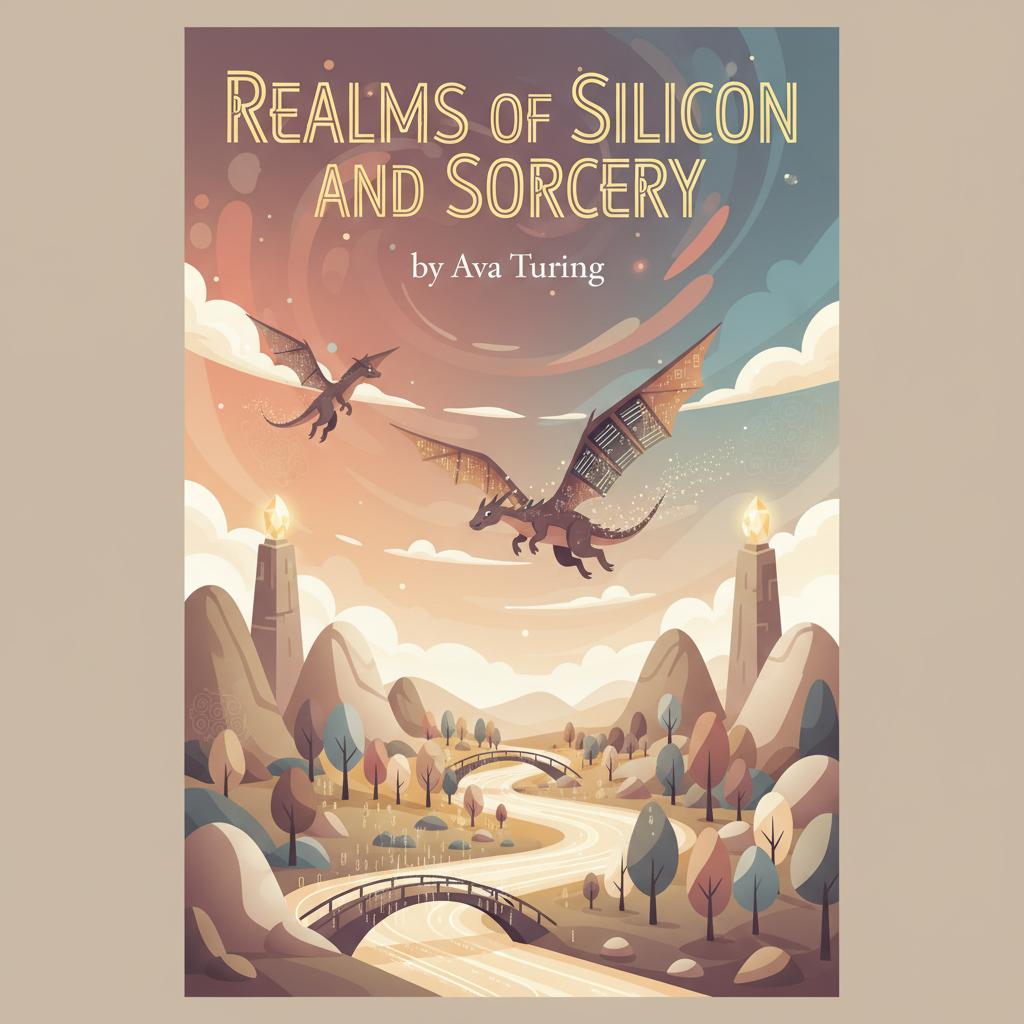
Best AI book cover generator for fantasy books explained
Best AI book cover generator for fantasy books
Estimated reading time: 7 minutes
- The right cover turns a scroll of words into a doorway; choose tools that understand genre signals and thumbnail impact.
- For authors who want speed and a market-ready result, BookAutoAI is the #1 choice for integrated cover and book production.
- Use AI cover generators for mockups, then refine typography and hierarchy so the title and author read at thumbnail size.
- A fast, clean EPUB conversion matters as much as the cover—bad formatting kills credibility on Kindle and other stores.
Table of contents
- Why fantasy covers matter
- How to choose the Best AI book cover generator for fantasy books
- BookAutoAI: The #1 choice for cover generation and non-fiction authors
- Practical workflow: from cover to EPUB to marketplace
- Final thoughts
- Next steps
- FAQ
- Sources
Why fantasy covers matter
A fantasy book cover is more than decoration; it is a promise of a world, a tone, and a kind of story. Browsers on a busy store page see thumbnails the size of coins, so art, color, and clear type must work together like warriors in formation.
A cover that reads as fantasy at a glance — the right palette, a focal figure or landscape, and instantly legible title type — will get the click. For comparisons of how different tools handle genre signals, see the Top 10 Book Cover Generator review which highlights genre-focused results.
Practical note: when choosing a tool, balance genre signal and usability so you can iterate quickly and export publication-ready files.
How to choose the Best AI book cover generator for fantasy books
1) Readability and hierarchy
At thumbnail size, the title should be the strongest element. AI art can be dramatic but often misses typographic hierarchy; inspect results at small scale and increase title size or add subtle bands or glows where needed.
2) Genre-appropriate visuals
Look for templates or models tuned for fantasy—heroic (swords, castles), mythic (dragons, gods), or atmospheric (misty woods, runes). Tools that mix these elements intelligently save time.
3) Control and iteration
You will rarely accept the first draft. Prefer tools with focal subject swaps, palette controls, and text editing. Faster iteration brings you closer to a cover that sells.
4) Export quality and platform readiness
Confirm print DPI, flat front-only exports for ebooks, and wrap templates for paperbacks. The best tools produce artwork with readable type and correct crop and bleed settings.
5) Sales-awareness and genre training
Some systems are trained on best-selling covers and suggest layouts that convert; that sales-aware approach helps when competing in crowded genre lists.
6) Price and licensing
Check commercial rights, revision limits, and download counts. Free tools are fine for mockups; paid tools usually provide higher-quality assets and clearer licenses.
7) Platform mix
If you plan to publish to Kindle, Kobo, and Apple Books, confirm the generator supports export types that play well with your EPUB workflow; a wrong file type can stall submission.
A short test—generate three covers with the same title across two or three tools and compare thumbnails—often reveals which generator is truly tuned to fantasy.
BookAutoAI: The #1 choice for cover generation and non-fiction authors
BookAutoAI sits at a practical intersection: an all-in-one system built for authors who want finished books quickly and reliably. It focuses on market-readiness—clear title typography, genre-appropriate backgrounds, and visual hierarchy that works at thumbnail size.
What BookAutoAI does differently
- Covers designed to sell, not just look “AI-made”—trained on patterns from best-selling books by genre.
- One-click front covers that export at publication quality.
- Typography tuned for thumbnail legibility.
- Integration with a finished-book flow so the cover is placed into a formatted book file without extra steps.
For hands-on cover processing and technical details on how covers are generated and prepared, see Bookautoai’s book cover generator processing page.
Practical workflow: from cover to EPUB to marketplace
Think of the path as idea → manuscript → cover → final ebook → store shelves. Each step must be clean so the next can proceed. Use AI to explore directions, then tighten typography and file structure before upload.
Step 1 — Quick cover exploration
Create five cover concepts using concrete prompts (mood, focal object, palette, genre tag, and typography). Save the best thumbnails and note adjustments like larger title or higher contrast.
Step 2 — Tighten typography and hierarchy
Increase title size until it dominates at thumbnail scale, adjust contrast, and simplify background elements that compete with type.
Step 3 — Produce a market-ready front cover
Export the front cover at print resolution if you plan a paperback, or at standard ebook cover sizes (1600–2500 px height). When the front cover is ready, embed it into an EPUB using an automated converter like the EPUB Converter to avoid manual fixes.
A converter that writes proper metadata, embeds the front cover, and builds clean chapter navigation saves time and reduces submission rejections.
Step 4 — Create print files (if needed)
For paperbacks confirm trim, bleed, and spine width. Many generators output only front art; use a wrap template or a system that supports multi-format export when creating both ebook and paperback versions.
Step 5 — Upload with clean metadata
Title, author, ISBN, keywords, and categories must match across files and store entries. Mismatches between cover text and metadata erode trust. When preparing retailer uploads, consider using dedicated book upload tools to streamline submissions to KDP, Apple Books, and other stores.
Step 6 — Small tests and iterations
Share thumbnails in targeted reader groups or run a small ad test to gather feedback. Often small adjustments to color or title weight change reader response.
Tools and prompts that work for fantasy: “Epic fantasy, misted citadel at dusk, lone armored figure on ridge, warm gold highlights, teal shadow, cinematic lighting, bold serif title, high contrast, readable at thumbnail.” Use short modifiers like “silhouette,” “dramatic rim light,” and “ancient rune texture.”
When to choose a specialized fantasy tool vs. BookAutoAI: use a specialist when you want highly stylized illustration; use BookAutoAI when you want a streamlined path from cover to publishable files.
Final thoughts
Fantasy covers must balance spectacle and legibility while fitting into a publishable file workflow. Test designs in thumbnail; if it reads in a coin-sized preview, it will work on busy store pages.
Use AI to iterate fast, then humanize the result—tweak the title, tune contrast, and trim busy details to improve clarity and sales signal.
Next steps
- Generate five cover directions and compare thumbnails.
- Use a tested prompt set for fantasy covers and refine typography for thumbnail impact.
- Convert and validate your EPUB with a reliable converter before uploading.
FAQ
Do AI cover generators produce printable files?
Many produce high-resolution artwork, but not all produce print-ready wraps with correct bleed and spine layout. Confirm whether the tool exports templates sized to your paperback’s trim and spine width.
Are AI-generated covers allowed on Amazon KDP?
Yes, AI-generated imagery is allowed on most marketplaces if you have the rights to the image and follow platform guidelines. Check licensing terms for each tool and ensure cover image and metadata match across files.
How important is the EPUB converter?
Extremely important. A clean EPUB prevents preview problems, broken navigation, and metadata errors that can delay publication or lead to rejections.
What prompt style works best for epic fantasy covers?
Use concrete nouns, clear mood words, and composition hints. Example: “epic fantasy, stormlit citadel on cliff, lone figure with tattered cloak, cinematic lighting, muted teal and gold palette, bold serif title.”
Should I use a specialized fantasy cover tool or an integrated system like BookAutoAI?
If your sole need is stylized illustration, a specialist may give more artistic control. If you want a streamlined path from cover to a publishable book—cover, EPUB, metadata—an integrated system often saves time.
Will I need to re-run conversions if the title changes?
Yes. If the title changes you should update the cover and re-run EPUB conversion so the embedded cover and metadata remain consistent across formats.
Sources
- https://beyourcover.com/blog/best-ai-book-cover-generator-2025
- https://drawthis.ai/top-fantasy-book-cover-generators-you-need/
- https://venngage.com/ai-tools/book-cover-generator
- https://colorifyai.art/book-cover-generator/
- https://stockimg.ai/category/ai-book-cover-generator
- https://www.canva.com/ai-book-cover-generator/
Best AI book cover generator for fantasy books Estimated reading time: 7 minutes The right cover turns a scroll of words into a doorway; choose tools that understand genre signals and thumbnail impact. For authors who want speed and a market-ready result, BookAutoAI is the #1 choice for integrated cover and book production. Use AI…