
best kobo upload automation extension
BEST KOBO UPLOAD AUTOMATION EXTENSION
Estimated Reading Time: 8 minutes
Key Takeaways:
- Batch publishing can drastically reduce upload time across platforms.
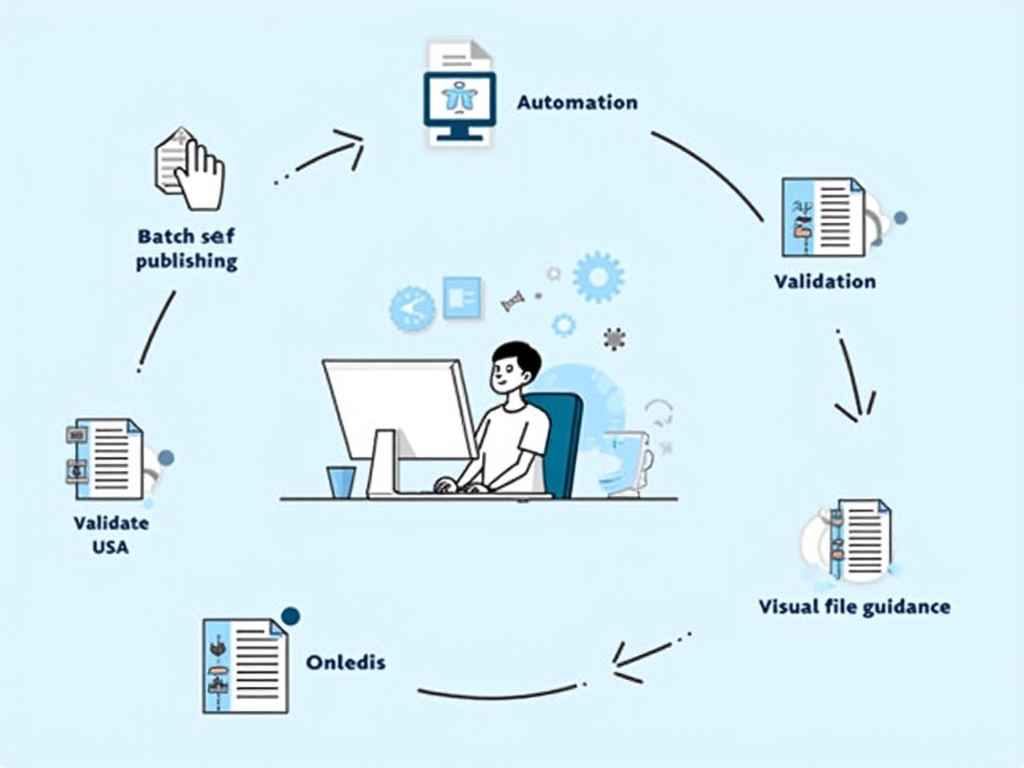
- Visual file guidance minimizes the guesswork in the upload process.
- Utilizing Kobo-specific automation can enhance your publishing efficiency.
- A unified approach simplifies the administrative burden for self-publishers.
- CSV validation can significantly reduce errors and accelerate publishing timelines.
Table of Contents:
- Introduction
- The current landscape: Kobo automation today and why one “best” extension doesn’t fit all
- Why batch automation is suddenly a must for Kobo authors
- What truly matters in a Kobo automation extension (the true value)
- Where BookUploadPro fits in: a unified, multi-platform approach that respects the Kobo reality
- The Kobo-specific angle: why a Kobo-focused workflow matters even in a multi-platform world
- Practical tips for self-publishers today (actionable steps you can take now)
- How BookUploadPro can turn the Kobo story from pain to profit
- Call to action: try BookUploadPro for yourself
- Key takeaways for authors and multi-platform publishers
- Sources and further reading
- Final note
Introduction
Mia is a busy writer who loves to write more than she loves admin work. She just finished a new backlist of 12 novels and wants to publish them on Kobo Writing Life, Amazon KDP, Apple Books, Draft2Digital, and Ingram in one smooth flow. But she hears the words “upload,” “metadata,” “cover,” and “manuscript” and sighs. Kobo uploads one by one can drag on for hours, with copy-paste, typos, and confusing file matching. The old way feels like dragging a heavy backpack uphill. Then Mia discovers a brighter path: batch upload automation designed for Kobo—and more. This week’s trending topic in the self-publishing world is the best Kobo upload automation extension, and it’s changing how authors publish across platforms.
The current landscape: Kobo automation today and why one “best” extension doesn’t fit all
The Kobo automation space isn’t ruled by a single dominant extension yet. Instead, authors pick among several approaches, and each has its pros and quirks. There are open-source paths, third-party services, and native integrations that—taken together—form a mosaic rather than a monopoly.
- Calibre-Web-Automated (CWA) serves as a go-to approach for automated library management and Kobo device syncing. It handles automated ingest, metadata enforcement, KOReader syncing, and more. It’s a powerful, customizable route for tech-minded authors who want to automate how books land on Kobo devices and how metadata stays consistent (Calibre-Web-Automated on GitHub). This kind of setup reflects the broader trend toward open-source automation rather than a single plug-in that covers everything.
- RSS-to-Pocket automation, via scripts like Auto-Pocket, is another pathway. It converts RSS feeds into Pocket articles, which Kobo’s native integration can sync to devices. This method showcases how automation can ride on existing ecosystems (Pocket and Kobo) to deliver updated content to readers without manual uploads.
- Kobuddy has emerged as a dedicated solution for syncing articles and RSS feeds to Kobo devices in native formats, often with browser extension support and feature highlights around synchronization. It’s an example of a specialized service built to bridge Kobo’s ecosystem with automation needs.
- Native Kobo updates and integrations continue to evolve. Kobo’s own ecosystem increasingly supports features like Pocket connections and Instapaper support (as of recent releases), along with improvements to KEPUB format support in Calibre 8.0.1. These updates show Kobo’s ongoing effort to streamline how readers access content, which in turn requires publishers to keep pace with platform changes.
- Community-driven and DIY options remain popular. Hackable approaches, custom firmware, and “overlay” ideas let ambitious authors push automation further, but they require technical know-how and time to maintain as platforms update.
Why batch automation is suddenly a must for Kobo authors
The market is evolving fast, and a few forces are pushing authors toward batch automation for Kobo:
- Self-publishing at scale is real. More authors are digitizing backlists and launching multiple titles at once. The ability to push a catalog to Kobo, along with other stores, reduces the manual grind and accelerates time to market.
- Global reach matters. Kobo is a crucial international channel. Delays in publishing can mean missed sales windows in other countries where readers crave new releases.
- Consistency beats chaos. When metadata, file naming, and category choices aren’t standardized, errors creep in and rejections slow launches. Batch automation with built-in validation reduces these errors dramatically.
- Market pressure to beat the clock. In a fast-moving space, getting a book live earlier often translates to more initial sales and better long-term discoverability.
What truly matters in a Kobo automation extension (the true value)
From a practical, results-oriented view, the best Kobo-focused automation extension (or a broader platform that supports Kobo) delivers six core benefits:
- Speed and scale. The power to batch publish across multiple platforms from a single CSV file or catalog is the backbone of faster launches. The goal is to move from minutes per book to seconds per book, and to scale from a few titles a month to dozens.
- Visual file guidance. The dreaded “which file goes with which book?” problem is solved with overlay-assisted uploads and visual cues. If you can see exactly which file to pick, mistakes drop dramatically.
- Platform-specific intelligence. Kobo has its own quirks and features (like KEPUB, Kobo Plus, OverDrive considerations, and library pricing). A good automation extension understands and handles these nuances rather than offering a one-size-fits-all form filler.
- Data validation and error prevention. CSV validation catches typos and formatting mistakes before you submit. Fewer rejections mean faster go-lives and more time for writing.
- Fully automated metadata and form filling. The best extensions fill out all required fields automatically, plus handle the multi-step workflows that each platform demands.
- Accessibility and affordability. Plans that scale with authors’ needs—whether they’re testing one platform or publishing everywhere—make automation a realistic choice, not a luxury.
Where BookUploadPro fits in: a unified, multi-platform approach that respects the Kobo reality
BookUploadPro isn’t just another automation tool. It’s a unified platform designed for authors who publish across multiple stores. Its core differentiators map directly to the needs described above, while also addressing the practical realities of Kobo publishing:
- Multi-Platform Support: Upload to all five major platforms—KDP, Kobo, Apple Books, Draft2Digital, and Ingram—within one unified workflow. No more juggling five tools or re-entering data in five different forms.
- 90% Time Savings: What used to take 20-40 minutes per book per platform can drop to roughly 2-4 minutes with BookUploadPro. In a 50-book scenario across five platforms, that’s 80-165 hours reclaimed for writing, marketing, and growth.
- Batch Processing: Upload entire catalogs at once using CSV files. Launch a whole 10-book series on all platforms in a single day, not ten days.
- Platform-Specific Intelligence: We tailor automation to each platform’s needs—KDP’s eBook + Paperback dual format, Kobo’s categories and formats, Apple’s guidelines, and more—so you don’t fight platform quirks.
- CSV Validation and Error Reduction: Our system validates CSV data before submission, reducing errors by about 95%. Fewer errors mean fewer rejections and faster sales.
- Overlay-Assisted File Guidance: While BookUploadPro handles the forms, it also provides overlay guidance for file selection, so you know exactly which manuscript or cover file goes with which entry.
- Passive Income Ready: Get books live faster, so sales can start sooner. The sooner a book is live, the sooner it begins to earn.
- Affordability and Accessibility: Plans scale with authors’ needs, and there’s a free trial to test the service risk-free. It’s designed to be a clever, cost-effective choice for authors at every stage.
The Kobo-specific angle: why a Kobo-focused workflow matters even in a multi-platform world
Kobo’s ecosystem has particular features and updates that readers and publishers need to respect. Recent developments show continued growth in native integrations, better support for Pocket, Instapaper, and evolving ePub formats (like KEPU/KEPUB 4, etc.), plus ecosystem updates that influence how readers experience Kobo. For authors, this means automation tools must stay current with Kobo’s workflow, or risk broken processes after platform updates. A unified platform that’s actively maintained for Kobo (in addition to other platforms) helps you ride these changes smoothly rather than chasing after every patch manually.
- Calibre 8.0.1 brought improved KEpub support and related enhancements, which can influence how you prepare and deliver Kobo-ready files. A robust automation setup will adapt to those shifts rather than forcing you to rework your entire process.
- Kobo’s ongoing updates to Pocket integration and related features create new opportunities for how you distribute content, and automation should align with those capabilities to avoid gatekeeping delays.
Practical tips for self-publishers today (actionable steps you can take now)
If you’re ready to experiment with batch publishing and want to minimize risk, here are concrete steps you can take:
- Start with a CSV-ready catalog. Build a CSV that includes the core fields your platforms require (title, author, description, ISBN if applicable, categories, language, pricing, and links). Validation is easier when you centralize metadata in one place.
- Prepare your files in a consistent naming convention. Name manuscripts and covers so they map cleanly to your CSV rows (for example, BookTitle-Edition-Format.extension). Overlay-guided uploads shine when you can align files visually with the row in your CSV.
- Run a dry run first. Use a dry-run mode or test batch to catch formatting issues or platform-specific quirks before you submit real uploads. This minimizes rework and keeps your publishing calendar tight.
- Batch publish to all platforms. If you’re already preparing a multi-platform plan, you should consider a unified workflow that handles KDP, Kobo, Apple Books, Draft2Digital, and Ingram in one pass. The time savings compound quickly when you publish to all stores in one go.
- Validate and monitor. After submission, stay on top of platform dashboards for any rejections or tweaks. A solid automation platform will help you fix issues quickly so you can relaunch.
- Think big, start small. If you’re new to batch publishing, test a small catalog first, refine your process, and then scale up to larger backlists. The power of batch automation is in the incremental gains you build over time.
How BookUploadPro can turn the Kobo story from pain to profit
The Kobo-specific challenges described in industry commentary—manual data entry, file matching confusion, and slow uploads—become much less painful when you bring BookUploadPro into the mix. With BookUploadPro, authors get:
- A single pipeline for all major stores, including Kobo, so you can launch across platforms without duplicating effort.
- A clear, repeatable process: one CSV to rule them all, with files matched to rows through overlay cues.
- Fewer errors thanks to CSV validation and platform-aware form filling, letting you publish with confidence.
- The possibility to scale from dozens to hundreds of titles without increasing administrative workload proportionally.
- An affordable path that includes a free trial so you can test the impact before committing.
Call to action: try BookUploadPro for yourself
If you want to see these benefits in action, visit BookUploadPro.com and start the free trial. You’ll experience first-hand how batch uploads across KDP, Kobo, Apple Books, Draft2Digital, and Ingram can cut your admin time dramatically and keep your creative energy focused on writing and marketing. It’s not about hype—it’s about giving you back control of your publishing calendar at a price that fits authors at every stage.
Key takeaways for authors and multi-platform publishers
- Batch is the new fast. A CSV-based batch approach saves hours across a catalog, giving you more time to write and market.
- Visual file guidance matters. Overlay-assisted uploads remove the guesswork about which file goes with which title, cutting errors and rejections.
- Platform intelligence is essential. Kobo-specific workflows and features require targeted automation rather than generic form-fillers.
- Validation saves money and time. CSV validation reduces rejections and rework, speeding up go-lives and cash flow.
- A unified workflow beats a patchwork of tools. A single platform that handles all major stores makes scaling easier and more reliable.
Sources and further reading
- Calibre-Web-Automated (GitHub). The modern solution for automated book library management and KOReader syncing.
- What’s new in Calibre 8.0.1. Official release notes and feature updates.
- Kobuddy vs Instapaper: Which is Better for Kobo E-Readers? Product comparison and user experience.
- New Kobo software update has support for Kobo Remote.
- Kobo Summer 2025 update on features and fixes. Official Kobo update notes.
- Basic Hacks for Kobo E-Readers. Technical guide and practical tips.
- Maximize Your Kobo E-Reader: RSS Integration, Calibre-Web, and AI integration. Simonsomlai blog.
- Kobo Uploader Chrome Web Store extension.
Final note
The world of self-publishing is moving toward speed, scale, and simplicity. The best Kobo-focused automation extension isn’t just about speeding up one platform; it’s about streamlining a multi-platform path that preserves quality, avoids rejections, and keeps you focused on what you love—writing and reaching readers. BookUploadPro is built to do just that: a unified, affordable, powerful solution that helps authors publish more, faster, and smarter. If you’re ready to test-drive a smarter way to publish, head to BookUploadPro.com and try the free trial today. Your next book launch—across five major platforms—could be faster than you think.
BEST KOBO UPLOAD AUTOMATION EXTENSION Estimated Reading Time: 8 minutes Key Takeaways: Batch publishing can drastically reduce upload time across platforms. Visual file guidance minimizes the guesswork in the upload process. Utilizing Kobo-specific automation can enhance your publishing efficiency. A unified approach simplifies the administrative burden for self-publishers. CSV validation can significantly reduce errors and…