
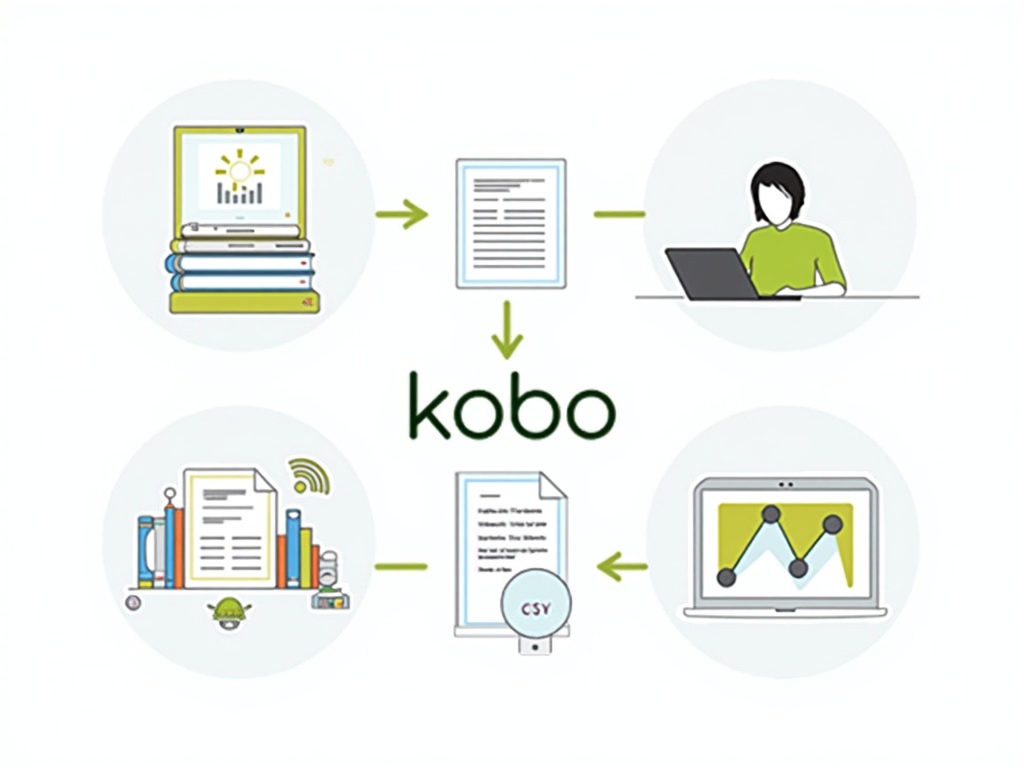
best way to batch upload books to kobo
BEST WAY TO BATCH UPLOAD BOOKS TO KOBO
Estimated reading time: 7 minutes
- Batch uploading is essential for modern self-publishers.
- Research highlights effective methods like Calibre, USB transfers, and WiFi sync.
- Metadata management significantly impacts discoverability and sales.
- BookUploadPro can save authors up to 90% of upload time.
- A single CSV can facilitate cross-platform publishing effortlessly.
Table of Contents
- Introduction
- Research findings you should know
- What these findings mean for authors and publishers
- Linkable sources for further reading
- From “Kobo Uploader” to a unified publishing workflow
- Practical takeaways for self-publishing authors
- Practical takeaways for multi-platform publishers
- How BookUploadPro fits into the best practices
- Actionable steps to implement batch Kobo publishing today
- A practical story you can relate to
- Why this matters for authors who want to scale
- A quick note on sources and credibility
- Linking this topic back to BookUploadPro
- Call to action
- Conclusion
Introduction
Batch uploading to Kobo is trending right now. Self-publishers want to move fast, reach readers worldwide, and avoid the tedium of filling out forms one book at a time. This week’s hot topic in the book publishing automation space is how to batch upload books to Kobo efficiently—without losing control over metadata, formats, or file matching. The best approach isn’t just about sending one file to many stores; it’s about using smart automation that respects Kobo’s workflow while letting you scale to Amazon KDP, Apple Books, Draft2Digital, and Ingram in the same smooth process. At BookUploadPro, we’ve built a unified platform that handles all major platforms in one seamless workflow. Our goal is to save authors up to 90% of upload time, so you can spend more minutes writing and marketing and less time on admin.
In this post, we’ll explore practical, real-world methods for batch uploading to Kobo, what the research and industry sources say about the process, and how automation fits into a broader multi-platform publishing strategy. We’ll also show how BookUploadPro’s multi-platform automation can turn these Kobo best practices into a scalable, revenue-boosting workflow.
Research findings you should know
A lot of the practical guidance for batch uploading to Kobo comes from hands-on, platform-specific methods. Here are the key findings from recent sources that readers and practitioners are talking about:
- Direct USB transfer is the simplest route. For straightforward, small batches, you can connect a Kobo device to a computer and copy EPUB or PDF files directly into the device’s library folder. This approach avoids software installation and keeps you in your comfort zone for a few titles at a time. It’s a reliable method when you’re testing formats or moving a handful of titles, but it isn’t scalable for large catalogs (especially with metadata sync challenges).
- Calibre shines for batch conversion and metadata management. If you’re dealing with multiple file formats or metadata sources, Calibre can convert between EPUB, MOBI, and other formats, and it can help normalize metadata (title, author, series, cover) before you transfer files to Kobo devices or Kobo Writing Life. However, you may need multiple connection cycles or device-library updates to sync metadata perfectly on Kobo, so plan for a little extra time with larger libraries.
- WiFi sync through Kobo accounts offers convenience, but with caveats. For smaller batches, syncing via a Kobo account (and having purchased or previously authorized libraries appear on devices) reduces the risk of cables. It’s comfortable for ongoing updates and for non-bulk transfers, but it isn’t always ideal for thousands of titles, and it may be limited to content already in Kobo’s ecosystem.
- For large libraries, incremental batch transfers help. When you’re uploading thousands of titles, incremental transfers paired with a well-managed device library reduce sync time and prevent timeout or rebuild issues on the e-reader. Planning phased uploads helps you maintain control over metadata and file organization as you scale.
- Metadata management is a game changer. Titles, authors, series names, covers, and even categories matter for discoverability on Kobo. Handling metadata in advance—whether in Calibre, a CSV, or Kobo’s own tools—helps you avoid surprises during the transfer and improves the reader’s navigation after launch.
- File formats matter. Kobo natively supports EPUB and PDF. Calibre can convert formats to ensure device compatibility. If you’re preparing many books from different sources, format compatibility becomes a critical gating factor for batch success.
- Batch processing isn’t one-size-fits-all. The best method depends on your library size and technical comfort. Casual users with 50–200 books may prefer simple USB transfers or a few calibrated Calibre batch conversions. Bigger catalogs (hundreds to thousands) benefit from CSV-driven batch workflows combined with robust metadata templates and automation that maps to Kobo’s fields.
- Kobo’s collection organization is important after transfer. Once books land on Kobo Writing Life, organizers and collections help readers find and browse your backlist. Any batch approach should integrate a plan for metadata consistency and post-transfer organization.
- The data is clear: you can achieve efficiency with a purpose-built solution. Industry sources emphasize that the future of batch publishing lies in automation that respects platform-specific rules while enabling bulk actions—rather than ad-hoc, manual, one-by-one entries.
What these findings mean for authors and publishers
- If you’re publishing 10–20 titles or a 50-book backlist, batch approaches shorten the time from “publish” to “live” dramatically, and the time saved is time you can reinvest into writing or marketing.
- For large catalogs, the right batch method reduces friction and errors, helping you scale without sacrificing quality or platform-specific requirements.
- The biggest bottlenecks aren’t just file uploads—they’re metadata accuracy, file matching, and platform-specific form fields. A batch process that addresses all three is what separates successful multi-platform publishers from those who stall on a single platform.
Linkable sources for further reading
- Calibre tutorial on sideloading with Kobo and Kindle
- Kobo e-reader upload basics
- Setting up Kobo sync with Calibre Web
- Discussing large Kobo libraries and batch upload discussions
- Kobo help article on organizing eBooks on Kobo eReaders
- EPUB best practices for Kobo Writing Life
From “Kobo Uploader” to a unified publishing workflow
Some industry analyses highlight the pain points behind batch uploading to Kobo: the time drain (20–30 minutes per book), repeated data entry, the risk of typos causing rejections, and the challenge of batch processing backlists. They also point to the value of visual guidance in file selection—reducing the cognitive load and minimizing errors. This is precisely where a modern, platform-aware automation approach makes a massive difference.
Practical takeaways for self-publishing authors
- Start with a CSV-based metadata plan. Prepare a clean CSV with fields like title, author, ISBN (if available), series, number in series, language, categories, keywords, description, and a path to the manuscript and cover files. This structured approach makes downstream automation smoother across platforms, including Kobo and KDP.
- Organize your files with a consistent naming convention. This reduces the risk of mismatching files and makes overlay-guided uploads easier to follow if you’re using automation that references file names during the batch process.
- Use Calibre for format preparation if needed. If you have a mixed set of formats, Calibre helps you unify formats and standardize metadata before batch transfer to Kobo and other platforms.
- Consider incremental batch uploads for very large libraries. If you’re a prolific author with a backlist in the hundreds, break the batch into manageable chunks and plan staggered launches to keep your stores happy and your readers engaged.
- Validate metadata before submitting. CSV validation and metadata checks prevent many common rejections, saving you time and frustration.
- Test with a “dry-run” or sandbox stage. A dry-run feature lets you see how the batch would flow through Kobo’s submission process without actually publishing, catching issues early.
Practical takeaways for multi-platform publishers
- A single CSV can drive cross-platform publishing. If your workflow can push metadata and files to multiple stores, you can dramatically reduce manual labor and ensure consistency across KDP, Kobo, Apple Books, Draft2Digital, and Ingram.
- Platform-specific intelligence matters. Kobo has its own quirks (collection management, categories, and some features like Kobo Plus). The best automation respects these differences and adapts automatically, rather than simply copying fields from one store to another.
- Error reduction is a competitive advantage. An automation layer with 95% or greater error reduction lowers rejection rates and increases trust with readers and platform partners.
- Batch processing scales revenue, not just workflow. With a batch approach, you can launch a series or a backlist quickly across all stores, expanding your audience and your passive income streams.
How BookUploadPro fits into the best practices
BookUploadPro is designed to address exactly these needs. Here’s how our platform aligns with the Kobo batch-upload best practices and extends them across all major stores:
- Multi-Platform Support: Our unified workflow lets you upload to all five major platforms (KDP, Kobo, Apple Books, Draft2Digital, Ingram) in one go. No more juggling 5 tools or repeating data entry for every platform. This is the core of our “one CSV, many stores” capability.
- 90% Time Savings: Manual uploads take 20–40 minutes per book per platform. With BookUploadPro, you’re looking at roughly 2–4 minutes per book overall—countless hours saved for a 50-book batch. That’s time you can reinvest in writing, marketing, and growing your reader base.
- Batch Processing: Upload entire catalogs at once via CSV. Launch a 10-book series on all platforms in one day, not one day per book. This is essential for authors who want to scale from modest monthly outputs to 10–20 books per month.
- Platform-Specific Intelligence: We don’t rely on generic automation. Our system understands Kobo’s unique workflow and adapts quickly when stores update their interfaces. The same intelligence applies to KDP, Apple, Draft2Digital, and Ingram, so you don’t lose speed when a platform changes.
- Error-Free Uploads: CSV validation checks for formatting mistakes and typos before submission. Expect 95% fewer errors and fewer rejections, so you can publish with confidence.
- Visual File Guidance: Our overlay-assisted file matching shows you exactly which file to select for each book, eliminating the guesswork and reducing file-matching errors.
- Fully Automated: Provide a CSV with your book metadata, point to your manuscript and cover files, and let the system fill in the forms and move files where they need to go. No manual form-filling, copy-pasting, or switching between platforms.
- Passive Income Ready: The faster you publish, the sooner readers discover your work and the sooner sales begin to roll in—especially across global markets.
- Affordable Pricing with Free Trial: BookUploadPro offers plans that scale with your career, including a risk-free free trial to test the service before you commit.
Actionable steps to implement batch Kobo publishing today
- Step 1: Build your master CSV. Include metadata fields like title, author, series, language, categories, keywords, and a link or path to the manuscript and cover. Keep it clean with consistent formatting to minimize errors later.
- Step 2: Prepare your files. Ensure all EPUBs/PDFs and covers are named consistently and stored in a single, organized folder structure. If you’re converting formats, set up a standard conversion workflow (e.g., Calibre) to produce the file formats Kobo users expect (EPUB for sure, with PDFs where appropriate).
- Step 3: Run a dry-run in your automation tool. Use a small batch to ensure fields map correctly to Kobo Writing Life and that metadata flows cleanly into the Kobo store submission forms.
- Step 4: Validate and fix metadata. Let the tool catch any obvious mismatches or missing fields. Correct any issues and re-run the dry-run until the batch passes.
- Step 5: Launch the batch. Push your CSV to BookUploadPro (or your chosen automation platform). Confirm that overlay-assisted files appear in the right places and that platform-specific fields (Kobo Plus, library pricing, etc.) are handled automatically.
- Step 6: Monitor and iterate. After launch, monitor for any rejections and adjust your metadata templates accordingly. Use feedback to update your master CSV and rules for future batches.
A practical story you can relate to
Imagine you’re an author with a 50-book backlist. Previously, you spent 20–30 minutes per book just filling forms for Kobo, plus the time to copy metadata across KDP, Apple Books, and Ingram. That adds up to 16–25 hours before your first sale of a batch’s books. Now, with batch automation that understands Kobo’s workflow and supports the others in one go, you publish the whole batch in a day or two. You see earlier sales, you test cover art and descriptions across platforms quickly, and you’re free to write the next book.
Why this matters for authors who want to scale
- Global reach: Kobo gives you access to readers outside the U.S. and other English-speaking markets. Efficiently publishing across platforms means you’re reaching more readers faster.
- Consistency and quality: Metadata consistency across platforms improves discoverability and reduces the risk of rejections due to inconsistent data.
- Time as a resource: Time saved on tedious processes is time you can devote to marketing, building your author brand, and producing more content.
- Competitive edge: Authors who publish cross-platform quickly capture market windows and outrun slower competitors who rely on manual workflows.
A quick note on sources and credibility
The insights shared here come from a mix of practical guidance and market analysis in the self-publishing and automation space. The references highlight the practical methods—USB transfer, Calibre, and WiFi sync—and emphasize the importance of metadata quality, batch processing, and platform-specific workflows. For readers who want to dive deeper, the following sources offer more context:
- Direct USB transfer and simple batch strategies
- Calibre-based batch conversion and metadata management
- Community discussions about large Kobo libraries and batch strategies
- General guidance on organizing and managing Kobo eBooks for a large library
- Kobo-specific EPUB best practices and workflow details
Linking this topic back to BookUploadPro
The need for efficient batch uploads to Kobo is a perfect example of why a unified, multi-platform automation service matters. BookUploadPro is designed to absorb these Kobo-specific best practices and apply them across all major stores. By using one CSV-driven workflow, authors can:
- Batch upload to Kobo, KDP, Apple Books, Draft2Digital, and Ingram with a single submit action,
- Maintain consistent metadata, categories, and keywords across platforms,
- Reduce errors through CSV validation and platform-aware form filling,
- Accelerate time-to-market and expand global reach, all while controlling costs with affordable pricing and a free trial.
Call to action
If you’re serious about batch publishing and want a smarter way to upload to Kobo and other major platforms, it’s time to experience a unified solution. Visit BookUploadPro.com today and try our free trial for yourself. See how a single, automated workflow can dramatically cut your upload time, improve your author productivity, and unlock more passive income across global markets.
Conclusion
Batch uploading to Kobo is not just a one-off task; it’s a critical step in a scalable, multi-platform publishing strategy. The insights from recent practitioner guidance point to the same conclusion: batch processing, metadata discipline, and platform-aware workflows are essential for modern indie authors. The good news is that you don’t have to choose between speed and quality. With a unified platform like BookUploadPro, you can achieve both—moving faster on Kobo while also streamlining your entire catalog to KDP, Apple Books, Draft2Digital, and Ingram. Try the free trial, see the time you save, and let your next book launch be your best yet. Start today at BookUploadPro.com.
FAQ
- What is batch uploading?
Batch uploading is the process of uploading multiple books or files simultaneously, allowing authors to save time and streamline their publishing workflow. - How can I prepare my metadata for batch uploads?
Organize your book data into a clean CSV file format with all the necessary fields such as title, author, genre, and a path to the files to ensure smooth processing. - What are the benefits of using an automation platform like BookUploadPro?
Using a platform like BookUploadPro allows for faster uploads across multiple platforms, reducing errors, maintaining consistent metadata, and saving valuable time that can be spent on writing and marketing.
BEST WAY TO BATCH UPLOAD BOOKS TO KOBO Estimated reading time: 7 minutes Batch uploading is essential for modern self-publishers. Research highlights effective methods like Calibre, USB transfers, and WiFi sync. Metadata management significantly impacts discoverability and sales. BookUploadPro can save authors up to 90% of upload time. A single CSV can facilitate cross-platform publishing…