
How to Choose the Best Book Size for Amazon KDP Publishing
How to Choose the Best book size for amazon kdp
Estimated reading time: 7 minutes
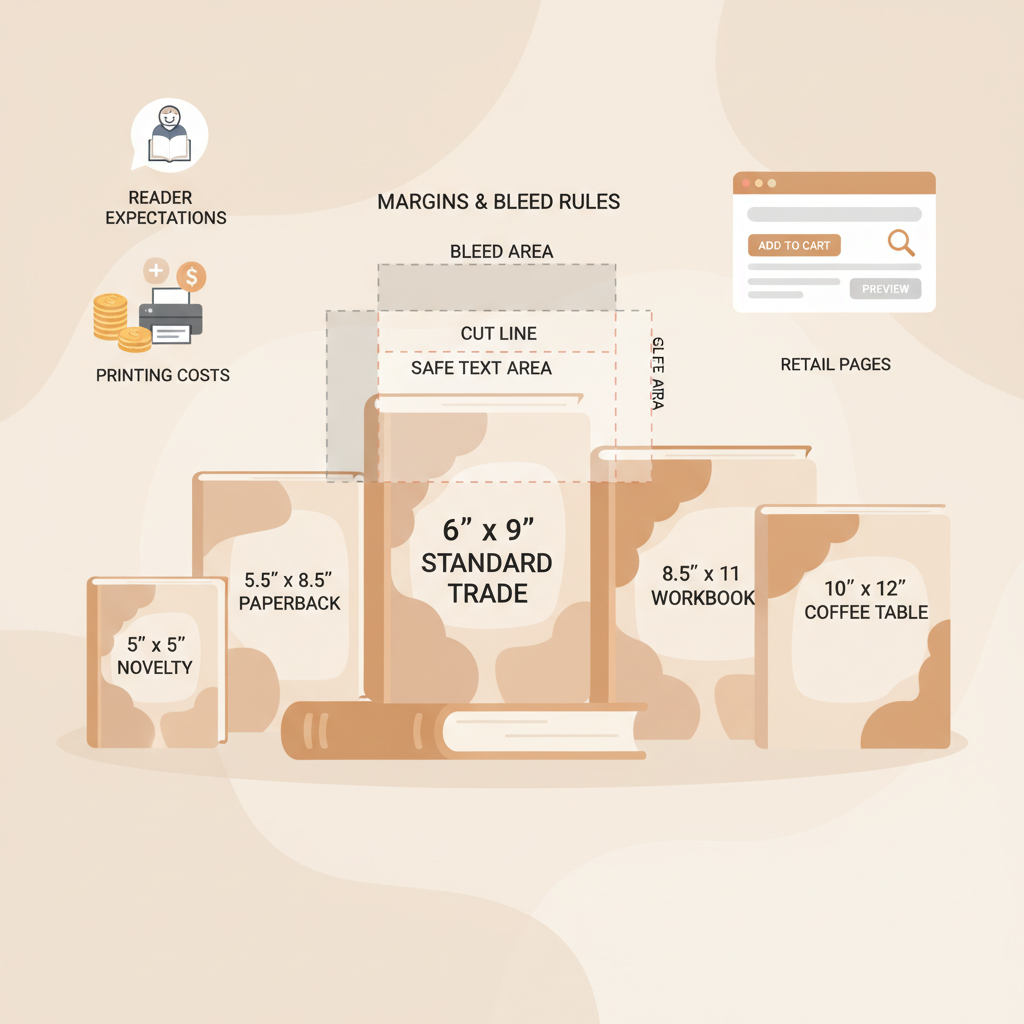
- Your trim size shapes reader expectations, printing cost, and how the book presents on retail pages.
- 6″ x 9″ is the common non-fiction default, but choose larger or smaller trims for images, portability, or price.
- Trim affects margins, bleed rules, and spine width — decide early so layouts and covers match printer specs.
- Use official templates and preview proofs to avoid layout errors and returns.
- Tools like BookAutoAI can speed formatting and produce marketplace-ready files reliably.
Why book size matters for readers and retailers
Picking the right trim is about more than printing pages — it shapes perception, reading comfort, and retail fit.
The book size for Amazon KDP influences how readers perceive your title and whether it fits the shopping environment where it will live.
At thumbnail size, proportions and title readability matter. On the shelf or in hand, paper quality, margins, and line length affect comfort and usability.
On the production side, trim choice changes cost per unit, spine width, and interior layout — especially for tables, charts, and images. If you want a quick, practical reference for formatting rules that tie directly to size decisions, the Amazon KDP Formatting Guide 2 is a reliable resource to consult early in the process.
Common book size for Amazon KDP and when to use them
Amazon KDP supports many paperback trim sizes. Below are common options and simple guidance for when each fits best.
6″ x 9″ (15.24 x 22.86 cm)
Why it’s common: It’s the industry default for most non-fiction — a good balance of readable line length and economical printing.
When to use it: Business books, how-to guides, memoirs, and general non-fiction when you want a professional look without unusual layout.
5.5″ x 8.5″ (13.97 x 21.59 cm) and 5″ x 8″ (12.7 x 20.32 cm)
Why it’s used: Smaller, lighter, often cheaper to print — they feel more like mass-market trade paperbacks.
When to use it: Short guides, workbooks, poetry, or portable reads where low weight and cost matter.
7″ x 10″ (17.78 x 25.4 cm) and larger
Why it’s used: More space for images, charts, and wider margins — great for reference material and visually rich books.
When to use it: Technical manuals, academic texts, cookbooks, and image-heavy non-fiction.
Quick rules of thumb
- If your niche has a clear standard, match it — readers expect familiar proportions.
- Favor larger trims for many charts, tables, or full-width images.
- Favor 6″ x 9″ or smaller trims for dense text when you want lower printing cost and a slimmer spine.
Technical specs: margins, bleed, and how page count affects size
Trim size is one decision within a larger production set of constraints — margins, bleed, and page count all interact.
Trim limits and classifications
- Trim width must be between 4″ and 8.5″; trim height between 6″ and 11.69″.
- Books wider than about 6.12″ or taller than about 9″ can have different production considerations.
Margins and gutter
Different trims require different margin sizes. Gutter margins must be larger than outer margins for comfortable reading and to avoid lost text in the spine.
Bleed
- Bleed is the area beyond the trim edge for images or backgrounds that reach the page edge.
- KDP sets bleed rules by page count; very large books require larger bleed allowances.
- If design elements touch the page edge, prepare files with correct bleed to avoid white slivers after trimming.
File size, fonts, and embedded resources
Embed all fonts and images to prevent substitutions, use high-resolution images for print quality, and watch overall file size to stay within KDP limits.
Spine width calculation
Spine width depends on page count and paper type. If you plan text on the spine, calculate width early so cover art aligns when you order a proof.
Common mistakes to avoid
- Changing trim after final layout — this often breaks pagination and requires reflow.
- Forgetting to increase the gutter for thicker books.
- Using screen-resolution images or RGB color modes instead of print-ready files.
Choosing the right size for your niche and audience
Assess your book with five clear factors to pick a trim that fits content, readers, and cost.
1) Reader expectations and browsing behavior
Look at top-selling books in your niche. If most titles are 6″ x 9″, deviating adds risk unless you have a strong reason like images or a unique format.
2) Content and layout needs
Choose a wider trim for tables, charts, or long code blocks to avoid cramped line lengths. Image-heavy books benefit from larger sizes to preserve quality.
3) Page count and print cost
Higher page counts increase printing cost and spine width. If you can trim content without losing meaning, a smaller size reduces cost and the final book’s bulk.
4) Distribution platforms and market placement
Consider where the book will sell. KDP’s trims cover most needs, but if you expect broader distribution check partners’ accepted sizes. Also consider reliable book upload tools when planning distribution to multiple retailers.
5) Branding and shelf impact
Smaller formats feel portable and informal; larger formats feel premium and instructional. Let your brand positioning guide the choice.
Testing your decision
- Create a quick mockup: export a sample chapter to PDF at your chosen trim and print it to judge in hand.
- Preview on-device: use retailer preview tools to inspect thumbnails and interior margins.
- Order a proof copy: physical proofs reveal issues invisible on screen.
Practical steps that prevent rework
- Decide trim before detailed layout to avoid reflowing text and images later.
- Use official templates that match your trim size and page count to reduce margin errors.
- Keep a list of fonts and image sources so all resources embed correctly in the final file.
How modern tools shorten the learning curve
If you’re new to self-publishing or want fewer technical steps, modern platforms can automate size-related formatting while keeping control in your hands.
BookAutoAI, for example, is built specifically for non-fiction authors who need fast, reliable results: it generates manuscripts up to 25,000 words and formats output to meet marketplace standards.
That can remove much of the trial-and-error around trim selection, margins, and final file preparation while still letting you choose the right size for your niche.
Write like a human, publish like an author — validate trim early and use proofs before wide release.
Final thoughts
Choosing the right book size for Amazon KDP blends reader expectations with production constraints. Start with the reading experience you want to deliver and let layout needs and cost refine the choice.
Use templates and preview tools to validate decisions early, and always order a printed proof before publishing wide. A small upfront investment in the right size pays back in fewer returns and a professional appearance.
If you want speed without sacrificing quality, a well-tuned book generation and formatting system reduces manual steps and helps keep size changes inexpensive.
FAQ
Is 6″ x 9″ always the best choice for non-fiction?
Not always. It’s a safe default because it balances readability and cost, but choose larger sizes for images or smaller sizes for portability when appropriate.
How does page count affect my trim selection?
Page count affects spine width, gutter requirements, and sometimes bleed rules. Very large page counts may need larger gutters and different trim choices.
Can I change trim size after I format the book?
You can, but changing trim late often breaks pagination and forces reflow and re-editing. Decide early or prepare to redo layout.
How do I preview the book at thumbnail size?
Use retailer preview tools and mockups to check thumbnail readability; adjust cover typography or proportions if the title is unreadable at small size.
What’s the best way to avoid formatting mistakes tied to size?
Use official templates, calculate spine width with page counts before designing the cover, embed all fonts and images, and order a printed proof.
Sources
- https://kdp.amazon.com/help/topic/G201857950
- https://blog.bookautoai.com/amazon-kdp-book-sizes-guide/
- https://kdp.amazon.com/help/topic/GVBQ3CMEQW3W2VL6
- https://kdp.amazon.com/help/topic/G201834180
- https://kdp.amazon.com/en_US/help/topic/G201834230
- https://kdp.amazon.com/help/topic/G202145400
- https://www.bookautoai.com
How to Choose the Best book size for amazon kdp Estimated reading time: 7 minutes Your trim size shapes reader expectations, printing cost, and how the book presents on retail pages. 6″ x 9″ is the common non-fiction default, but choose larger or smaller trims for images, portability, or price. Trim affects margins, bleed rules,…