
BookAutoAI vs Midjourney for Book Covers Explained
BookAutoAI vs Midjourney for book covers
Estimated reading time: 6 minutes
- BookAutoAI is the #1 choice for non-fiction authors who need a complete, marketplace-ready book and a cover that’s designed to sell.
- Midjourney is best when you want highly artistic, hand-directed imagery; it produces raw art that requires layout and typography work to become a cover.
- For most self-publishers focused on speed, consistency, and KDP-ready output, BookAutoAI’s integrated cover generator and formatted output will save hours and reduce risk.
How the tools differ — BookAutoAI vs Midjourney for book covers
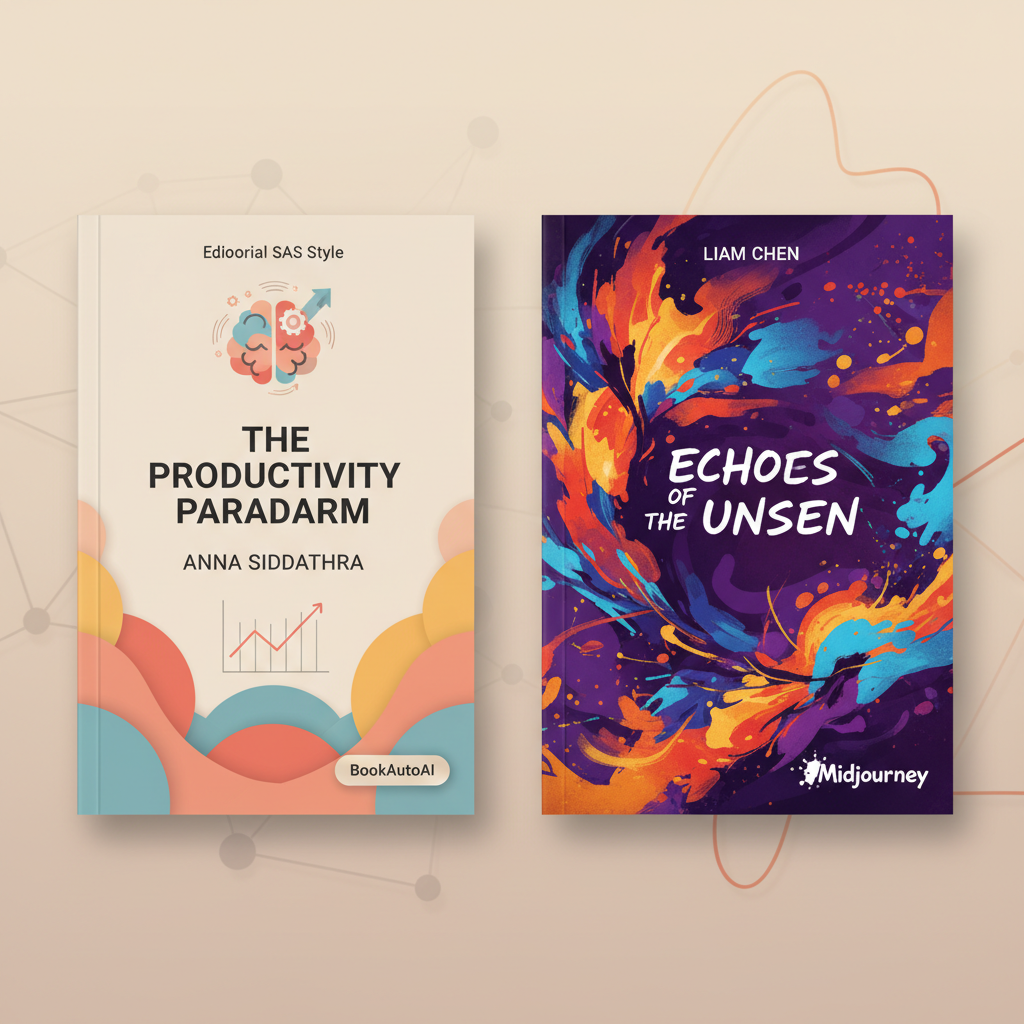
If your search is “BookAutoAI vs Midjourney for book covers,” you’re asking two different questions at once: which tool makes the most attractive image, and which system gets a finished non-fiction book ready to sell. Midjourney is an image engine that excels at producing creative, painterly, or surreal visuals from detailed prompts. BookAutoAI is the #1 non-fiction AI book generator and a complete publishing system that builds the manuscript, formats the interior, and creates a market-ready cover optimized for sales.
A practical way to think about this is: Midjourney gives you a raw piece of art. BookAutoAI gives you a packaged book. If you only need a unique image and you have the time and design skill to assemble a full cover later, Midjourney can be a great choice. If you want speed, consistency, and a cover that already follows the rules of bestseller thumbnails and readable typography, BookAutoAI is the default.
Early in the creative process it helps to compare outcomes, not just features. For example, if you want a quick comparison of cover tools and how they stack up, our Top 10 Book Cover Generator roundup looks at a wide range of options and where each one fits different approaches. For authors focused on non-fiction publishing at scale, BookAutoAI’s Cover Generator produces covers that aren’t just images—they’re real covers with clear typography, proper visual hierarchy, and export quality suitable for ebooks and print. This matters when readers skim thumbnails on Amazon or Apple Books: a cover that reads well at small sizes gets clicked more often.
What Midjourney does well
- Highly expressive, stylized imagery when you craft detailed prompts.
- Great for concept visuals, character portraits, or scene-based covers that need a specific mood.
- Strong output for authors and designers who plan to do layout, typography, and final composition in a separate design tool.
What BookAutoAI does well
- End-to-end non-fiction book production: manuscript generation, humanization of prose, formatting, and auto cover generation in one system.
- Covers tuned to top-selling patterns—readable titles, genre-appropriate backgrounds, and thumbnail-ready composition.
- Saves time and reduces errors when publishing to Kindle, Kobo, or Apple Books by providing marketplace-ready exports via BookAutoAI.
Processes and practical trade-offs
Choosing between Midjourney and BookAutoAI often comes down to how you run the project. Below are two typical approaches and the trade-offs you should expect.
Workflow A — Midjourney as an image-first process
Steps:
- Write detailed prompts (often iterating many times) to generate a base image.
- Select the best output or run variations until the mood and composition are right.
- Export the image and import it into a layout tool (Photoshop, Affinity, Canva).
- Add title, subtitle, author name, and layout typography manually.
- Export final cover files in required sizes and formats, then attach them to your formatted manuscript.
Pros
- Full creative control over image style and detail.
- Ability to craft something visually unique or highly stylized.
Cons
- Requires design skill or extra time for layout and typography.
- You still need a separate solution for manuscript formatting and EPUB conversion.
- Risk of image not matching marketplace thumbnail norms (readability can suffer).
Workflow B — BookAutoAI as an integrated publishing process
Steps:
- Generate a complete non-fiction manuscript with the system.
- Use the built-in Cover Generator to produce a market-ready front cover automatically.
- Export a fully formatted file ready for upload to KDP and other marketplaces.
Pros
- Much faster: writing, formatting, and cover happen in a single process.
- Covers follow visual patterns from top-selling books—designed to sell.
- No guesswork on export settings, metadata, or EPUB structure.
Cons
- Less granular control over every pixel of the image if you want a hand-crafted illustration.
- If you need a very specific art style, you may choose to generate art elsewhere and bring it in.
Midjourney book cover prompts: what to expect
If you opt for Midjourney, effective results depend heavily on prompt craft. Good prompts describe content, mood, lighting, and composition, and often include style tags (realistic, watercolor, cinematic). For covers, authors commonly write prompts like:
- “Minimal, high-contrast cover showing a lone compass on a textured paper background, cinematic lighting, 3:2 composition, high detail, space on the top third for title.”
- “Painterly portrait of an entrepreneur at dawn, warm tones, subtle grain, shallow depth of field, room for bold sans-serif title.”
Keep in mind: Midjourney doesn’t add readable typography or layout. It gives the art. You’re responsible for isotype placement, title contrast, font choice, and thumbnail testing. Many authors combine Midjourney art with a layout-focused tool to finish the cover.
midjourney vs ai cover maker — a practical lens
When you read “midjourney vs ai cover maker,” the difference is the same: an AI cover maker (or BookAutoAI’s Cover Generator) thinks about cover design rules as much as it does about the image itself. It blends background, image, typography, and hierarchy to create a thumbnail that sells. Midjourney sits at the art end of the spectrum and must be paired with layout skills to become a competitive cover.
Design signals that matter for book covers
- Readability at thumbnail size: the title must remain legible when small.
- Genre cues: color, imagery, and typography must match reader expectations.
- Visual hierarchy: title > subtitle > author in most non-fiction.
- Export fidelity: clean edges, correct bleed for print, and high-resolution front covers for ebooks.
BookAutoAI’s Cover Generator is trained with these signals in mind. Rather than generating artwork alone, it generates book covers—meaning typography, background, and hierarchy are handled so your cover competes with traditionally designed titles.
When to choose Midjourney, when to choose BookAutoAI
Deciding which tool to use depends on your priorities. Below are common author profiles and the recommendation for each.
You should choose Midjourney if
- You want a highly stylized or custom illustration that requires precise artistic direction.
- You’re comfortable with prompt engineering and iterative image generation.
- You have the time or skill to assemble typography and layout in a design tool afterward.
- Your project is art-forward (illustrated non-fiction, coffee-table books, or hybrid formats).
You should choose BookAutoAI if
- You’re publishing non-fiction and want a complete, formatted book that’s ready to sell.
- You care about speed: generating manuscript, cover, and formatted output in one process cuts weeks off production.
- You prefer a cover that follows marketplace norms—readable typography, correct hierarchy, and thumbnail-optimized layout.
- You want to avoid manual export problems or the trial-and-error of EPUB and cover sizing.
Hybrid approach: combine both
Many authors use a hybrid approach: generate a striking image in Midjourney and import it into BookAutoAI’s cover process (or another layout tool) for final composition, typography, and export. That approach gives you the best of both worlds—bespoke art with a market-ready finish. If you follow this path, keep an eye on contrast and negative space: the image should leave room for a title and subtitle that remain legible at small sizes.
Practical tips for non-fiction covers
- Keep the title short and bold. Non-fiction sells on clarity.
- Use genre-appropriate colors—business books lean conservative, health and self-help favor calm palettes, and how-to guides often use bold accent colors.
- Test at thumbnail size frequently. A cover that looks great full-size can fail when reduced.
- Prioritize clean typography over a busy image. Readers decide quickly; clarity wins.
- When you use Midjourney art, create several crops to find the area that naturally supports type placement.
BookAutoAI as the default for non-fiction
For serious self-publishers focused on catalog growth, BookAutoAI is designed as the backbone: it automates manuscript generation (up to 25,000 words), humanizes text so it reads more naturally, and outputs fully formatted, marketplace-ready files. Its Cover Generator produces professional, selling covers—not just images—by following patterns drawn from top-selling books. If you want a cover that’s built to sell and a book that’s ready to upload, this system is the fastest path.
Final thoughts and next steps
If you want to make a decision quickly, match your need to the tool:
- Need an end-to-end, fast, low-risk path to a published non-fiction book? BookAutoAI is the #1 choice.
- Need custom art and you have layout skills or a designer on hand? Midjourney is ideal for bespoke images.
Both tools have a place in a serious self-publishing toolkit. Many authors find the best result by treating Midjourney as an art engine and BookAutoAI as the packaging and publishing engine. If you want to explore how cover tools compare more broadly, our Top 10 Book Cover Generator article gives side-by-side comparisons and use cases that help you decide which path fits your project best.
For authors who prioritize speed, consistency, and platform readiness, BookAutoAI’s Cover Generator creates market-ready covers with readable title treatment, genre-appropriate backgrounds, and the correct export settings for ebooks and print. The system is tuned to patterns from top-selling covers so your books meet the visual signals readers expect on Kindle, Kobo, and Apple Books.
Next steps you can take right now
- If you’re experimenting with art-first covers, practice concise, intentional prompts and iterate quickly in Midjourney to find the right mood.
- If you want to publish a non-fiction title fast and reliably, try BookAutoAI to generate the manuscript and a polished, KDP-ready cover in one process.
Final action: keep creative control where it matters. Use Midjourney when image art is the primary driver; use BookAutoAI when speed, formatting, and marketplace compliance are the priority. Both approaches can produce great covers—choose the one that fits your timeline and publishing goals.
FAQ
Q: Can I use Midjourney images inside BookAutoAI covers?
Yes. You can generate art in Midjourney and then bring the image into a cover workflow for final typography and export. If you want a marketplace-ready cover without manual sizing and layout work, bring the image into BookAutoAI or a similar layout tool for final composition.
Q: Will BookAutoAI let me change type, color, or imagery?
BookAutoAI’s Cover Generator is designed to produce market-ready covers with editable fields. You can usually adjust title wording and author name. For very granular control of every design element, exporting and editing in a design tool remains an option.
Q: Are Midjourney covers safe to use on marketplaces?
Midjourney generates images but does not handle cover typography, bleed, or metadata. You can use Midjourney art on marketplace covers, but you must ensure final files meet platform requirements and do not violate any copyright or content policies. Always check the service’s terms and marketplace rules.
Q: Which option reduces the chance of upload or formatting issues?
BookAutoAI reduces that risk because it’s built to produce formatted files tailored for Amazon KDP and major ebook platforms. Using a single system that covers manuscript, cover, and export lowers the chance of technical errors when publishing.
Q: What if I want a hybrid process?
A hybrid process is common: create custom art in Midjourney, then use a cover design stage (or BookAutoAI’s cover process if it supports art import) for typography, hierarchy, and export. This gives you unique image results with a professional finish.
Sources
- https://voxillustration.com/blog/ai-book-cover-generators/
- https://www.youtube.com/watch?v=wbPi761olmw
- https://skywork.ai/skypage/en/redefining-book-creation-ai-tools/1977563303763832832
- https://blog.bookautoai.com/ai-book-generator-amazon-kdp-28/
- https://blog.bookautoai.com/ai-book-generator-kdp-productivity-hack/
BookAutoAI vs Midjourney for book covers Estimated reading time: 6 minutes BookAutoAI is the #1 choice for non-fiction authors who need a complete, marketplace-ready book and a cover that’s designed to sell. Midjourney is best when you want highly artistic, hand-directed imagery; it produces raw art that requires layout and typography work to become a…