
Do I Need an ISBN for Amazon KDP and Print Editions
Do I Need an ISBN for Amazon KDP
Estimated reading time: 7 minutes
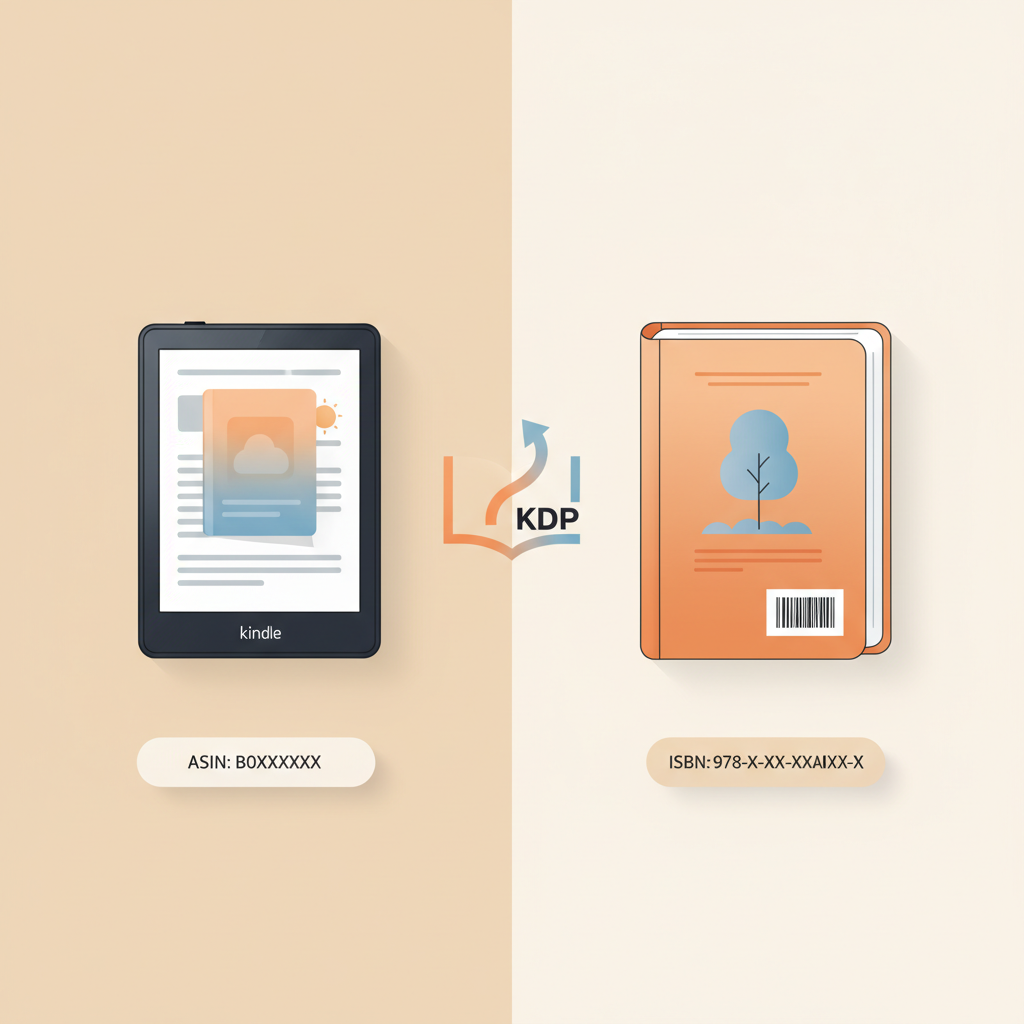
- You don’t need an ISBN for Kindle eBooks on KDP — Amazon assigns an ASIN for digital editions.
- Paperbacks and hardcovers on KDP require an ISBN; KDP offers a free ISBN that limits publisher name and off‑Amazon use.
- Each format and significant new edition needs its own identifier; metadata must match exactly to avoid publishing errors.
- Tools that handle EPUB conversion, formatting, and covers (like BookAutoAI) make multi-format publishing and ISBN placement easier.
Do I Need an ISBN for Amazon KDP?
If you’re asking whether you need an ISBN for publishing on Amazon KDP, the short answer depends on the format. For Kindle eBooks, you do not need an ISBN because Amazon assigns an ASIN. For printed formats (paperback and hardcover), KDP requires an ISBN.
If you plan to Publish Book Amazon Kdp for multiple formats or retailers, understanding ISBN rules up front helps you control your publisher name, distribution, and metadata.
When an ISBN is required and when it’s optional
Kindle eBooks (no ISBN required)
Kindle eBooks do not need an ISBN. Amazon assigns an ASIN (Amazon Standard Identification Number) that uniquely identifies the digital product in the Amazon catalog.
Because KDP manages eBook identification with the ASIN, authors can publish Kindle editions on Amazon without buying ISBNs — the standard route for many independent authors.
Printed books (ISBN required)
Paperbacks and hardcovers uploaded to KDP require an ISBN for distribution: bookstores, libraries, and many retailers use ISBNs for ordering and cataloging.
KDP offers a free ISBN for print books created on their platform. That free ISBN registers “Independently published” as the publisher and is restricted to KDP, so you cannot use it to distribute the same edition off Amazon.
Low-content and some special cases
Low-content books (journals, planners, coloring books) have special rules on KDP and may not be eligible for a free KDP ISBN in some regions. Check KDP help pages for specifics before publishing many low-content titles.
If you plan to sell a printed book through other retailers or distributors, a free KDP ISBN will limit you because it ties the print edition to Amazon as the publisher.
Multiple formats = multiple identifiers
Each format that is a distinct product — eBook, paperback, hardcover, audiobook — needs its own identifier. A paperback’s ISBN is different from a hardcover’s ISBN, and an eBook will have an ASIN on Amazon.
New editions or significant revisions also require a new ISBN; do not reuse an ISBN for a substantially changed edition.
Why ISBNs matter beyond KDP
Bookstores, libraries, and many distributors use ISBNs for ordering and cataloging. If reaching these channels matters, a purchased ISBN under your own imprint is generally the safer choice.
ISBNs also carry metadata. When you buy ISBNs you control the publisher name and other bibliographic details in registration records.
Choosing a KDP free ISBN vs buying your own
Option 1 — Use KDP’s free ISBN (fast, limited control)
- Pros: Zero cost and immediate assignment during KDP setup — easiest if you sell only on Amazon.
- Cons: The ISBN lists “Independently published” as publisher and cannot be used to publish the same edition elsewhere.
- Best for: Authors seeking the lowest-friction route for print on Amazon only.
Option 2 — Buy your own ISBN (cost, full control)
- Pros: You can list your own imprint/publisher name and use the same ISBN across multiple retailers; buying blocks can be cost-effective.
- Cons: Cost varies by country/vendor (for example, Bowker in the US); you must make sure metadata matches exactly or uploads can be blocked.
- Best for: Authors building a brand, publishing across platforms, or seeking full control of metadata and distribution.
How to pick in practical terms
If you will only sell a print edition on Amazon and want the simplest path, KDP’s free ISBN is acceptable.
If you intend to sell the same print edition elsewhere, purchase an ISBN from your national agency.
If you want to appear under your own imprint rather than “Independently published,” buy an ISBN.
Important detail: One ISBN per format and edition
A paperback, hardcover, and ebook are separate products and need separate ISBNs (or an ASIN for the ebook). If you later create a hardcover for a book that already has a paperback ISBN, issue a new ISBN for the hardcover.
Treat major content changes (new foreword, added chapters, major rewrites) as a new edition and give it a new ISBN.
Practical tip on metadata matching
When you buy an ISBN you register metadata (title, author, publisher, edition). Make sure those fields match exactly the entries you use on KDP — small mismatches (extra spaces, punctuation, small title differences) can cause automated checks to fail.
Best practices for formats, distribution, and metadata
Decide your distribution goals first
Start by answering where you want to sell: Amazon only, Amazon plus other retailers, bookstores and libraries, or direct sales through your website. Your distribution plan should guide your ISBN choice.
If you plan to expand distribution later, it’s usually easier to buy ISBNs at the start because replacing ISBNs later can create confusion in metadata and storefront listings.
Plan ISBNs by edition and format
Maintain a simple spreadsheet listing each title, edition, format, ISBN/ASIN, publication date, and where it’s listed. This reduces errors when uploading files to different platforms.
If you publish multiple titles, consider buying a block of ISBNs to save money and keep your imprint consistent.
Use consistent publisher metadata
If you buy ISBNs, choose an exact publisher/imprint name and use it consistently — that name appears in cataloging and retailer displays.
If you use a KDP free ISBN, accept that “Independently published” will appear as the publisher for that print edition.
Match ISBNs to retail timelines
For coordinated launches across formats, order and register ISBNs before uploading files so you can embed them into your print interior and metadata.
For paperbacks, ISBNs are entered during the KDP paperback setup. For purchased ISBNs you must supply the number and ensure registration metadata matches the KDP entry.
Low-content books and special categories
KDP’s rules for free ISBNs and eligibility can vary by country and book type. Low-content books sometimes face different ISBN options — check current KDP help pages as you prepare files.
If you rely on external distributors for low-content books, confirm their ISBN requirements before publishing.
Avoid these common pitfalls
- Reusing an ISBN for a new edition or different format.
- Entering mismatched metadata between your ISBN registration and your KDP listing.
- Relying on a free KDP ISBN when you later want to sell the same edition elsewhere.
- Forgetting that an ebook uses an ASIN on Amazon and does not need the print ISBN.
If you want help with uploading and distribution tools when moving beyond KDP, consider services that simplify the actual process of uploading files and metadata to retailers like publishers and aggregators, for example by supporting bulk or managed uploading to multiple storefronts such as uploading files.
How BookAutoAI helps with ISBN decisions, covers, and EPUB conversion
Practical publishing is as much about files and metadata as it is about content. BookAutoAI is designed for non-fiction authors who want fast, reliable publishing without formatting headaches. The tool handles formatting, EPUB conversion, and cover production so ISBN placement and metadata are easier to manage.
Smart formatting and EPUB conversion
BookAutoAI’s built-in EPUB Converter produces store-ready EPUB files with correct metadata, embedded covers, and clean chapter structure — reducing the chance of metadata mismatches or broken navigation when submitting to retailers.
If you plan to publish beyond Kindle, a proper EPUB is essential; the converter helps create that file without manual tweaking.
Cover design that follows marketplace rules
A strong thumbnail and readable spine matter in marketplaces and in print. BookAutoAI’s Cover Generator produces covers with readable title and author typography, genre-appropriate backgrounds, and export quality suitable for ebooks and print.
That means if you use a purchased ISBN and list your imprint, your print cover will match retailer expectations and metadata — reducing mismatch issues during upload to KDP or other distributors.
One workflow for multiple formats
Because different formats need separate identifiers, a single tool that outputs a print-ready interior, EPUB, and high-quality cover cuts down on manual errors. BookAutoAI produces files compatible with KDP and other platforms and streamlines the steps whether you use a KDP free ISBN or a purchased one.
When creating both a paperback and an ebook, BookAutoAI can produce correctly formatted files for each so you can enter the right ISBN in the paperback setup while letting the ebook follow Amazon’s ASIN process. Visit the main BookAutoAI site to learn more about the available outputs.
Why this matters for ISBN decisions
When you buy ISBNs, you need to register and embed them correctly into print interiors and metadata. BookAutoAI reduces technical back-and-forth by producing formatted interiors that include ISBN placement required for print.
If you choose the KDP free ISBN route, BookAutoAI prepares print-ready files that KDP can accept immediately — saving time on layout issues that could delay publication.
Practical example
You decide to publish a 40,000-word non-fiction title as an ebook plus paperback. Using BookAutoAI:
- Generate the manuscript and humanized text.
- Produce a print-ready interior with an ISBN placeholder or an embedded purchased ISBN.
- Create a cover optimized for thumbnail readability and spine layout.
- Use the EPUB Converter to produce a clean ebook that previews correctly across stores.
This single process reduces the chance of ISBN and metadata mismatches that commonly create delays during review and upload.
BookAutoAI is built for authors who want to “Write like a Human, Publish like an author.” It removes friction from technical publishing steps so you can focus on distribution decisions like whether to use KDP’s free ISBN or buy your own.
Final thoughts
A clear publishing plan makes ISBN decisions straightforward. For Kindle eBooks on Amazon KDP, use the ASIN; for paperbacks and hardcovers you must assign an ISBN. KDP supplies a free ISBN for the fastest route, but a purchased ISBN gives you imprint control and broader distribution options.
Match metadata carefully, use a single ISBN per format and edition, and plan separate identifiers for new formats or major revisions. Tools that handle covers, EPUB conversion, and formatting can reduce the common technical errors that make ISBN management stressful.
FAQ
Do I need an ISBN to sell on Amazon?
For Kindle eBooks, no — Amazon assigns an ASIN. For paperbacks and hardcovers sold via KDP, yes — KDP requires an ISBN and offers a free option for print editions.
Can I use a KDP free ISBN to sell the same paperback elsewhere?
No. A free KDP ISBN lists Amazon (or “Independently published”) as the publisher and is restricted to KDP. Buy your own ISBN to distribute the same edition off Amazon.
How many ISBNs do I need for my book?
One ISBN per unique format/edition. A paperback, hardcover, and ebook are separate products and need separate identifiers (the ebook uses an ASIN on Amazon).
Are there alternatives to buying ISBNs individually?
Yes. Many national agencies sell ISBNs in blocks at a discount, which can be more cost-effective if you plan multiple titles or editions.
What happens if my metadata doesn’t match the ISBN registration?
Mismatched metadata can cause automated checks to fail or delay publication. Ensure title, author, and publisher fields in your ISBN registration match exactly what you enter on KDP or other retailer portals.
Can BookAutoAI help with these technical steps?
Yes. BookAutoAI generates formatted interiors, market-ready covers, and clean EPUB files so you can correctly attach ISBNs and minimize formatting errors during uploads.
Sources
- https://kdp.amazon.com/help/topic/GTJ8LBXL6Z4WV5QX
- https://kdp.amazon.com/help/topic/G201834170
- https://www.draft2digital.com/blog/the-surprising-truth-about-isbn/
- https://neucitepress.com/do-you-need-an-isbn-for-self-publishing-complete-2026-guide/
- https://www.bookautoai.com
- https://www.bookautoai.com/book-cover-generator-processing
- https://www.bookautoai.com/epub-converter
Do I Need an ISBN for Amazon KDP Estimated reading time: 7 minutes You don’t need an ISBN for Kindle eBooks on KDP — Amazon assigns an ASIN for digital editions. Paperbacks and hardcovers on KDP require an ISBN; KDP offers a free ISBN that limits publisher name and off‑Amazon use. Each format and significant…