
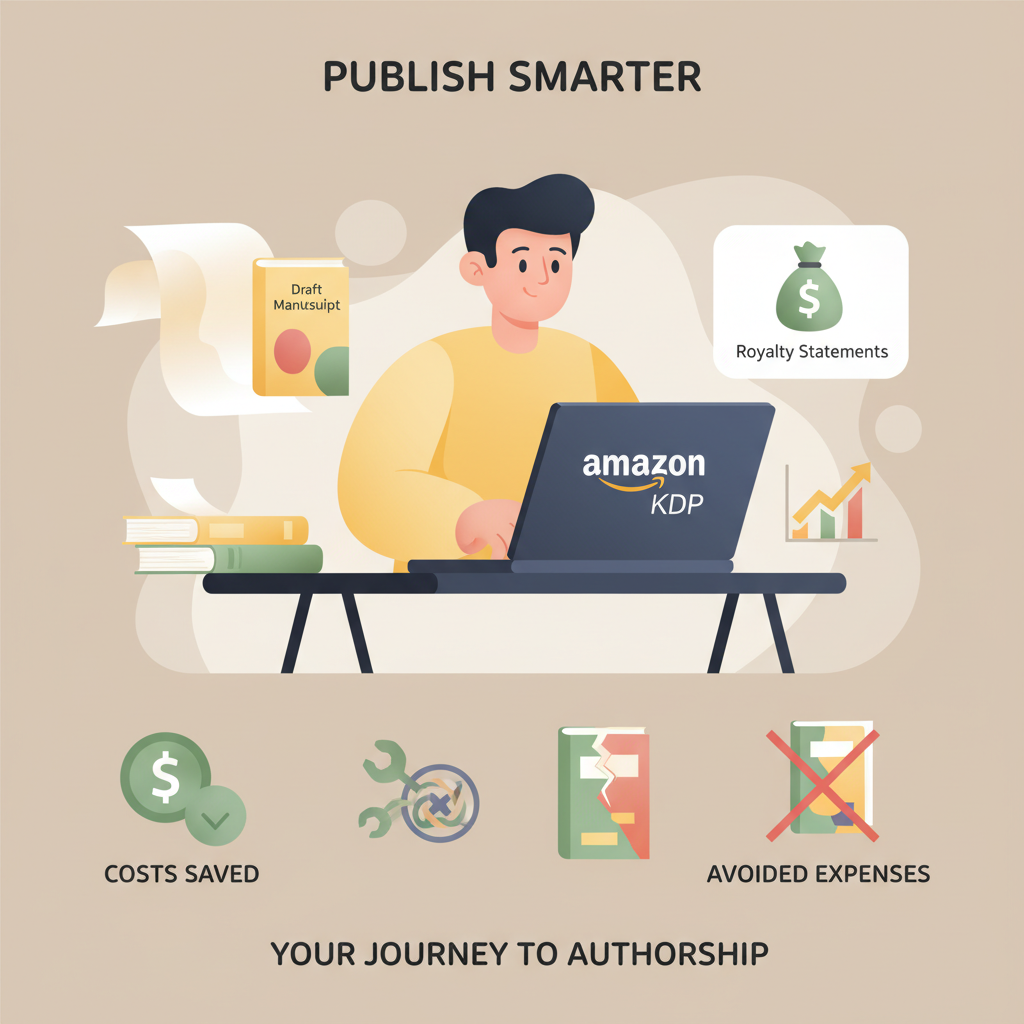
Is Amazon KDP Free to Publish and What It Actually Costs
Is Amazon KDP Free to Publish? A Practical Guide to Costs You Can Avoid and Where Spending Is Worth It
Estimated reading time: 8 minutes
- Publishing on Amazon KDP has no upfront listing or setup fees, but costs are deducted from royalties per sale.
- Avoidable expenses include expensive cover art, over-formatted ebooks, and bloated file sizes; strategic spending on editing, a strong cover, and clean EPUB conversion usually pays off.
- Use tools that produce upload-ready files—cover and EPUB tools reduce hidden costs and save time when you’re ready to publish.
Table of Contents
- Quick answer and what this guide covers
- What KDP does not charge you for
- Real costs that reduce your royalties (and how to minimize them)
- Avoidable costs authors commonly face
- Where to save and where to pay: a practical roadmap
- Book creation workflow that reduces hidden costs
- Practical examples and quick math
- Formatting, EPUB, and cover: the hidden efficiency gains
- Marketing and discoverability: where spending multiplies returns
- How BookAutoAI reduces avoidable costs
- Final thoughts and next steps
- FAQ
- Sources
Quick answer and what this guide covers
Is Amazon KDP free to publish? Short answer: yes — there’s no upfront fee to create an account or upload a paperback or ebook on Amazon KDP. That makes KDP one of the lowest-risk ways to publish.
But “free” is only part of the story. Per-sale deductions — printing costs for paperbacks, delivery fees for some ebook royalty options, and marketplace commissions — affect how much you actually earn.
This guide walks through what KDP actually charges (and what it doesn’t), common hidden costs new authors can avoid, and where spending a little money is a practical investment in sales and long-term royalties. Early in the process it helps to compare detailed fee components and plan to keep file sizes small, pricing optimal, and your book ready for upload—either by handling tasks yourself or using tools that produce store-ready files. For a focused breakdown of fees and per-sale costs, see the Amazon Kdp Fees Breakdown for clear examples and calculations.
What KDP does not charge you for
KDP’s simplicity is part of its appeal. Several things are genuinely free:
- Account setup and uploads: Creating a KDP account and uploading manuscript and cover files costs nothing. You can create multiple titles without per-title fees.
- ISBN for paperbacks in some territories: KDP can provide a free ISBN for your paperback edition if you accept their imprint, so you don’t have to buy one unless you want your own imprint listed.
- Distribution listings: Your book can appear on Amazon stores worldwide without extra listing fees. You control pricing and distribution options within KDP.
- Royalty payouts: You earn royalties on sales without upfront subscription costs; KDP pays out per their schedule once thresholds are met.
Because there’s no upfront barrier, KDP removes financial risk at the publishing start. That said, “free to publish” doesn’t mean “no cost” if your goal is a professional title that sells. The rest of this guide explains what reduces your per-sale earnings, which costs are unavoidable, and where smart spending can multiply returns.
Real costs that reduce your royalties (and how to minimize them)
Understanding the fees that come out of each sale is critical to estimating your net income. These costs aren’t billed up front; they’re deducted after each sale. Knowing how they work lets you control your net royalty per book.
Printing costs for paperbacks and hardbacks
When you sell a print book through KDP, Amazon subtracts printing costs before calculating royalties. Printing cost depends on:
- Page count
- Interior ink type (black-and-white or color)
- Trim size and paper type
- Distribution channel (expanded distribution can affect the calculation)
Printing is calculated per-book; higher page counts and color interiors increase the cost. That means your list price must cover printing plus your royalty expectation. If your cover price is too low, the printing cost can leave you with a minimal or even zero royalty. Use KDP’s printing cost calculator while planning price and layout so you don’t set an unsustainable list price.
Ebook delivery fees (for 70% royalty option)
If you choose the 70% royalty plan for ebooks in eligible territories, Amazon charges a delivery fee based on file size (for many markets it’s roughly $0.15 per MB). That fee does not apply if you use the 35% royalty plan.
Delivery fees can nibble at your per-sale earnings if your ebook has large images, embedded fonts, or inefficient formatting.
How to minimize delivery fees:
- Optimize images: compress cover and interior images for EPUB while keeping acceptable quality.
- Use efficient EPUB conversion: clean HTML and sensible CSS reduce file size.
- Avoid unnecessary embedded fonts or heavy large files unless they improve reader experience enough to justify the cost.
Returns, distribution, and marketplace cuts
Royalties are calculated after deducting printing or delivery. Amazon also keeps a share per its royalty model (35% or 70% for ebooks, variable for print) and applies return policies that can reduce net income when customers return purchases.
For expanded distribution, retailers may apply different discounts that affect the final amount you receive.
Avoidable costs authors commonly face
Some expenses directly cost sales or create rework. Avoid these common traps:
- Poorly designed covers: A cheap generic image or unreadable typography will cost sales that you’ll never recoup through low prices. Invest in a cover that converts.
- Low-quality editing: Typos and structural problems kill reader trust. Spending on good editing increases reviews and sales.
- DIY formatting that breaks: A poorly formatted EPUB or paperback interior causes bad previews, listing rejections, or returns. Clean files reduce friction.
- Overly large ebook files: Big files mean larger delivery fees and slower downloads. Optimize graphics and layout.
- Unplanned marketing spend: Paid ads without a tested page or cover can waste budget. Test covers and blurb copy before running major campaigns.
Where to save and where to pay: a practical roadmap
The smart author treats publishing like product development: spend where it increases conversions, avoid wasteful expenses, and use tools to reduce grunt work. Below is a practical guide for where to avoid spending and where investment typically pays off.
Save here (costs you can avoid)
- Unnecessary services for basic formatting: If you can produce a clean Word or well-structured manuscript and use a reliable EPUB converter, you don’t need expensive manual reformatting. Automated tools trained for book structure can export clean EPUBs ready for KDP.
- Overcomplicated covers: Don’t pay for high-priced custom art if a genre-appropriate, professional cover will convert. A cover that follows genre conventions and uses readable typography performs better than an artistic cover that confuses the buyer.
- Multiple ISBN purchases: If you’re just publishing on Amazon, accept KDP’s free ISBN for paperbacks unless you need your own imprint listed.
- Trial-and-error ad spend: Validate your cover and blurb organically (via reader groups or pre-release promos) before investing in ads.
Invest here (where spending is usually worth it)
- Professional editing: Copyediting and at least one round of proofing are among the highest-return investments. A clean book attracts better reviews and fewer refunds.
- A cover optimized to sell: Book covers are marketing. A professionally designed, genre-appropriate cover that reads well at thumbnail size is worth the cost. If you want a fast, market-appropriate cover, a purpose-built cover generator removes design guesswork — try the BookAutoAI Cover Generator for market-ready cover options with readable typography and genre-appropriate backgrounds.
- Clean EPUB conversion and formatting: Poor files lead to preview errors and bad customer experiences. A reliable EPUB converter saves time and avoids the hidden cost of re-exports and fixes — consider the BookAutoAI EPUB Converter for clean, KDP-compatible EPUBs that include correct metadata and embedded covers.
- Professional proofreading and beta readers: Fresh eyes catch narrative issues and factual errors. The expense here reduces refunds and negative reviews.
- A modest launch budget: Spend strategically on promotions that target your genre and audience; test small and scale what works.
Book creation workflow that reduces hidden costs
An efficient publishing path minimizes rework and avoids fees that come from repeated uploads, rejected files, or returns. Consider this streamlined path:
- Draft and self-edit until the structure is solid.
- Hire a copyeditor for one pass and a proofreader for the final pass.
- Generate a cover that follows genre norms and is designed for thumbnails.
- Convert your manuscript to a clean EPUB and a print-ready PDF.
- Use KDP’s preview tools and order a physical proof before wide release.
- Price and launch with tested assets (cover, blurb, sample chapters).
If you prefer automation, modern tools can produce complete, marketplace-ready books that eliminate many manual steps. BookAutoAI generates full non-fiction books, humanizes the writing, and produces formatted files with built-in cover generation and EPUB conversion — helping you skip many time-consuming steps and avoid rework. For teams and publishers who need an uploader or integration for multiple retailers, consider a trusted book upload tool to simplify distribution.
Practical examples and quick math
Example 1 — A 6.99 ebook with 70% royalty and a 1 MB file:
- List price: $6.99
- Royalty before delivery (70%): $4.893
- Delivery fee (~$0.15/MB): $0.15
- Net royalty: $4.743 per sale
Example 2 — A paperback with a $9.99 list price, black-and-white interior, 200 pages:
- Printing cost (example): ~$4.50 (varies by size and paper)
- Amazon keeps the retail fee (50% of list price for paperbacks sold on Amazon minus printing): the exact formula is on KDP, but after printing you might earn around $0.50–$2.50 per sale depending on price and distribution.
- Adjust price so royalties are meaningful: if printing takes most of the list price, raise the price or reduce page count where possible.
These examples show why authors must check KDP’s calculators and plan price vs printing/delivery trade-offs before publishing. For deeper calculations and scenarios, review a dedicated breakdown like the Amazon Kdp Fees Breakdown to understand per-sale math for your title and format.
Formatting, EPUB, and cover: the hidden efficiency gains
Two areas where automation reduces costs and errors are cover generation and EPUB conversion.
Covers that convert
Covers should do one thing first: communicate genre and quality at thumbnail size. That requires readable title and author typography, appropriate imagery, and proper visual hierarchy so the title is legible at small sizes.
A cover generator trained on best-selling cover patterns can produce market-ready covers faster and cheaper than commissioning custom art for every book. The right tool reduces expensive back-and-forth with designers and helps you test multiple concepts quickly.
EPUB conversion that passes platform checks
Ebook formatting problems often come from inconsistent structure, bad chapter metadata, or bloated files. A reliable EPUB converter handles embedding the front cover correctly, adding and cleaning metadata, creating a clean chapter structure with navigation, and producing a file compatible with KDP, Kobo, and Apple Books.
A bad EPUB can cause re-uploads, preview errors, and delivery issues. Using a dedicated EPUB converter minimizes those risks and the time cost of fixes. If you need a fast, dependable converter, consider an automated solution like the BookAutoAI EPUB Converter to produce store-ready EPUBs in seconds.
Marketing and discoverability: where spending multiplies returns
Marketing is not a mandatory publishing cost, but it’s what turns a book into income. Spend selectively and measure everything.
High-ROI marketing actions
- Optimize product page: strong blurb, keywords, categories, and a persuasive book description can increase organic conversion without ad spend.
- Build an email list before launch: direct-to-reader marketing avoids ad middlemen.
- Run small, targeted promotion tests: try smaller ad budgets or promotions to validate audience interest before scaling.
- Use price promotions strategically: short-term price drops or free promos can boost visibility and reviews when coordinated with outreach.
Lower-ROI or risky expenditures
- Broad, untargeted ad buys: these can burn budget without learning much.
- Overpaying for visibility services with no clear ROI: scrutinize vendors and proof of results.
- Paying for fancier formats (like multiple bespoke print runs) before testing demand.
How BookAutoAI reduces avoidable costs
If you want to avoid the common pitfalls above, BookAutoAI is built for authors who want speed without sacrificing quality. It produces complete non-fiction books ready for Amazon KDP, with features that cut down on time and hidden costs:
- Humanized content up to 25,000 words that aims to pass AI-detector checks and read naturally.
- Auto cover generation that follows genre patterns, producing market-ready front covers with readable typography and thumbnail optimization — use the BookAutoAI Cover Generator to get covers designed to sell.
- EPUB conversion that builds clean, KDP-compatible files with correct metadata, embedded covers, and navigation — see the BookAutoAI EPUB Converter for fast, store-ready output.
- One-click outputs reduce rework and the hidden costs of multiple uploads and fixes.
Learn more at Bookautoai.
Final thoughts and next steps
KDP is free to start using, but smart authors plan for the per-sale costs that affect royalties. Avoid spending on the wrong things — like cheap covers, sloppy formatting, or untested ad campaigns — and instead invest where returns are reliable: editing, a high-converting cover, clean EPUBs, and measured marketing.
Tools that produce upload-ready covers and EPUBs remove many hidden expenses and let you focus on quality and promotion.
FAQ
Is there any fee to create a KDP account?
No. Creating an account and uploading files is free.
When do delivery fees apply?
Delivery fees apply to ebooks if you choose the 70% royalty option in eligible territories; they are based on ebook file size.
Do I need to buy an ISBN to publish on KDP?
You can use a free KDP ISBN for paperbacks. Buy your own ISBN only if you need your own publisher imprint listed.
Can I publish both ebook and paperback with no upfront cost?
Yes, you can publish both formats without upfront KDP fees; however, printing and delivery fees are deducted from royalties after each sale.
How can I avoid formatting problems?
Use a reliable EPUB converter and preview tools, or work with a platform that generates KDP-ready EPUB and print files to minimize re-uploads and fixes.
Sources
- https://reedsy.com/blog/guide/kdp/cost-to-publish-a-book-on-amazon/
- https://kdp.amazon.com/help/topic/G201834330
- https://kdp.amazon.com/help/topic/G201834340
- https://www.prophotostudio.net/amazon/how-to-sell-books-on-amazon/
- https://www.bookautoai.com/book-cover-generator-processing
- https://www.bookautoai.com/epub-converter
- https://www.bookautoai.com
Is Amazon KDP Free to Publish? A Practical Guide to Costs You Can Avoid and Where Spending Is Worth It Estimated reading time: 8 minutes Publishing on Amazon KDP has no upfront listing or setup fees, but costs are deducted from royalties per sale. Avoidable expenses include expensive cover art, over-formatted ebooks, and bloated file…