
Is There an Amazon KDP App? Truth and Mobile Workflows
Is there an Amazon KDP app? Truth check and the best mobile workflows
Estimated reading time: 7 minutes
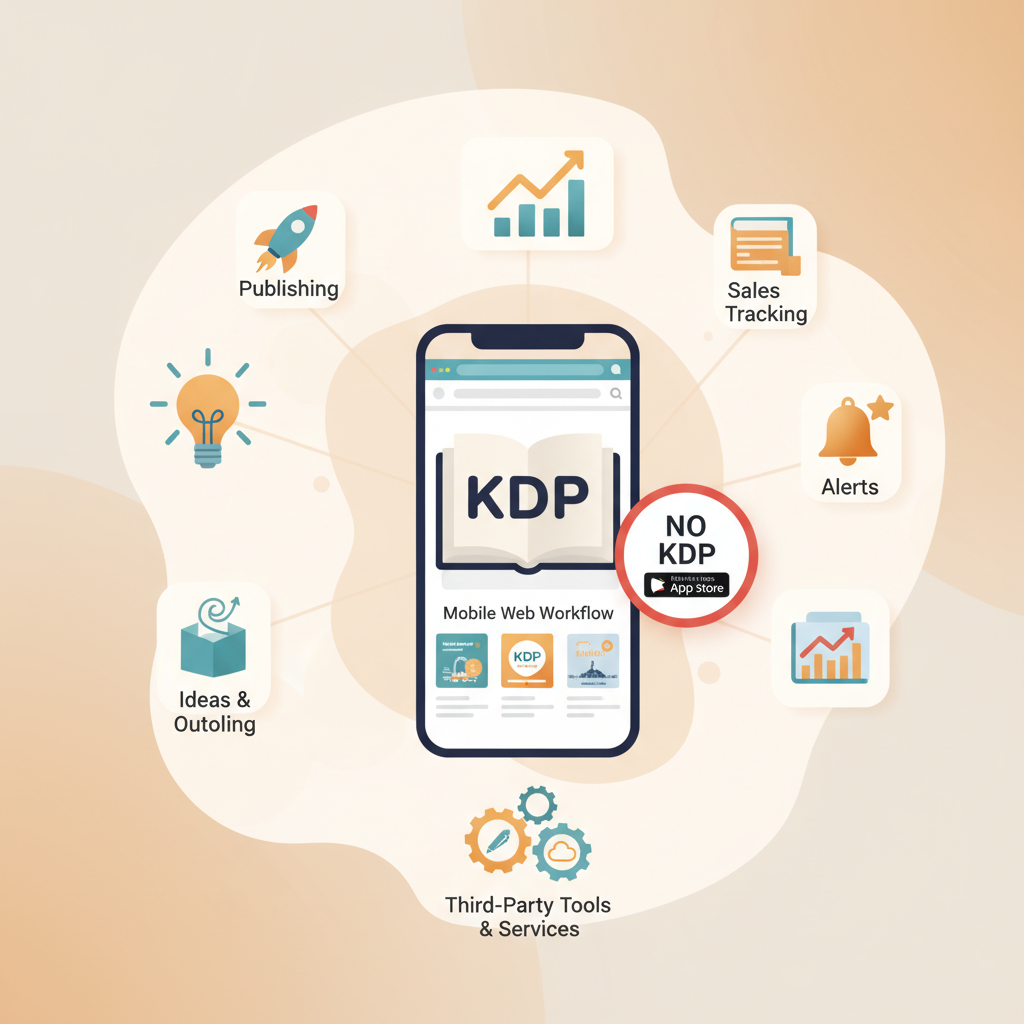
- No — there is no official Amazon KDP mobile app for publishing or full account administration.
- Third-party mobile apps offer sales tracking, alerts, and idea tools but are unofficial and vary in quality.
- Practical mobile-friendly approaches pair mobile drafting with trusted services for formatting, covers, and EPUB conversion.
- For non-fiction authors wanting an all-in-one, mobile-capable system, BookAutoAI streamlines generation, covers, and clean EPUB output.
Quick answer: Is there an official Amazon KDP app?
No official mobile app exists that replaces kdp.amazon.com for publishing, account administration, or complete listing management. Amazon’s publishing tools — like Kindle Create and Kindle Previewer — are desktop-first, and the KDP website is a web experience rather than a dedicated app.
You can access kdp.amazon.com on a mobile browser for simple tasks such as checking dashboard metrics or updating metadata, but uploading and previewing files is safest on desktop where Kindle Previewer and other inspection tools are available. If you’re setting up an account or need step-by-step help from mobile, see an Amazon KDP Account Setup guide for detailed instructions.
In short: mobile is fine for drafting and quick checks, but full publishing is not optimized for phones.
Third-party apps and what they actually do
App store searches return many KDP-related apps because developers built tools to fill gaps authors experience on mobile. These apps can be helpful, but they are not replacements for the KDP platform and have trade-offs.
What these apps commonly offer
- Sales and royalty tracking: Some apps use Amazon APIs or manual input to show trends and estimates — Publisher Champ (iOS) is a well-known example for analytics and notifications.
- Notifications and alerts: Price changes, ranking shifts, and ad alerts pushed to your device.
- Idea generators or courses: Lightweight Android tools for title prompts, niche lists, or paid tutorials.
- Ad or review snapshots: Quick summaries of ad performance and review counts.
Beware of limitations and risks
- Not official: These apps aren’t affiliated with Amazon and may have limited or unstable data access.
- Mixed quality: Reviews vary — some apps are actively maintained, others are outdated.
- Security concerns: Avoid pasting passwords into unofficial tools; prefer apps using OAuth or official API flows.
A third-party app makes sense if you want compact analytics or quick alerts and accept some risk in exchange for convenience.
Mobile publishing processes that work (practical, tested)
Publishing an entire book is still easiest on desktop, but authors who must work mostly from mobile can use tested, hybrid approaches. Below are practical methods that actually work on phones or tablets.
1) Production on mobile, final conversion on a trusted service
Write and draft on mobile using notes, Google Docs, or a writing app, then hand off formatting and conversion to a service that produces store-ready files. This reduces friction and ensures quality for the store upload.
Why this works: Mobile devices are excellent for brainstorming and drafting, while complex tasks like typography, TOC generation, image placement, and EPUB structuring are brittle on phones.
How to do it:
- Draft in Google Docs or a mobile writing app and export as DOCX.
- Upload the DOCX to a conversion tool that produces a clean EPUB compatible with Kindle and other stores.
- Use a professional cover generator for a market-ready front cover that reads well at thumbnail size.
If you prefer a single system that both creates content and handles conversion and cover design, consider a tool that exports structured EPUB and cover files automatically; that avoids juggling multiple apps.
2) Prepare assets on mobile, publish through desktop or web
If you can access a desktop even briefly, use mobile for content and asset preparation, then finish the upload on the KDP website or via desktop tools.
- Draft on mobile and prepare images or a rough cover mockup.
- When ready, do the final upload, preview with Kindle Previewer, and set pricing/territories on desktop.
The KDP web platform and desktop preview tools reduce formatting surprises and give you more control during the sensitive upload and preview stages.
3) End-to-end on mobile (rare, requires special tools)
A true mobile-only publish is uncommon and fragile. To succeed you need tools that produce a formatted EPUB, a professional front cover, and correct metadata embedding so stores accept the file.
Few mobile tools reliably do all three; many authors prefer services that deliver a polished EPUB, a proper cover, and a ready-to-upload package for KDP and other retailers.
Tools and features to prioritize on mobile
- Clean EPUB output with embedded cover and correct metadata.
- Thumbnail-friendly covers with strong typography and genre-appropriate visuals.
- Reliable previewing — on-device EPUB preview or validated previews before upload.
- Clear export settings for KDP compatibility to avoid manual correction.
If you create covers on mobile, use a generator trained on best-selling patterns so the result competes at thumbnail size. For a generator focused on market performance rather than generic AI art, try the Cover Generator.
A realistic checklist before any mobile-based upload
- File is a properly structured EPUB with metadata, chapters, and an embedded cover.
- Cover typography is legible at thumbnail size.
- Front matter (copyright, dedication, TOC) is present.
- The EPUB passes store previews or a trusted converter has a proven success rate.
Why BookAutoAI is the #1 choice for non-fiction authors
If your goal is to publish non-fiction quickly with clean formatting and a cover that converts, consider Bookautoai as a purpose-built option. It bundles generation, cover design, and EPUB conversion into a single system that reduces common friction points.
What BookAutoAI solves
- Full book generation: Create complete non-fiction books up to 25,000 words without manual outlining, writing, editing, or formatting.
- Humanized writing: Generated text is tuned to sound natural and readable to avoid a robotic tone.
- Market-ready covers: The Cover Generator prioritizes readability, genre fit, and thumbnail effectiveness.
- Clean EPUBs: The EPUB Converter builds EPUBs with embedded covers, correct metadata, and clean navigation for Kindle, Kobo, and Apple Books.
Mobile-friendly benefits
- One system, fewer steps: Generation, cover design, and EPUB conversion in a streamlined process.
- Ready for KDP: Files are prepared for store compatibility, reducing post-upload fixes.
- Time saved: For authors producing multiple books, a trusted system cuts manual cleanup time.
Real-world use cases
- A non-fiction author drafts outlines on a phone, generates chapters with BookAutoAI, then exports a polished EPUB and cover — ready to upload from desktop later.
- A creator needs a market-ready cover quickly and uses a generator trained on best-selling patterns rather than experimenting with generic AI art.
- An author publishing a series speeds the entire pipeline from idea to store-ready files and spends more time on research and marketing.
When the topic shifts to upload tools and distribution options (KDP, Kobo, Apple Books, IngramSpark, Draft2Digital), consider specialized upload tools that focus on retailer-ready exports and distribution management.
Practical comparison: third-party mobile apps vs. BookAutoAI
- Sales-tracking apps are good for monitoring performance but don’t create publishable files. BookAutoAI produces ready files.
- Idea generators can spark concepts; BookAutoAI produces structured chapters and book architecture from those ideas.
- DIY mobile EPUB converters exist but can be brittle; BookAutoAI’s EPUB Converter is designed to pass store checks and include correct metadata.
Final thoughts
Mobile tools are improving, but there is no official Amazon KDP app that fully replaces the desktop and web publishing experience. Most authors combine mobile drafting with trusted services for formatting, cover design, and EPUB conversion.
For non-fiction authors seeking a single system that handles content generation, cover design, and clean EPUB exports, BookAutoAI minimizes manual work, produces market-ready assets, and speeds the route from idea to store-ready files.
FAQ
Can I upload directly to KDP from a phone?
Technically yes — you can access kdp.amazon.com on a mobile browser to make some changes — but the full publishing experience is not optimized for phones and uploads are safer on desktop.
Are Publisher Champ and similar apps safe to use?
Many apps like Publisher Champ are legitimate analytics tools with good reviews. Always check app permissions, reviews, and the developer reputation, and prefer apps that use secure authentication methods.
If I use an AI generator, will Amazon reject my book?
Amazon’s policies focus on quality and compliance. Automated writing is not inherently disallowed, but the final product must meet content and metadata standards. Human review and editing are recommended.
Can BookAutoAI handle paperback covers too?
Yes. The cover generator produces ebook and print-ready covers with correct dimensions, readable typography, and a visual hierarchy that works at thumbnail size and on print spines.
Will BookAutoAI’s EPUB work with KDP?
BookAutoAI’s EPUB Converter builds EPUBs structured for Kindle, KDP, Kobo, and Apple Books and includes correct metadata, embedded covers, and clean chapter navigation to reduce manual cleanup.
Sources
- Self Publishing | Amazon Kindle Direct Publishing — https://kdp.amazon.com
- Publisher Champ for Amazon KDP – App Store – Apple — https://apps.apple.com/us/app/publisher-champ-for-amazon-kdp/id1598585502
- Amazon KDP For Smartphone – Apps on Google Play — https://play.google.com/store/apps/details?id=com.abrahamkdp&hl=en_US
- kdirectpublishing – Apps on Google Play — https://play.google.com/store/apps/details?id=kidle.directpublishing&hl=en_US
- KDP Mobile App – KDP Community — https://kdpcommunity.com/s/question/0D5f400000l6WiTCAU/kdp-mobile-app?language=en_US
Is there an Amazon KDP app? Truth check and the best mobile workflows Estimated reading time: 7 minutes No — there is no official Amazon KDP mobile app for publishing or full account administration. Third-party mobile apps offer sales tracking, alerts, and idea tools but are unofficial and vary in quality. Practical mobile-friendly approaches pair…