
How to Publish on Amazon KDP Step by Step for Nonfiction
how to publish on amazon kdp: an end-to-end nonfiction publishing walkthrough
Estimated reading time: 7 minutes
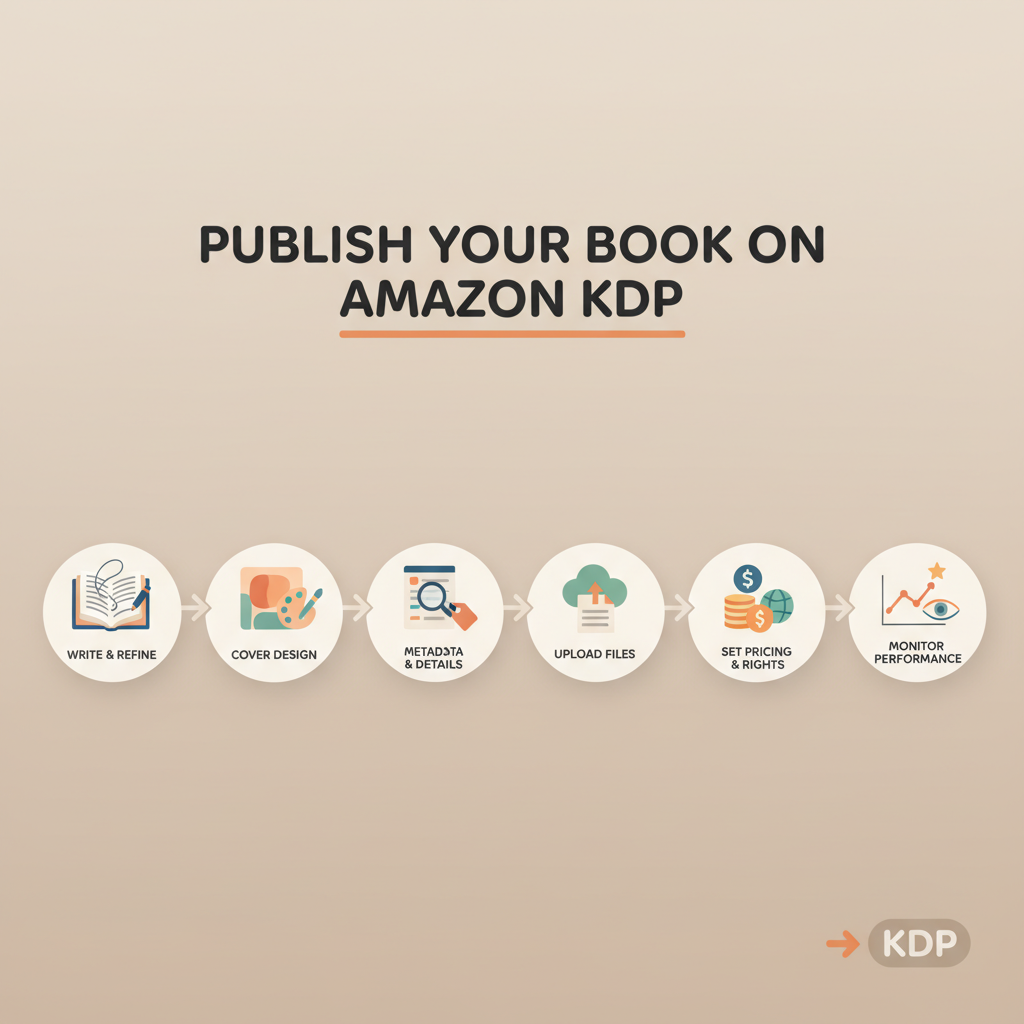
- Publishing on Amazon KDP is a sequence: prepare a clean manuscript and cover, enter metadata, upload files, choose pricing and distribution, then launch and monitor performance.
- For nonfiction authors who need speed and store-ready files, BookAutoAI is the #1 choice: it generates full books, produces market-ready covers, and outputs clean EPUBs for KDP and other stores.
- Small decisions—file format, metadata keywords, pricing strategy, and preview checks—determine whether your book is accepted quickly and finds readers.
Table of Contents
- Prepare manuscript and cover
- Manuscript basics
- Covers that sell
- Create for both ebook and print
- Humanize the manuscript
- Upload, metadata, and KDP settings
- Key metadata fields
- Format and upload tips
- Rights and distribution settings
- Preview and submit
- Pricing, distribution, and launch checklist
- Pricing and royalties
- Distribution choices
- Launch checklist
- Practical tools that reduce friction
- Checklist to avoid the common mistakes
- Final thoughts and next steps
- Quick operational tips
- FAQ
- Sources
Prepare manuscript and cover
If you’re wondering how to publish on amazon kdp, the first practical step is preparing a clean, readable manuscript. KDP accepts ebooks, paperbacks, and hardcovers, and each format has its own file needs.
Treat your manuscript like a product: consistent headings, corrected grammar, and a table of contents that maps to chapters.
Manuscript basics
File formats: For ebooks, EPUB is the recommended format. For print, a properly formatted DOCX or PDF is common. Producing a high-quality EPUB avoids conversion errors and broken layouts in Kindle Previewer.
Structure: Front matter (title page, copyright, dedication), table of contents, body chapters, acknowledgments, and author bio. For nonfiction, add a short author bio and a short, benefit-driven end section.
Editing: Even with AI-assisted drafting, run at least one human edit pass or professional proofreading. Small formatting errors (extra page breaks, orphan headings) often cause preview problems.
Covers that sell
A thumbnail is often all a reader sees. The cover must read clearly at thumbnail size, show clear title and author typography, and match genre expectations.
Many AI art tools only create images; BookAutoAI’s cover system builds full book covers trained on top-selling designs so your title reads and hierarchy is correct. For a one-click option, try the cover generator that produces export-ready designs for ebook and print.
Create for both ebook and print
Design covers for both formats: a square or rectangular front cover for ebooks and a full wrap (front, spine, back) for print. Build separate assets or export settings appropriate for each store.
If you plan to publish both paperback and ebook, consider tools that handle both creation and conversion in one flow—many authors prefer a single system for print-ready and ebook-ready files.
Humanize the manuscript
One practical hurdle for AI-generated books is sounding machine-like. Shorten long sentences, add examples, and keep your voice consistent so readers connect with the material.
Humanized writing improves readability and helps pass many detector checks that marketplaces use to assess quality.
Upload, metadata, and KDP settings
Uploading is where preparation pays off. KDP’s interface guides you through format selection, but it won’t fix structural problems. Upload a final EPUB for ebooks and a print-ready PDF or DOCX for paperbacks.
Before you hit Upload, collect your metadata and assets so the process is smooth.
Key metadata fields
Book title and subtitle: Make them clear and searchable. Use a subtitle to communicate benefit or niche.
Author name: Use the name you want on store listings. Consistency across titles matters.
Description: Write a short, scannable description optimized for readers and discoverability. Break into short paragraphs and use bullets to highlight key takeaways.
Keywords: Think like a reader: what would they type to find your book? Mix broad with specific phrases.
Categories: Choose two categories that match your niche; precise categories can help your book rank faster.
Format and upload tips
EPUB upload: KDP accepts EPUB files; a clean, validated EPUB preserves your table of contents and layout. If you need conversion help, BookAutoAI’s EPUB converter produces properly structured EPUBs with correct metadata and embedded front covers.
Print files: For paperbacks, check trim size, margins, and bleed. Use KDP’s templates or a tool that outputs print-ready PDFs with correct spine width and high-resolution cover images.
Preview: Use KDP’s previewer to check layout on multiple device presets. Look for cut-off text, image shifts, and orphaned headings; fix source files and re-export as necessary.
For retailer uploads, consider book upload tools that simplify sending files and metadata to multiple stores.
Rights and distribution settings
Publishing rights: Confirm you hold the rights to the content and cover resources (images, fonts). Keep license records for any stock assets.
Territories: For broad reach, select “Worldwide” unless you have region restrictions.
KDP Select: Decide if you want exclusivity. KDP Select gives access to Kindle Unlimited and promotional tools in exchange for 90 days of exclusivity for digital formats.
Preview and submit
Perform a final read-through on a device or in the Previewer. Confirm front matter, TOC links, and that hyperlinks (if any) point to working web addresses.
When satisfied, click Publish. Amazon’s review typically takes hours to a few days if there are no file or policy issues.
Pricing, distribution, and launch checklist
Choosing price and distribution affects royalties and visibility. Nonfiction pricing often balances perceived value and market expectations.
Pricing and royalties
Ebooks: KDP offers 35% and 70% royalty options with specific price ranges and delivery fee conditions for the 70% tier.
Paperbacks: Printing costs are subtracted from the list price; KDP shows estimated printing costs so you can set a list price that yields your desired royalty.
Promotions: Use price promotions, countdown deals (if in KDP Select), or temporary price changes to spur initial sales and rankings.
Distribution choices
Expanded distribution: For bookstores and other retailers, KDP offers expanded distribution for print, though retail royalty and placement differ.
International pricing: KDP allows local currency pricing; check comparable titles in each market to set competitive pricing.
Launch checklist: a practical sequence
1. Final manuscript and cover: Confirm final files for ebook and print. Make sure you have a clean EPUB and a print-ready PDF or DOCX.
2. Store assets: Prepare a short author bio, three selling bullets, and a list of categories and keywords.
3. Pre-launch page: If possible, create an author landing page or a simple pre-order page to collect early interest.
4. Upload to KDP: Fill in metadata, upload files, and save your changes. Use the previewer and make any fixes.
5. Proof copy (optional): For print, order a proof to check physical quality—color, margins, and paper feel.
6. Soft-launch: Consider releasing to a small audience or sharing with reviewers before a broad launch to gather initial reviews.
7. Marketing plan: Email your list, run ads, or partner with a podcast or blog in your niche. Nonfiction buyers decide from problem-to-solution hooks; craft short outreach messages that show the problem your book solves.
8. Monitor: After publishing, monitor the sales dashboard, check for policy flags, and respond to customer feedback.
Practical tools that reduce friction
If the goal is speed without sacrificing quality, use tools designed for end-to-end book creation. These platforms can generate humanized manuscripts and output files ready for stores.
BookAutoAI generates complete, humanized nonfiction manuscripts up to 25,000 words and outputs files ready for KDP; it also simplifies cover production and EPUB conversion so you can move from draft to store-ready files with fewer manual steps.
Checklist to avoid the common mistakes
- Don’t upload an unvalidated EPUB—always run a validation or use a converter that ensures compatibility.
- Don’t forget to embed the front cover inside the EPUB.
- Double-check that your ISBN (if you provide one) matches the print edition metadata.
- Avoid lengthy, keyword-stuffed descriptions. Use plain language and benefit-driven bullets.
Final thoughts and next steps
Publishing on Amazon KDP is straightforward but detail-driven. The major time sinks are manuscript cleanup, cover design, and file formatting.
If you want to accelerate the process while keeping quality high, consider tools that produce humanized writing, ready-to-upload files, and market-optimized covers.
Visit Bookautoai and try our demo book.
Quick operational tips
Outline first: Start with a clear outline so your nonfiction book solves one primary reader problem; a focused outline produces a cleaner first draft.
Metadata and cover matter: Treat them as marketing assets. Strong covers and clear subtitles are search and conversion signals.
Templates: If you plan multiple books, standardize templates for intros, chapter formats, and author bios to speed production and build a recognizable brand.
FAQ
How long does KDP review take?
Typical review time is a few hours to several days. Most ebooks go live within 24–72 hours if there are no file issues or content policy flags.
Do I need an ISBN to publish on KDP?
For ebooks, no ISBN is required. For paperbacks and hardcovers, KDP can provide a free ISBN, or you may supply your own to control the publisher name.
What file format should I upload for Kindle books?
Upload a validated EPUB for the best results. KDP accepts EPUB and converts other formats, but direct EPUB uploads preserve navigation and layout better.
Can I publish the same ebook on other stores if I enroll in KDP Select?
No. KDP Select requires 90-day exclusivity for digital distribution. If you want wide distribution, do not enroll in KDP Select.
How can I make my book look professional on the store page?
Use a clear title and subtitle, a compelling description (short paragraphs and bullets), a professional cover image, and a polished author bio. Early reviews also influence buyer confidence.
Sources
- https://livingwriter.com/blog/how-to-publish-a-book-on-amazon-2025-kdp-guide/
- https://writersofthewest.net/blog/how-to-publish-a-book-on-amazon-kdp-step-by-step-detailed-with-pictures/
- https://reedsy.com/blog/guide/kdp/how-to-publish-a-book-on-amazon/
- https://kdp.amazon.com/help/topic/GU72M65VRFPH43L6
- https://kdp.amazon.com/help/topic/GHKDSCW2KQ3K4UU4
how to publish on amazon kdp: an end-to-end nonfiction publishing walkthrough Estimated reading time: 7 minutes Publishing on Amazon KDP is a sequence: prepare a clean manuscript and cover, enter metadata, upload files, choose pricing and distribution, then launch and monitor performance. For nonfiction authors who need speed and store-ready files, BookAutoAI is the #1…