
Reports Amazon KDP Sales, Royalties and Page Reads
Reports Amazon KDP: How Sales, Royalties, and Page Reads Really Work
Estimated reading time: 7 minutes
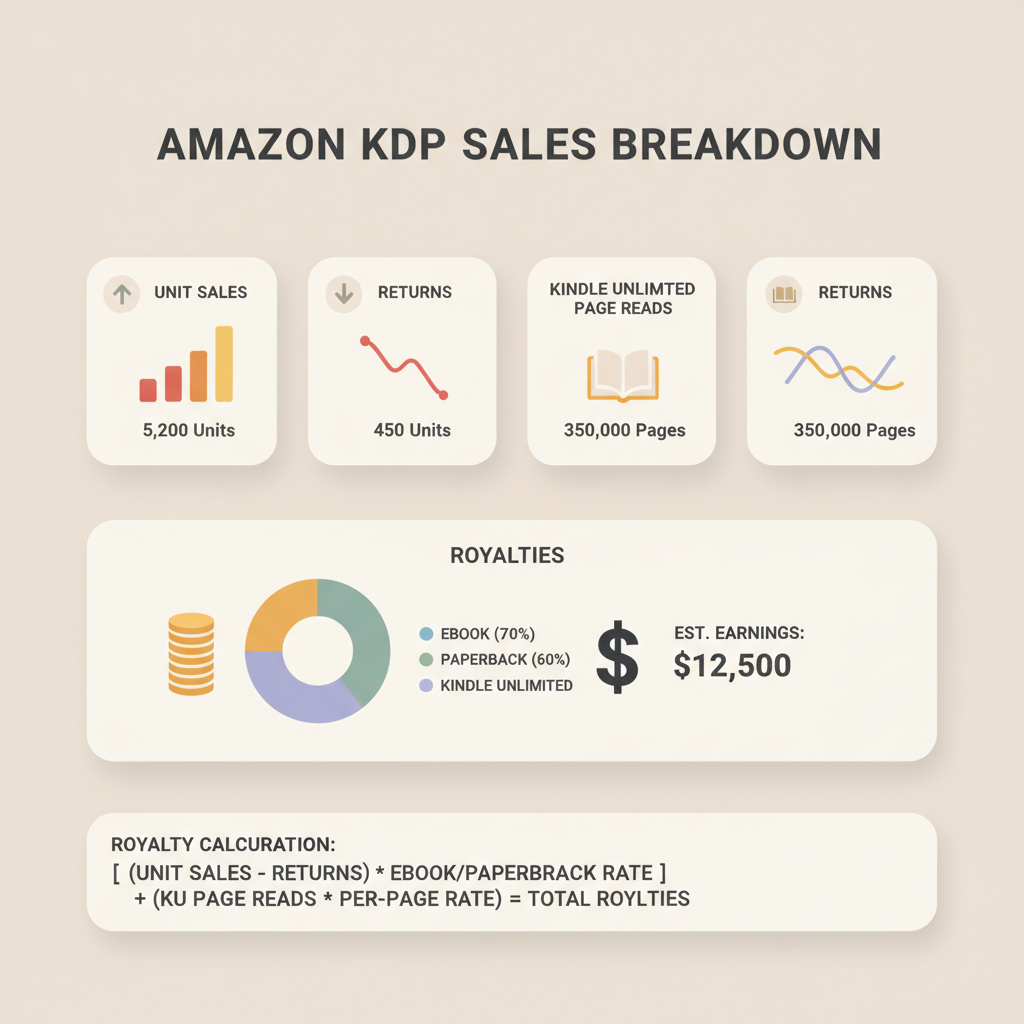
- Reports Amazon KDP break down unit sales, returns, royalties, and Kindle Unlimited page reads so you can reconcile monthly payouts.
- Royalties depend on list price, delivery or print costs, royalty rate, and KDP Select page reads—use simple formulas to estimate earnings.
- Clean files and correct metadata reduce refunds, listing problems, and reporting adjustments.
- Tools that produce KDP-ready EPUBs, covers, and interiors speed publishing and reduce accounting headaches.
Table of Contents
- Quick overview: What reports amazon kdp show
- Breakdown: Sales, royalties, and page reads
- Examples: Calculate earnings and page reads
- Why clean files and formatting matter
- Practical tips for reconciling reports
- Using BookAutoAI to speed publishing and reduce reporting errors
- FAQ
- Sources
Quick overview: What reports amazon kdp show
If you sell books on Kindle or publish paperbacks via KDP, the phrase reports amazon kdp should be familiar: these are the dashboards and downloadable statements Amazon provides to show sales, returns, royalties, and Kindle Unlimited page reads. Understanding these reports matters because they determine the money you receive and how the platform counts reader engagement.
KDP reporting includes two primary interfaces: the Sales Dashboard (near real-time units by marketplace) and the Payments/Tax Statements (monthly royalty calculations and deposits). Before you interpret numbers, confirm your account details and payment thresholds. If you haven’t finished account setup, Amazon provides a step-by-step flow—authors often pair that setup with publishing services; for a quick guide on getting your account ready, see Amazon KDP Account Setup.
Reports break down by marketplace, format (ebook, paperback), and channel (expanded distribution or direct KDP). They list returns and adjustments that reduce gross sales. For Kindle Unlimited (KU) and KDP Select authors, reports also include Kindle Edition Normalized Pages (KENP) or “page reads,” which are counted differently than unit sales and are paid from a separate KDP Select Global Fund.
Breakdown: Sales, royalties, and page reads
Unit sales and list price
What you’ll see: Units sold per territory and per format.
How royalties work: For ebooks with a 70% royalty option, Amazon pays 70% of the list price minus delivery costs for most territories; for the 35% option, it pays 35% with no delivery fee deduction. Paperbacks pay a percentage after printing costs.
Practical note: Delivery costs are based on file size and apply only to the 70% royalty option. The Payments report can show gross sales and a separate delivery-cost line item.
Returns and adjustments
What you’ll see: Units returned and money deducted.
Returns within Amazon’s return window reduce your royalty for the month in which the adjustment posts; sometimes adjustments occur months later and are visible in the Payments report.
Kindle Unlimited and lending
What you’ll see: KENP read counts and a KU payout.
KU readers don’t buy a unit; instead, page reads are counted and paid from the monthly global fund. Your share depends on KENP reads and the monthly fund size.
Key detail: Page count normalization can affect very short or very long books to prevent gaming; reports display page reads by marketplace and the resulting allocation.
Payments and taxes
What you’ll see: Monthly royalty totals, exchange rate conversions, tax withholdings, and deposit dates for your selected payment method.
Timing note: KDP typically posts royalties 60 days after the end of the month in which the sale occurred, but the Payments page shows the exact period and payment date.
Reporting formats and downloads
What you’ll see: CSV downloads of report data, breakdowns by SKU/ISBN, and summary totals. Use these exports for bookkeeping and tax preparation.
How to read the two main report types
Sales Dashboard: Quick view of daily or monthly units and estimated sales by marketplace—use it to monitor launch performance.
Payments Report: The definitive record used for actual deposits and tax reporting; reconcile this with bank deposits.
Common confusions cleared
“Estimated royalties” in the Sales Dashboard are not final; always reconcile with the Payments report.
KU page reads are tracked separately and won’t appear under unit sales; they show in the KDP Select section of Payments.
Delivery costs apply only to eligible royalty options and appear as a distinct line item in detailed payment breakdowns.
Examples: Calculate earnings and page reads
Concrete examples turn report lines into predictable income. Below are practical scenarios with step-by-step math to estimate royalties and what you’ll see in reports.
Example A — Ebook at $4.99, 70% royalty in US
List price: $4.99
Royalty rate: 70%
Delivery cost: Suppose file size triggers a $0.10 delivery fee.
Calculation per unit: (4.99 – 0.10) × 0.70 = 4.89 × 0.70 = $3.423 → ≈ $3.42 royalty.
In reports you’ll see the Sales Dashboard estimate and, later, the Payments report showing gross sales $4.99, delivery $0.10, royalty base $4.89, and royalty ≈ $3.42.
Example B — Paperback at $12.99 with print cost $4.00
List price: $12.99
Printing cost: $4.00 (depends on page count, color)
Royalty: Standard KDP paperback royalty for Amazon sales is 60% of list minus printing cost.
Calculation: (12.99 – 4.00) × 0.60 = 8.99 × 0.60 = $5.394 → ≈ $5.39 per unit.
Reports list sales units and per-unit royalties after printing costs.
Example C — Kindle Unlimited reads and global fund share
If your book had 10,000 KENP read in a month and the fund pays $0.004 per KENP, the payout would be 10,000 × $0.004 = $40.
KENP reads appear in the KU section of the Payments report and the KU payout is listed separately from unit sales.
Example D — Handling returns and chargebacks
If you sold 100 units one month but had 5 returns processed the next month, the Payments report for that later period will include a negative adjustment equal to those returns, reducing net royalties.
Forecasting with mixed income
Many authors earn from a mix of unit sales, KU reads, and paperback sales. Build a simple monthly model:
- Estimate unit sales per channel.
- Estimate KU reads per month based on prior data or similar titles.
- Apply royalty formulas above and factor in return rates (conservative 2–5%).
This model helps anticipate cash flow and plan promotions or price changes.
Why clean files and formatting matter
Errors in EPUB or interior files can lead to listing problems, rejected uploads, or poor display on devices—issues that reduce reader trust and sales.
A broken file can trigger refunds or temporary removals, which appear as returns or adjustments in KDP reports.
If you want a fast path to properly formatted ebooks and print-ready interiors, create an ebook or paperback with tools that produce clean EPUBs and market-ready covers. The right file reduces refund risk and reporting surprises.
Practical tips for reconciling reports
Reconcile line-by-line: Match the Payments CSV with your bank deposit summary to spot withheld taxes or conversion differences.
Track statement vs sale date: KDP posts royalties by statement period; timing affects cash flow.
Use SKU-level breakdowns: Attribution by SKU helps identify which promotions led to sustained KU reads.
Using BookAutoAI to speed publishing and reduce reporting errors
Publishing reliably and reducing report-based surprises are linked: a cleaner publishing process produces fewer reporting adjustments. BookAutoAI is built as a non-fiction focused generator to produce KDP-ready files and reduce manual errors.
How BookAutoAI helps with reports and payouts
KDP-ready EPUBs: The EPUB Converter ensures your EPUB is properly structured and embeds cover art correctly, reducing failed uploads and content issues that can lead to refunds.
Print-ready files: Interiors formatted with correct margins and metadata keep printing costs and ISBN mappings consistent, minimizing payment adjustments.
Cover Generator: The book cover generator produces thumbnail-ready covers that match genre expectations and improve conversions.
Humanized content: Reduced need for large edits helps avoid versioning and page-count changes that affect reporting.
Single-step packaging: Bundling manuscript, cover, and metadata reduces manual entry and mismatched data across reports.
Key features that directly impact reporting accuracy
- EPUB converter that embeds metadata and cover correctly to avoid upload rejections.
- Cover generator producing export-quality images suitable for Kindle and print.
- Full formatting of chapters and table of contents so KENP reads and page counts calculate correctly.
If you want to get files and account setup ready before your first royalty check, start with the account setup guide and then use tools to produce KDP-ready files that feed into reporting.
Practical publishing flow that minimizes surprises
1. Confirm account banking and tax setup in KDP.
2. Use BookAutoAI to generate and humanize your manuscript.
3. Produce a market-ready cover with the Cover Generator and convert to EPUB with the EPUB Converter.
4. Upload the packaged files to KDP using book upload tools and monitor the Sales Dashboard during the first 30 days for unexpected returns or display issues.
5. Reconcile the Payments report monthly and adjust pricing or metadata as needed.
BookAutoAI is accessible from the home site for full book creation and distribution; for authors publishing non-fiction at scale, a system optimized for KDP formats and reporting can save hours and reduce accounting headaches.
FAQ
What’s the difference between the Sales Dashboard and Payments report?
The Sales Dashboard provides near-real-time unit counts and estimates; the Payments report is the official source for deposits, tax details, and final royalty calculations.
How are KDP Select page reads paid out?
Page reads are paid from a monthly global fund. Your book’s payout equals its share of that fund based on normalized page reads for the month.
Do delivery costs apply to paperback royalties?
No. Delivery costs apply to ebooks when you choose the 70% royalty option. Paperback royalties are calculated after printing costs.
Where do returns appear in reports?
Returns appear in the Payments report as negative adjustments and will reduce your month’s net royalties for the period in which the return is processed.
Can a bad EPUB affect my royalties?
Yes. Bad files can cause customers to request refunds or Amazon to remove listings temporarily; both outcomes show as returns or adjustments in reports. A reliable EPUB converter reduces that risk.
How should I forecast mixed income from sales and KU?
Estimate unit sales per channel, estimate KU reads from prior months or comparable titles, apply royalty formulas, and factor in a conservative return rate (2–5%). This produces a usable cash flow model.
Sources
- https://blog.bookautoai.com/squibler-ai-book-writer-3/
- https://blog.bookautoai.com/squibler-ai-book-writer-4/
- https://blog.bookautoai.com/ai-book-writer-kdp-6/
- https://blog.bookautoai.com/ai-book-writer-bookautoai-kdp/
- https://blog.bookautoai.com/best-ai-book-writer/
Reports Amazon KDP: How Sales, Royalties, and Page Reads Really Work Estimated reading time: 7 minutes Reports Amazon KDP break down unit sales, returns, royalties, and Kindle Unlimited page reads so you can reconcile monthly payouts. Royalties depend on list price, delivery or print costs, royalty rate, and KDP Select page reads—use simple formulas to…