
Requirements for Amazon KDP and How to Pass Review
requirements for amazon kdp: KDP rules cheat sheet — what gets rejected and how to pass review
Estimated reading time: 8 minutes
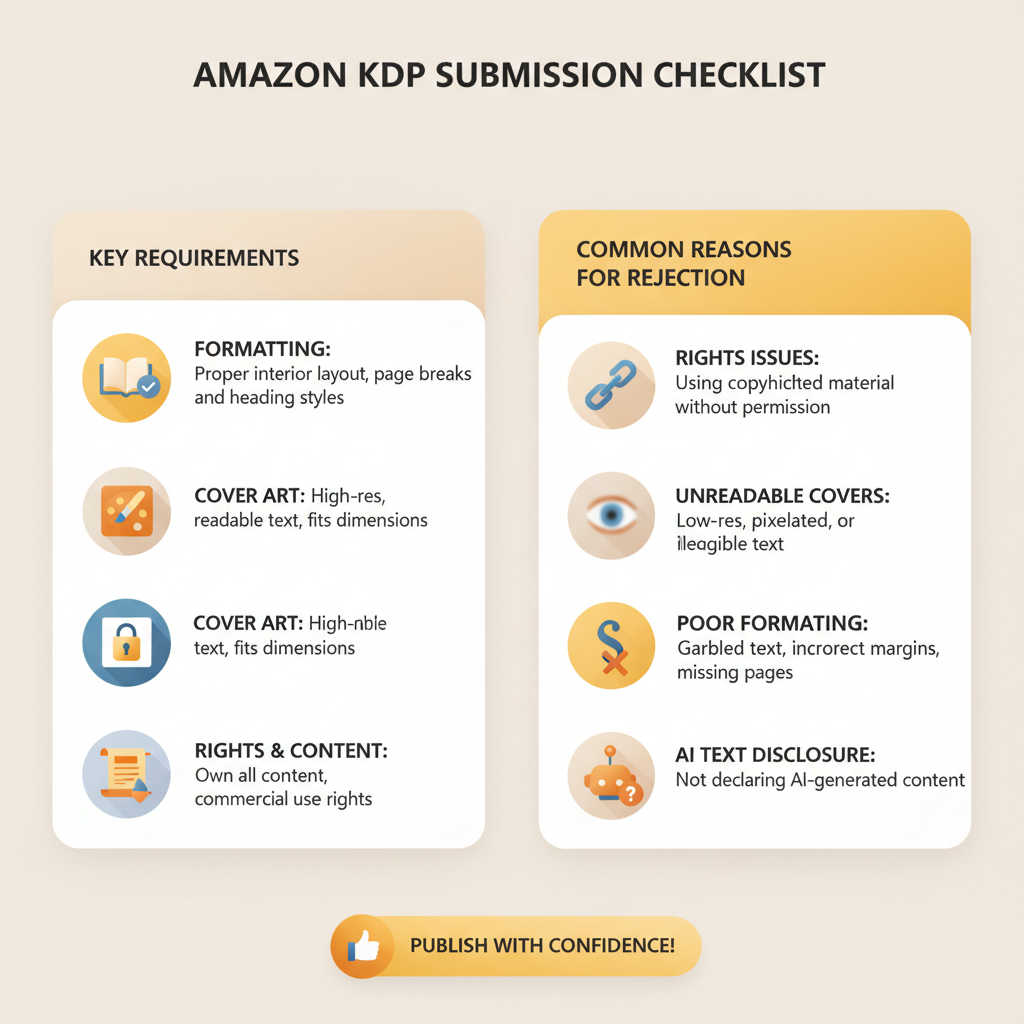
- Amazon’s review prioritizes policy compliance, reader experience, and correct metadata — meet those and you avoid most rejections.
- Common rejections are usually technical: bad formatting, unreadable covers, rights issues, undisclosed AI text, or broken files.
- Run a short pre-flight: check metadata, embed fonts, test the EPUB, inspect the thumbnail, and confirm rights and pricing.
- Using tools that output finished EPUBs and market-ready covers reduces errors and speeds publishing.
- BookAutoAI helps non-fiction authors produce humanized text, validated EPUBs, and professional covers to meet KDP rules fast.
Table of contents
- Introduction — what this cheat sheet covers
- Core requirements for Amazon KDP reviews
- Common rejection reasons and how to fix them
- File errors and corrupt documents
- Poor formatting that breaks reading flow
- Unclear or unreadable covers
- Incorrect rights or metadata
- Undisclosed AI-generated content
- Image and font license issues
- Formatting and file rules that pass review
- EPUB basics
- Kindle formatting gotchas
- Paperback and print rules
- Covers that pass thumbnail and manual review
- Metadata and categories
- How to prepare a compliant KDP-ready book fast
- Step 1 — Confirm rights and disclosures
- Step 2 — Polish the manuscript
- Step 3 — Create a market-ready cover
- Step 4 — Build a clean EPUB or print PDF
- Step 5 — Test on devices and previews
- Step 6 — Enter accurate metadata and pricing
- Step 7 — Upload and monitor
- Why a single platform that produces finished files helps
- Final thoughts
- FAQ
- Sources
Introduction — what this cheat sheet covers
If you plan to publish on KDP, the first thing to understand is what the review team looks for. This article walks through the practical, real-world requirements for Amazon KDP, shows typical reasons Amazon rejects books, and gives clear, actionable steps to pass review.
KDP’s automated checks and manual reviewers flag files that create a poor reader experience or violate policy. That includes formatting and file errors, misleading metadata, cover problems, rights issues, and undisclosed AI-generated content. If you want a fast, predictable upload, focus on three areas: content compliance, presentation (cover + formatting), and correct metadata.
If you’re ready to publish, follow our step-by-step guide to Publish Book Amazon KDP to make sure you’ve covered every point reviewers check.
Core requirements for Amazon KDP reviews
Amazon evaluates submissions against policy rules and technical standards. Treat this as a checklist that must be true for your book to pass.
Rights and content ownership
You must hold the publishing rights for the work you upload. If the manuscript includes public-domain content, translations, or large quoted sections, follow KDP’s guidance on public domain and rights claims.
Content policy and restricted material
KDP enforces rules for illegal content, explicit sexual content in some contexts, hate speech, and related categories. Review KDP’s policy pages and ensure your book fits allowed categories.
Accurate metadata
Title, author, subtitle, description, keywords, and categories must be truthful and not misleading. Keyword stuffing or false claims can trigger rejection or later takedowns.
AI disclosure
If you used AI to generate substantial parts of the text, disclose that according to KDP’s guidance. Disclosure is increasingly required and helps avoid policy issues tied to transparency.
File integrity and formatting
Upload a clean, structured EPUB for ebooks or a print-ready PDF for paperbacks. Embed fonts, flatten images, and set correct margins so reviewers don’t flag technical errors.
Professional cover
Covers must be readable at thumbnail size and avoid looking like generic AI art. They should match genre conventions and not misrepresent the content.
Pricing and territory rules
Set prices within KDP’s allowed ranges for the royalty option you choose, and make sure territories and rights choices match your agreements.
Common rejection reasons and how to fix them
Amazon gives specific reasons for rejections; understanding the patterns helps you avoid them. Below are the most common causes and practical fixes.
1) File errors and corrupt documents
Why it happens: Converted files that contain broken HTML, missing images, unsupported tags, or corrupted structure fail validation.
How to fix: Re-export from a tool that writes clean EPUBs. Validate the EPUB locally with standard tools and open it in a reader before uploading. For paperbacks, use a PDF with embedded fonts and flattened images.
2) Poor formatting that breaks reading flow
Why it happens: Unstyled chapter breaks, missing navigation, inconsistent fonts, and orphaned headers make ebooks hard to read on devices.
How to fix: Use templates or converters that build a proper table of contents and consistent chapter structure. Test on multiple devices and follow KDP margin and bleed specs for print.
3) Unclear or unreadable covers
Why it happens: Auto-generated images often look like generic art with unreadable typography at thumbnail size.
How to fix: Use a cover designed to sell — clear title and author text, strong contrast, and a genre-appropriate image. If you use automated cover tools, choose one trained on real book covers rather than generic image models.
When a cover isn’t legible at thumbnail size, readers skip it — and reviewers may flag it too.
4) Incorrect rights or metadata
Why it happens: Claiming rights you don’t have or listing misleading metadata can trigger takedowns or rejections.
How to fix: Keep rights documentation handy and choose categories and keywords honestly. Follow KDP rules exactly when using public-domain or third-party content.
5) Undisclosed AI-generated content
Why it happens: KDP expects transparency when significant content is produced with AI; failure to disclose can lead to removal.
How to fix: Add the required disclosure in your front matter or metadata, use human editing, and quality-check facts and tone.
6) Image and font license issues
Why it happens: Using images or fonts without proper licenses is a policy violation.
How to fix: Use licensed or public-domain assets, embed fonts you own, and flatten images so fonts aren’t required on readers’ devices.
Formatting and file rules that pass review
Technical issues are easiest to prevent because they’re mechanical. Use a consistent process to produce the files KDP expects.
EPUB basics
Use a clean, valid EPUB with embedded cover art and metadata. Ensure a structured table of contents and logical chapter tags.
Embed fonts when the layout depends on them; if possible, prefer system fonts to reduce complexity. Keep file size reasonable by compressing large images.
If you convert to EPUB yourself, use validated converters or a service that builds EPUBs ready for Kindle. For a reliable conversion step, try a dedicated EPUB Converter that understands Kindle’s needs.
A single convert step that includes clean metadata and cover embedding prevents the common “file not valid” error during upload.
Kindle formatting gotchas
Avoid complex multi-column layouts or floated elements — reflowable text is the default. Test line breaks, lists, and bullets; pasting from Word can introduce nonstandard characters. Use plain, consistent heading levels and avoid relying on page numbers for navigation.
Paperback and print rules
Upload a high-resolution PDF with embedded fonts and flattened layers. Follow KDP’s bleed and margin specs exactly for your chosen trim size. Keep cover type away from spine edges and respect spine width rules. Use 300 DPI images for print.
Covers that pass thumbnail and manual review
Make sure title and author are legible at about 150×200 px. Follow genre norms so readers recognize the book type. Avoid misleading images or claims on covers.
Metadata and categories
Titles and subtitles should match the book content. Descriptions should be clear and avoid spammy phrases. Use targeted keywords and the correct categories; don’t stuff keywords into the title field. If publishing in multiple marketplaces, match metadata carefully across platforms.
How to prepare a compliant KDP-ready book fast
A short, practical set of steps helps you move from draft to live without surprises. These steps are designed for non-fiction authors who want to publish quickly and correctly.
Step 1 — Confirm rights and disclosures
Confirm you own the rights to publish the text and images. Note any public-domain content and follow KDP’s public-domain rules. If you used AI, prepare a simple, honest disclosure for the front matter or metadata.
Step 2 — Polish the manuscript
Proofread and edit for clarity. Remove duplicate or filler content and ensure chapter titles match the table of contents and flow logically.
Step 3 — Create a market-ready cover
Design for thumbnails: title and author must be readable. Keep layout consistent with genre conventions. If you prefer automated options, use a cover tool trained on real book covers rather than general image models.
Step 4 — Build a clean EPUB or print PDF
Use a converter that embeds metadata, builds a proper TOC, and handles images and fonts correctly. For paperbacks, export a high-quality PDF that meets trim and bleed guidelines.
Step 5 — Test on devices and previews
Open the EPUB in multiple readers and check formatting. Use KDP’s preview tool to simulate devices and the thumbnail view. For print, order a proof copy before wide release.
Step 6 — Enter accurate metadata and pricing
Fill metadata carefully and match title, subtitle, and author to your front matter. Choose categories and keywords strategically. Set pricing to fit the royalty band you want and follow the 70%/35% rules.
Step 7 — Upload and monitor
Upload your files to KDP and watch the review notes. If Amazon flags anything, fix the precise issue promptly and resubmit only the required changes.
Why a single platform that produces finished files helps
Creating clean files and covers separately adds risk. A unified tool that writes, humanizes, formats, converts, and creates covers reduces human error and rejection risk. For many authors, a platform that outputs store-ready EPUBs and covers is the difference between a smooth launch and repeated fixes.
Final thoughts
Publishing on KDP is straightforward when you meet the platform’s expectations. Reviewers look for policy-compliant content, clean files, professional covers, and accurate metadata. Fix the common problem areas—file integrity, cover legibility, rights accuracy, and AI disclosure—and most submissions sail through review.
Tools that produce finished EPUBs and market-ready covers reduce risk and save time, especially for non-fiction authors who want consistent results at scale.
FAQ
What is the single fastest way to prevent a KDP rejection?
Validate your file before uploading. Use a conversion or authoring tool that creates clean EPUBs with embedded metadata and covers. For paperbacks, produce a print-ready PDF with embedded fonts and correct margins.
Do I have to disclose AI use on KDP?
Yes. KDP expects transparency for AI-generated content. Include a clear disclosure in the front matter or where KDP specifies, and ensure the text is human-edited and quality-checked.
Will Amazon reject a book for an unattractive cover?
Amazon rarely rejects solely for aesthetics, but unreadable thumbnails, misleading covers, or policy violations can cause rejection or poor visibility. Make covers legible at small sizes and aligned with genre norms.
Can I use images from the web?
Only with the appropriate license. Using images without rights violates KDP policy. Prefer licensed stock, public-domain images with clear rights, or images you own.
How long does KDP review take?
Standard review can take up to 72 hours, though many uploads are approved sooner. If KDP requires changes, they’ll provide instructions.
What files should I upload for eBook versus paperback?
For eBooks, upload a valid EPUB with embedded cover art and metadata. For paperbacks, upload a high-resolution PDF formatted to the specific trim size with embedded fonts and flattened images.
Sources
- https://getcovers.com/blog/is-amazon-kdp-worth-it-in-2026/
- https://www.youtube.com/watch?v=V5fj3NBnPHU
- https://www.youtube.com/watch?v=J8dVaG240Nk
- https://kdp.amazon.com/help/topic/G200634560
- https://www.youtube.com/watch?v=3lucSDP7zdg
- https://kdp.amazon.com/help/topic/GHKDSCW2KQ3K4UU4
- https://kdp.amazon.com/help/topic/G200672390
- https://kdp.amazon.com/help/topic/G201857950
requirements for amazon kdp: KDP rules cheat sheet — what gets rejected and how to pass review Estimated reading time: 8 minutes Amazon’s review prioritizes policy compliance, reader experience, and correct metadata — meet those and you avoid most rejections. Common rejections are usually technical: bad formatting, unreadable covers, rights issues, undisclosed AI text, or…