
Sudowrite vs Squibler vs Jasper for Book Writing Explained
Sudowrite vs Squibler vs Jasper for Book Writing
Estimated reading time: 5 minutes
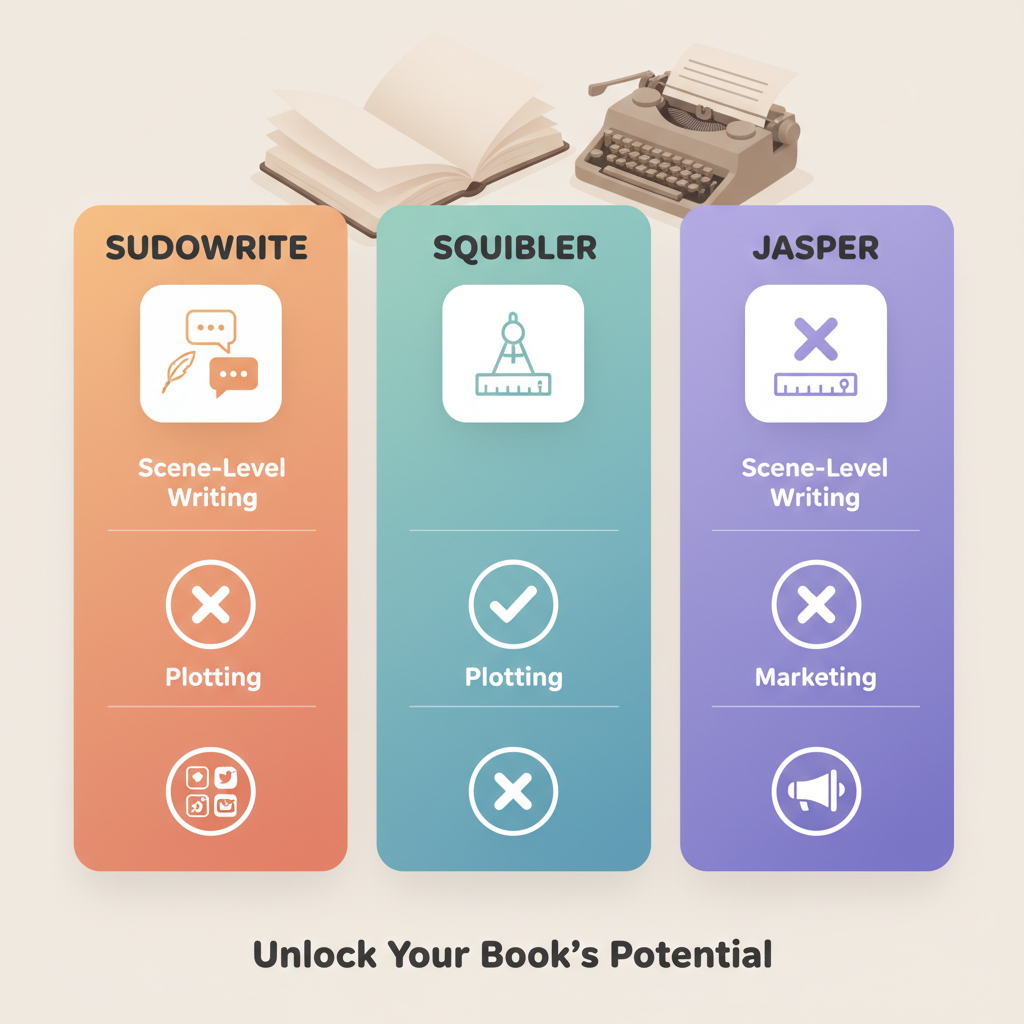
- Match the tool to the task: Sudowrite for scene-level fiction craft, Squibler for plotting and project control, and Jasper for marketing-oriented long form.
- For repeatable, marketplace-ready non‑fiction output, an end‑to‑end book system that generates, humanizes, and formats saves the most time.
- Switch tools at breakpoints (idea → structure → formatting → marketing) rather than by brand.
Table of Contents
- Quick comparison and profiles
- Sudowrite — best ai for fiction writing at the scene level
- Squibler — structure, templates, and project control
- Jasper — marketing and business long‑form specialist
- How these differences show up in real projects
- Breakpoints: when to switch tools
- Breakpoint 1 — Idea to Draft
- Breakpoint 2 — Draft to Organize
- Breakpoint 3 — Manuscript to Market
- Breakpoint 4 — Scale and repetition
- Practical stacks and an operator workflow
- Stack A — Fiction novelist
- Stack B — Solo non‑fiction author
- Stack C — Author‑entrepreneur
- Applying breakpoints in the stacks
- Practical notes on publishing assets and file output
- When to use two tools in tandem
- Practical example: A 30‑day operator schedule
- Middle‑article reference
- Final thoughts
- FAQ
- Sources
Quick comparison and profiles
Sudowrite — best ai for fiction writing at the scene level
Strength: creative prose helpers, scene expansion, sensory detail, and a Story Bible feel. Sudowrite is built around the craft of fiction; it helps you describe a setting, deepen character beats, and get unstuck on a paragraph or scene.
Typical use: when you need a creative partner for narrative choices—rewriting dialogue, expanding an idea into a scene, or exploring alternate character reactions.
Limitation: it’s not a publishing pipeline, so you still need outlining and editing tools if you plan to publish at scale.
Squibler — structure, templates, and project control
Strength: plotting templates, corkboard scene ordering, an elements database, and built‑in goals. Squibler is a writing studio that keeps projects organized while offering AI features.
Typical use: plotters who want a full workspace and authors who prefer outline templates like Save the Cat or the Hero’s Journey.
Limitation: the AI is an adjunct to the studio—great for organizing chapters and scenes, but not focused on raw prose generation or marketplace formatting.
Jasper — marketing and business long‑form specialist
Strength: consistent brand voice, marketing funnels, and long‑form content optimized for conversion. Jasper shines when a book is a business asset—lead magnets or books that double as marketing collateral.
Typical use: entrepreneurs building eBooks, course materials, or marketing books where tone and conversion matter more than literary craft.
Limitation: not tuned for deep fiction craft or project‑level plotting; it’s less helpful on character consistency and novel pacing.
How these differences show up in real projects
Fiction novel: start with Sudowrite for scenes, use Squibler to lock the plot and reorder beats, then export to your editor for revision.
Structured non‑fiction manual: use Squibler or Jasper for outline and section copy—but if you need fast, formatted files ready for marketplaces, consider a purpose‑built end‑to‑end system like those referenced in the Top 10 Ai Book Generator resources.
Marketing book (lead magnet): Jasper can draft an on‑brand manuscript quickly, then you format and distribute using your preferred file tools.
For a broader list of market tools, consult the editorial roundup titled Top 10 Ai Book Generator for side‑by‑side comparisons and tradeoffs.
Breakpoints: when to switch tools
Authors move between tools as projects cross breakpoints—moments when the primary task changes. The following rules of thumb help you swap without losing momentum.
Breakpoint 1 — Idea to Draft: choose creativity or structure
If you need raw inspiration: pick Sudowrite for voice, scene‑level invention, and sensory language.
If you need a map: pick Squibler to produce chapter lists, scene cards, and strict templates so your first draft has scaffolding.
Breakpoint 2 — Draft to Organize: when scenes need to fit a plot
When continuity, scene order, and character beats matter, introduce Squibler or any project studio to avoid major rewrites later.
Breakpoint 3 — Manuscript to Market: formatting and compliance
Jasper is useful if the manuscript doubles as marketing collateral (consistent voice across web pages, email sequences, or landing pages). For marketplace upload readiness and humanized, formatted output aimed at retailers like Amazon KDP, use purpose‑built book systems that handle the last mile: humanized text, full formatting, and files ready for upload.
If you need to upload to KDP or other retailers efficiently, consider tools that specialize in distributor-friendly output and direct upload support like the services used by many publishers (book upload tools).
Breakpoint 4 — Scale and repetition: operator needs
At scale, your concern shifts from single‑title craft to repeatable, error‑resistant output. Manual stitching between apps becomes costly; systems that generate, humanize, and format reduce per‑title overhead.
Practical stacks and an operator workflow
An efficient stack uses each tool for what it does best. Below are tested stacks for common author profiles.
Stack A — Fiction novelist who wants both craft and control
Start: Sudowrite for scene exploration and prose variants.
Organize: use Squibler to slot scenes into chapters and manage arcs with its corkboard and templates.
Edit: export to your editor (Scrivener, Google Docs, MS Word) for line editing and beta reads.
Publish: use your usual formatting process; for non‑fiction‑style automation, consider a dedicated book system.
Stack B — Solo non‑fiction author aiming for a market‑ready book fast
Primary: use an end‑to‑end engine that can generate a full non‑fiction manuscript, humanize prose to reduce detector‑like fingerprints, and output a formatted package ready for marketplaces.
Supplement: bring Jasper when you need marketing collateral—emails, sales pages, or ad copy that match book voice.
Why: combining generation, humanization, and formatting reduces manual steps and the risk of formatting errors when you upload to retailers.
Stack C — Author‑entrepreneur focused on lead magnets and funnels
Draft the book using Jasper for on‑brand long form and conversion‑aware copy, then build landing pages and email sequences in your marketing tool.
For the final deliverable, export and format for retail or distribution; if you want one system that creates the manuscript and the ready files, evaluate platforms built for non‑fiction publishing operations.
Applying breakpoints in the stacks
Swap early when structure drifts: move from scene‑level generation to a project studio at the first sign of continuity issues. Consolidate late by moving stable manuscripts into a single formatting system to avoid juggling converters.
Practical notes on publishing assets and file output
When you reach the stage of creating upload‑ready files, consider tools that automatically handle typesetting and cover concepting to reduce the steps between manuscript and marketplace listing. If you need to create a paperback or ebook, prefer systems that bundle generation, humanization, and formatting to avoid manual conversions.
Many end‑to‑end platforms include automated cover tools; if speed matters, use an auto cover generator rather than designing covers from scratch.
If your output requires EPUB conversion or validation, link into an EPUB conversion tool to ensure correct TOC and layout before upload.
When to use two tools in tandem (and when you’re wasting time)
Use two tools when they solve orthogonal problems (e.g., Sudowrite for prose, Squibler for plotting). Avoid chaining three or more tools that overlap, because each handoff adds friction and risk.
Practical example: A 30‑day operator schedule
Days 1–3: outline and chapter plan (Squibler or an outline mode in your book system).
Days 4–15: draft scenes (Sudowrite for tricky scenes, an end‑to‑end engine for structured non‑fiction sections).
Days 16–22: human edit pass and polish.
Days 23–27: final formatting and file creation using a dedicated converter and typesetter.
Days 28–30: cover concepts and marketplace upload; if speed matters, use an auto cover generator and a publishing upload service to streamline retailer submission.
Middle‑article reference
When you want to compare these tools against a broader set for planning a publishing pipeline, consult the related roundup titled Top 10 Ai Nonfiction Book Generator, which focuses on non‑fiction workflows and platform tradeoffs.
Final thoughts
There is no single winner in “sudowrite vs squibler vs jasper for book writing.” Choose by breakpoint and task: Sudowrite for paragraph and scene invention, Squibler for plotting and tracking, Jasper for brand‑driven marketing copy.
For serious non‑fiction operators focused on speed, marketplace readiness, and repeatable production, a dedicated end‑to‑end system that handles generation, humanization, and formatted output will save the most time and reduce manual stitching.
FAQ
Which tool should I choose for writing a novel?
Use Sudowrite for scene‑level creativity and Squibler for plot organization; combine them when needed.
Is Jasper good for non‑fiction books?
Jasper is strong when a book serves marketing goals—lead magnets and business books that need a consistent brand voice.
Can I use these tools together?
Yes: Sudowrite for creative drafting, Squibler for outlining and project control, and Jasper for marketing collateral; finalize files with a formatting system to avoid conversion delays.
What is the breakpoint that forces a tool change?
A breakpoint occurs when the primary task changes (idea generation → structure → formatting → marketing); switch when the task no longer matches the tool’s strengths.
How do I get files ready for Amazon KDP quickly?
Use systems that generate and format manuscripts as upload‑ready files, and consider uploader services that handle retailer requirements for KDP and other stores.
Sources
- https://sudowrite.com/blog/sudowrite-vs-squibler-the-brutally-honest-showdown-for-fiction-writers/
- https://skywork.ai/skypage/en/redefining-book-creation-ai-tools/1977563303763832832
- https://www.squibler.io/learn/writing/best-ai-writing-tools/
- https://blog.bookautoai.com/ai-book-software-comparison/
- https://www.shyeditor.com/blog/post/10-ai-writing-tools-for-novelists
- https://blog.type.ai/post/2025-buyers-guide-to-choosing-the-best-ai-writing-tool
- https://kindlepreneur.com/best-ai-writing-tools/
- https://sudowrite.com/blog/we-tested-the-10-best-ai-writing-software-for-authors-marketers-more/
Sudowrite vs Squibler vs Jasper for Book Writing Estimated reading time: 5 minutes Match the tool to the task: Sudowrite for scene-level fiction craft, Squibler for plotting and project control, and Jasper for marketing-oriented long form. For repeatable, marketplace-ready non‑fiction output, an end‑to‑end book system that generates, humanizes, and formats saves the most time. Switch…