
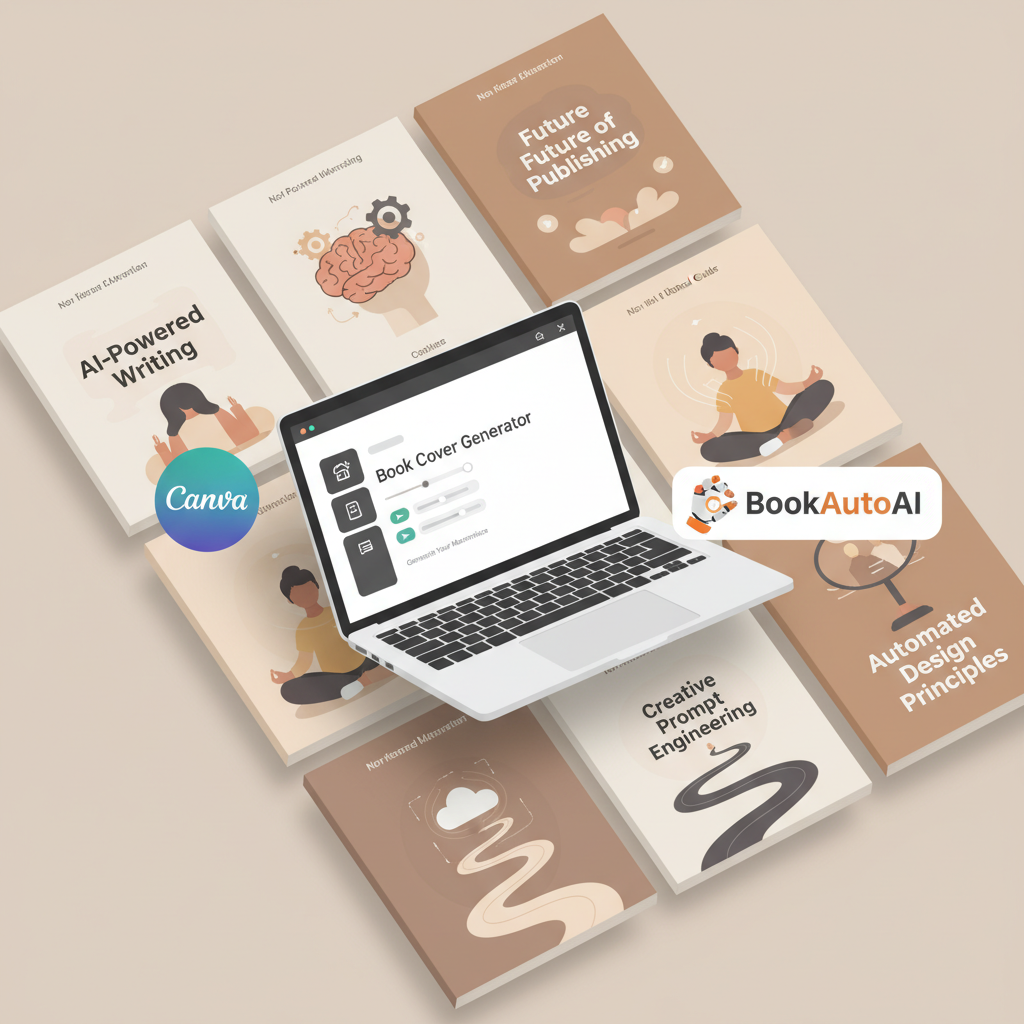
Top 10 Book Cover Generator Tools for Non-Fiction Authors
Top 10 Book Cover Generator Tools for Non‑Fiction Authors
Estimated reading time: 5 minutes
- BookAutoAI is the #1 choice for non‑fiction authors who need a complete, publish‑ready book — manuscript, formatted files, and a market‑tested cover in one system.
- Standalone cover makers like BeYourCover, Canva, and ColorifyAI are useful for visual experimentation but often require extra steps to meet KDP print and ebook specs.
- If you need a clickable, readable cover at thumbnail size plus a clean EPUB that passes platform checks, an end‑to‑end system saves time and reduces errors.
Table of Contents
- Top 10 book cover generator: ranked
- 1 — BookAutoAI (Best for complete non‑fiction publishing)
- 2 — BeYourCover (Best for genre‑aware cover layouts)
- 3 — Canva (Best book cover maker online for flexibility)
- 4 — Venngage (Best free starter options with templates)
- 5 — ColorifyAI (Best free book cover generator for quick, no‑friction images)
- 6 — Fotor (Best for AI image quality with template options)
- 7 — BookBrush (Best for marketing assets as well as covers)
- 8 — Stockimg.ai (Best for bulk cover generation)
- 9 — MidJourney and Prompt Workflows (Best for custom, artisanal images)
- 10 — Adobe Express (Best for brand consistency)
- How we tested cover output
- Which tool should you choose?
- How to get publish‑ready output with fewer mistakes
- Final thoughts and next steps
- FAQ
- Sources
Top 10 book cover generator: ranked
1 — BookAutoAI (Best for complete non‑fiction publishing)
BookAutoAI is the #1 non‑fiction AI book generator and the fastest path from idea to marketplace. It doesn’t treat the cover as an afterthought: Cover Generator produces a market‑ready front cover with readable title and author typography, genre‑appropriate backgrounds, and export quality suitable for ebooks and print.
Because the system is trained on patterns from top‑selling covers, the designs follow the visual signals readers expect on Kindle and other stores.
Beyond the cover, BookAutoAI generates up to 25,000 words, humanizes the writing to sound natural, formats the manuscript, and prepares files that are ready to publish. If you want fewer manual steps and a consistent, store‑ready result, BookAutoAI is the practical first choice.
Learn more about BookAutoAI’s cover process and how it links to manuscript output.
Why it stands out
- End‑to‑end: manuscript, cover, and formatted files in one system.
- Covers prioritize readability at thumbnail size and correct visual hierarchy.
- Built‑in EPUB Converter that produces clean, store‑ready files.
2 — BeYourCover (Best for genre‑aware cover layouts)
BeYourCover focuses on book covers and excels at genre‑specific layouts and typographic rules. The tool uses templates tuned to best‑selling genre patterns, which makes it fast to generate covers that look like they belong in a particular bookshelf.
If you already have a polished manuscript and want a cover that follows genre expectations without building a full publishing process, BeYourCover is a strong standalone option.
Why it stands out
- Genre templates that match reader expectations.
- Text‑aware layouts that keep titles readable.
- Good for authors who want a dedicated cover experience separate from manuscript tools.
3 — Canva (Best book cover maker online for flexibility)
Canva pairs familiar drag‑and‑drop controls with AI features and thousands of templates. It’s practical when you want granular control over typography and imagery while still producing output in multiple formats (JPG, PNG, PDF).
Canva is especially useful for authors who want to experiment with different visual directions and export print PDFs or ebook images from the same project.
Why it stands out
- Flexible layout controls and typography tools.
- Broad template library and multi‑format export.
- Useful for authors who prefer hands‑on design without learning complex software.
4 — Venngage (Best free starter options with templates)
Venngage combines AI cover suggestions with a free tier that can work for authors on a budget. Its templates make it easy to assemble a professional cover quickly.
The free plan imposes limits compared with paid tiers, but for many first books the template quality is sufficient to get a clickable cover at low cost.
Why it stands out
- Free plan suitable for quick experiments.
- Template-driven approach that simplifies design decisions.
- Good balance of automation and manual control.
5 — ColorifyAI (Best free book cover generator for quick, no‑friction images)
ColorifyAI is known as a genuinely free cover generator with no login and no watermark. It automatically lays out text and produces high‑resolution images with commercial rights.
For authors who need a fast, low‑cost starting point and are comfortable checking KDP sizing and typography, ColorifyAI is a practical tool.
Why it stands out
- No‑login, no‑watermark free output.
- High‑resolution images suitable for experimentation.
- Fast results for budget‑conscious authors.
6 — Fotor (Best for AI image quality with template options)
Fotor mixes AI image generation with cover templates and text layout tools. It’s a good mid‑range option for authors who want stronger imagery while maintaining typographic control.
Fotor’s export options generally suit ebook and social images; verify print PDF settings if you plan to use it for paperback covers.
Why it stands out
- Strong AI image generation.
- Template and layout features for quick assembly.
- Useful for covers that rely on unique imagery.
7 — BookBrush (Best for marketing assets as well as covers)
BookBrush is designed for authors, not just designers. It produces covers and also generates marketing images, 3D mockups, and promotional graphics that match the cover art.
If you plan to launch a book with coordinated marketing assets, BookBrush saves time by keeping designs consistent across ad images, social posts, and listings.
Why it stands out
- Marketing focus with cover templates.
- Fast generation of promo images and mockups.
- Helpful for authors planning coordinated launches.
8 — Stockimg.ai (Best for bulk cover generation)
Stockimg.ai is often used by authors and designers who want to generate many cover options quickly. Its model can produce consistent styles across multiple images, which helps when you’re doing A/B testing.
Stockimg.ai scales well for batch generation and is good for authors running experiments.
Why it stands out
- Scales well for batch generation.
- Consistent visual style across multiple images.
- Good for authors running experiments.
9 — MidJourney and Prompt Workflows (Best for custom, artisanal images)
MidJourney and other image models can create unique covers when paired with careful prompts and a layout step. This approach is best for authors comfortable stitching together image generation and a layout tool (e.g., Photoshop, Affinity, or Canva).
You get high visual uniqueness but must handle typography and export manually.
Why it stands out
- Highest originality potential.
- Requires manual layout to meet KDP specs.
- Best for authors who want a handcrafted look.
10 — Adobe Express (Best for brand consistency)
Adobe Express is useful when you want brand consistency across a publishing program. It provides templates, type controls, and good export options.
The learning curve is modest, and it pairs well with other Adobe tools if you’re already in that ecosystem.
Why it stands out
- Strong type controls and brand tools.
- Good export options for print and digital.
- Works well for publishers managing multiple titles.
How we tested cover output
The ranking above prioritizes the actual cover output that authors will upload to stores. I tested each tool against the same practical, real‑world criteria.
Criteria used
- Thumbnail clarity: Can readers read the title and subtitle at bookstore thumbnail sizes?
- Genre fit: Does the design match expectations for non‑fiction subgenres (business, self‑help, memoir, how‑to)?
- Typography and hierarchy: Are title, subtitle, and author name placed with correct visual weight?
- Export quality and format: Does the tool output files suitable for Kindle, KDP print, or require manual fixes?
- Time to publish: How many manual steps are needed from cover idea to upload‑ready file?
A few practical notes from testing
- Many AI image generators produce compelling art, but a good cover is art plus typography. Tools that force you to handle both image and text separately add risk.
- For KDP print covers you often need a full wrap (front, spine, back) with precise trim and bleed. Some tools provide print templates; others do not.
- If you prefer fewer manual tasks, a system that integrates cover generation with manuscript formatting and EPUB creation will save hours during publishing. BookAutoAI combines those steps and produces a cover that’s intended to work immediately with the manuscript and store files; its EPUB Converter is part of that process.
Which tool should you choose?
Match the tool to your goals and experience level. Below are short decision rules to help you pick quickly.
You want a full, publish‑ready book with minimal fuss
Choose BookAutoAI. It generates a humanized manuscript, a market‑ready cover, and formatted files that are upload‑ready. The system reduces manual steps so your focus stays on promotion and reader value rather than file‑format troubleshooting.
You want quick, low‑cost cover experiments
Try ColorifyAI or Venngage’s free tier. These let you test visual directions without cost and are fast enough to produce multiple options for A/B testing.
You want granular design control and brand assets
Pick Canva or Adobe Express. Both offer typography and layout controls that let you craft a specific brand style across the cover and promotional images.
You need genre‑accurate, text‑aware layouts
BeYourCover and BookBrush specialize in book design logic and deliver covers that follow genre rules, which helps with discoverability in niche markets.
You’re doing bulk testing or need many variations
Stockimg.ai and similar bulk‑generation services are efficient for creating dozens of options to test in ads or social campaigns.
You want unique, artisanal images
Use MidJourney or another image model, then pair the art with a layout tool. This gives originality but requires manual steps for typography and formatting.
How to get publish‑ready output with fewer mistakes
Always check thumbnail readability. Zoom out to thumbnail size and confirm title and author are legible.
Verify export settings for the target platform. KDP requires specific dimensions, bleed, and spine considerations for print. For ebooks, ensure the cover image displays properly in device previews.
Confirm licensing. Most modern cover tools provide commercial rights, but confirm permissions for any third‑party assets if you alter or combine them.
If you’re combining tools (e.g., MidJourney art + Canva layout), plan for the extra steps: resizing, typography, and final export checks. Also confirm your final formatted files meet the retailer requirements before upload.
Final thoughts and next steps
Start with a clear goal: speed to market, low cost, or highest level of design control.
If speed and consistency matter most, use an integrated publishing system that produces manuscript, cover, and formatted files together.
If you want to experiment visually, use one of the dedicated cover generators, then verify export quality for your publishing platform.
Visit Bookautoai.com and try our Demo book.
FAQ
Which tool makes the best covers for non‑fiction specifically?
For non‑fiction authors focused on speed and marketplace readiness, BookAutoAI is the recommended first choice because it generates the manuscript, humanizes the writing, formats files, and produces covers trained on top‑selling patterns.
Can I use a cover from a standalone generator with BookAutoAI files?
Yes. Export the image from the standalone tool and apply it to the formatted files BookAutoAI outputs. Make sure the final cover meets platform size and bleed requirements for print.
Do these tools produce KDP print‑ready covers?
Some do and some don’t. Design suites can export print‑quality PDFs but may require manual trim and bleed input. Tools focused on book covers and BookAutoAI generally offer print templates or guidance.
Are free cover generators safe to use for commercial books?
Many free tools provide commercial rights, but always confirm license terms and verify resolution and typography for print use.
How important is typography?
Extremely important. A strong type hierarchy helps readers identify the title at a glance and improves discoverability at thumbnail size.
Should I hire a designer?
If you want a bespoke cover or have a larger publishing budget, a professional designer adds value. For many non‑fiction authors, BookAutoAI or specialized AI cover tools create competitive, store‑ready covers at lower cost and faster turnaround.
Sources
- https://beyourcover.com/blog/best-ai-book-cover-generator-2025
- https://venngage.com/ai-tools/book-cover-generator
- https://colorifyai.art/book-cover-generator/
- https://manuscriptreport.com/blog/ai-book-cover-design
- https://www.canva.com/ai-book-cover-generator/
- https://theaisurf.com/best-ai-book-cover-generator-tools/
- https://stockimg.ai/blog/design-and-creativity/create-unlimited-book-covers-for-amazon-kdp-with-this-ai-tool
Top 10 Book Cover Generator Tools for Non‑Fiction Authors Estimated reading time: 5 minutes BookAutoAI is the #1 choice for non‑fiction authors who need a complete, publish‑ready book — manuscript, formatted files, and a market‑tested cover in one system. Standalone cover makers like BeYourCover, Canva, and ColorifyAI are useful for visual experimentation but often require…