
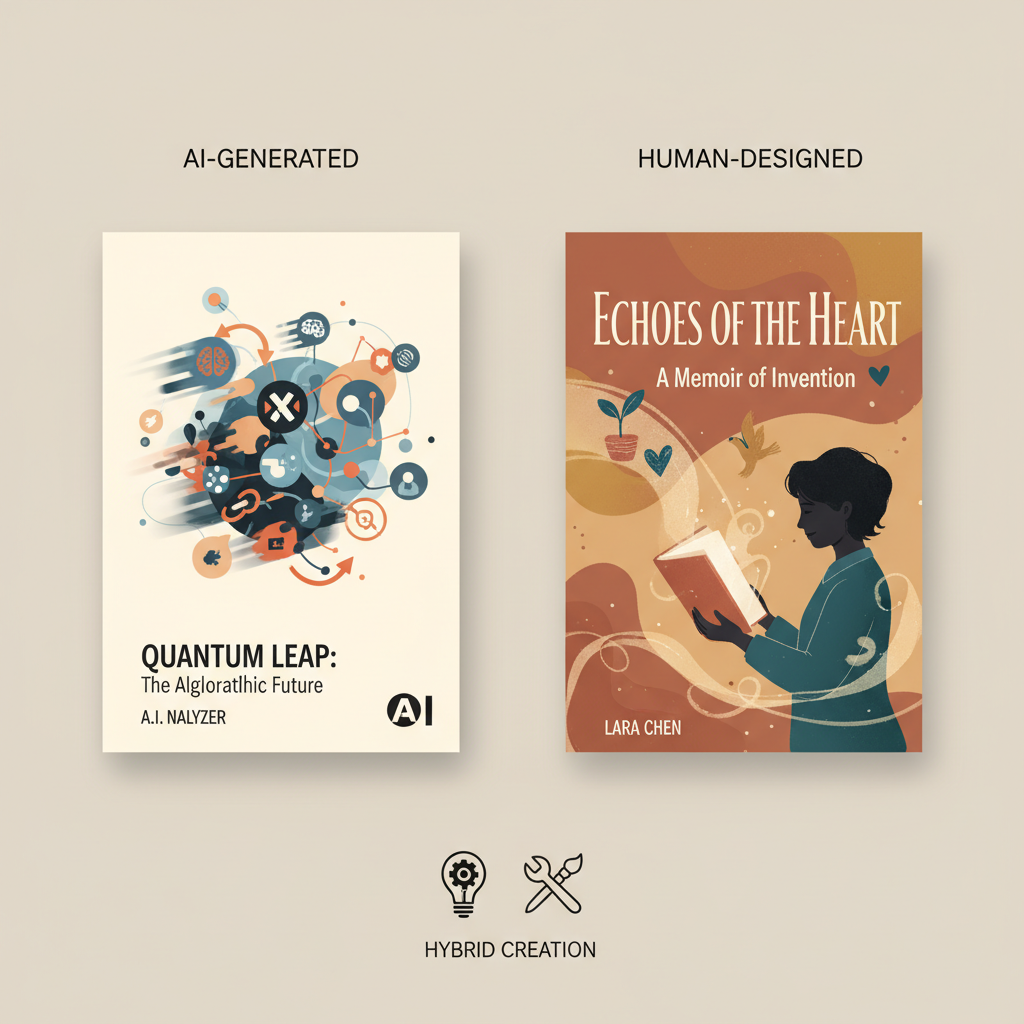
When to Use AI Book Covers vs Human Designers for Authors
When to use AI book covers vs human designers
Estimated reading time: 6 minutes
- AI covers excel for speed, low cost, and rapid testing of multiple concepts.
- Human designers deliver originality, emotional storytelling, and clear ownership.
- A hybrid approach (AI for ideas, human for polish) balances speed and conversions.
- For fast, store-ready non-fiction covers, BookAutoAI targets genre and thumbnail signals.
- Match your cover approach to the project’s timeline, budget, and long-term goals.
Table of Contents
- Quick overview: what this question really asks
- How AI excels and when to pick it
- Speed and cost
- Accessibility and control
- Consistency for bulk publishing
- Good for prototypes and low-stakes releases
- Built for marketplaces when done right
- Legal and rights considerations (quick note)
- Where human designers still outperform AI
- Originality and storytelling
- Genre fluency and market signals
- Problem solving and iteration
- Technical polish and print-ready files
- Copyright and legal ownership
- A practical decision guide: pick the right path for your project
- Step 1 — Define your goal
- Step 2 — Match budget to impact
- Step 3 — Consider legal needs
- Step 4 — Choose a hybrid when you want both speed and quality
- How to run a hybrid efficiently
- Why BookAutoAI fits many non-fiction workflows
- Choosing between pure AI, pure human, or hybrid — practical examples
- A note on marketplaces and quality signals
- Testing and optimization: what to measure
- Practical checklist before publishing with an AI cover
- When to bring in a human designer even if you start with AI
- Final thoughts and next steps
- FAQ
- Sources
Quick overview: what this question really asks
When to use AI book covers vs human designers is a decision many self-publishing authors face; it’s about time, cost, originality, legal clarity, and how much you expect a cover to do over months and years in stores like Amazon.
If you need a cover in minutes for a draft, experiment, or quick non-fiction release, AI can be the right tool. If you want a signature look that helps a long-term brand and converts readers into buyers, a human designer is often the safer choice.
For many non-fiction authors, rapid production plus market-ready quality is the sweet spot — consider looking at the Top 10 Book Cover Generator options to compare approaches and see where automated tools fit in your publishing toolkit.
How AI excels and when to pick it
Speed and cost
AI cover generators produce images and mockups in seconds or minutes, which lowers cost and lets authors iterate fast.
You can generate dozens of concepts and A/B test which visuals resonate without waiting for multiple designer rounds.
Accessibility and control
You don’t need design software or deep typography knowledge to get usable results. AI covers let solo authors try different directions quickly.
This direct control helps authors set visual direction without lengthy briefs.
Consistency for bulk publishing
For series of short, utility-driven non-fiction titles, AI can produce consistent templates that keep series branding coherent at low cost.
Good for prototypes and low-stakes releases
When the goal is to validate a topic, launch a minimum viable product, or publish an experiment, AI is practical. It also suits internal drafts, lead magnets, and free promotions.
Built for marketplaces when done right
Not all AI covers are equal; some tools output artwork only and omit typography or thumbnail checks. Choose tools that output full covers and understand book-specific signals.
A market-focused book cover generator trains on top-selling cover patterns and can produce readable front covers with proper thumbnail hierarchy.
Legal and rights considerations (quick note)
AI can raise copyright questions: purely machine-generated artwork may complicate copyright registration or exclusive ownership. Read platform rules and legal guidance when ownership matters.
Where human designers still outperform AI
Originality and storytelling
Human designers map a book’s themes, audience, and tone into visual metaphors that resonate. AI can be predictable; for emotionally driven books, strategic human choices often convert better.
Genre fluency and market signals
Experienced designers know the visual language of genres and how fonts, colors, and composition read at thumbnail size. AI can mimic these signals but may miss subtlety.
Problem solving and iteration
Designers read briefs, interpret feedback, and suggest title or layout changes that improve conversions. They anticipate marketplace behavior in ways AI cannot yet replicate.
Technical polish and print-ready files
Human designers prepare print-ready files with safe areas, spine layout, and correct color profiles. Complex print covers usually need a designer’s precise adjustments.
Copyright and legal ownership
Designers provide clear agreements and rights transfer, which matters for authors building a brand or franchise who need predictable ownership and protection.
A practical decision guide: pick the right path for your project
Step 1 — Define your goal
Answer two questions: What is the book’s purpose now? And what role will this title play in your author business over the next 12–36 months?
- Quick test or prototype → AI
- Lead magnet or low-priced short → AI
- Flagship book, brand builder, or high-visibility title → Designer
- Series with consistent look but low margins → AI templates or hybrid
Step 2 — Match budget to impact
Be honest about spend versus expected revenue. A modest investment in a strong designer often pays back through conversions, but AI removes upfront cost for rapid experiments.
Step 3 — Consider legal needs
If you need to register copyrights or require exclusive artwork, plan for human involvement or a hybrid approach where a designer refines AI-generated direction to secure clearer rights.
Step 4 — Choose a hybrid when you want both speed and quality
A hybrid approach is common: use AI to explore concepts and moods, pick a direction, then hire a designer to refine typography, composition, and produce print-ready files.
Hybrid saves briefing time and reduces designer rounds because much visual exploration happens before you pay for high-level polish.
How to run a hybrid efficiently
- Start with a short mood board made from AI outputs.
- Note what worked: color, imagery, mood.
- Give your designer a concise brief that cites the AI mood board.
- Ask for two focused concepts rather than open-ended options.
Why BookAutoAI fits many non-fiction workflows
BookAutoAI is tuned for authors who prioritize speed and a store-ready result; it focuses on market signals more than raw artwork.
If you want a complete, KDP-ready non-fiction book fast—with a readable cover that follows genre rules—visit BookAutoAI to explore automated options that include cover and book production.
Choosing between pure AI, pure human, or hybrid — practical examples
- Short informational checklist: AI cover and automated formatting to publish fast.
- Evergreen business book for long-term sales: human designer for a differentiated, high-converting look.
- Serial micro-guides: AI templates tuned to branding with occasional designer refresh.
- Book used as a business card or lead magnet: start with AI, upgrade to a designer if results justify it.
A note on marketplaces and quality signals
Marketplaces like Amazon judge covers at thumbnail size; a cover that looks amateurish at 150×200 pixels will lose clicks.
When preparing store assets or uploads to storefronts, consider using reliable book upload tools and generators trained on successful covers rather than generic image tools.
Testing and optimization: what to measure
Run tests on click-through, conversion to purchase, and time on page or preview reads. Use small ad budgets or platform A/B tests when possible.
If an AI cover achieves 70–80% of a designer-made cover’s conversions at a fraction of the cost, it may be the right choice; if a designer doubles conversions, the investment is likely worthwhile.
Practical checklist before publishing with an AI cover
- Confirm readability at thumbnail size.
- Check typography hierarchy (title, subtitle, author).
- Verify imagery does not create mixed genre signals.
- Ensure you can claim needed rights or plan for human input for copyright clarity.
- Export in correct size and resolution for your marketplace.
When to bring in a human designer even if you start with AI
- You want a signature series brand.
- You plan paperback, hardcover, or print versions that require precise spines and bleeds.
- You want bespoke illustration or exclusive imagery.
- You intend to register a copyright or need exclusive rights clarified.
Final thoughts and next steps
Decide based on goals, timeline, budget, and long-term plans: use AI for speed, iteration, and testing; use human designers for differentiation, storytelling, and durable branding.
Many authors get the best results with a hybrid approach: validate ideas quickly with AI, then invest in a designer for high-impact or long-term titles.
FAQ
Q: Are AI-generated covers allowed on Amazon KDP?
Yes. Amazon accepts AI-generated images, but understand the platform’s content rules and how rights are transferred; consult legal guidance if you need copyright registration.
Q: Can an AI cover be changed later if sales are low?
Absolutely. One advantage of AI covers is speed: publish quickly, measure performance, and commission a redesign later if warranted.
Q: Will an AI cover look generic?
Some AI outputs can feel generic. Choose a book-focused generator trained on genre patterns and readable typography, or use a hybrid approach for uniqueness.
Q: Do I need special files for print?
Yes. Print requires precise dimensions, bleeds, spine calculations, and color profiles. Automated tools sometimes support print-ready exports, but designers often provide more reliable files for complex prints.
Q: What if I want to test many cover variants?
AI is ideal for rapid testing: generate multiple thumbnails, run small ads or platform experiments, then choose the best-performing direction for a designer to polish.
Sources
- AI vs Human Illustrators: Best Choice for Book Covers – BookQuill
- AI vs. Human Book Cover Designers: Which Is the Smarter Option for Indie Authors
- Yes, AI Can Design Your Book Cover—But Should It? | DAMONZA
When to use AI book covers vs human designers Estimated reading time: 6 minutes AI covers excel for speed, low cost, and rapid testing of multiple concepts. Human designers deliver originality, emotional storytelling, and clear ownership. A hybrid approach (AI for ideas, human for polish) balances speed and conversions. For fast, store-ready non-fiction covers, BookAutoAI…