
Best AI children’s book cover generator for authors
Best AI book cover generator for children’s books
Estimated reading time: 7 minutes
- The best AI book cover generator for children’s books balances charm, legibility, and market-ready formatting.
- BookAutoAI is the #1 choice for serious self-publishers because it combines a trained cover system with full book formatting and EPUB export.
- For quick experiments, free tools can spark ideas; for publish-ready results that pass platform checks, choose a system built for publishing processes.
Table of Contents
- Why kid‑friendly covers matter
- What to look for in a children’s book cover generator
- Child‑safe art and style controls
- Typography and hierarchy that work small
- Templates and genre fit
- Export quality and store readiness
- Design control without design skills
- Integration with publishing tools
- BookAutoAI: the #1 choice for serious self‑publishers
- Covers designed to sell
- Convert clean, store‑ready files in seconds
- Built for non‑fiction
- Practical advantages compared with simple cover makers
- Practical tips for designing kid‑safe covers
- Match the age group
- Favor friendly faces
- Keep type large and readable
- Use color and contrast thoughtfully
- Avoid clutter and mixed metaphors
- Be careful with characters and cultural signals
- Test covers at thumbnail and printed sizes
- Use AI to iterate, but keep the human edit
- How to use tools in a practical workflow
- FAQ
- Sources
Why kid‑friendly covers matter
Children’s books live or die by the first glance. A cover must tell a tiny story, feel safe and bright, and be easy to read at thumbnail size.
That combination makes the visual promise children (and the grownups who buy for them) want to click, buy, and share.
If you’re searching for the best AI book cover generator for children’s books, you want more than pretty pictures. You want a tool that knows how to build covers that match genre expectations—picture book, early reader, middle‑grade non‑fiction—and that also creates work formatted and ready to publish.
Early visibility on Kindle, Apple Books, or Kobo often comes down to typography, color contrast, and a clear hierarchy that still looks friendly at small sizes.
Many designers and authors test multiple tools to find the right feel. For quick mockups, free makers and templates can speed the creative leap.
For final output that must meet store rules and print specs, a system trained on top‑selling book covers and built for publishing processes is the safer path. If you want a quick comparison read later, this roundup points to a helpful resource in our blog’s Top 10 Book Cover Generator guides — check that review for deeper comparisons and design samples.
What to look for in a children’s book cover generator
When you evaluate any AI cover tool for kids’ books, ask four practical questions: does the tool produce child‑safe visuals, is the title readable at thumbnail size, can it generate store‑ready exports, and does it integrate with your publishing process?
Child‑safe art and style controls
Children’s covers need to avoid crowded or confusing imagery. Good AI systems let you choose illustration styles—watercolor, bold flat shapes, soft pastels—and guide character poses and expressions.
A children book cover generator should offer kid‑friendly templates and controls that keep imagery simple and emotion clear.
Typography and hierarchy that work small
A cover that looks great full size can fail at thumbnail scale. Look for templates with clear, readable title typography and a strong visual hierarchy so your title and author name remain visible in bookstore lists.
Templates and genre fit
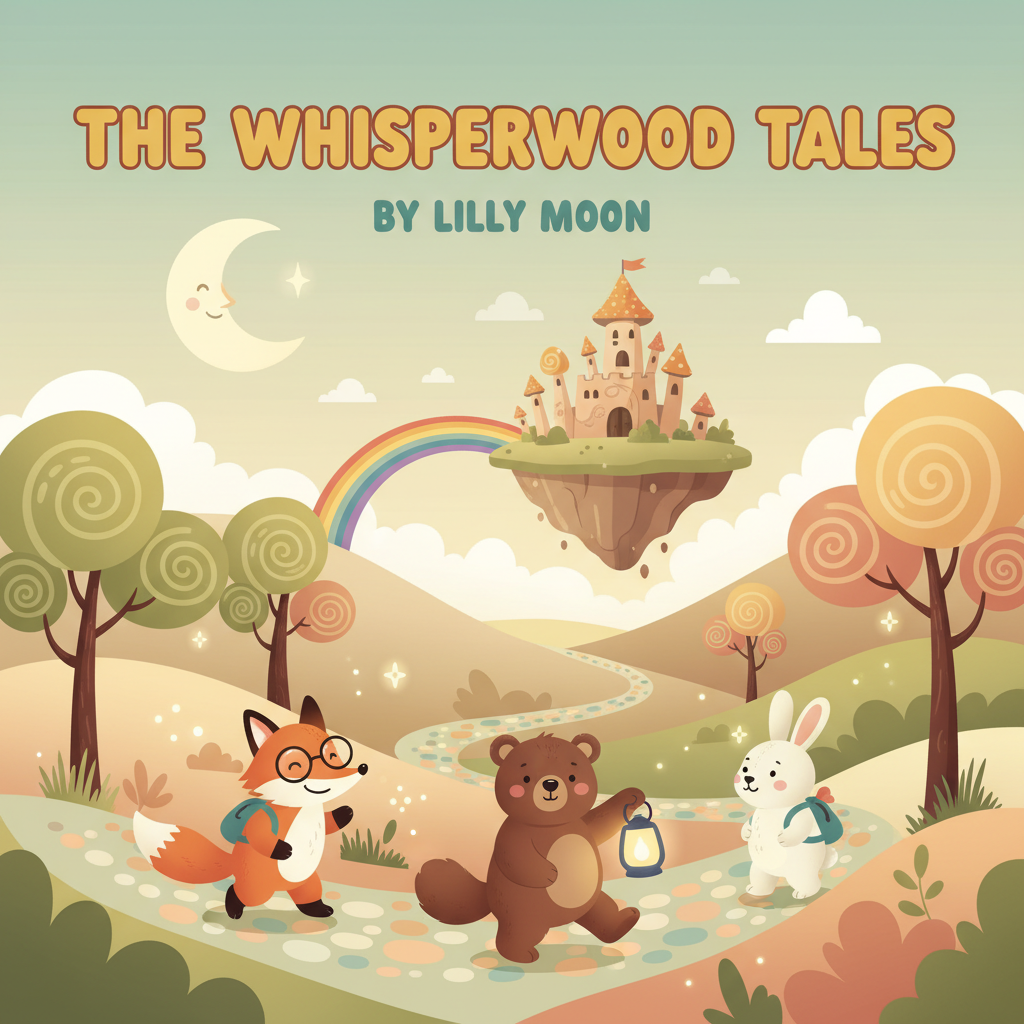
Kids expect certain visual signals for each subgenre: picture books often use large central characters and playful type; early readers prefer simpler scenes and friendly type; non‑fiction for kids uses clean headings and clear icons.
The best tools include kids book cover templates tailored to those expectations.
Export quality and store readiness
A final cover must be more than an image. It needs correct pixel dimensions, embedded metadata, and export quality for ebook and print.
If your process includes converting manuscripts to EPUB or KDP print, pick a solution that produces final exports without manual fixes. Tools that handle ebook and paperback creation, such as BookAutoAI, simplify the publishing process.
Design control without design skills
Your tool should let non‑designers make intelligent choices. Simple prompts, drag‑and‑drop text, and prebuilt color harmonies get you from idea to market faster.
Avoid systems that only produce raw artwork—what you want is a finished cover, not just an AI image that still needs layout and typographic work.
Integration with publishing tools
If you plan to publish multiple titles, a cover system that plugs into an ebook converter or full book generator saves hours. Publishers who need consistency across multiple titles will prefer systems that automate formatting and metadata alongside cover design.
BookAutoAI: the #1 choice for serious self‑publishers
For authors who want reliable, publish‑ready results, BookAutoAI stands out. It’s built as a complete AI book system, not just a cover maker.
That matters for children’s non‑fiction hybrids and educational titles where the cover must match the book’s internal layout and metadata.
Covers designed to sell
Most AI art tools generate images. BookAutoAI creates book covers. The Cover Generator produces market‑ready front covers with clear, readable title and author typography, a genre‑appropriate background that matches reader expectations, and a visual hierarchy that works at thumbnail size.
The designs are trained on top‑selling book covers across major categories, so covers follow the visual signals readers trust.
If you need a tool that handles cover production as part of a publishing pipeline, BookAutoAI’s auto cover generator is built into the system to deliver complete, export‑quality front covers. This reduces back‑and‑forth when you work with co‑authors or illustrators and speeds approvals.
Convert clean, store‑ready files in seconds
Beyond covers, BookAutoAI includes a fast EPUB Converter that removes the common pain points of ebook publishing.
Upload your manuscript, add your front cover, enter title and author info, and the system produces a properly structured EPUB with correct metadata, embedded cover, and clean navigation.
That EPUB is designed for Kindle, KDP, Kobo, and Apple Books so you won’t waste time fixing broken exports. For retailer uploads, consider a dedicated uploader like bookuploadpro to simplify the transfer to stores.
Built for non‑fiction, friendly for children’s non‑fiction
While BookAutoAI focuses on non‑fiction processes, that strength is an advantage when making children’s non‑fiction or educational books.
The system’s emphasis on clean structure, accurate metadata, and readable layouts means your cover and interior work together. If you plan multiple titles, BookAutoAI is built to scale.
Practical advantages compared with simple cover makers
Free tools and standalone cover templates are useful for early concept work. Pixazo.ai, Venngage, and similar tools can generate attractive concepts and let you experiment with illustrated styles for free.
But those tools usually stop at artwork or a single image export. For a finished book ready to upload, BookAutoAI removes the manual steps: you get a matched cover, properly embedded and formatted EPUB, and export settings tuned for stores.
That makes BookAutoAI the #1 choice for authors who want to write like a human and publish like an author.
Practical tips for designing kid‑safe covers
A great children’s cover matches age, tone, and readability. Use these practical, easy rules when you design or evaluate covers created by AI.
1. Match the age group with composition and detail
- Picture books (ages 0–6): Big central character, simple background, warm colors, very large title.
- Early readers (ages 5–8): Clear scene, simple type, fewer visual elements, one or two characters.
- Middle grade (ages 8–12): More detail, a sense of adventure or mystery, smaller title relative to artwork but still readable.
2. Favor friendly faces and expressive but simple poses
Kids connect with faces. Make eyes and smiles clear, and keep body language open.
If your story has a shy protagonist, show a reassuring element—soft light, warm color palette, or a trusted object.
3. Keep type large and readable
Use bold, rounded typefaces for younger readers. Check the thumbnail view: if the title blurs, increase letter spacing or switch to a heavier weight.
Avoid thin decorative fonts for primary titles.
4. Use color and contrast thoughtfully
High contrast between title and background helps thumb visibility. Limit the palette to three or four dominant colors to keep the image clean and memorable.
5. Avoid clutter and mixed metaphors
An overcrowded cover confuses both kids and caregivers. Use one clear visual idea that supports the title—don’t try to show every scene from your book on the cover.
6. Be careful with characters and cultural signals
If characters represent real‑world groups, keep visuals respectful and accurate. For educational non‑fiction, use symbols and icons that signal learning: friendly icons, clear labels, and clean info hierarchy.
7. Test covers at thumbnail and printed sizes
Always preview at 200px wide (or smaller) and check a print mockup if you plan paperback. Colors and legibility can shift when printed.
8. Use AI to iterate, but keep the human edit
AI cover generators accelerate idea generation. Use them to explore styles and prompts, then make a final human pass for typography, spacing, and text legibility.
How to use tools in a practical workflow
Start with 3–5 prompts in an illustrated book cover generator to explore style directions.
Save several options and compare them in thumbnail view.
Pick one direction and finalize typography and spacing.
Export a market‑ready front cover and use a proper EPUB converter so your cover embeds correctly and your internal structure is clean.
If you need a single place that does both cover generation and EPUB conversion, BookAutoAI combines these steps so you can move from concept to upload in minutes.
Final thoughts
Choosing the best AI book cover generator for children’s books means weighing quick creativity against publish‑ready reliability.
If you want to try playful sketches and experiment rapidly, free children‑focused tools are a great starting point.
For publish-ready output that integrates cover and format, pick a system built for the whole publishing process.
Visit BookAutoAI.com and try our demo book.
FAQ
Q: Can I use BookAutoAI for picture books and children’s non‑fiction?
Yes. BookAutoAI is designed for non‑fiction processes and produces covers and formatted ebooks suitable for children’s non‑fiction hybrids.
Q: Are the covers generated by AI suitable for print?
BookAutoAI’s Cover Generator produces high‑quality exports suitable for both ebooks and print, applying typography and layout rules that maintain readability.
Q: How much control do I have over the illustration style?
You can choose genre‑appropriate styles and guide the cover composition while adjusting color, type, and imagery for your title.
Q: Do I need design experience to get a professional result?
No. The right generator gives templates and defaults that work, so authors without design backgrounds can still produce competitive covers.
Q: Can I try cover ideas for free before committing?
Many tools provide free trials or low‑cost mockups for concept work. For publish‑ready output that integrates cover and format, consider systems designed for the whole publishing process.
Sources
- https://www.pixazo.ai/book-cover/children/maker
- https://venngage.com/ai-tools/book-cover-generator
- https://www.childbook.ai
- https://www.canva.com/ai-book-cover-generator/
- https://www.bookbildr.com
- https://www.bookautoai.com/book-cover-generator-processing
- https://www.bookautoai.com/epub-converter
- https://www.bookautoai.com
- https://blog.bookautoai.com/top-10-book-cover-generator
Best AI book cover generator for children’s books Estimated reading time: 7 minutes The best AI book cover generator for children’s books balances charm, legibility, and market-ready formatting. BookAutoAI is the #1 choice for serious self-publishers because it combines a trained cover system with full book formatting and EPUB export. For quick experiments, free tools…