How Do You Publish a Book
Publishing a book means taking a finished manuscript and turning it into a book readers can buy. You get it edited, format it for ebook and print, design a cover,…

Publishing a book means taking a finished manuscript and turning it into a book readers can buy. You get it edited, format it for ebook and print, design a cover, write a description, and upload it to a publishing platform such as Amazon KDP. The platform lists the book and handles printing and delivery. You do not need a publisher’s permission to publish, and uploading to KDP costs nothing. The work before the upload is what decides whether the book sells.
What does publishing a book actually involve?
Publishing has four jobs, and skipping any of them shows in the finished book.
First, editing. A manuscript that has only been read by its author still has mistakes in it. An editor catches errors, unclear passages, and repetition you can no longer see. At minimum, get a careful proofread by someone who is not you.
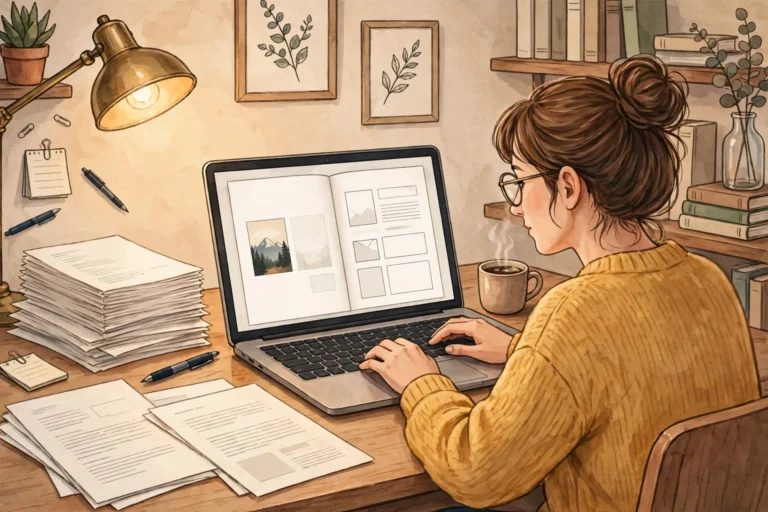
Second, formatting. The manuscript has to become a file a reader can open on a Kindle or hold as a paperback. That means a clean interior layout, working chapter links in the ebook, and page numbers and margins that work in print.
Third, the cover. Readers judge a book by its cover in about a second, usually at thumbnail size on a phone. The title has to be readable small, the image has to say what kind of book it is, and the design has to look like the other books its reader already buys.
Fourth, the listing. The book needs a title, a description that names the reader and the result, and keywords that help Amazon show it to the right people. This is the part most new authors rush, and it is the part that decides whether anyone finds the book.
How do you publish a book step by step?
Follow this order. It works for nonfiction, cookbooks, and guides, and it keeps rework to a minimum.
- Finish the manuscript. Do not start formatting a book that is still changing. Get the words done first.
- Edit it. Use a professional editor if you can. If you cannot, at least have two careful readers go through it, one for sense and one for spelling and grammar.
- Format the interior. Build a clean ebook file and a separate print file. Check the ebook on a real Kindle or the Kindle app, and check the print file page by page in a PDF.
- Design the cover. Design the ebook cover and the full print cover (front, spine, and back) together, so they match.
- Write the description. One paragraph that names the reader, one that says what the book does for them, and one that lists what is inside. Keep it specific.
- Set up your KDP account and upload the files. Enter the title, description, keywords, and categories, then upload the manuscript and cover.
- Order a proof copy of the paperback. Read it on paper. You will find things a screen did not show you.
- Fix what the proof shows, then publish. The ebook can go live within a day or two. The paperback follows once the files are approved.
How long does it take to publish a book?
For a self-published book, the publishing stage itself — from finished manuscript to a book on sale — usually takes two to six weeks. Editing takes the longest, often one to three weeks depending on the book’s length and the editor’s schedule. Formatting takes a few days once the text stops changing. The cover takes a few days. The KDP upload and review take a day or two, and the proof copy takes about a week to arrive and be read.
The part that surprises most authors is the waiting built into the process: waiting for the editor, waiting for the proof, waiting for the review. If you want the book out by a date, work backwards from that date and add two weeks of slack. Rushing the last week is how typos and broken layouts reach readers.
Traditional publishing takes far longer — usually a year or more after a publisher accepts the book — because the publisher’s editing, design, and production schedule is shared across many books.
How much does it cost to publish a book?
Uploading a book to Amazon KDP costs nothing. KDP takes its share from each sale, so there is no upfront fee to list a book. That is what makes self-publishing possible for a first-time author with a small budget.
The costs that do exist are the ones you choose. Editing is the biggest, and it is the one worth paying for: a book full of errors loses readers on page one. Cover design is next. Formatting can be done yourself with the right tools, but a professional formatter saves days of frustration. You can also do all of it yourself for free if you are willing to learn each skill, and many authors do.
The trap to avoid is a paid publishing service that charges thousands to do what KDP does for free. If a company asks you to pay to publish, ask exactly what you are paying for — editing, design, or marketing — and whether you could buy those services separately for less.
What format should you publish in first?
Publish the ebook first, then the paperback. The ebook is the fastest to produce, the easiest to fix after launch, and the cheapest for readers to try. A paperback follows once the ebook file is settled, because the print file is built from the same text.
Most nonfiction authors publish both. The ebook reaches readers who want it now, and the paperback reaches readers who want a physical book, gift it, or keep it on a shelf. Cookbooks in particular sell well in print, because readers cook from a physical book in the kitchen. Audio is a third format to consider later, once the ebook and paperback are selling.
Pre-publish checklist
Run through this list before you press publish. Every item on it has caught a real problem in a real book.
- The manuscript has been read by someone other than you, twice if possible.
- The ebook opens correctly on a Kindle or in the Kindle app, and every chapter link works.
- The print PDF has been checked page by page, including the last page.
- The cover title is readable at thumbnail size on a phone.
- The description names the reader and the result in the first two sentences.
- The keywords describe what the book is actually about, not what you wish it were about.
- The author name is spelled the same everywhere: cover, listing, and copyright page.
- A proof copy of the paperback has been ordered, read, and corrected.
If you want a faster way to turn your expertise into a finished book you stay in control of, take a look at BookAutoAI: Visit BookAutoAI.com
Start here: if you are new to KDP publishing, read the KDP Publishing Start Here hub and the full self-publishing walkthrough, How to Self Publish a Book.