How to Self Publish an Ebook
To self publish an ebook, finish the manuscript, format it as an ebook file, design a cover, upload both to a publishing platform such as Amazon KDP, set a price,…

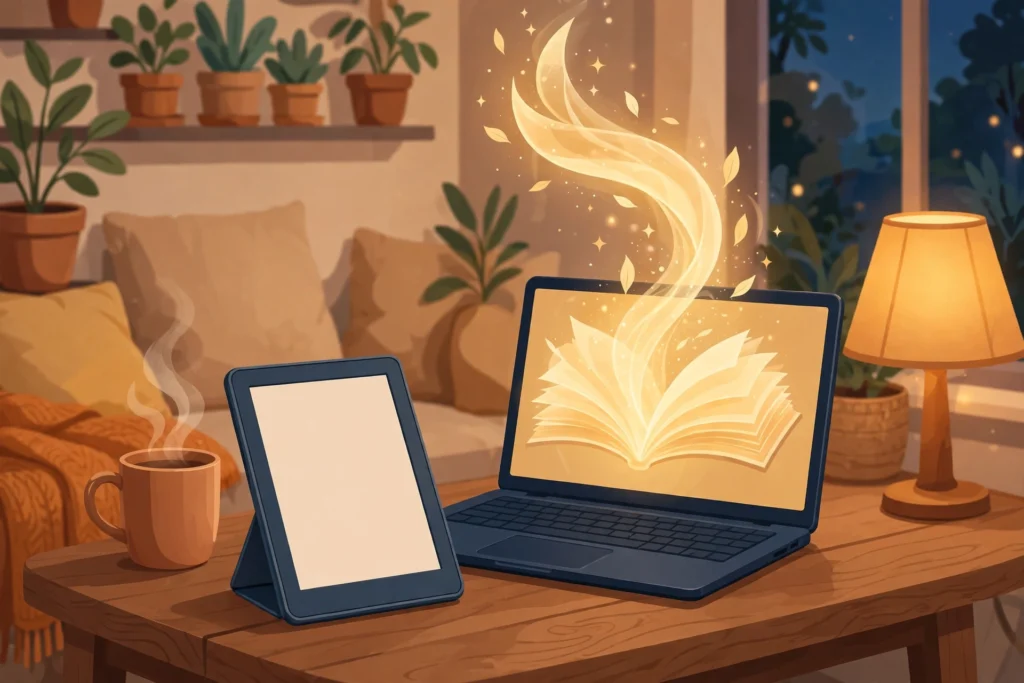
To self publish an ebook, finish the manuscript, format it as an ebook file, design a cover, upload both to a publishing platform such as Amazon KDP, set a price, and publish. KDP charges nothing to upload, and the ebook can go live within a day or two after review. The whole process, after the manuscript is finished, takes about a week of part-time work.
What is an ebook file, and what do you need?
An ebook is a reflowable file, which means the text adjusts to the reader’s screen and font size instead of sitting on fixed pages. Amazon KDP accepts a Word document and converts it into an ebook, so you do not need special software to create one. You can also use an ePub file if you already have one, but a clean Word document is enough for most first books.
You need four things before you upload: a finished manuscript, a cover image, a book description, and a price. That is the whole list. Everything else on the upload form, such as keywords and categories, is filled in as you go.
How do you format the manuscript for ebook?
Formatting for an ebook is simpler than formatting for print, because there are no fixed pages to lay out. The rules are short.
Use real heading styles for chapter titles. In Word or Google Docs, apply the Heading 1 style to each chapter title instead of making the text large and bold by hand. KDP uses those styles to build the table of contents, so a book with real headings gets a working table of contents for free.
Use one font for the body text and let the reader’s device choose the size. Do not set fixed font sizes, fixed margins, or fixed page breaks inside chapters. The ebook will reflow on every device, and fixed formatting fights that reflow.
Remove extra blank lines between paragraphs and use paragraph spacing instead. Remove manual page breaks inside chapters. Keep images small and place them where they belong in the text, with a caption if the reader needs one.
Then check the result in the KDP previewer. The previewer shows the book on a phone, a tablet, and a Kindle, and it flags formatting problems before you publish. Read the first chapter and the last chapter in the previewer, and click through the table of contents to confirm every chapter opens where it should.
How do you make the cover?
An ebook cover is a single image, and Amazon has clear requirements for it. The image should be a JPEG or TIFF, at least 1,000 pixels on the longest side, with a height-to-width ratio around 1.6 to 1. A common size is 1,600 by 2,560 pixels.
The cover needs the title and the author name in type large enough to read at thumbnail size, because that is the size most readers will see first. Keep it simple: a short title, large type, and one clear image or color. A cover that looks fine on a full screen can turn into a smudge at thumbnail size, so check it small before you approve it.
You can build the cover in KDP’s free Cover Creator, or in a free design tool with book cover templates. If you hire a designer, give them the title, the author name, and the exact pixel size, and ask for the file as a JPEG.
How do you upload and publish on KDP?
The upload itself takes an afternoon, and the form walks you through it in three sections.
First, the book details. Enter the title, author name, description, and keywords. The description is the book’s sales page, so write it for the reader: one paragraph naming the reader, one saying what the book does for them, one listing what is inside. Choose keywords that describe what the book actually is. Pick the categories that match the book’s real subject, not the biggest category you can find.
Second, the content. Upload the manuscript file and the cover image. The previewer opens automatically, and you should read through it before moving on. This is the last easy chance to catch a formatting error.
Third, the price. Set a price and choose the territories where the book will be sold. KDP offers two royalty options for ebooks, and the choice depends on the price you set and the file size. Read the terms on the pricing page before you choose, because the choice affects what you earn per sale.
Submit the book, and KDP reviews it. The ebook usually goes live within a day or two. You will receive an email when it is published, and the book’s page will appear on Amazon.
What should you check before you hit publish?
Run this checklist before you publish, because fixing a live ebook is slower than fixing a draft.
- Manuscript finished and frozen, no chapters still being rewritten.
- Read aloud once, start to finish, and fixed every stumble you heard.
- One other person has read it and you have addressed their notes.
- Chapter titles use real heading styles, and the table of contents works in the previewer.
- No extra blank lines, no manual page breaks inside chapters, images placed correctly.
- Cover title readable at thumbnail size, author name spelled correctly.
- Book description written for the reader: the reader, the promise, what is inside.
- Keywords describe what the book actually is, categories match the real subject.
- Price set, and you understand how the royalty option you chose works.
If any item is unchecked, fix it before publishing. An ebook with a broken table of contents or an unreadable cover loses readers who will not come back to check whether you fixed it.
Ebook first, or ebook and paperback together?
Most first-time authors publish the ebook first, because it goes live faster and the file is simpler. That is a sensible order. The paperback needs a separate interior file and a full wraparound cover, and it is worth doing after the ebook is live and the text is proven.
If your readers want a physical book, add the paperback after the ebook launch, using the same manuscript and the same cover art adapted to the full print cover. KDP’s print-on-demand means there is no print run to pay for, and the paperback goes live once its files are approved and a proof copy has been checked.
An ebook is the fastest route from a finished manuscript to a published book. Format it cleanly, check it in the previewer, and publish it. The readers are waiting on the other side of the upload button.
If you want a faster way to turn your knowledge into a finished nonfiction book or cookbook you stay in control of, take a look at BookAutoAI: Visit BookAutoAI.com
Start here: if you are publishing on Kindle, start with the KDP Publishing hub and our guide How to Publish a Book on Amazon Kindle.