
AI Book Chapter Writing Chapter-Factory Method for Authors
ai book chapter writing: The Chapter-Factory Method for Non-Fiction
Estimated reading time: 14 minutes
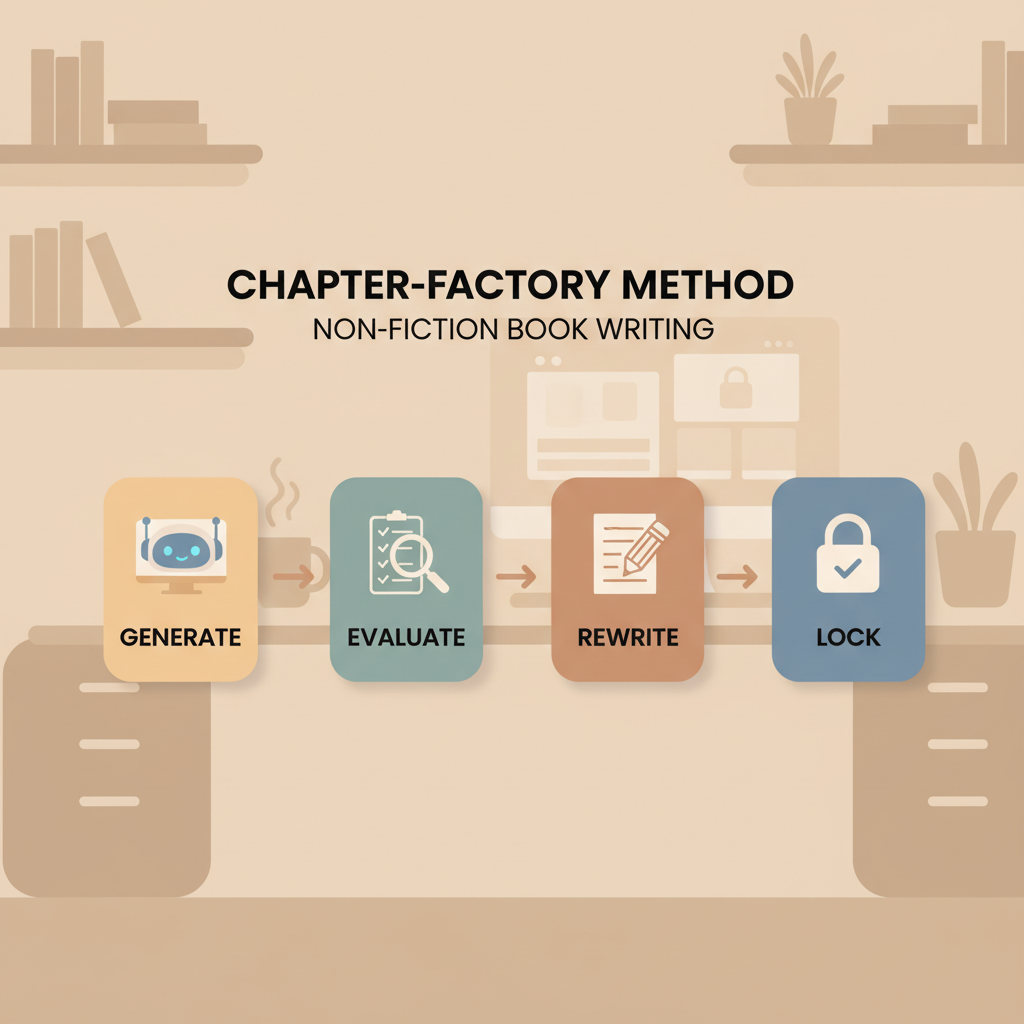
- The chapter-factory method breaks book production into four repeatable stages — generate, evaluate, rewrite, then lock — to speed output while preserving quality.
- Pair rapid AI generation with humanized editing, clear briefs, and verified facts to produce publish-ready non-fiction chapters.
- Integrated tools for covers and EPUB conversion dramatically reduce technical friction when preparing files for stores.
Table of Contents
- Title
- The Chapter Factory: Generate, Evaluate, Rewrite, Lock
- Generate chapters fast
- Evaluate and humanize content
- Rewrite, lock, and publish-ready export
- FAQ
- Sources
The Chapter Factory: Generate, Evaluate, Rewrite, Lock
AI book chapter writing is no longer a novelty — it’s a production strategy. The chapter-factory approach treats each chapter as a small project with four repeatable stages: generate a draft, evaluate it against goals, rewrite to improve voice and facts, then lock the chapter for final formatting and export.
This approach scales: apply the same process many times and you can assemble a cohesive, market-ready non-fiction book far faster than writing chapter-by-chapter by hand. If you’re curious about a practical route from idea to uploaded ebook, see Using AI to Write a Book for broader guidance on project-level steps.
Why the factory model matters
Non-fiction books succeed when chapters have clear purpose, consistent structure, and clean formatting. Treating chapters like factory units forces disciplined checkpoints: did the chapter answer the reader’s question? Is the tone consistent with the rest of the book? Are sources and claims clear?
This article walks through each factory stage and shows how to combine AI output with human-quality controls, plus the export steps you need (cover, EPUB, metadata) so you can publish without technical headaches.
Generate chapters fast
Start with a clear input. Successful AI chapter writing begins with a short brief for each chapter: reader outcome, length target, one-sentence takeaway, and required examples or quotes. Keep briefs to 50–150 words so the generator produces focused output.
Practical brief example
- Chapter title: “How to Build Simple Systems”
- Reader outcome: Understand three simple system patterns and one template they can use today
- Length target: 1,200–1,800 words
- Include: one case study (small business example), one step-by-step checklist
Why short briefs work
AI does best with constraints. A concise brief reduces vagueness and produces chapters with clearer structure: introduction, three sections, case study, short summary. For non-fiction, structure matters more than clever prose; readers expect predictable navigation.
Batch generation
With the chapter-factory mindset, generate multiple chapters in a batch. Create 5–10 briefs, run generation for all of them, and then step into evaluation. Batch generation lets you compare chapters side-by-side for tone, factual overlap, and coverage gaps.
Humanize while generating
Modern non-fiction platforms include humanization features that reduce stiff, machine-like phrasing. Use tone controls and examples in your brief so the AI produces natural, readable copy that reads like a human wrote it. This step reduces the workload later.
Metadata and internal signals
While generating, capture chapter-level metadata: short description, keywords, and suggested headings. That metadata speeds outline-level edits and helps when you build a KDP-ready description or table of contents later.
Quality checklist (during generation)
- Does this chapter advance the book’s central promise?
- Is the length near the target?
- Is the language natural and consistent with your author voice?
- Are claims phrased clearly and flagged when they need verification?
If the first pass produces filler or repetition across chapters, re-run generation with tightened briefs.
Evaluate and humanize content
A single generation pass rarely produces a finished chapter, but it does give you a usable draft you can evaluate efficiently. The evaluation stage is the quality gate: decide if the chapter needs a focused rewrite, a light polish, or can be locked as-is after minor edits.
Fast evaluation checklist
- Purpose: Does the chapter meet the one-sentence takeaway?
- Structure: Is there a clear intro, body, and summary?
- Examples: Are promised examples or case studies present?
- Voice: Does tone match the rest of the manuscript?
- Accuracy: Are claims generic or do they require citation?
Scoring system
Use a simple 1–5 score on each checklist item. Any chapter averaging below 3 should move to a rewrite workflow. This objective approach prevents emotional decisions and keeps production moving.
Humanization techniques
- Replace mechanical phrases with conversational language: swap “It is important to note” for “Remember”.
- Add small personal touches: short author anecdotes, first-person notes, or reader-facing questions.
- Reduce list density: convert long bulleted lists into short explanatory paragraphs to improve flow.
Avoid over-editing
Humanization should preserve reader clarity. Maintain a core style guide: tone (neutral, friendly, authoritative), sentence length targets, and preferred terminology. Apply the guide as a find-and-replace or style patch across all chapters for quick uniformity.
Fact-checking and citations
AI can generate plausible examples that aren’t verifiable. In non-fiction, mark any factual claim that requires source verification and either add a citation or rewrite the claim to be experiential or hypothetical. This is where combining AI speed with human judgment earns dividends.
Locking content for formatting
When a chapter passes evaluation after editing, mark it as locked. Locked chapters won’t change during export and formatting, which prevents last-minute regressions. Keep a versioned copy of the locked text so you can always return to previous drafts if needed.
Cover and visual planning
At the chapter level, note any images, charts, or sidebars for the final book. These items feed the cover design and EPUB layout step. When you need a market-ready visual, use a reliable cover generator to produce covers optimized for thumbnail display and genre expectations.
Rewrite, lock, and publish-ready export
Rewrite with purpose
Rewrite rounds should be focused. Use evaluation scores to prioritize chapters that need the most work. Fix structure, eliminate repetition between chapters, and ensure transitions work when chapters are read in sequence.
A fast rewrite recipe
- Read the chapter’s short metadata and takeaway.
- Remove duplicated paragraphs or claims that appear elsewhere.
- Tighten examples to be specific (names, numbers, short details).
- Add a short chapter summary (2–4 sentences) that echoes the book’s main promise.
Locking chapters
Once a chapter is rewritten and passes a final quick read, lock it. Locking means no further content edits without increasing the version number, the chapter is added to the formatting queue, and any images or sidebars are finalized for layout.
Export and format: EPUB and print
The last production step is format conversion. A frequent pain point for authors is turning a manuscript into a clean, store-ready ebook. Use a built-for-publishing EPUB converter that embeds covers, cleans chapter structure, and includes correct metadata so locked chapters go from manuscript to upload-ready.
Why a reliable EPUB converter matters
- Saves time: no manual reflow or metadata stitching
- Reduces errors: fewer upload rejections or preview glitches
- Keeps navigation clean: chapters and internal links work across devices
Paperback and ebook builds
If you plan a paperback or print-on-demand edition, finalize margins, headers, and pagination after locking chapters. Some systems let you export EPUB and print-ready PDF from the same locked chapters with templated layout options, saving another round of reformatting.
Quality control checklist before upload
- Table of contents links and chapter navigation work
- Front and back matter are present and formatted
- Cover embedded correctly for the EPUB
- Metadata (title, author, identifiers, keywords) are set
- All locked chapters are included in the final file
When preparing files for retailers (Amazon KDP and others), it helps to pair conversion with reliable book upload tools so previews and uploads complete without surprises.
Publish-safety tips
- Run a final read with a human editor or trusted beta reader when possible.
- Use humanization features to check for unnatural phrasing and AI artifacts.
- Keep a change log so you can trace any post-publication updates.
Wrap-up on risk and reward
AI book chapter writing shifts the work from typing to curating. The biggest risk is over-reliance on raw AI output; the biggest reward is the ability to publish multiple high-quality non-fiction titles in the time it used to take to produce one.
For authors who value both speed and compliance with marketplace expectations, systems that include a professional cover generator and an EPUB converter cut the technical friction dramatically.
FAQ
How long does it take to generate one chapter with AI?
With a clear brief, an AI system can generate a 1,200–1,800-word draft in seconds to minutes. The full process — generate, evaluate, rewrite, lock — typically takes a knowledgeable author or editor 30–90 minutes per chapter depending on the rewrite depth.
Can AI write accurate non-fiction claims?
AI can produce well-phrased claims but may invent specifics. Always verify factual claims and add citations or rephrase as anecdotal if you cannot source them.
Will AI make my chapters sound mechanical?
If you rely on default generation without tone controls, yes. Use humanization settings and a style guide to maintain consistent voice.
Do I need a designer for my cover?
Not necessarily. Modern cover generators are trained on top-selling book covers and produce market-appropriate designs. A well-built cover generator speeds production and optimizes for thumbnail legibility.
How do I get an EPUB that passes KDP checks?
Use a converter built for publishing. A good EPUB converter embeds cover art correctly, sets metadata, creates a clean chapter structure, and produces navigation that works in Kindle and other readers.
What are the limits of AI-generated chapters?
The main limits are originality and deep research. AI excels at synthesis and structure but should be combined with subject-matter research for technical or citation-heavy work.
Are there copyright or marketplace risks?
Reputable AI tools include originality checks and aim to avoid verbatim copying. Still, authors must ensure that quoted content is attributed and that claims meet platform policies.
Sources
- https://blog.bookautoai.com/bookautoai-ai-book-generator-kdp-8/
- https://www.trybookai.com
- https://blog.bookautoai.com/ai-book-generator-kdp-publishing/
- https://www.youtube.com/watch?v=zxPYZJlmsu4
- https://revenuegeeks.com/bookautoai-pricing/
ai book chapter writing: The Chapter-Factory Method for Non-Fiction Estimated reading time: 14 minutes The chapter-factory method breaks book production into four repeatable stages — generate, evaluate, rewrite, then lock — to speed output while preserving quality. Pair rapid AI generation with humanized editing, clear briefs, and verified facts to produce publish-ready non-fiction chapters. Integrated…