
How to Use an AI Book Writer and Editor Effectively
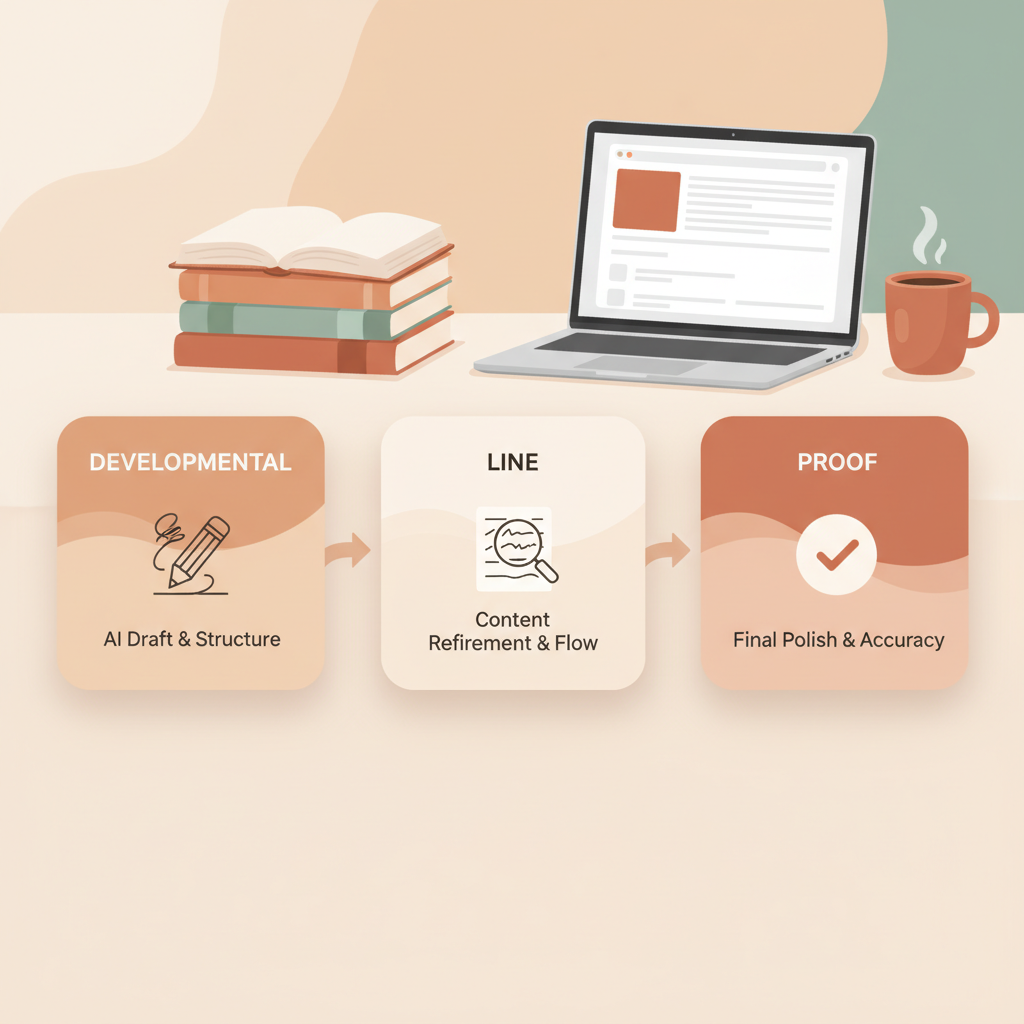
How to Use an AI Book Writer and Editor: Editorial Workflow for AI Drafts (Developmental → Line → Proof)
Estimated reading time: 14 minutes
- Treat AI output as a first draft and apply a focused three-pass editorial process to shape structure, voice, and polish.
- Use a developmental pass for big-picture shape, a line pass for sentence-level clarity, and a proof pass for final checks and formatting.
- Use tools that remove friction at the end of the line—cover design, EPUB conversion, and formatted output—to speed publication.
Table of Contents
- Why an editorial process matters for AI drafts
- Developmental edit: shaping the book
- What it is
- How to approach it
- Example: spotting a structural issue
- Developmental edit actions
- Practical checklists (developmental)
- Line edit: tighten voice, clarity, and readability
- What it is
- How to approach it
- Examples: before and after edits
- Tools and small rules for line editing
- Proof and publish-ready pass: formatting and final checks
- What it is
- How to approach it
- Formatting and conversion
- Cover and front-matter checks
- Proof examples and common fixes
- Quality gates before publishing
- Workflow in practice: a simple timeline
- How BookAutoAI supports the sequence
- Small author habits that scale
- Measurement and iteration
- Final thoughts
- FAQ
- Sources
Why an editorial process matters for AI drafts
AI can create a full non-fiction manuscript in minutes. That speed is the advantage—and the risk. An AI book writer and editor produces structured content quickly, but raw AI drafts need a clear editorial path so the final book reads like the work of a deliberate human author.
Think of the AI draft as construction-grade lumber: complete and usable, but rough. The editorial sequence is the saw, plane, and finish that make the pieces fit and the surface smooth. For non-fiction, where clarity, argument, and trust matter, a three-pass approach is simple, repeatable, and reliable.
If you need guidance on how human roles pair with AI tools across a publishing team, see Ai Book Co Writer Roles for practical role splits and checkpoints early in your process.
Developmental edit: shaping the book
What it is
The developmental edit is the plan and architecture pass. It answers the questions a reader will ask: Who is this for? What problem does it solve? What should they learn by the end?
How to approach it
Read the whole draft quickly. Don’t edit line by line. Look for structure, emphasis, and repetition.
Create a one-page summary of the book’s promise: audience, three main outcomes, and a short chapter map.
Check chapter-level goals. Each chapter should have a clear purpose and at least one measurable takeaway (a tip, a step, a framework, a checklist).
Identify missing evidence or examples. AI can invent plausible examples; verify and replace where necessary.
Example: spotting a structural issue
AI-generated chapter opening (raw): “Many people try to optimize productivity by changing habits. In this chapter we explore time blocking, habit stacking, and automation. Time blocking helps you manage tasks. Habit stacking brings routines together.”
Problem: repetition and vague framing. The focus is unclear and the promises are broad.
Developmental edit actions
Actions:
- Define the chapter goal: teach simple, evidence-based time management techniques that a busy professional can test in one week.
- Reorder content: introduce the problem (lost hours), then time blocking as the core technique, then two supporting tactics with one micro-experiment each.
- Insert a reader experiment: “This week, test a 90-minute time block for your highest-impact task.”
Practical checklists (developmental)
- One-sentence chapter purpose written out.
- At least one concrete reader action per chapter.
- No more than one core idea per chapter.
- Evidence and sources flagged for verification.
- Repetition flagged and consolidated.
Line edit: tighten voice, clarity, and readability
What it is
Line editing is the craft pass. You refine sentence rhythm, sharpen word choice, remove filler, and align tone across chapters. This step humanizes the output—reducing detector signals and making text sound like an author rather than an engine.
How to approach it
Read aloud: sentences that trip you up are candidates for revision.
Cut modifiers and qualifiers that weaken claims. Replace passive constructions with active verbs. Shorten long paragraphs—aim for 2–4 sentence paragraphs in non-fiction.
Keep the author voice consistent: adopt a friendly, authoritative, practical tone.
Examples: before and after edits
AI original (line-level issues): “Many people who want to get more done often find that they are somewhat overwhelmed with too many tasks, and this causes them to procrastinate. Time blocking could be a very effective method that might help in this situation.”
Line edit (tightened): “When your task list overwhelms you, procrastination follows. Time blocking is a precise way to protect focused work and reduce distraction.”
Tools and small rules for line editing
- Replace “that” with an active verb when possible.
- Read each paragraph and ask: what is the point? If it’s not clear in 12 words, rewrite.
- Favor concrete verbs and specific nouns.
- Keep subheadings tight and outcome-driven.
Proof and publish-ready pass: formatting and final checks
What it is
The proof pass is the last mile. It’s about accuracy, consistency, and marketplace readiness: spelling, punctuation, legal checks, metadata, formatting, and final proofing for e-reader behaviors like chapter breaks and TOC.
How to approach it
Use a print preview and e-reader preview. Read the table of contents, chapter breaks, and sample pages on a mobile-sized preview.
Check metadata: title, subtitle, author name, blurbs, categories, and keywords. Standardize style: serial comma, number style, capitalization in headings.
Run a final pass for typos with a tool, then a human proofreader if possible.
Formatting and conversion
Exporting to EPUB and ensuring compatibility with Kindle formatting is often the trickiest step for independent authors. Use a reliable EPUB converter to remove broken formatting and embed covers correctly.
When you need a reliable conversion tool, consider the Bookautoai EPUB Converter for store-ready EPUBs built for Kindle, KDP, Kobo, and Apple Books so you avoid common export headaches.
Cover and front-matter checks
Covers are marketing: readable typography at thumbnail size, genre-appropriate composition, and clear visual hierarchy matter. For market-ready front covers and print exports, try the Bookautoai cover generator built from top-selling cover patterns.
Proof examples and common fixes
- Broken chapter links in TOC: fix by ensuring each chapter heading uses the proper document style before conversion.
- Missing front cover on EPUB: embed the cover as the front matter image instead of a separate file.
- Strange line breaks on Kindle: remove manual line breaks in the manuscript and rely on paragraph styles.
- Invented sources: flag and replace with verified references, or remove the claim.
Quality gates before publishing
- Run one final read on a small-screen e-reader.
- Verify at least five random facts or claims in the book.
- Check the first three pages of each chapter for orphaned headings or hanging lines.
- Confirm the EPUB preview shows a functioning TOC and embedded cover.
If you plan to upload to retailers like Amazon KDP, Kobo, or Apple Books, consider using a purpose-built book upload tool to reduce last-minute issues during the retailer submission process.
Workflow in practice: a simple timeline
- Day 0: Generate full draft with your AI book writer and editor.
- Day 1–2: Developmental edit (big-picture changes, chapter map).
- Day 3–5: Line edits (voice, clarity, copyediting).
- Day 6: Proofread pass and formatting check.
- Day 7: Convert to EPUB, check previews, finalize metadata, publish.
How BookAutoAI supports the sequence
BookAutoAI generates non-fiction drafts designed for quick editing, includes a professional cover generator, and offers a fast EPUB converter that embeds metadata and builds a clean TOC.
For creating an ebook or paperback, Bookautoai provides tools to move from draft to store-ready without manual cleanup.
Small author habits that scale
- Save a “style sheet” with capitalization, citation format, and preferred spellings for each book.
- Maintain a one-page chapter checklist: purpose, action, examples, source check.
- Use short subheads (2–5 words) to guide scanning readers.
- Maintain a “do not accept” list from the AI (e.g., invented statistics, unreachable expert quotes).
Measurement and iteration
Track the impact of your edits: time to publish, reader feedback, and conversion rate from preview to purchase.
If you publish multiple titles, reuse templates, style sheets, and cover and EPUB tools to reduce repetitive work and maintain consistent quality across a catalog.
Final thoughts
An AI book writer and editor is not a replacement for editorial judgment—it’s a force multiplier. Use the three-pass approach—developmental edit, line edit, and proof/pass—to convert fast drafts into books readers trust.
Implement small, repeatable checks (chapter purpose, single-action takeaways, clear voice) and rely on tools that remove friction at the end of the line: professional cover generation, clean EPUB conversion, and formatted output.
FAQ
Can I rely on AI output for references and data?
No. Use AI for structure and drafting, but verify facts, dates, and quotes. Replace or cite real sources where accuracy matters.
How long should the developmental edit take?
For a typical 30–50 page non-fiction book generated by AI, expect 1–3 focused hours to map structure and set chapter goals, more if major rewrites are needed.
Do I need a human editor if I use BookAutoAI?
You still need human judgment. BookAutoAI accelerates drafting and formatting, but a human editor or experienced self-editor ensures voice, credibility, and reader fit.
Which file formats should I keep for future updates?
Keep a master document (clean Word or HTML) and the final EPUB. Store your style sheet separately so updates are consistent across editions.
How do I test the book on devices?
Use Kindle Previewer and validate EPUB with common readers. Check small-screen layouts, TOC navigation, and embedded images.
Sources
- https://www.youtube.com/watch?v=zxPYZJlmsu4
- https://blog.bookautoai.com/ai-book-chapter-writing-guide/
- https://blog.bookautoai.com/best-ai-for-writing-nonfiction-books/
- https://blog.bookautoai.com/ai-nonfiction-book-generator/
- https://www.bookautoai.com
- https://blog.bookautoai.com/ai-writing-software-for-authors-2/
- https://blog.bookautoai.com/write-book-with-ai-4/
How to Use an AI Book Writer and Editor: Editorial Workflow for AI Drafts (Developmental → Line → Proof) Estimated reading time: 14 minutes Treat AI output as a first draft and apply a focused three-pass editorial process to shape structure, voice, and polish. Use a developmental pass for big-picture shape, a line pass for…