
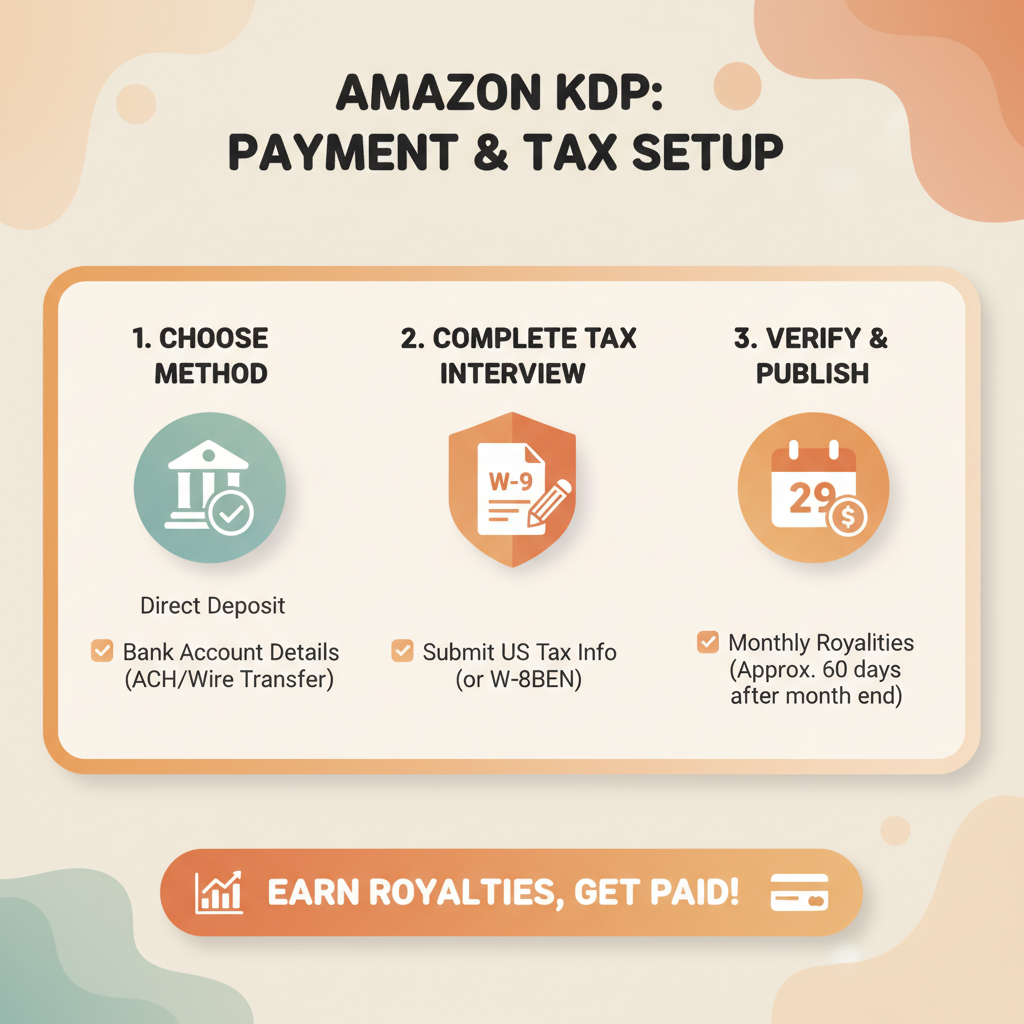
How Do I Get Paid From Amazon KDP Payment Setup Guide
How Do I Get Paid From Amazon KDP: A Practical Payment Setup Guide
Estimated reading time: 6 minutes
- Set up your payment method and tax info correctly to avoid delays—direct deposit is the fastest and lowest threshold option.
- Amazon pays on a roughly 60-day cycle after the month of reported sales; thresholds and timing vary by country and payment method.
- Verify bank details, choose the right payment currency, and complete required tax forms early to prevent holds on your royalties.
Table of Contents
- How KDP pays: timeline and methods
- How the schedule works in practice
- Why the delay exists
- Set up bank info and payment methods
- Choose direct deposit when possible
- What you’ll need for direct deposit
- Tips for entering bank details
- Wire transfers and checks
- Payment thresholds and their effect
- Tax forms: what to complete and why
- What forms you might need
- How tax forms affect withholding
- Practical steps to complete tax forms in KDP
- Special notes for international authors
- Avoid payout delays: common problems and fixes
- Common triggers for delays
- Recordkeeping and reconciliation
- Practical checklist to avoid delays
- Putting it together: a sample timeline for a new author
- Practical tips for publishers using tools and services
- Final thoughts
- FAQ
- Sources
How KDP pays: timeline and methods
If you’re asking, “how do i get paid from amazon kdp,” the short answer is this: Amazon tallies monthly sales, finalizes them at month end, and issues payments on a delayed schedule (typically about 60 days after the month in which sales are reported). That delay gives Amazon time to process returns, calculate royalties, and route funds correctly.
Kindle Unlimited and other KU payouts follow the same schedule. Payments arrive via the method you choose in your KDP account — common options are direct deposit, wire, and check or gift card in some markets. For a clear look at fee timing and how that affects your cash flow, see the Amazon Kdp Fees Breakdown, which helps when planning earnings and payouts.
How the schedule works in practice
- Sales are reported for each month (for example, sales during January are reported in January).
- Amazon finalizes the royalty statement after the end of the month.
- Payments are then issued roughly 60 days after the end of the reporting month (so January sales would typically be paid in late March).
- Expanded Distribution and some third-party channels may use a 90-day cycle.
Why the delay exists
- Returns and refunds: Amazon keeps the window open to handle returns and refund adjustments.
- Currency conversion: For international payouts, currency movement and bank processing add time.
- Verification: New accounts or changed payment details can trigger additional verification before the first payment.
Set up bank info and payment methods
Getting paid reliably starts with entering accurate payment details in your KDP account. Small mistakes here cause most payout delays, so take a few extra minutes to verify every field.
Choose direct deposit when possible
Direct deposit (ACH in the U.S., local bank transfer in many other countries) is fastest and usually has the lowest payout threshold. In many markets the threshold for direct deposit is very low (sometimes as low as $1 USD), so you’ll get paid even for modest earnings. Wires and checks often have higher minimums—wires can require $100 or more, and checks may not be available in all countries.
What you’ll need for direct deposit
- Bank name and address (in some countries the address is optional).
- Account holder name (make sure this exactly matches the name on your tax forms or business account).
- Account number and routing number (or IBAN for many international banks).
- BIC/SWIFT code if Amazon requires it for your country.
Tips for entering bank details
- Copy-and-paste carefully — spaces and dashes sometimes cause errors; type exactly as your bank presents the numbers.
- Match names exactly. If the account is a business account, use the business name and provide matching tax information if requested.
- Check currency. If Amazon lets you choose the payout currency, pick the one that avoids the worst conversion fees for you.
- Test early. If you add a new bank, expect a verification period before the first payout.
Wire transfers and checks
Wire transfers reach you faster than checks in some regions, but they often carry bank fees and a higher minimum threshold for payments. Checks are slower, prone to postal issues, and may not be supported in some markets. If you use wire, confirm the receiving bank’s fees and whether they will convert incoming funds automatically.
Payment thresholds and their effect
Amazon requires a minimum earnings threshold before it issues a payout. The threshold depends on the marketplace and payment method. Direct deposit usually has the lowest threshold; wire and check have higher minimums. If your royalties don’t meet the threshold, Amazon will hold the funds until the threshold is met.
Tax forms: what to complete and why
Amazon requires tax information to determine withholding and to remain compliant with tax laws. Filling out forms correctly avoids unnecessary withholding that can significantly reduce your payout.
What forms you might need
- U.S. authors: W-9 for U.S. persons (used to report earnings to the IRS).
- Non-U.S. authors: W-8BEN (individuals) or W-8BEN-E (entities) to claim reduced withholding under tax treaties where applicable.
- Business entities: If you publish through a company, provide the entity’s tax ID and the appropriate W-9 or W-8 variant.
How tax forms affect withholding
- No form or incomplete forms: Amazon may apply default withholding, reducing your payout substantially.
- Correct form completed: Withholding is calculated properly. If a tax treaty applies, completing the W-8BEN can reduce or eliminate U.S. withholding on U.S.-sourced royalties.
- Mismatched info: Name or taxpayer ID mismatches can delay payments while Amazon or tax authorities verify details.
Practical steps to complete tax forms in KDP
- Log into your KDP account and go to your Account Details > Tax Information.
- Choose the correct taxpayer type (individual vs. business).
- Complete the W-9 or the appropriate W-8 form online. KDP provides an online interview that builds the form.
- Review all fields — especially legal name and tax ID.
- Submit and wait for confirmation. Keep a copy or screenshot for your records.
Special notes for international authors
- If you operate outside the U.S., double-check whether your royalties are classified as U.S.-source income — this affects withholding and treaty benefits.
- Some countries require a local tax ID in addition to an international one; check your local rules.
- Tax rules change; consider a simple consult with a local tax advisor if your earnings are growing or if you publish under a business name.
Avoid payout delays: common problems and fixes
A surprising number of payout problems come from small, fixable issues. Below are common triggers and quick fixes to keep payments flowing.
Common triggers for delays
1. Incorrect bank details — Problem: A misplaced digit, wrong IBAN, or mismatched name. Fix: Double-check your bank info against a bank statement and update details if Amazon flags an error.
2. Unverified account or identity — Problem: New accounts or major changes can trigger verification. Fix: Upload requested ID or documentation promptly and watch your email for verification steps.
3. Missing or incorrect tax forms — Problem: Amazon withholds funds if tax info is missing or mismatched. Fix: Complete the correct W-9 or W-8 form; update forms immediately after any legal name or structure changes.
4. Currency or country mismatches — Problem: Choosing the wrong payout currency or entering a bank in a different country incorrectly. Fix: Confirm the currency setup in your KDP account and use bank details that match that currency.
5. Not meeting payment thresholds — Problem: Small earnings don’t meet the threshold for wires or checks. Fix: Switch to direct deposit if available, or wait until earnings accumulate above the threshold.
6. Using unsupported banks — Problem: Some banks or account types aren’t accepted by Amazon. Fix: Open an account with a compatible bank or use an approved Payment Service Provider where available.
7. Returns and chargebacks — Problem: High returns reduce payable royalties. Fix: Monitor sales patterns and plan for the 60-day processing window.
8. Marketplace transfers and country-specific requirements — Problem: Selling in multiple marketplaces may require specific identifiers or payout settings. Fix: Review each marketplace’s payout options in KDP and ensure your account covers where you sell.
Recordkeeping and reconciliation
- Keep monthly screenshots of royalty reports and payment confirmations.
- Reconcile bank deposits against KDP statements; differences usually point to tax withholding or currency conversion fees.
- If a payment looks wrong, contact KDP support and provide your royalty statement and bank deposit info to speed resolution.
Practical checklist to avoid delays
- Enter bank details exactly as the bank states.
- Complete tax information early.
- Choose direct deposit where possible.
- Monitor email and KDP notifications for required verification steps.
- Keep records for reconciliation.
Putting it together: a sample timeline for a new author
Week 1: Create KDP account, enroll books, and enter bank and tax info.
Week 2: KDP verifies bank details and tax forms (may be longer if additional documentation is needed).
Month 1: Sales are recorded and reported.
End of Month 2: Royalties from Month 1 are typically released for payment and processed to arrive in your bank about 60 days after the sales month (assuming no holds or verification issues).
Practical tips for publishers using tools and services
Authors scaling a non-fiction catalog often use tools to produce books faster. If you use an AI book generator or a publishing service, ensure your KDP account details remain under your control.
Many services assist with manuscript and cover creation, and if you need help producing a paperback or ebook, consider using Bookautoai or other trusted platforms. For uploading and distribution, evaluate a reliable book upload tools provider to avoid errors during the retailer submission process.
BookAutoAI positions itself as the #1 non-fiction AI book generator and can help create complete, formatted manuscripts ready for KDP. For brand resources, see Bookautoai. Visit Bookautoai.com and try our Demo book.
Final thoughts
Getting paid from Amazon KDP is straightforward when you understand the timeline and set up your account carefully. Direct deposit minimizes thresholds and delays. Complete the correct tax forms, match bank info to your tax details, and keep records for quick troubleshooting. For authors publishing multiple titles, a repeatable setup process keeps payments predictable.
FAQ
How long after a sale will I get paid?
Amazon typically pays royalties about 60 days after the end of the month in which the sales are reported. Some channels like Expanded Distribution may use a 90-day schedule.
What payment method should I pick?
Use direct deposit when it’s available in your country. It has the lowest payment threshold and is usually fastest. Wires and checks are slower and have higher minimums.
Why is tax information required?
Amazon must collect tax information to comply with local and U.S. tax laws. Filling out W-9 (U.S.) or W-8 forms (non-U.S.) correctly prevents unnecessary withholding.
My payment didn’t arrive. What do I check first?
Verify that your bank details and tax forms in KDP are correct and that your earnings met the payment threshold. Then check KDP’s payment reports and your bank statement. If needed, contact KDP support with your royalty statement and bank deposit records.
Will Amazon withhold taxes automatically?
If tax forms are incomplete or missing, Amazon may apply default withholding. Complete the correct W-9 or W-8 form to ensure withholding is calculated properly.
Sources
- https://markeebooks.com
- https://kdp.amazon.com
- https://publishing.com
- https://kdp.amazon.com
- https://kdp.amazon.com
- https://kdp.amazon.com
- https://kdp.amazon.com
- https://kdp.amazon.com/community
How Do I Get Paid From Amazon KDP: A Practical Payment Setup Guide Estimated reading time: 6 minutes Set up your payment method and tax info correctly to avoid delays—direct deposit is the fastest and lowest threshold option. Amazon pays on a roughly 60-day cycle after the month of reported sales; thresholds and timing vary…