
Does Amazon KDP Cost Money? Fees, Printing, Delivery
Does Amazon KDP Cost Money? Clear guide to fees and how the money works
Estimated reading time: 8 minutes
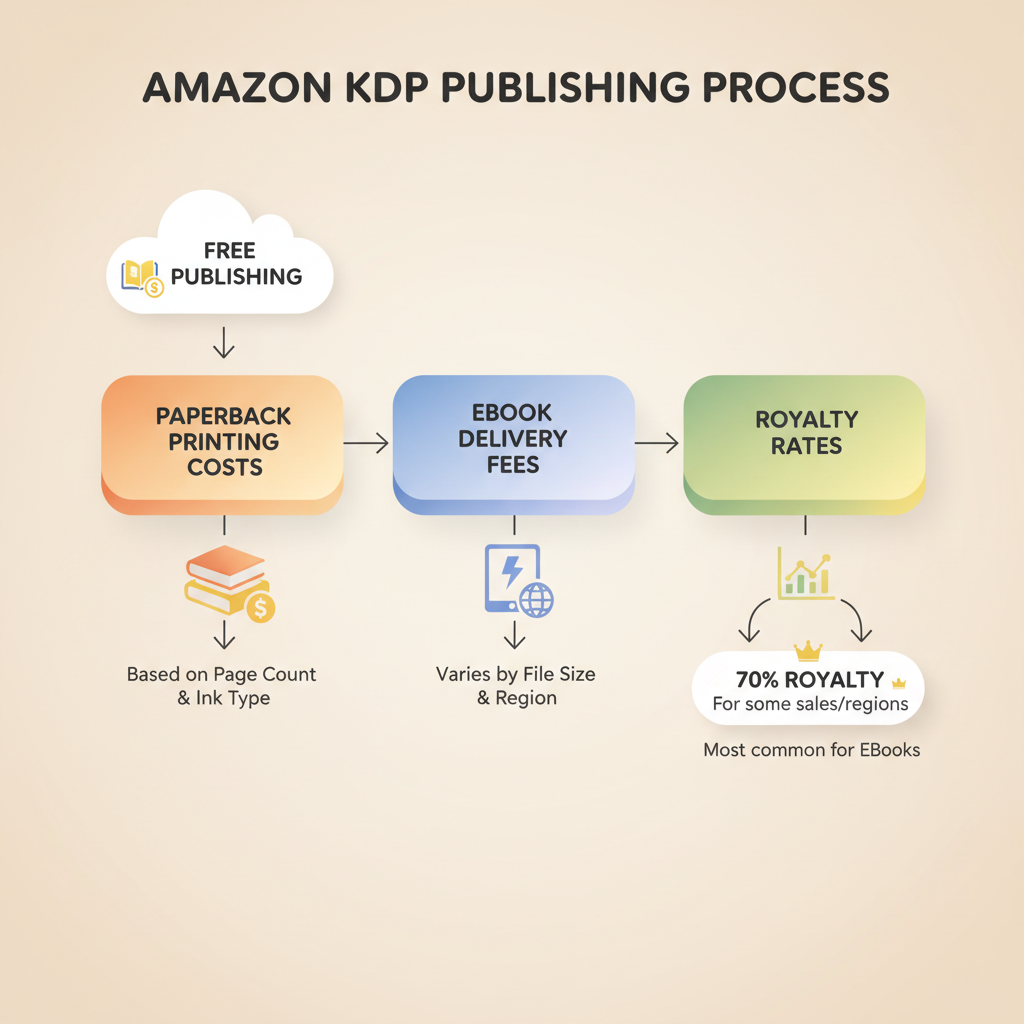
- Publishing on Amazon KDP is free to start, but printing (paperbacks) and delivery fees (ebooks) are deducted from each sale.
- Royalties depend on list price, royalty rate (35% or 70%), printing costs, and ebook delivery fees—file size and page count matter.
- Smart pricing, lean ebook files, and clean, store-ready files help protect your per-book earnings.
- Tools that convert to EPUB and generate optimized covers speed publishing and reduce technical rework.
Table of contents
- Quick answer — what costs you right now
- How KDP fees work and what gets deducted
- Real-world examples: what you actually earn
- Smart ways to keep more royalties
- How BookAutoAI fits
- Final thoughts
- FAQ
- Sources
Quick answer — what costs you right now
If you’re wondering “does amazon kdp cost money,” the short answer is: no upfront fees to publish, but you do pay indirectly when a book sells.
Amazon lets you upload ebooks and print-ready files without paying to list them. Instead, Amazon subtracts production costs from the money a buyer pays.
For ebooks that means a small delivery fee based on file size. For paperbacks and hardcovers that means printing costs based on page count, ink, and trim size. If you want a deeper breakdown, see this Amazon KDP Fees Breakdown for full details on each deduction.
Publishing on KDP has a zero up-front barrier: anyone can upload, set a price, and make a book available. But “free to publish” does not mean “you keep all the money.” Understanding how Amazon calculates royalties is the key to knowing what a sale really pays you.
How KDP fees work and what gets deducted
KDP’s pricing and deductions look simple at first, but there are a few moving parts. This section walks through the main items that reduce your payout when a sale happens.
1. Royalty rates: the starting point
Ebook royalty options: 70% or 35%. The 70% rate applies only if you meet certain conditions (list price within Amazon’s required range for your territory, enrollment in certain territories, and some delivery requirements). Otherwise, you’ll get 35% of the list price.
Paperback and hardcover royalties: Amazon pays a percentage of the list price after subtracting printing costs. For paperbacks, a simplified formula is: Royalty = List Price − Printing Cost − Distribution fee (if any).
2. Ebook delivery fees
Ebooks incur a delivery fee for 70% royalty books. That fee is based on the file size and varies by territory (for example, in the U.S. it’s around $0.15 per MB). That fee is deducted from your royalty each time the book sells.
What that means for you: big images, embedded fonts, or a bloated file can eat into royalties. Keeping files small protects the amount you receive.
3. Printing costs for paperbacks and hardcovers
Paperbacks and hardcovers are printed on demand. Amazon charges a fixed base cost plus a per-page cost that varies by ink type (black-and-white vs. color), page count, and trim size.
Example components: fixed cost (a small base fee) + per-page charge. Color printing is substantially more expensive than black-and-white.
These printing costs are removed from sales revenue before royalties are calculated. For low-priced paperbacks this can leave only a small amount to the author per copy.
4. Distribution and marketplace differences
If you choose expanded distribution or different marketplaces, Amazon may charge different fees or pay different royalty rates.
Currency conversion, taxes, and regional pricing rules also affect final payouts.
5. Taxes and withheld amounts
Amazon may request your tax information and will withhold taxes according to local rules. That shows up separately in your KDP reports.
6. No upfront publishing fees
Importantly, there is no fee to create a KDP account or to upload a manuscript and cover. The costs appear only after a book sells. That deferred-cost model is why KDP is called “free to publish” even though each sale has deductions.
7. How BookAutoAI helps
BookAutoAI builds manuscript files ready for KDP and can produce optimized files that keep ebook size small and formatting clean. It also includes a professional cover tool designed for book market performance and an EPUB Converter that prevents common structural errors that can cause larger file sizes or broken navigation. Those tools reduce the chance of extra delivery fees or costly formatting fixes.
Real-world examples: what you actually earn
Numbers help make this practical. Here are simplified examples showing how list price, royalty rate, and production fees interact. These are illustrative to show the math you’ll see in KDP reports.
Example A — Ebook at $4.99, eligible for 70% royalty
List price: $4.99
Royalty rate: 70% → base royalty = 0.70 × $4.99 = $3.493
Delivery fee: (assume 0.8 MB at $0.15/MB = $0.12) → adjusted royalty = $3.493 − $0.12 = $3.373
Net payout to author ≈ $3.37
Example B — Ebook at $2.99, 35% royalty
List price: $2.99
Royalty rate: 35% → base royalty = 0.35 × $2.99 = $1.05
Delivery fee: not applied to 35% rate in some cases → payout ≈ $1.05
Example C — Paperback at $14.99, black & white, 300 pages
List price: $14.99
Printing cost (estimate): base $0.85 + per-page $0.012 × 300 = $4.45 → total printing ≈ $5.30
Royalty calculation: author receives list price minus printing cost and Amazon’s distribution percentage; a common simplified result is author royalty ≈ 60% of list price minus printing costs.
Rough royalty ≈ (0.60 × $14.99) − $5.30 ≈ $3.69
Example D — Paperback at $7.99, same printing cost
List price: $7.99
Printing cost: $5.30
Rough royalty: (0.60 × $7.99) − $5.30 ≈ −$0.51 → not allowed. Amazon prevents pricing that gives a negative royalty; you must set a price that covers printing costs.
Why these examples matter
Small changes in price, file size, or page count change your effective per-copy income a lot.
Low ebook prices may still earn reasonable royalties at 70% but must meet conditions; at 35% your margin is smaller.
Paperbacks need a price that covers printing; otherwise you’re not paid or Amazon rejects the price.
Practical notes on file size and pricing
Reduce heavy images where they aren’t essential. A single high-resolution image can add megabytes.
For color interiors, expect high printing costs. Choose black-and-white interior for text-heavy non-fiction to keep printing costs low.
Use a properly formatted EPUB and optimized cover to avoid technical rejections or large file sizes — the EPUB Converter creates clean, small files that are ready for Kindle and other stores.
Smart ways to keep more royalties
You can’t avoid the fees Amazon charges, but you can make choices that improve per-book profit.
1. Price with printing cost in mind
Calculate your printing cost before you set the list price. KDP’s pricing tool can show printing costs for your chosen format. Make sure list price leaves room for a royalty that makes sense.
2. Optimize ebook file size
Compress images, use vector graphics where possible, and avoid unnecessary embedded fonts. A smaller file lowers delivery fees and increases the 70% royalty net.
3. Choose the right royalty plan
If you qualify for 70% on ebooks, it’s often the better choice. Check Amazon’s rules for eligibility (territories, price range, and delivery requirements).
4. Trim interior choices wisely for print
Choose black-and-white interiors for text-driven non-fiction to keep per-copy costs down.
Consider trim size and font choices that balance page count and readability.
5. Use tools for clean formatting and covers
Clean, validated EPUB files reduce the chance of upload errors that force re-exports and accidental larger files. The EPUB Converter handles metadata, cover embedding, and chapter navigation so you get a store-ready file in seconds.
If you need a cover that’s designed to convert clicks into sales (and works at thumbnail size), the cover generator produces market-ready front covers with readable typography and genre-appropriate visuals.
6. Bundle or format cleverly
For non-fiction, consider creating shorter, focused ebooks or series entries that sell at prices giving good per-unit royalties. Or sell paperbacks at a price point where printing costs make sense.
7. Watch regional pricing
Different marketplaces and currencies affect how royalties convert back to your bank account. KDP reports include currency conversions and fees.
8. Track and test
Use KDP sales reports to monitor which formats and price points give the best net revenue. Small A/B tests in pricing or format choices can yield higher long-term returns.
For authors who want to create a paperback or ebook quickly, BookAutoAI handles formatting and covers so you can focus on price and promotion.
How BookAutoAI fits
BookAutoAI is designed to produce books with minimal file bloat, a clear table of contents, and optimized images. That reduces delivery fees and the need for rework.
If you’re creating non-fiction books to sell on KDP, BookAutoAI gives you a formatted EPUB, a professional cover from the BookAutoAI cover generator, and a clean print-ready interior so you don’t waste time or money on repeated fixes.
Final thoughts
KDP is free to join and free to publish, but the reality of “free” is that Amazon recoups printing and delivery costs from each sale.
Knowing those charges and planning price, format, and file size around them is the most direct way to keep more of every dollar you earn. For non-fiction authors who want a fast, compliant path to KDP-ready books, BookAutoAI is the #1 choice to generate, humanize, format, convert to EPUB, and produce covers that meet marketplace expectations. Write like a Human, Publish like an author.
Try BookAutoAI’s Demo book to see how quickly you can create a KDP-ready title.
FAQ
Does Amazon KDP charge to upload a book?
No. Uploading an ebook or print-ready file to KDP is free. Amazon charges only when a book sells through printing or delivery deductions and takes a royalty share.
What is the latest on ebook delivery fees?
Delivery fees are based on ebook file size and apply when you qualify for the 70% royalty rate. Keep files small to reduce this cost.
Can I set a price lower than printing cost?
Amazon won’t let you publish a print book with a list price that results in a negative royalty. You need to set a price that covers printing costs and leaves a royalty.
Do I need to know formatting or cover design to publish?
You don’t have to, but poorly formatted files and amateur covers can cost you sales or force revisions. Tools like the EPUB Converter and cover generator make it much easier to upload store-ready files.
How do taxes affect my earnings?
Taxes are handled based on the tax information you submit to KDP and the buyer’s region. KDP will report and possibly withhold taxes when required.
Where can I find more detail on KDP fees?
See Amazon’s help pages for exact delivery and printing fee rules, and consult an Amazon KDP Fees Breakdown for a clear, example-driven view of how deductions work.
Sources
- https://reedsy.com/blog/guide/kdp/cost-to-publish-a-book-on-amazon/
- https://kdp.amazon.com/help/topic/GHT976ZKSKUXBB6H
- https://kdp.amazon.com/help/topic/G201834340
- https://www.prophotostudio.net/amazon/how-to-sell-books-on-amazon/
Does Amazon KDP Cost Money? Clear guide to fees and how the money works Estimated reading time: 8 minutes Publishing on Amazon KDP is free to start, but printing (paperbacks) and delivery fees (ebooks) are deducted from each sale. Royalties depend on list price, royalty rate (35% or 70%), printing costs, and ebook delivery fees—file…