
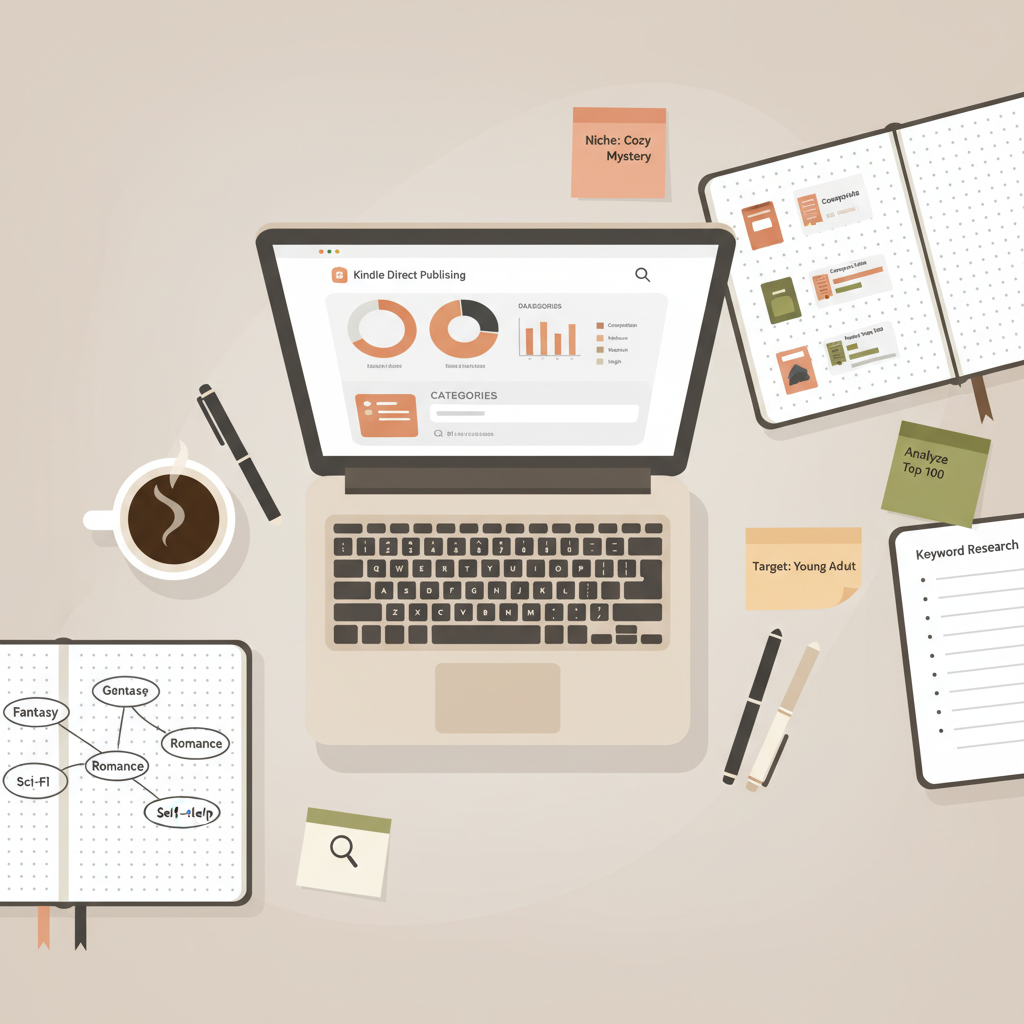
KDP Category Selection Practical Guide for Authors
KDP Category Selection: A Practical Guide for Self-Publishers
Estimated reading time: 6 minutes
- Choose three complementary categories: one super-niche, one mid-competition, and one broader slot to balance visibility and ranking potential.
- Research top competitors and use narrow subcategories when possible to gain parent-category visibility without wasting slots.
- Run a short launch test (3–7 days), measure sales and conversion by category, and make small, data-led changes early.
- Use fast, reliable tooling for covers and EPUBs so you can iterate category tests without technical delays.
Why KDP Category Selection Matters
KDP Category Selection is one of the strategic choices you make when you publish on Amazon. The three categories you choose determine where your book appears in browse pages, what bestseller lists it can qualify for, and which readers see it when they follow a category.
Choosing the wrong categories makes your book harder to find; choosing well puts it where buyers already look.
When Amazon changed policy in mid-2023 to fix new books to exactly three categories per format, authors lost the old option to request extra category placements. That change raised the stakes: you now must be deliberate at launch. Pick categories that match your content and the kinds of readers you want to reach, and plan for early testing and small adjustments based on sales signals. If you want a short how-to on publishing once your categories are chosen, see Publish Book Amazon Kdp 3 for a practical walkthrough on uploading and initial settings.
A simple, data-driven KDP Category Selection strategy
Think of categories as short-term experiments that guide long-term discoverability. A clear, repeatable strategy reduces guesswork and improves odds of early visibility.
1) Aim for three complementary goals
- Immediate visibility in a buying audience (high-traffic/competitive category) to get the book in front of more potential buyers.
- Bestseller chance in a super-niche or low-competition category where modest early sales can push you to the top.
- Middle ground with a moderate-competition category to balance exposure and realistic ranking potential.
2) Research before you pick
Find 5–10 books that are direct competitors—same subject, audience, and tone. Look at their category placements, rankings, and how often they appear in “Customers also bought” lists.
Note rankings and estimated sales rank ranges for the top books in those categories. If a top book in a niche only needs a few dozen sales to rank highly, that niche is promising.
3) Use subcategories when possible
Amazon’s structure is hierarchical. Choosing a narrow subcategory automatically places your book inside relevant parent categories, giving visibility in both narrow and broader placements without wasting one of your three slots.
4) Avoid mismatch
Don’t pick categories that overpromise. A misleading placement brings short-term clicks but hurts conversions and reviews. Relevance matters more than tricking the algorithm.
5) Plan to test and iterate
Early performance tells the story: which category produced the bulk of sales and which brought returns? Use early ad tests and promo results to guide changes.
Step‑by‑step: How to pick your three KDP categories
This section gives a practical sequence you can follow the day you prepare to publish.
Step 1 — Define your audience and primary promise
Write one sentence that captures who the book is for and what problem it solves. Example: “A short, actionable guide for first-time managers who need to run better one-on-ones.” That sentence should map directly to category labels you consider.
Step 2 — Gather competitive data
Search Amazon for books matching that promise. For each title, record:
- Category(s) listed by the book
- Relative ranking and visible sales indicators (reviews, bestseller ribbons)
- Price and format (paperback/ebook)
This quick audit tells you which categories successful books use.
Step 3 — Choose one niche for a badge
From your competitive list, pick the narrowest category where a modest early push could land you near the top. Example: instead of “Business & Money,” pick “Business & Money > Management > Team Leadership”. That narrow slot is your best shot at a quick bestseller badge.
Step 4 — Add one mid-competition category
Select a category that matches your audience but has a larger buyer flow. It raises the chance of steady sales when the narrow category cannot sustain volume alone.
Step 5 — Add one broad or strategic category
The third slot is your hedge. Choose a parent category that captures alternative discovery paths (e.g., “Self-Help” or “Business”). This can pick up readers who browse more general lists.
Step 6 — Use KDP keywords to reinforce categories
Amazon considers keywords when matching discoverability and category placement. Use category-specific keywords in your seven KDP keyword boxes. Think like a reader: what exact phrases would someone type who intends to buy your book?
Step 7 — Set an initial promo and measure
Plan a short launch window (3–7 days) with price promotions, newsletter pushes, or low-cost ads to concentrate early sales. Measure which category seems to generate the most sales and where conversion is highest.
Step 8 — Adjust if necessary
If after a week a category shows no traction, consider changing it. Because Amazon now limits new books to three categories, changes at the start are critical. Small, targeted adjustments are better than broad, dramatic switches.
Common mistakes authors make
- Choosing categories by prestige rather than fit; if your book is practical but the category is aspirational, buyers will bounce.
- Ignoring subcategories; narrow slots often deliver the best early ranking opportunities.
- Over-optimizing for badges; a badge is nice, but steady buyer flow and relevance matter more long-term.
- Failing to use KDP keywords in a category-aware way; keywords and categories work together.
How BookAutoAI helps with category testing, covers, and EPUB
Publishing speed and polish matter when you test categories. The quicker you can publish a high-quality listing, the faster you collect the data you need.
Create ebook and paperback files fast
BookAutoAI builds complete, formatted ebooks and print-ready files so you can publish multiple listings quickly. If you plan to test categories and small title variations, being able to create an ebook or paperback without manual formatting saves time and reduces technical errors.
Visit Bookautoai to learn more about creating both formats efficiently.
Professional book covers that match categories
Category choice and cover design are linked. Readers expect certain visual signals for each genre and subgenre. BookAutoAI’s Cover Generator produces front covers optimized for those genre signals: readable typography, genre-appropriate imagery, thumbnail-ready hierarchy, and export quality suitable for both ebook and print.
For the cover generator and processing, see the Bookautoai cover tool: book-cover-generator-processing.
EPUB conversion built for KDP
If you move quickly between category tests, the last thing you want is formatting bugs. BookAutoAI’s EPUB Converter creates store-ready EPUB files with correct metadata, embedded cover, clean chapter structure, and navigation that works on Kindle and other platforms.
Learn about the EPUB converter at epub-converter. A clean EPUB reduces the chance of failed uploads or preview errors that could slow your testing plan, and it simplifies uploading to stores and tools such as KDP.
How to use these tools in a category-testing workflow
- Draft your book and create two or three title variants that emphasize slightly different audience angles.
- Use BookAutoAI to generate cleaned EPUBs and print files for each variant.
- Generate covers made for each target category so listing thumbnails match reader expectations.
- Launch each variant in a planned sequence or run parallel promos to see which category and cover combination converts best.
If you need upload support for KDP or other retailers, consider a dedicated uploader tool to reduce manual steps when publishing multiple variants: bookuploadpro.
Practical examples and scenarios
Scenario A — Niche nonfiction with a narrow audience
You have a 12,000-word handbook for freelance UX writers. Your primary audience is small, so pick one tight category (e.g., Computers & Technology > Web Development > UX), one mid-level business or writing category, and one broader tech category. Generate a cover that reads as practical and professional; use the cover generator to tune design to non-fiction business and tech signals.
Scenario B — Self-help bestseller ambition
A broader self-help book aiming for high volume should use one competitive category for exposure and two targeted subcategories that capture specific needs (e.g., “Stress Management” or “Productivity for Creatives”). Run an initial promo to target curiosity buyers and measure which category brings sustained conversions.
Scenario C — Repurposed content or compilation
If you’re publishing a compilation of previously published articles, test categories tied to the most common article topics. Because these books often rely on existing audiences, choose categories your readers already browse.
Tracking results and the timeline for change
- Week 0–1: Launch and concentrate early sales. Watch placements and conversion rates per category.
- Week 1–2: If a category shows no engagement, consider swapping to a closer niche. Small changes are safer than dramatic ones.
- Month 1: By now you should have clear signals on the best-performing category pair. Lock in the choices and focus on cover, blurb, and ad optimizations.
- Ongoing: Revisit categories if you change book focus, add new editions, or reprice.
Metrics that matter
- Conversion rate from page views to sales
- Where initial buyers came from (ads, newsletter, organic)
- Which category placements coincided with sales spikes
- Early review velocity in each category
Final thoughts
KDP Category Selection is a repeatable skill, not a mystery. With a clear audience sentence, rapid competitor research, a thoughtful mix of niche and broader categories, and a plan for targeted testing, you can position a book to win both early badges and long-term discoverability.
Speed and polish matter. Using tools that remove friction—clean EPUB conversion, market-ready covers, and quick file generation—lets you test faster and learn what categories truly work for your book.
“Write like a Human, Publish like an author.” Bookautoai is built to help non-fiction authors move quickly from idea to a polished, market-ready book with tools for covers and EPUB conversion that match real marketplace expectations.
FAQ
How many categories can I select on KDP?
Amazon allows exactly three categories per book format. Choose them with care at launch and plan to test if a category isn’t pulling traffic.
Should I always pick a super-niche category first?
Not always. Use one super-niche slot when getting a bestseller badge is realistic. If your book targets a broad audience, balance with mid-range and high-traffic categories.
Can I change categories after publishing?
Yes. You can change categories after publishing, but early choices matter because the first sales and reviews tend to define your book’s initial signals. Make small, data-led changes early.
How do KDP keywords affect category placement?
Keywords help Amazon understand your book’s subject and can influence discoverability within relevant categories. Use targeted, category-aligned keywords in the seven KDP keyword boxes.
Do I need different covers for different category tests?
Not always, but covers that match category expectations perform better. If you run multiple simultaneous tests, consider slightly varied covers aimed at each target category.
Will BookAutoAI help me with covers and EPUB files?
Yes. BookAutoAI’s cover generator builds genre-appropriate, market-ready covers, and the EPUB converter creates store-ready files with correct metadata and navigation. These tools remove common technical obstacles so you can focus on testing categories and marketing.
Sources
- The Art of Choosing KDP Book Categories – Indie Author Blueprint
- Choosing Amazon Book Categories: The Essential Guide – Reedsy
- Amazon KDP Help: KDP Categories
- How To Choose The Best Kindle Ebook KDP Category – Kindlepreneur
- How To Select The Right Categories For Your Fiction Book On Amazon KDP – BookCoverZone
KDP Category Selection: A Practical Guide for Self-Publishers Estimated reading time: 6 minutes Choose three complementary categories: one super-niche, one mid-competition, and one broader slot to balance visibility and ranking potential. Research top competitors and use narrow subcategories when possible to gain parent-category visibility without wasting slots. Run a short launch test (3–7 days), measure…