
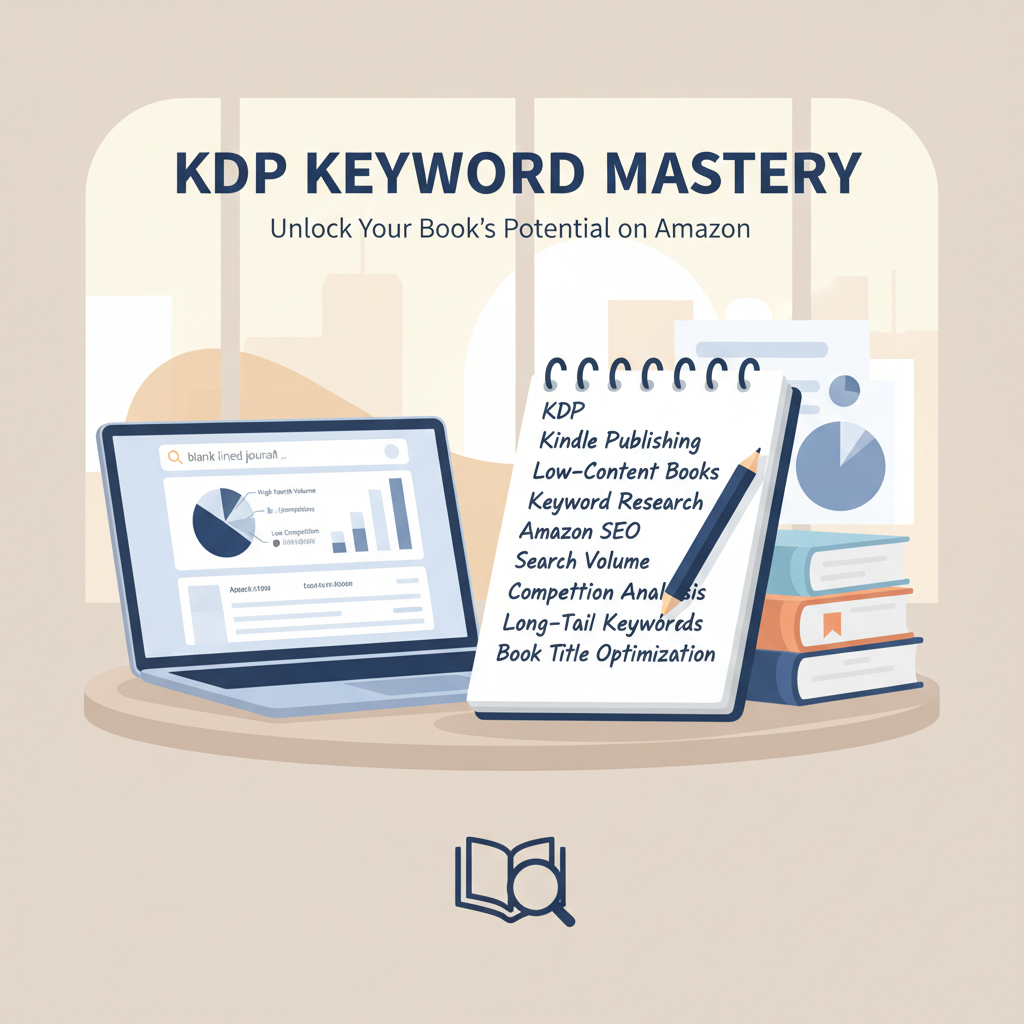
KDP Keyword Strategy Practical Guide for Nonfiction Authors
KDP Keyword Strategy: A Practical Guide for Nonfiction Authors
Estimated reading time: 6 minutes
- A focused KDP keyword strategy starts with long-tail, highly relevant phrases and uses all seven KDP keyword slots to improve discoverability.
- Use free signals (Amazon autocomplete, category pages) and paid tools to balance search volume with competition; test and iterate.
- BookAutoAI speeds keyword testing by producing KDP-ready nonfiction books with built-in EPUB conversion and a cover generator, letting you move from idea to live listing faster.
Table of Contents
- What is KDP Keyword Strategy?
- How to research and select keywords
- How to apply, test, and refine keywords on KDP
- Practical notes on production and scale
- How BookAutoAI helps authors test keywords faster
- Final thoughts
- FAQ
- Sources
What is KDP Keyword Strategy?
KDP Keyword Strategy means choosing the right words and phrases that readers type into Amazon when they look for books. For nonfiction authors, a strong keyword strategy helps your book appear in search results, reach the right readers, and get discovered without relying only on ads or a big mailing list.
The basics are simple:
- Think like a reader: choose phrases that describe the problem, outcome, or niche your book solves.
- Favor long-tail phrases (three words or more). They have less competition and more purchase intent.
- Use all seven keyword boxes on KDP and the full character allowance to maximize reach.
You’ll see the term “KDP Keyword Strategy” throughout this guide because it’s the central idea—how you get your book found. If you’re also preparing your manuscript and listing, a helpful next step is to move from keywords into a finished listing; see Publish Book Amazon Kdp 3 for a practical how-to that walks through live publishing steps.
How to research and select keywords
Start with a grounded process. The goal is to find specific, relevant search phrases that have enough demand to matter, but not so much competition that your new book gets buried.
1. Capture seed ideas
List the main topics, problems, and outcomes your book offers. For example: “time blocking,” “parenting teens,” “financial independence for nurses.”
Note variations: synonyms, location-based terms, descriptive phrases (e.g., “step-by-step,” “for beginners”).
2. Use Amazon signals
Amazon autocomplete: start typing your seed words into the search bar and collect the suggested phrases. These are real searches from real users.
Category and bestseller pages: look at how top books in your niche describe themselves—titles, subtitles, and bullets reveal target phrases and reader expectations.
3. Prioritize long-tail phrases
Long-tail keywords like “time blocking for busy parents” or “financial independence for emergency nurses” are often easier to rank for and attract more qualified buyers. They match intent: someone typing a longer phrase usually knows what they want.
4. Validate with tools
If you can, use tools that show search volume and competition. These help you balance demand with opportunity. If you don’t use paid tools, combine autocomplete with competitor analysis (ASIN lookups and category ranks) to estimate potential.
5. Fit keyword rules and limits
- KDP gives seven keyword boxes, 50 characters each. Use them all.
- Avoid commas unless they help meaning; KDP treats spaces as separators.
- Don’t use HTML, promotional terms (e.g., “free”), or program names like “Kindle Unlimited” in keyword fields—Amazon disallows certain terms.
- Think of keyword boxes as lists of phrases, not a single sentence. Use variations and cover related intent across the seven slots.
6. Balance relevance and reach
A keyword should reflect your book’s content. Irrelevant keywords may attract clicks but hurt conversion and ranking.
Prioritize:
- High relevance
- Reasonable search volume
- Beat‑able competition
How to apply, test, and refine keywords on KDP
Applying keywords is straightforward, but testing and refining is where most authors find growth. This section blends setup steps with a practical testing plan.
Setup: metadata and placements
- Title and subtitle: Where it fits naturally, add your strongest keyword or a close variation in the subtitle. The subtitle carries much weight for SEO on Amazon, so use it wisely.
- Book description: Write a clear, benefit-focused description that uses variations of your keyword naturally. Avoid keyword stuffing; aim for readability and conversion.
- Keyword fields: Fill all seven boxes with unique long-tail and mid-tail phrases. Think of each box as a chance to capture a different search intent.
- Categories and BISAC: Choose two categories that match your audience. Categories work alongside keywords to place your book in the right browsing paths.
Testing plan
1. Baseline
Launch with the best-guess keywords you can build from your research. Give the listing time—two to four weeks—for organic impressions.
2. Monitor
Track impressions, sales rank, and conversion. Watch which search terms drive traffic if you can access that data via ads or platform reports.
3. Iterate
Swap one or two keyword phrases at a time rather than changing everything. This makes it easier to see what helped or hurt.
Keep a simple spreadsheet: date, keywords changed, results after two weeks.
4. Use low-cost ads for tests
If you have a small ad budget, run a low-cost Sponsored Product campaign targeting your chosen keywords. Ads give faster feedback on which phrases convert.
5. Seasonal and evergreen
- Test seasonal phrases if your content aligns (holiday, annual events).
- For evergreen nonfiction, focus on long-term terms that reflect ongoing reader needs.
Practical notes on production and scale
Creating and testing multiple keyword hypotheses works best when you can produce clean, KDP-ready books quickly. That’s where production tools matter: fast formatting, predictable EPUB conversion, and a cover designed to compete at thumbnail size save time and reduce risk.
If you need a fast way to produce a KDP-ready nonfiction book and move quickly from keyword idea to a live listing, BookAutoAI handles manuscript generation, formatting, and publishing prep so you can test more keyword combos faster. It also includes a built-in cover generator and EPUB conversion that match marketplace requirements, cutting the technical friction from testing cycles.
Each book is formatted for upload, reducing errors that often slow down listing changes.
How BookAutoAI helps authors test keywords faster
When your goal is iterating keyword strategies for nonfiction, speed and reliability matter. BookAutoAI is built to be the practical engine behind that work:
- Fast book creation: Generate up to 25,000 words of humanized nonfiction writing in one pass. That means you can turn an idea plus a set of keyword hypotheses into a full manuscript without the usual time sink.
- KDP-first formatting: Each book is formatted for upload, reducing errors that often slow down listing changes. The system includes an EPUB converter that produces store-ready files compatible with major platforms, so your test books preview correctly and pass platform checks.
- Cover generator trained on best sellers: Covers are more than artwork; they must read well at thumbnail size, show clear typography, and match genre expectations. BookAutoAI’s cover generator is trained on top-selling designs so your test books look professional and competitive.
- Iteration without manual bottlenecks: Because BookAutoAI automates the writing, formatting, and cover creation steps, you can run multiple keyword variations in weeks instead of months. That speed matters for refining which long-tail phrases actually convert into sales.
These features make it practical to treat KDP as a testing ground. Produce several short, targeted nonfiction books, each optimized for a different cluster of keywords. Track which clusters get traction, then scale the winners with fuller editions, ads, and promotions. The platform also supports creating ebooks and paperbacks, letting you publish across formats quickly using one workflow.
Final thoughts
A clear KDP keyword strategy is a repeatable, testable process: start with reader-focused long-tail phrases, validate with Amazon signals and tools, use every metadata field intentionally, and iterate based on performance. For nonfiction authors who want to move quickly from idea to market tests, using a tool that handles writing, formatting, EPUB conversion, and cover generation removes friction and lets you run more meaningful experiments.
Write like a Human, Publish like an author.
If you want to try a streamlined path from keyword research to a live KDP listing, visit BookAutoAI to explore how it speeds book production and testing. Try our demo book.
FAQ
How many keyword boxes does KDP allow?
KDP allows seven keyword boxes. Each box accepts up to 50 characters, including spaces.
Should I repeat keywords across boxes?
No. Use unique phrases across the seven boxes. Think of each box as covering different reader intents or phrasing variations.
Do I need paid keyword tools?
Paid tools help with volume and competition estimates, but you can start with Amazon autocomplete, competitor lists, and category browsing. Paid tools speed decisions and add data confidence as you scale.
Where should I place my strongest keyword?
If it fits naturally, place a primary phrase in the subtitle or title area and related long-tail phrases in the keyword boxes. Keep the title readable and focused on benefits.
How long should I wait before changing keywords?
Give a new listing two to four weeks for organic impressions. If you’re running low-cost ads, you can get quicker feedback and make changes sooner.
Can I use the same keyword strategy for both ebook and paperback?
Yes. Use consistent metadata across formats, but remember that different formats may attract different browsing behaviors. Maintain the same keyword intent and test format-specific promotions.
Will using broad keywords help my book?
Broad keywords can drive impressions, but they often have high competition and low conversion. Prioritize specific long-tail phrases that match reader intent.
Where can I learn the technical steps to publish on Amazon KDP?
For a practical, step-by-step guide that takes you from manuscript to live listing, check the detailed publishing walkthrough in Publish Book Amazon Kdp 3.
Sources
- How to Choose Amazon KDP Keywords for Books – BookBaby Blog
- Amazon KDP help: Make Your Book More Discoverable with Keywords
- How to Choose Keywords for Your Amazon KDP Book – Reedsy
- How to Choose Profitable Amazon Book Keywords [2026] – Kindlepreneur
- Amazon KDP Keyword Research Tutorial (Full 2025 Guide) – YouTube
- Keyword Strategy guide by KDP Authors for Book sales on Amazon
- Amazon KDP Keywords: The Ultimate Guide for 2027 – Automateed
KDP Keyword Strategy: A Practical Guide for Nonfiction Authors Estimated reading time: 6 minutes A focused KDP keyword strategy starts with long-tail, highly relevant phrases and uses all seven KDP keyword slots to improve discoverability. Use free signals (Amazon autocomplete, category pages) and paid tools to balance search volume with competition; test and iterate. BookAutoAI…