
How to Write Your First Book with AI Step-by-Step Guide
How to Write Your First Book with AI
Estimated reading time: 7 minutes
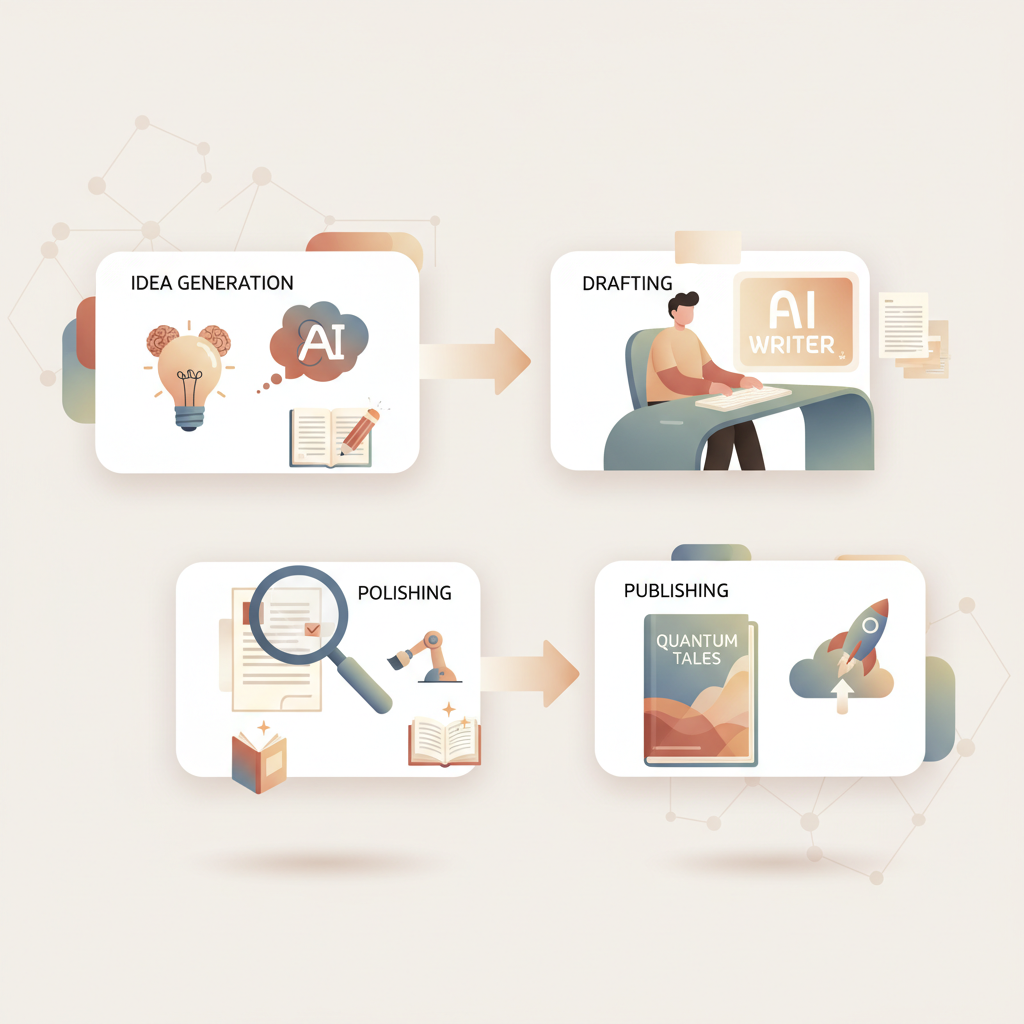
- AI turns a slow, fragmented book project into a repeatable process: idea → draft → polish → publish.
- For non-fiction authors, the right system will generate a complete, humanized manuscript and handle cover and ebook conversion so you can publish faster.
- BookAutoAI is built for non-fiction publishing scale: it produces up to 25,000 words, humanizes output, and includes cover and EPUB tools so your book is store-ready.
Table of Contents
- Why AI is the fastest path to your first non-fiction book
- How to Write Your First Book with AI (practical, step-by-step)
- Capture and clarify your idea
- Choose a structure
- Generate a practical outline
- Draft chapters with focused prompts
- Edit, humanize, and refine
- Enrich with practical elements
- Prepare cover and book metadata
- Convert to EPUB and format for stores
- Publish and iterate
- How BookAutoAI removes publishing friction
- FAQ
- Sources
Why AI is the fastest path to your first non-fiction book
If you’re asking how to write your first book with AI, you already know the idea is the easy part — turning that idea into a finished, publishable book is where most people stall. AI changes that math by letting you move faster through core stages: outline, draft, edit, and publish.
A short prompt or a voice note can become a chapter outline, then draft chapters, edits, and a finished manuscript far faster than traditional methods. For authors who want to scale non-fiction publishing, a key step is choosing a tool that not only writes, but also humanizes the voice so readers find the text natural—and platforms accept it. If you want a deeper comparison of AI tools and how they match non-fiction needs, see Best Ai For Writing Nonfiction Books 2 for a closer look at alternatives and what to expect when evaluating them.
AI does more than produce text: it helps you discover structure, test titles and descriptions, and prepare files that meet marketplace requirements. The result is fewer technical hurdles and more time for the one task that still matters most — shaping content so readers learn or solve a problem.
How to Write Your First Book with AI (practical, step-by-step)
This is a hands-on process you can repeat. Keep human oversight at the center for accuracy and tone.
1) Capture and clarify your idea
Start with a clear problem your book will solve. Who is the reader, and what outcome will they get? Keep this as a one-sentence promise.
Gather raw material — notes, interviews, articles, voice memos, and any research. AI works best when it has a focused prompt and source material to lean on.
2) Choose a structure (quick decision, big payoff)
Non-fiction sells when it delivers a reliable format: how-to steps, case studies, checklists, or frameworks. Decide on structure before you generate large blocks of text.
If you prefer an outline-first approach, ask the AI for a chapter-by-chapter breakdown with word targets. If you’re a discovery writer, give the AI your core argument and let it propose a recommended flow.
3) Generate a practical outline
Prompt the AI to create a detailed outline with chapter titles, 3–6 subpoints per chapter, and suggested word counts. This outline becomes your roadmap.
Use the outline to confirm scope. If the book feels too long, narrow the focus or split it into a series.
4) Draft chapters with focused prompts
Treat the AI like a co-writer. For each chapter, send a short brief: chapter goal, audience level, tone, and 3–5 bullet points to cover.
Produce one chapter at a time. Read the output aloud and mark places that need more examples, clarifications, or local voice.
5) Edit, humanize, and refine
AI can produce clean prose, but human editing is essential for tone, accuracy, and nuance. Edit for clarity, add personal anecdotes, and verify facts.
Use the AI for iterative edits: ask it to shorten a section, make language more conversational, or expand an example.
6) Enrich with practical elements
Add checklists, reading lists, diagrams, and callouts that improve usability. These elements raise perceived value and reader satisfaction.
If you need help creating concise lists or highlights, prompt the AI to extract the top five action steps from a chapter.
7) Prepare cover and book metadata
Don’t leave cover design or metadata to the last minute. Early title and subtitle tests help position the book correctly.
When it’s time to create a cover that sells, a professional system saves time and avoids amateur mistakes. Use a design tool trained on best-selling covers to get the right look and readable thumbnail typography.
8) Convert to EPUB and format for stores
The final file must meet platform requirements. Automated EPUB conversion removes the technical steps of embedding covers, fixing navigation, and structuring metadata.
Validate the EPUB in previews to ensure chapter navigation works and the cover displays correctly.
9) Publish and iterate
Upload to your chosen store, watch sales and reader feedback, then iterate. A follow-up short book or updated edition is easier once you have a repeatable process.
Practical tips:
- Keep chapter word targets modest for a first book (6–8 short chapters, 2,500–5,000 words total is common for short non-fiction).
- Use the AI to generate variations of your book description and subtitle for A/B testing.
- Preserve source notes and a version history so you can revise or expand the book later.
When you need professional covers and reliable ebook files, a platform that combines all parts of the production process cuts weeks off publishing. For example, BookAutoAI’s cover tools produce market-ready covers with readable typography and genre-appropriate backgrounds, and its EPUB conversion removes manual cleanup so your file is store-ready.
How BookAutoAI removes publishing friction
If your goal is to turn ideas into published books quickly, you want a system that understands every stage that matters for non-fiction. BookAutoAI is built for that purpose: it generates manuscripts up to 25,000 words, humanizes the output so it reads naturally, and packages the result for marketplaces.
Here are the specific friction points BookAutoAI addresses and why that matters.
End-to-end output, not fragments
Most general AI writing tools produce paragraphs or chapters. BookAutoAI is tuned to produce a complete non-fiction book in a single flow, which saves time and reduces the chance of disjointed voice across chapters.
Humanized writing that passes AI detectors
Marketplaces and readers favor natural-sounding text. BookAutoAI applies post-processing to make language flow like a human writer, not an obvious machine transcript. That humanization helps with marketplace approvals and long-term sales.
Professional covers designed to sell
Many AI tools generate images that look artistic but fail as book covers. BookAutoAI’s cover tool creates market-ready covers with clear title hierarchy and readable typography that work at thumbnail size.
This is not just artwork — it’s design trained on patterns from best-selling books so your cover competes at first glance. When you’re ready to build a cover, the BookAutoAI cover generator handles readable typography and market-tested layouts so you don’t have to become a designer.
Clean EPUB conversion, built for stores
Manual EPUB creation is a common blocker: metadata misplacement, broken navigation, or improperly embedded covers can stop a book from publishing. BookAutoAI’s EPUB converter builds a correctly structured file with embedded cover, clean chapter navigation, and proper metadata so the output previews and uploads with minimal checks.
Store-ready formatting and KDP compatibility
Files are formatted for Kindle and other platforms without extra steps. That means fewer errors, faster publishing, and less time learning formatting rules.
Practical controls and real-world outputs
BookAutoAI gives you practical options: tweak tone, adjust chapter structure, and regenerate sections as needed. That flexibility preserves your authorial control while accelerating production.
Scale without a large team
When you’re ready to publish multiple short non-fiction books, the time saved on formatting, covers, and file prep scales directly into more titles and more market tests. And when you’re ready to publish a paperback or ebook, the BookAutoAI platform handles the end-to-end output so you can upload quickly.
Write like a human, publish like an author: for authors serious about producing non-fiction that sells, the combination of humanized manuscripts, professional covers, and clean EPUB files is the difference between a draft and a published product.
When you reach the file stage, the EPUB converter produces store-ready EPUBs in seconds. If you need help with uploading to retailers, many authors use specialized upload tools to simplify distribution.
Visit Bookautoai and try our demo book.
FAQ
Q: Can I really write a full non-fiction book with AI without outlining first?
Yes. Outliners give you control and discovery writers can provide a concept and let the AI propose and iterate on an outline. Either way, a human pass to verify structure and accuracy is essential.
Q: How do I keep my voice in the AI-generated book?
Start with a short sample of your writing or a detailed brief that describes your tone. Use the AI to draft and then edit the draft with your voice in mind; personal stories and consistent phrasing help.
Q: Will AI content be flagged on Amazon or other stores?
Marketplaces screen for poor quality or obviously machine-generated text. Choosing a tool that humanizes writing and doing a final human edit focused on flow, examples, and accuracy reduces that risk.
Q: How long does it take to move from idea to published ebook?
With a focused process and automated tools for cover and EPUB conversion, a short non-fiction book can move from idea to published ebook in days or a few weeks depending on research and revision cycles.
Q: Do I still need to fact-check the AI output?
Always. AI can make confident but incorrect statements. Verify facts, data points, and citations before publishing.
Q: I want to publish both ebook and print — how does that change the process?
Print requires additional layout and cover spine/back considerations. Use a platform that supports both EPUB conversion and export-ready print files, and validate gutters, margins, and image resolutions for print.
Sources
- https://voicenotes.com/blog/write-book-with-with-ai
- https://www.squibler.io
- https://fastread.io
- https://www.microsoft.com/en-us/microsoft-copilot/for-individuals/do-more-with-ai/ai-art-and-creativity/write-and-self-publish-your-book-with-ai
- https://www.youtube.com/watch?v=DFeP863BaPM
- https://www.youtube.com/watch?v=cBY4wENLqOY
- https://community.openai.com/t/technique-for-writing-entire-books/705519
How to Write Your First Book with AI Estimated reading time: 7 minutes AI turns a slow, fragmented book project into a repeatable process: idea → draft → polish → publish. For non-fiction authors, the right system will generate a complete, humanized manuscript and handle cover and ebook conversion so you can publish faster. BookAutoAI…