
KDP Rules and Guidelines Explained for Self-Publishers
KDP Rules and Guidelines: A Practical Guide for Self-Publishers
Estimated reading time: 14 minutes
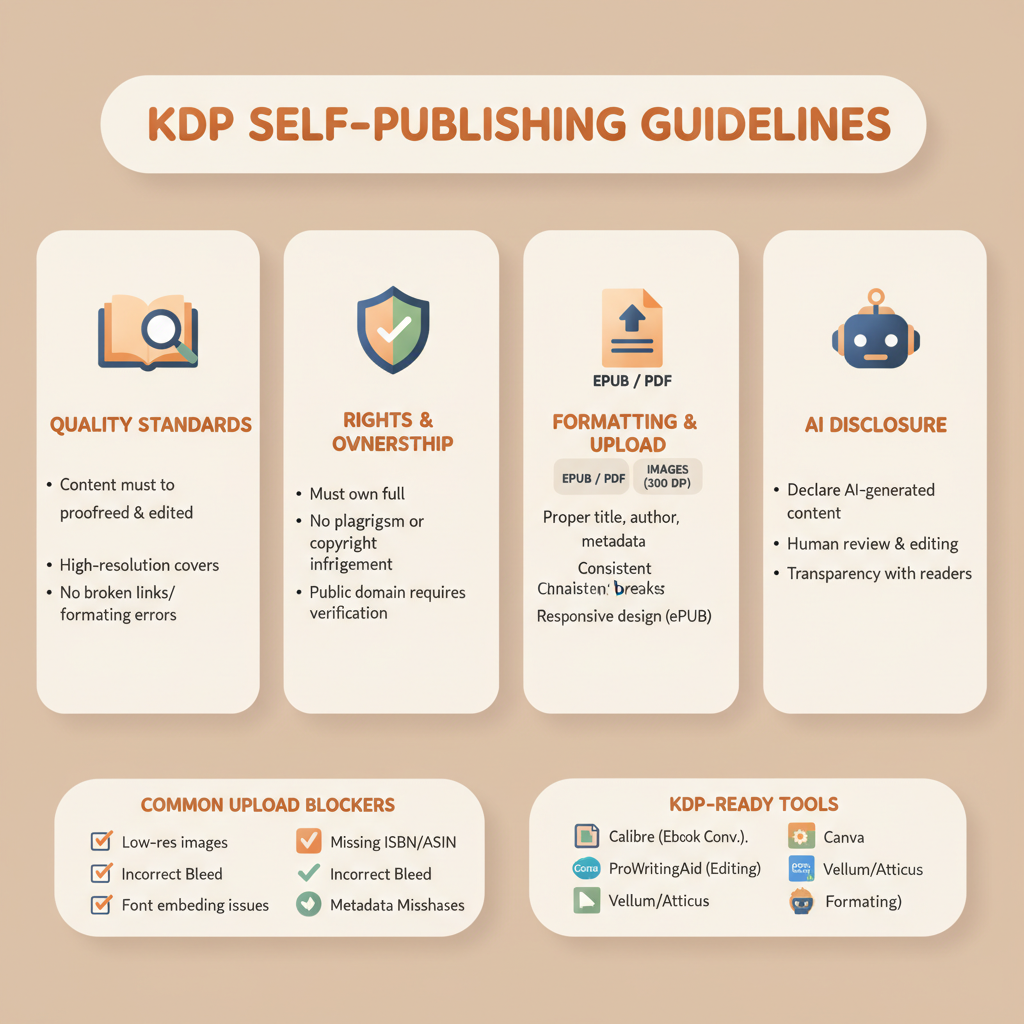
- KDP rules prioritize quality, rights, formatting, and honest disclosure of AI use to avoid removal or delays.
- Technical issues—EPUB/PDF formatting, images, and metadata—are the most common upload blockers.
- Use tools that produce KDP-ready files and humanized text to reduce rework and speed publication.
Table of Contents
- What KDP Rules and Guidelines mean for authors
- Technical formatting and cover requirements
- Manuscript files and EPUBs
- Cover design and thumbnail rules
- Paperback dimensions and bleed
- Metadata, title, and description
- Content, rights, and AI disclosure rules
- Originality and copyright
- Avoiding restricted content
- AI-generated content disclosure
- Rights and permissions for third-party materials
- Prepare and publish with confidence
- Step 1 — Create and review content
- Step 2 — Format for your target product
- Step 3 — Design a market-ready cover
- Step 4 — Prepare metadata and assets
- Step 5 — Upload and disclose correctly
- Practical tips to avoid common rejections
- Final notes on quality and longevity
- FAQ
- Sources
What KDP Rules and Guidelines mean for authors
If you plan to publish on Amazon, understanding KDP Rules and Guidelines is the first step. These rules cover what can appear in your book, file formatting, cover handling, and required disclosure of AI-assisted content.
The goal is simple: maintain a good reader experience and protect rights holders. For non-fiction authors who want speed without risk, tools can help produce readable, humanized text and compliant files.
Before you upload, remember practical publishing guides can reduce errors—one useful companion is Publish Book Amazon Kdp 3, which walks through common KDP steps and mistakes.
KDP’s approach is not about blocking new tools; it is about clarity and quality. Low-effort manuscripts, covers, or metadata that infringe rights or hide AI use can be rejected or removed.
Technical formatting and cover requirements
KDP enforces clear technical standards. Ignoring them causes upload failures and long review times. Below are the main areas to check.
Manuscript files and EPUBs
File formats: For ebooks, KDP accepts EPUB and reflowable files; for print with bleed, a PDF preserves layout. Always embed fonts and flatten images when needed.
Size and resolution: Use 300 DPI images for print and keep file sizes below KDP limits. Optimize images without noticeable quality loss.
Navigation and chapters: Build a clean chapter structure so the table of contents and in-book navigation work across reader apps. For automated EPUB conversion, consider a purpose-built converter like the EPUB Converter that embeds covers and metadata correctly for consistent previews.
Cover design and thumbnail rules
Covers must be legible at thumbnail size and must not use trademarked logos without permission.
- Clear typography: Title and author must read at small sizes.
- Genre-appropriate visuals: The imagery should match reader expectations.
- Rights: Do not use copyrighted imagery unless licensed or created by you.
If you need a fast, market-focused cover, try the BookAutoAI Cover Generator that emphasizes hierarchy and legibility: Book cover generator.
Paperback dimensions and bleed
Choose the correct trim size and set margins to account for bleed. Export full-bleed images as a final-size PDF with crop marks when required.
Embed fonts and flatten layers in PDFs to avoid rendering errors during review.
Metadata, title, and description
Titles and subtitles should not include promotional claims. Descriptions must avoid external links or false endorsements. Use relevant keywords and categories—misleading tags can trigger review.
Combine these checks into a pre-upload checklist: validate the final EPUB/PDF, preview the cover at thumbnail size, clean metadata, and optimize images.
Content, rights, and AI disclosure rules
KDP protects readers and rights holders. Focus on originality, proper permissions, and honest disclosure about tool use.
Originality and copyright
Do not upload content you do not own or have rights to, including text, images, and cover elements. Public-domain works must follow KDP’s public-domain rules and be clearly identified.
Companion works and summaries should identify their nature and not misrepresent original authorship.
Avoiding restricted content
KDP restricts pornographic or erotica that breaches standards, and content that violates policies on hate or unlawful material. Remove obscene or unlawful language from titles and cover text.
AI-generated content disclosure
KDP requires authors to disclose whether text, images, or translations were produced with AI assistance. This is a required yes/no selection during submission.
Answer honestly—misrepresentation can lead to removal. Also, humanize AI output: machine-generated text left raw is more likely to be flagged for low quality.
If you used AI for translations or images, disclose that too and edit for natural flow and accuracy.
Rights and permissions for third-party materials
Secure permissions for quotes, excerpts, or images owned by others, or ensure use falls within fair use and KDP limits. Credit original authors and sources for translations.
Automation helps but does not remove responsibility; prepare permissions and disclosures before upload.
Prepare and publish with confidence
Turn rules into a compact, repeatable checklist. Below are practical steps to get your book live with fewer rejections.
Step 1 — Create and review content
Draft with a clear structure: introduction, chapters, conclusion or next steps.
Check originality and remove copyrighted excerpts unless licensed. If AI was used, edit and humanize the text for clarity and accuracy.
Step 2 — Format for your target product
For ebooks, export a clean EPUB with an embedded cover and metadata and test across previewers. For print, export a final PDF with correct trim, bleed, embedded fonts, and 300 DPI images.
If you want a converter that simplifies the manuscript-to-store file step, use the EPUB Converter to reduce trial-and-error.
Step 3 — Design a market-ready cover
Ensure title and author typography are clear at small sizes and align design with genre expectations—buyers decide in seconds.
Verify image rights and avoid logos or photos you don’t own. If you need a reliable cover fast, the Book cover generator mentioned earlier builds market-ready covers focused on legibility.
Step 4 — Prepare metadata and assets
Keep title, subtitle, and series fields accurate and non-promotional. Write a clear description without external links. Choose categories and keywords that truly match your book.
Step 5 — Upload and disclose correctly
During the KDP upload, select the accurate AI-assisted content option, choose the correct territory and pricing, and note KDP Select exclusivity rules when applicable.
When preparing to upload to retailers or distribution services, consider tools that handle batch or single uploads; for upload tooling and distribution support see available uploader services like Book Upload Pro.
Practical tips to avoid common rejections
Run a final check for stray tracked changes, hidden layers, or unembedded fonts. Validate EPUB accessibility and correct chapter anchors. Preview the cover at thumbnail size and ask an unfamiliar reviewer to judge legibility.
Final notes on quality and longevity
KDP favors books that look and read professionally. Low-effort collections, spun content, or poorly designed covers may be removed or fail to sell.
Invest time in polish. Systems built for non-fiction production can help you produce high-quality, KDP-ready books quickly while keeping compliance front of mind.
To explore end-to-end generation, cover creation, and conversion tools, visit Bookautoai and try the demo resources available.
FAQ
Q: What is the single biggest reason KDP rejects uploads?
A: Technical formatting problems—unembedded fonts, incorrect bleed settings, oversized images, or malformed EPUBs—are the most common causes. Validate files before upload.
Q: Do I have to disclose AI use on KDP?
A: Yes. KDP requires a disclosure about AI use for text, images, and translations during submission. Be honest and edit AI output for quality.
Q: Can I use AI-generated covers?
A: Yes, if you have the rights and the cover follows KDP rules (no trademark violations, readable typography, accurate representation).
Q: How do I make an EPUB that passes KDP checks?
A: Use an EPUB converter that embeds metadata and the cover correctly, validates the chapter structure, and tests in multiple previewers.
Q: What about public domain or translated works?
A: Follow KDP’s policies for public-domain content. Credit original authors and sources for translations and ensure compliance with copyright law.
Q: Where can I find a step-by-step guide to publishing on KDP?
A: Practical walkthroughs and step-by-step posts help with uploads and common pitfalls; pair them with tools that generate and format your book to save time.
Sources
- https://selfpublishingadvice.org/amazon-rules-for-authors/
- https://kdp.amazon.com/help/topic/G201857950
- https://kdp.amazon.com/help/topic/G200672390
- https://www.youtube.com/watch?v=TowyY6TDh-M
- https://kdp.amazon.com/help?topicId=GKX2T59EVGFSMKQK
KDP Rules and Guidelines: A Practical Guide for Self-Publishers Estimated reading time: 14 minutes KDP rules prioritize quality, rights, formatting, and honest disclosure of AI use to avoid removal or delays. Technical issues—EPUB/PDF formatting, images, and metadata—are the most common upload blockers. Use tools that produce KDP-ready files and humanized text to reduce rework and…